Fix 1: Enable Notifications for Incoming Calls
You may have disabled the notifications for incoming calls on your Android device.
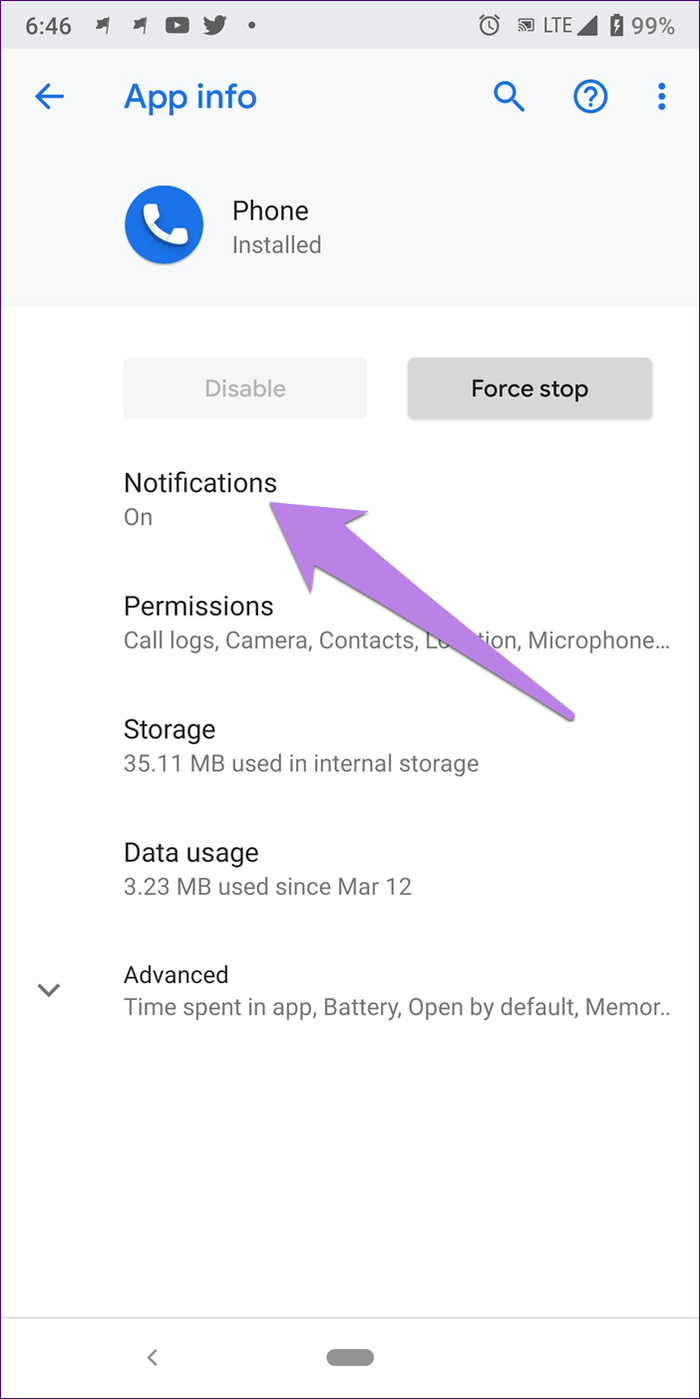
Step 1: Tap and hold on the Phone app icon in your home screen, and select App Info.
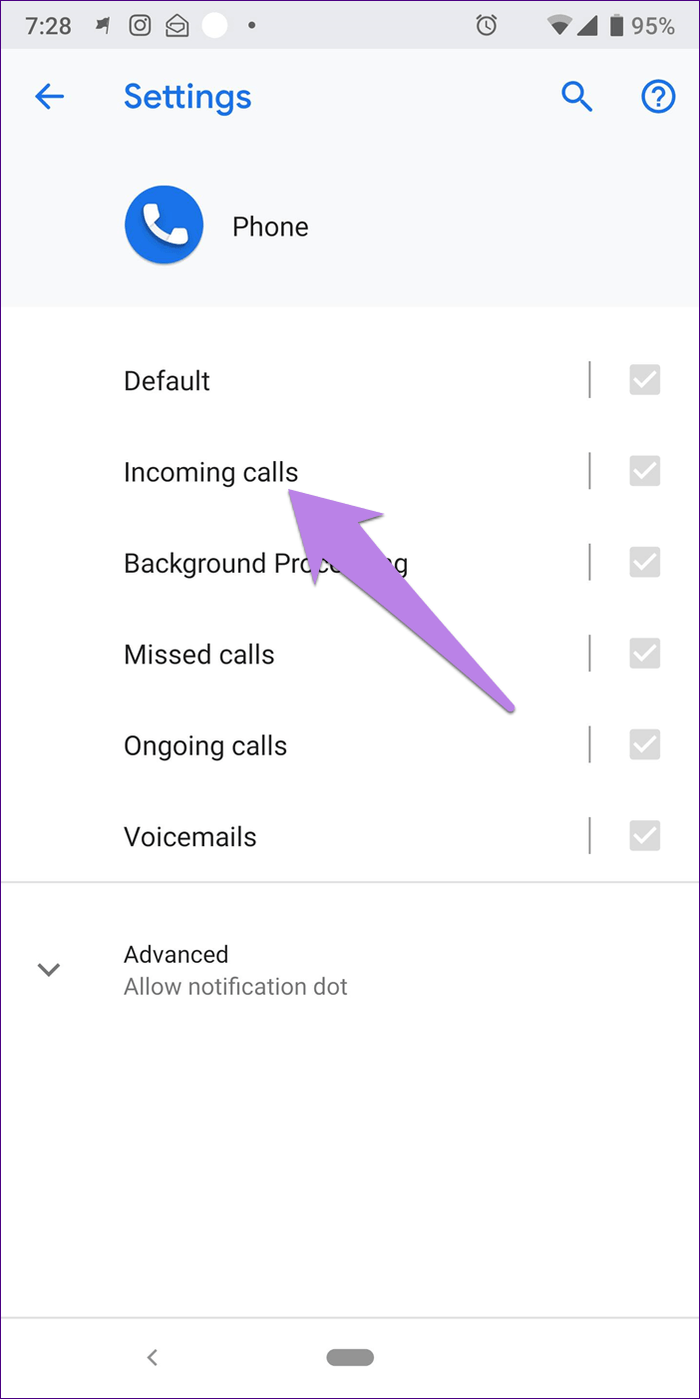
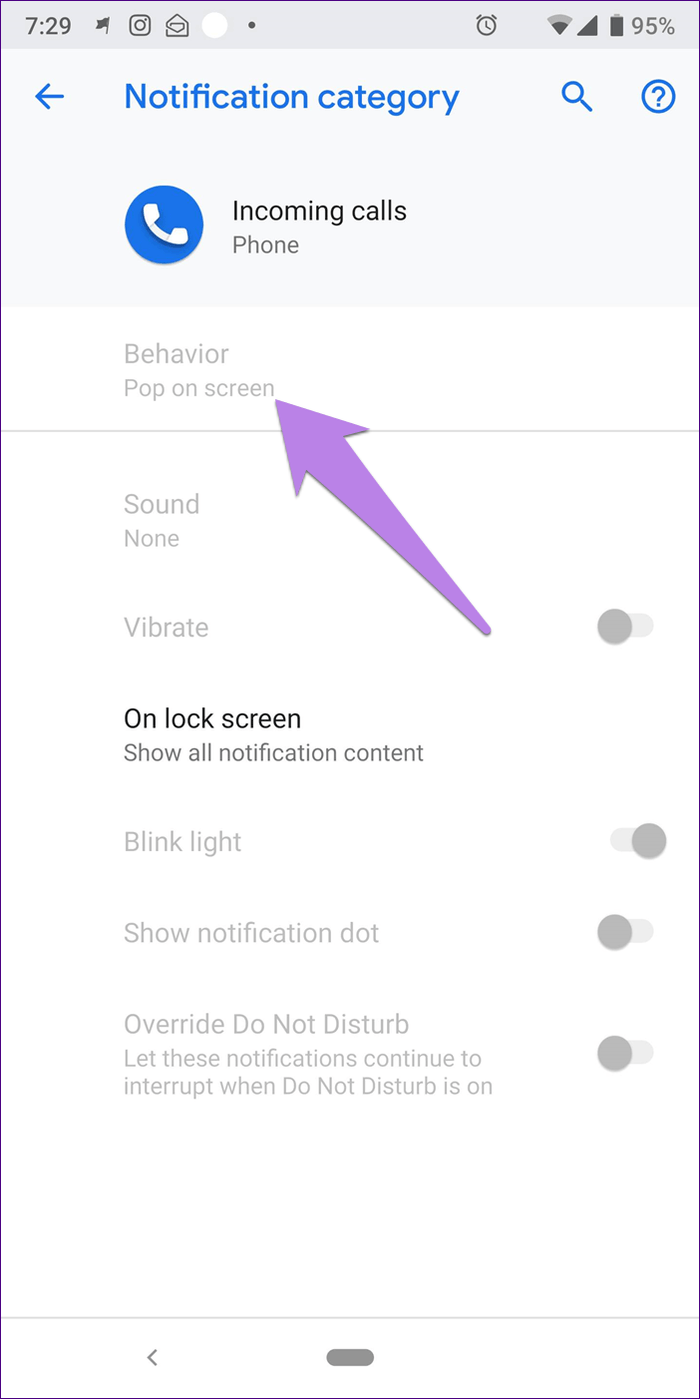
Step 2: Tap on Notifications. Tap on Incoming calls. Make sure the Show notification toggle is enabled.
Step 3: Then tap on Behavior. If the behavior shows ‘Show silently and minimize,’ you have found your culprit. Change it to Make Sound and pop up on Screen.
Also Read: 9 ways to fix incoming calls not showing on Samsung Galaxy phones
Fix 2: Fix Issues With the Phone App
Here’s how you can clear junk files, or uninstall any corrupted update to fix issues with the phone app.
Tap and hold the Phone app icon, and select app info.
- You can Force Stop the app, and restart it to resolve temporary glitches.
- You can also try clearing the cache to remove junk files that may cause issues.
- A recent update to the app may be causing issues – tap on the three-dots icon, and select Uninstall Updates.


Fix 3: Reset App Preferences
Resetting app preferences can help you fix any misconfiguration that is preventing notifications from incoming calls.
Open the Settings app and tap on Apps. Select All Apps, tap on the three-dot menu at the top right, and select Reset app preferences.


Fix 4: Enable Display Over Other Apps
The Phone app should have the required permission to display content over other apps.
Step 1: Tap and hold the Phone app, and select App Info.
Step 2: Scroll down to the Advanced section, select and turn on Display over other apps.


Fix 5: Don’t Use a Third-Party Phone App
A bug in a third-party phone app may cause problems – here’s how to switch to the default Phone app.
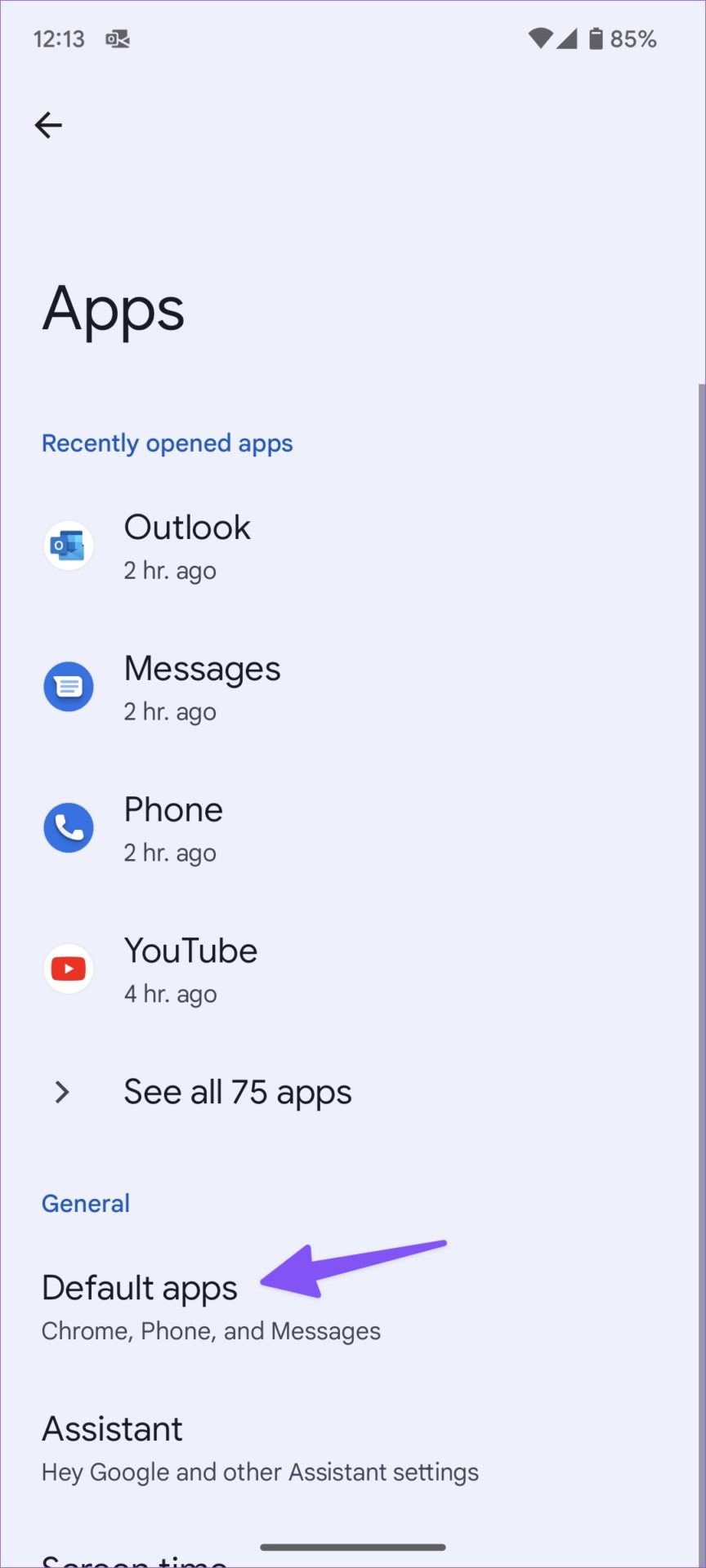
Step 1: Open the Settings app, and go to Apps > Default Apps.
Step 2: Select the Phone app and tap the radio button beside the default app.


Was this helpful?
Last updated on 25 July, 2024
Read Next
 4 Fixes for Android Not Showing Contact Names for Incoming Calls
https://youtu.be/42YJeJ_T88c Fix 1: Allow the Phone App to Access Your Contacts Like most apps, the Phone app on your Android also requires permission to access your contact list.
4 Fixes for Android Not Showing Contact Names for Incoming Calls
https://youtu.be/42YJeJ_T88c Fix 1: Allow the Phone App to Access Your Contacts Like most apps, the Phone app on your Android also requires permission to access your contact list.
 How to Fix Samsung Phone Not Showing Incoming Calls
Preliminary Fixes Restart Galaxy Phone: Restarting your Samsung Galaxy phone can help resolve minor software glitches that might be causing the problem of incoming calls not showing.
How to Fix Samsung Phone Not Showing Incoming Calls
Preliminary Fixes Restart Galaxy Phone: Restarting your Samsung Galaxy phone can help resolve minor software glitches that might be causing the problem of incoming calls not showing.
 6 Ways to Fix Incoming Calls Go Straight to Voicemail on Android
Try Basic Fixes Toggle the airplane mode: Turning the airplane mode on and off can help refresh your phone’s network connection.
6 Ways to Fix Incoming Calls Go Straight to Voicemail on Android
Try Basic Fixes Toggle the airplane mode: Turning the airplane mode on and off can help refresh your phone’s network connection.
 5 Fixes for iPhone Not Showing Contact Names for Incoming Calls
Fix 1: Disable and Re-Enable iCloud Contact Sync Issues with your iCloud account could affect your iPhone's ability to sync contacts, preventing it from showing contact names on incoming caller
5 Fixes for iPhone Not Showing Contact Names for Incoming Calls
Fix 1: Disable and Re-Enable iCloud Contact Sync Issues with your iCloud account could affect your iPhone's ability to sync contacts, preventing it from showing contact names on incoming caller
 6 Ways to Fix iPhone Not Ringing for Incoming Calls
Basic Fixes Disable silent mode: If the color beside the alert slider is orange, your iPhone is set to silent.
6 Ways to Fix iPhone Not Ringing for Incoming Calls
Basic Fixes Disable silent mode: If the color beside the alert slider is orange, your iPhone is set to silent.
 5 Ways to Fix Apple Watch Not Ringing for Incoming Calls
Basic Fixes Restart Apple Watch: Restarting your Apple Watch can get rid of any temporary bugs and glitches.
5 Ways to Fix Apple Watch Not Ringing for Incoming Calls
Basic Fixes Restart Apple Watch: Restarting your Apple Watch can get rid of any temporary bugs and glitches.
 Top 7 Fixes for Incoming Call Screen Not Showing Up on iPhone
The typical functionality of a phone is to show you the incoming caller’s name or number when the phone rings, along with the answer and decline buttons.
Top 7 Fixes for Incoming Call Screen Not Showing Up on iPhone
The typical functionality of a phone is to show you the incoming caller’s name or number when the phone rings, along with the answer and decline buttons.
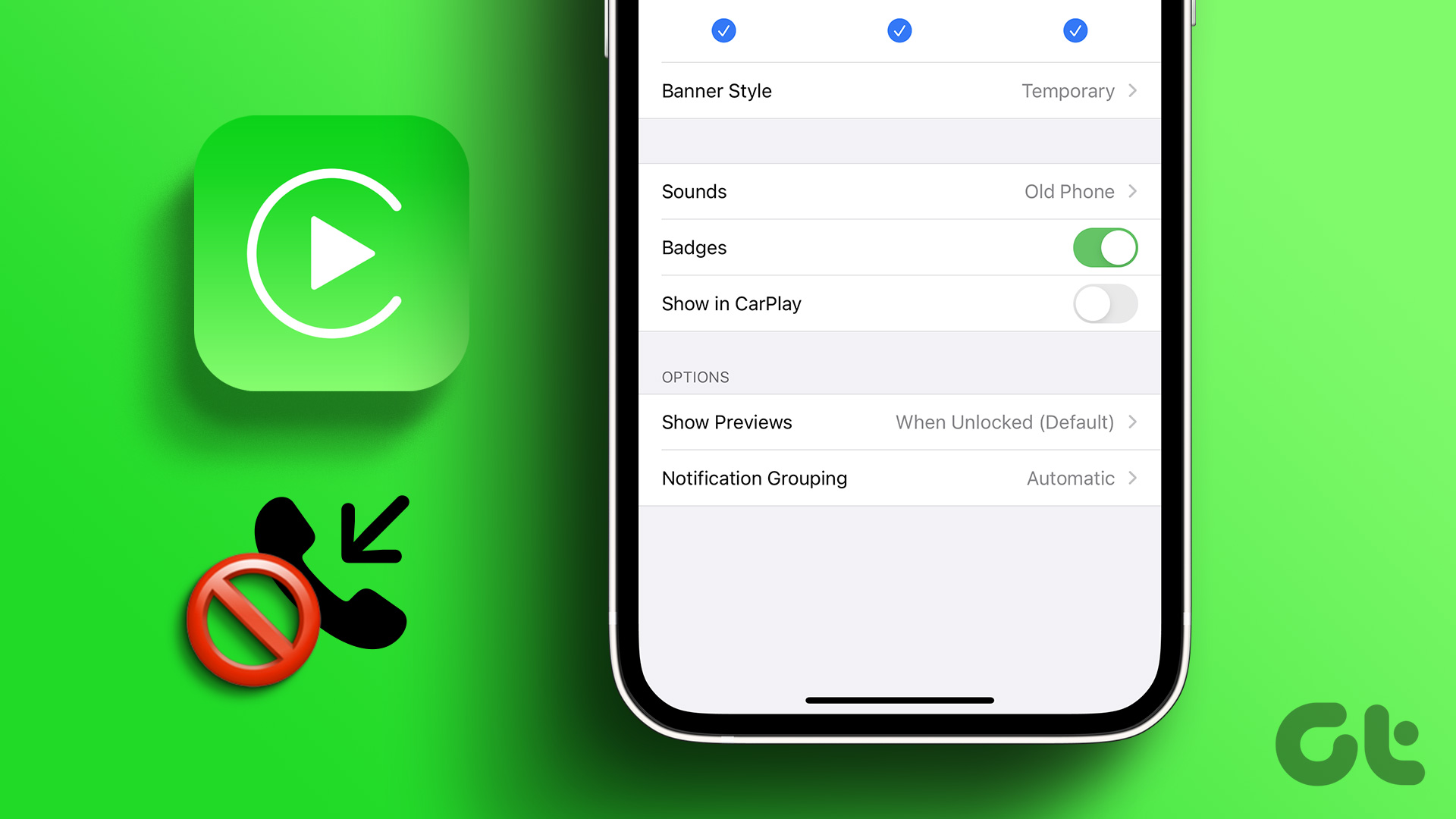 How to Turn Off Incoming Calls on Apple CarPlay
Apple CarPlay and Android Auto are extremely helpful in assisting with navigation and music when driving.
How to Turn Off Incoming Calls on Apple CarPlay
Apple CarPlay and Android Auto are extremely helpful in assisting with navigation and music when driving.
The article above may contain affiliate links which help support Guiding Tech. The content remains unbiased and authentic and will never affect our editorial integrity.