


Basic Fixes
- Check internet connection: Check the stability or speed of your internet connection. An unstable or slow connection could cause troubles with Facebook Messenger.
- Check Messenger status: If Facebook servers are down, Messenger won’t work on your devices, including the iPad. You can visit Downdetector on the web and search for Messenger. If you notice high outage spikes and user comments confirming the same problem, wait for Facebook to resolve server-side issues.
- Enable background refresh: If not permitted, the app won’t work in the background to send instant notifications or call alerts. To check, go to Settings → Messenger and ensure the toggle for Background App Refresh is enabled.
- Disable VPN: An active VPN can interfere with Messenger’s connection. Try disabling the VPN and using Messenger.
- Update iOS: An outdated OS can cause issues with installed apps on your iPad. To install the latest update, go to Settings → General → Software Update and tap update if available.
Fix 1. Update Messenger
Facebook regularly releases new Messenger updates to add features and fix bugs. An outdated Messenger app on your iPhone or iPad may be the culprit. It’s time to update Messenger from the App Store.
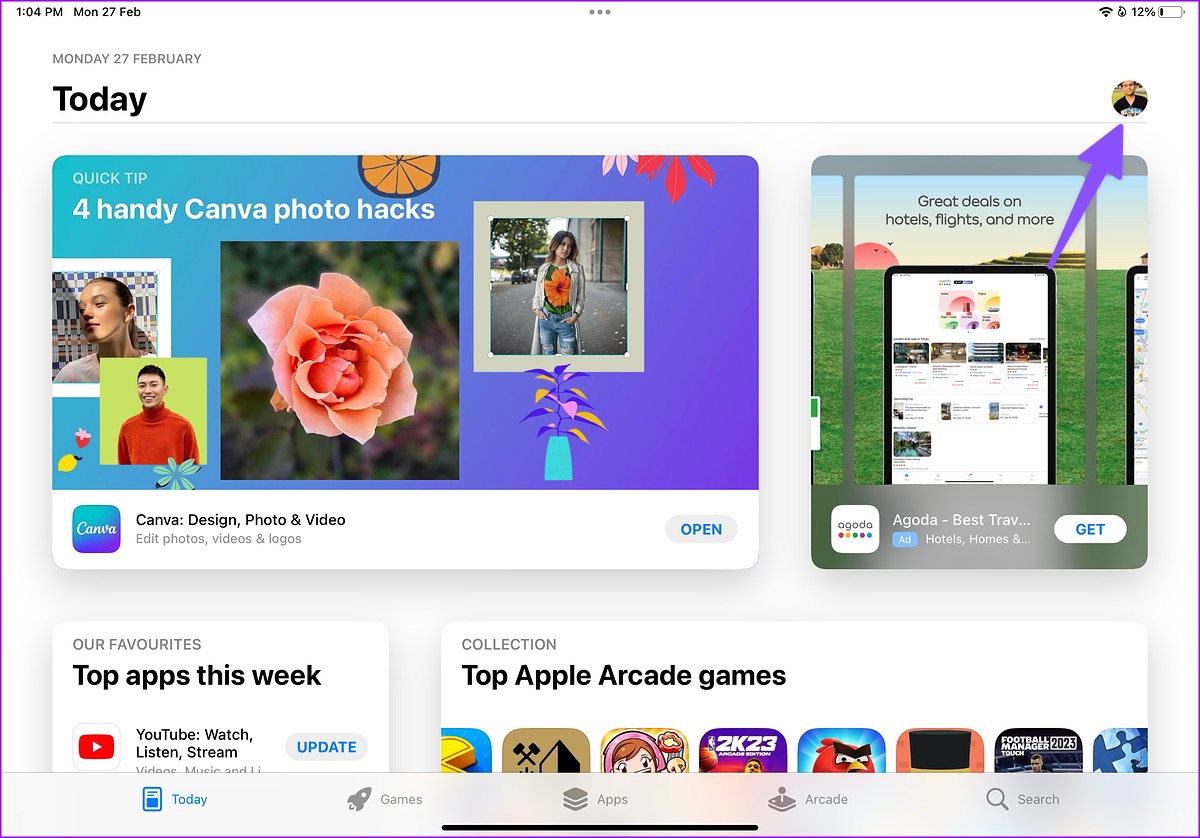
Step 1: Open the App Store > tap your account picture at the top right.
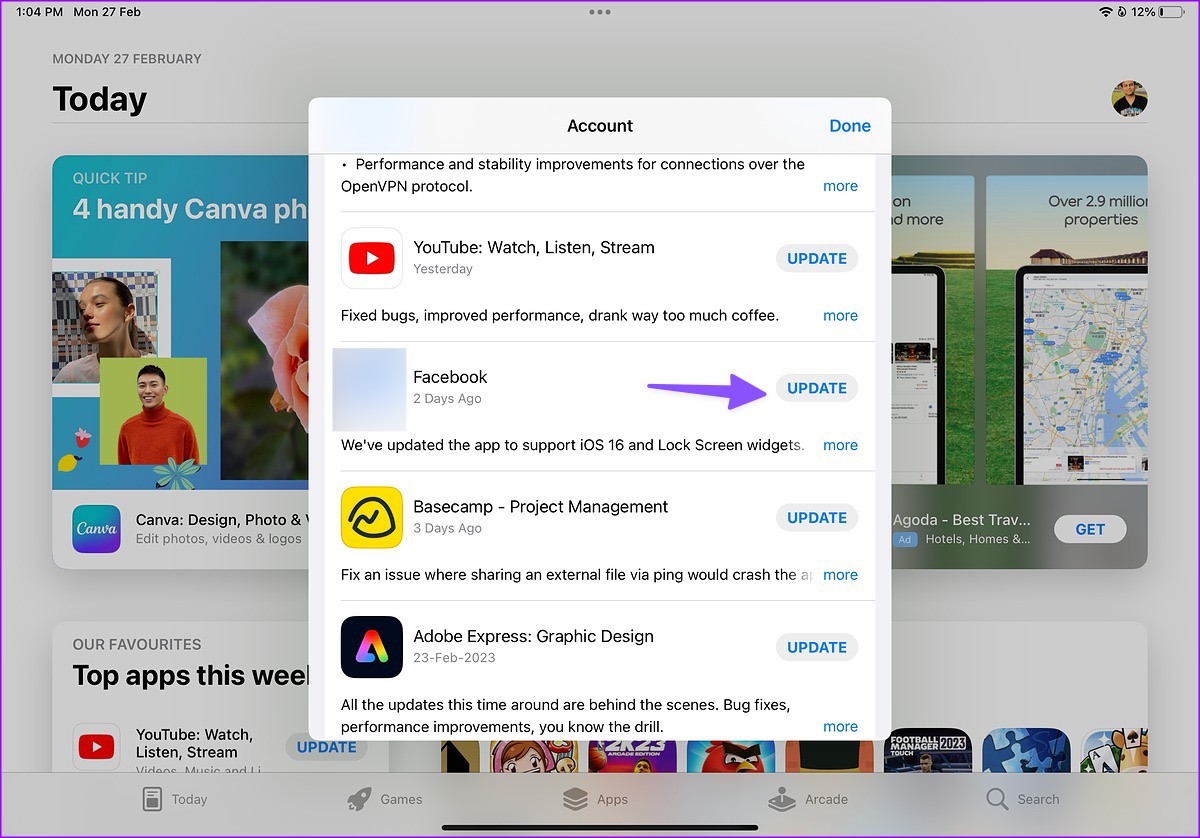
Step 2: Install the pending Messenger update from the following menu.
If this doesn’t work, try deleting and reinstalling the app to fix bugs or settings-related issues.
Fix 2. Reset Network Settings
A wrong setting tweak on your iPad or iPhone can cause issues, such as Messenger not working. You should reset the network settings on your iPad.
Step 1: Open the Settings app.
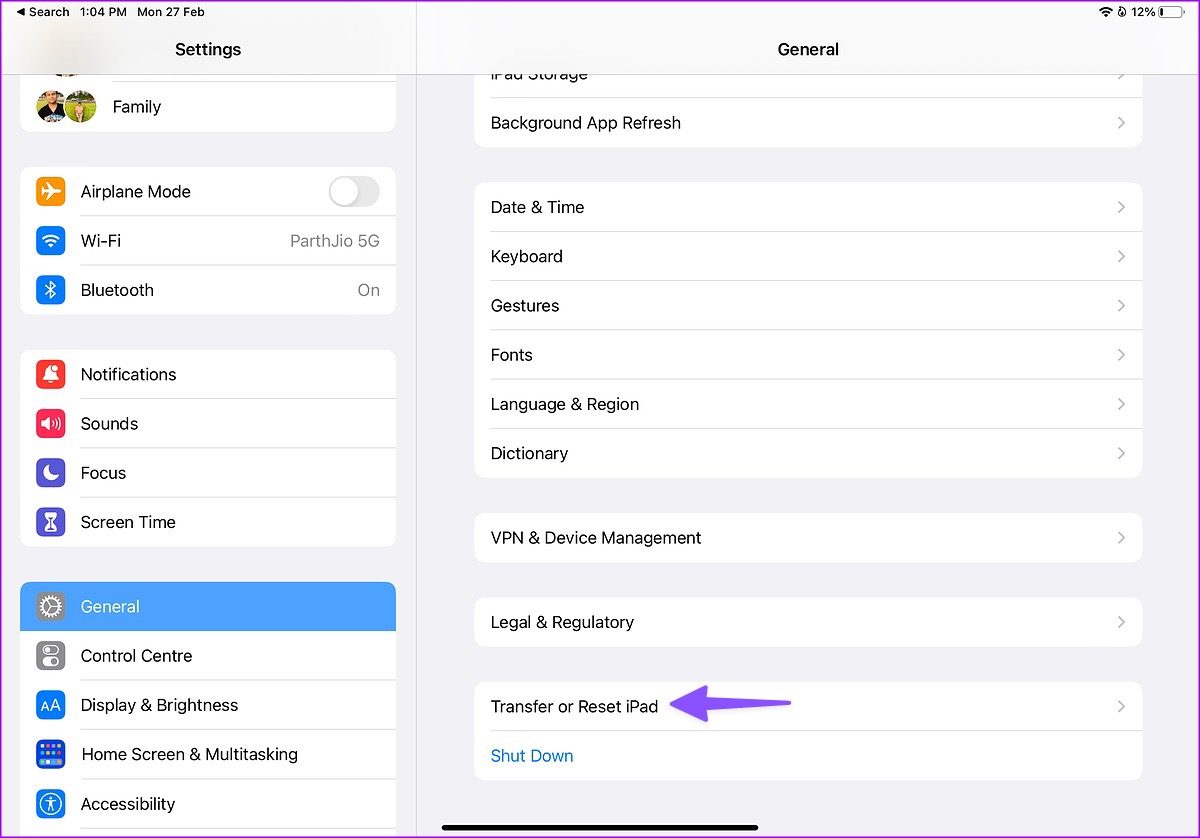
Step 2: Select General > scroll to Transfer or Reset iPad.
Step 4: Select Reset > tap Reset Network Settings.
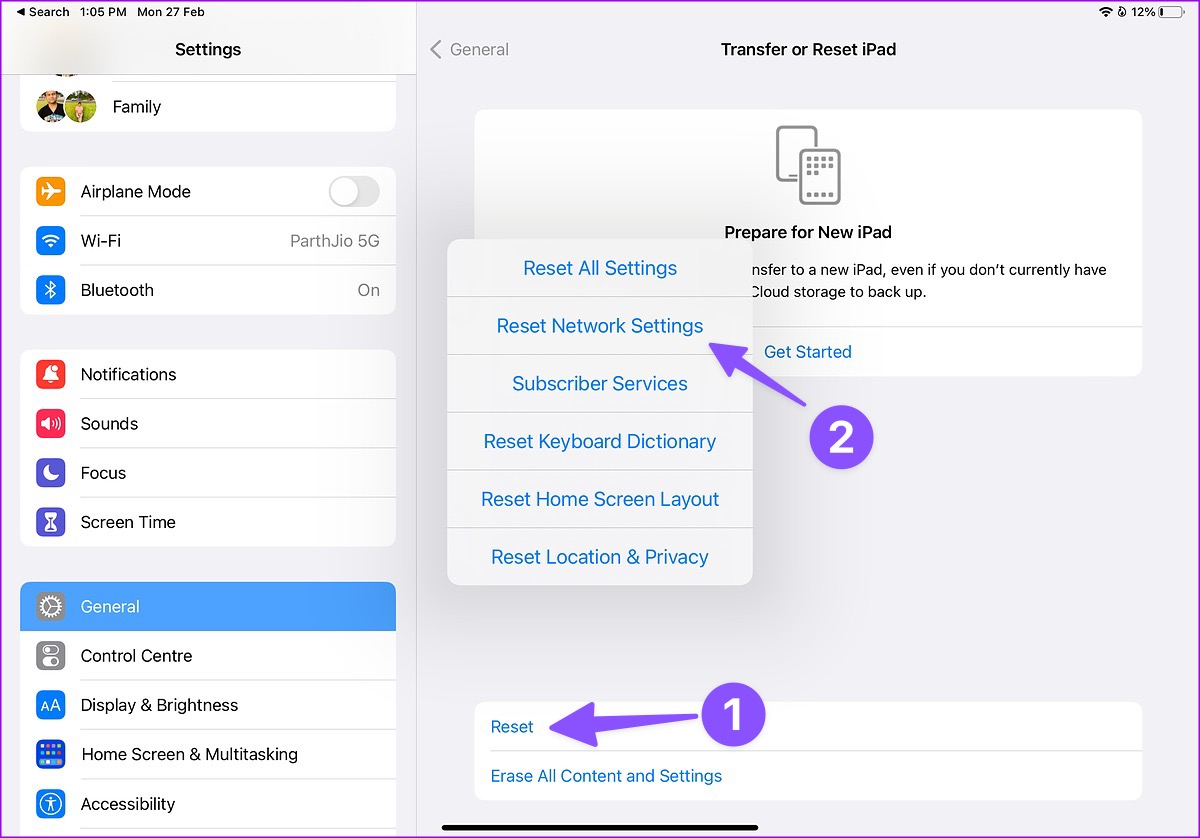
If the trick doesn’t work, select Reset All Settings from the same menu. However, if Facebook Messenger is still not working, contact Facebook and complain.
Was this helpful?
Last updated on 13 August, 2024
12 Comments
Leave a Reply
Read Next
 3 Ways to Fix Facebook Messenger Camera Not Working on Android and iPhone
Fix 1: Enable Camera Permission for Messenger Like any other app, Messenger needs permission to access your phone's camera.
3 Ways to Fix Facebook Messenger Camera Not Working on Android and iPhone
Fix 1: Enable Camera Permission for Messenger Like any other app, Messenger needs permission to access your phone's camera.
 Top 5 Ways to Fix Facebook Messenger Calls Not Working (iPhone and Android)
Preliminary Fixes Check the Network Connection: A stable internet connection is crucial for Messenger calls.
Top 5 Ways to Fix Facebook Messenger Calls Not Working (iPhone and Android)
Preliminary Fixes Check the Network Connection: A stable internet connection is crucial for Messenger calls.
 4 Ways to Fix Facebook Messenger Not Working on the Desktop
Basic Fixes Run Messenger app as an Admin: Search for the Messenger app on your PC and select Run as Administrator.
4 Ways to Fix Facebook Messenger Not Working on the Desktop
Basic Fixes Run Messenger app as an Admin: Search for the Messenger app on your PC and select Run as Administrator.
 4 Ways to Fix Facebook Messenger Notification Sound Not Working
Try Basic Fixes Close the Messenger app on your computer: If you have the Messenger app open on your computer, notifications may appear there instead of on your phone, and
4 Ways to Fix Facebook Messenger Notification Sound Not Working
Try Basic Fixes Close the Messenger app on your computer: If you have the Messenger app open on your computer, notifications may appear there instead of on your phone, and
 How to Fix Microphone Not Working on Facebook Messenger
Basic Troubleshoot Remove the phone case: If your phone case blocks the microphone, you may notice muffled audio during video recording and calls.
How to Fix Microphone Not Working on Facebook Messenger
Basic Troubleshoot Remove the phone case: If your phone case blocks the microphone, you may notice muffled audio during video recording and calls.
 3 Ways to Fix Picture-In-Picture Not Working in Facebook Messenger
Common Fixes Restart device - Long-press the physical Power button and tap Reboot to restart Android.
3 Ways to Fix Picture-In-Picture Not Working in Facebook Messenger
Common Fixes Restart device - Long-press the physical Power button and tap Reboot to restart Android.
 3 Fixes for Facebook Messenger Not Working on Mac
Basic Fixes to Try If Facebook's Messenger is glitching on your MacBook, try the following basic fixes: Check your network connection.
3 Fixes for Facebook Messenger Not Working on Mac
Basic Fixes to Try If Facebook's Messenger is glitching on your MacBook, try the following basic fixes: Check your network connection.
 3 Fixes for Facebook Messenger Working Only on Wi-Fi
Basic Fixes Disable data saver: Depending on your device software, check and then disable data saver option.
3 Fixes for Facebook Messenger Working Only on Wi-Fi
Basic Fixes Disable data saver: Depending on your device software, check and then disable data saver option.
The article above may contain affiliate links which help support Guiding Tech. The content remains unbiased and authentic and will never affect our editorial integrity.

I have tried everything that I can try but if I open messenger, then click on a video that someone sent, me it kicks me out to FB. FYI. I have a new iPad Air 5th generation. I am fit to be tied! Messenger works on my iPhone
Hi there, I have the same issue on my ipad 8th generation. It used to work and just recently quit. I have tried dozens of suggestions without success? Trying to contact HELP but also unsuccessful. Anyone else find a fix for this?
Same problem here. Tried everything till I’m blue in the face.
July 27, 2023
Sadly, I have the identical problem that you both have mentioned. Glad to see I am not going crazy …. well I ammm but ….. Problem: Opening FB video someone has sent to me in FB Messenger opens properly on my mobile but same video will not open on my Ipad Air in FB Messenger (just takes me to my last accessed screen in FB, it will not search for the video to play it) …it USED to work. I have checked every related setting, deleted and reinstalled both Facebook and Messenger apps since clearing the cache in the built-in FB browser did not work.
I even reset my network connection for what it was worth … no difference. Doing a software update on my ipad but I doubt it will make any difference.
My Twitter videos still open properly in Messenger but not the FB ones.
Software update to O/S 16.6 complete …… did not fix the problem ….. I give up …. hehe
Please let me know if anything works for you
I’m having the same problem. I can open Instagram videos but not FB videos. I also have an iPad 8th generation and I know I was able to open them before. I tried all the fixes noted above and still can’t open the links. Annoying. I can open them on my Android, just not the iPad.
Just purchased a new iPad generation 10. Same problem the videos won’t open on Facebook messenger. Apple says it’s a Facebook and messenger issue that they won’t communicate with each other????
I should have kept my older iPad.
Same problem as the rest of you. It used to work but now only tales me to Facebook.
I am having the exact same problem with my new iPad Air 5th Generation and I have tried everything as well. This is so frustrating. It works on my old iPad and also on iPhones. Also no luck contacting HELP – just a waste of time.
I’m so glad it’s not just me. I can view FB videos from my iPhone but not my iPad Air (4th generation). It will open instagram videos though. I have spent hours trying to figure this out.
The only thing that I haven’t tried is to set the iPad to factory settings. Pretty sure if I do that I’ll lose everything. Works fine on my iPhone ..so I’ll watch the videos on there.
I am having the same problem and have gone through all the steps.still the same works fine on my phone but not my iPad. I pad is 9th IPhone is 14 plus.
Having the same problem. I can send messages but i can open ones sent to me. Now i can open them on my computer.