Prerequisites to Change App Store Region
Before delving into the process of downloading off-region applications, there are some requirements to be met.
- Firstly, you need a local address and PIN code. If you don’t have an address, drop some popular places in the country of your choice.
- The phone number is also required. However, you won’t receive a verification message, so you can free-ball a number.
You cannot change the country in the App Store under the following circumstances:
- If you have valid Apple subscriptions such as Apple Fitness+, Apple TV, etc.
- If you have store credits or an Apple ID balance on your iPhone.
- When you’re waiting for a store credit refund from Apple.
- Say you have pre-orders on Apple Books, iTunes, etc.
How to Download Apps From Other Countries
When you download an app from a different country, the App Store recognizes your current region and restricts access to it. However, there are two methods to bypass this restriction and download apps from other countries.
Method 1: Change App Store Country/Region
To change your App Store location, follow these steps:
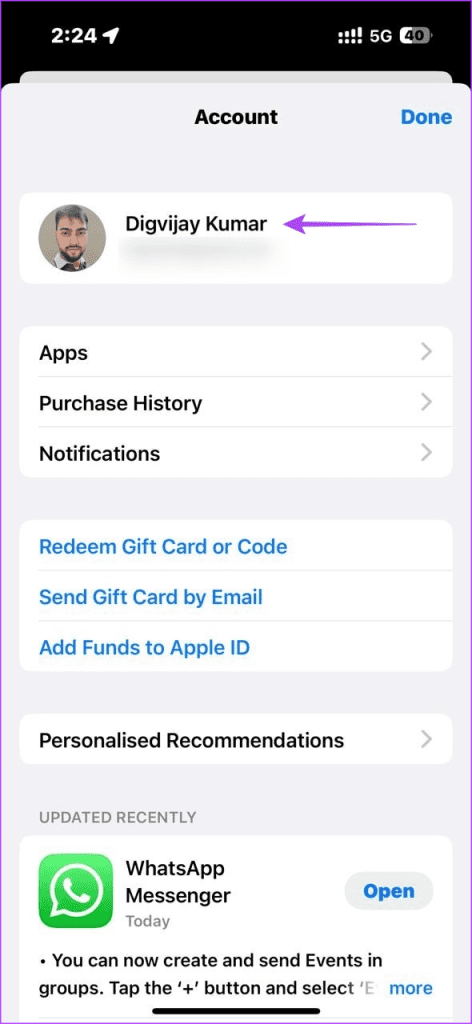
Step 1: Open the App Store and tap your profile icon.
Step 2: Tap your name and select Country/Region.


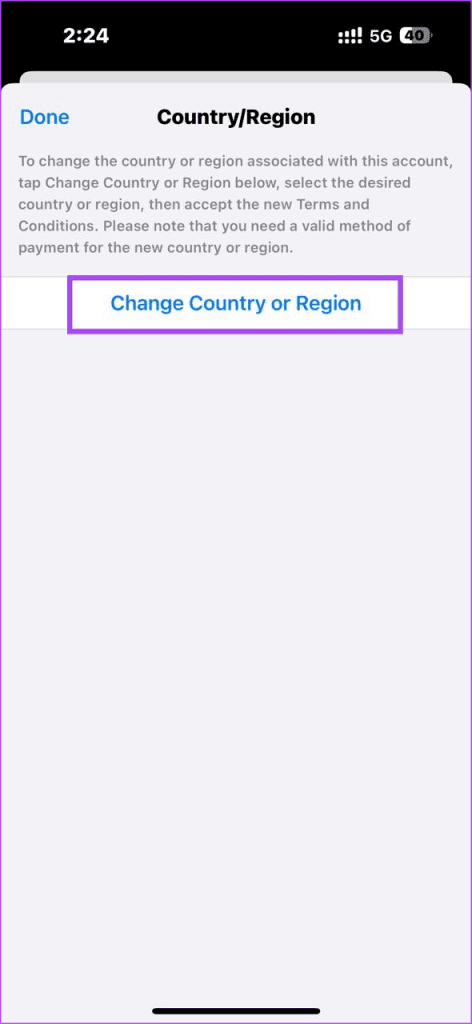
Step 3: Choose Change Country or Region and select your desired country.
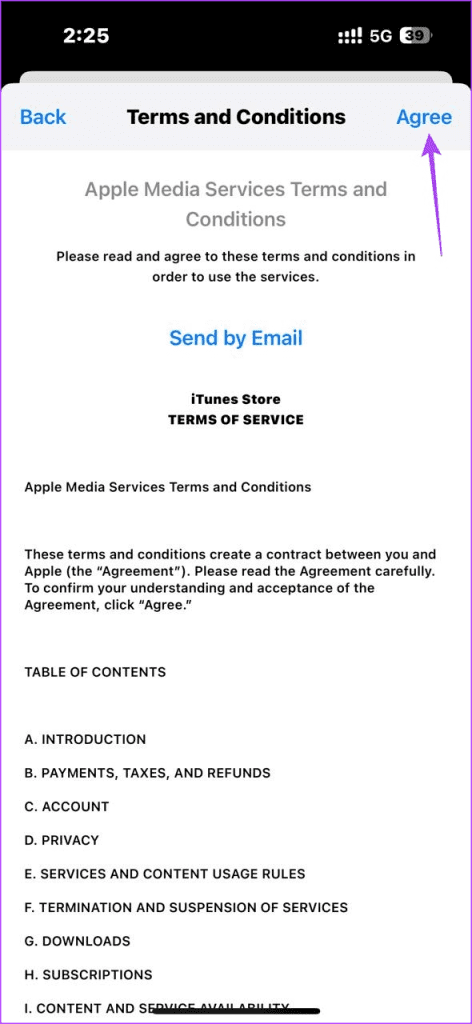
Step 4: Review the terms and conditions, then tap Agree.

Step 5: Provide the required information like payment method and billing address.
Step 6: Tap Next, and your App Store will switch to the new country. You can now search and download apps from that region.
To restore your original Apple ID region, follow the same steps and choose your country from the list.
Method 2: Create a New Apple ID
If you don’t want to change your current App Store region, another option is to create a new Apple ID. Here’s how:
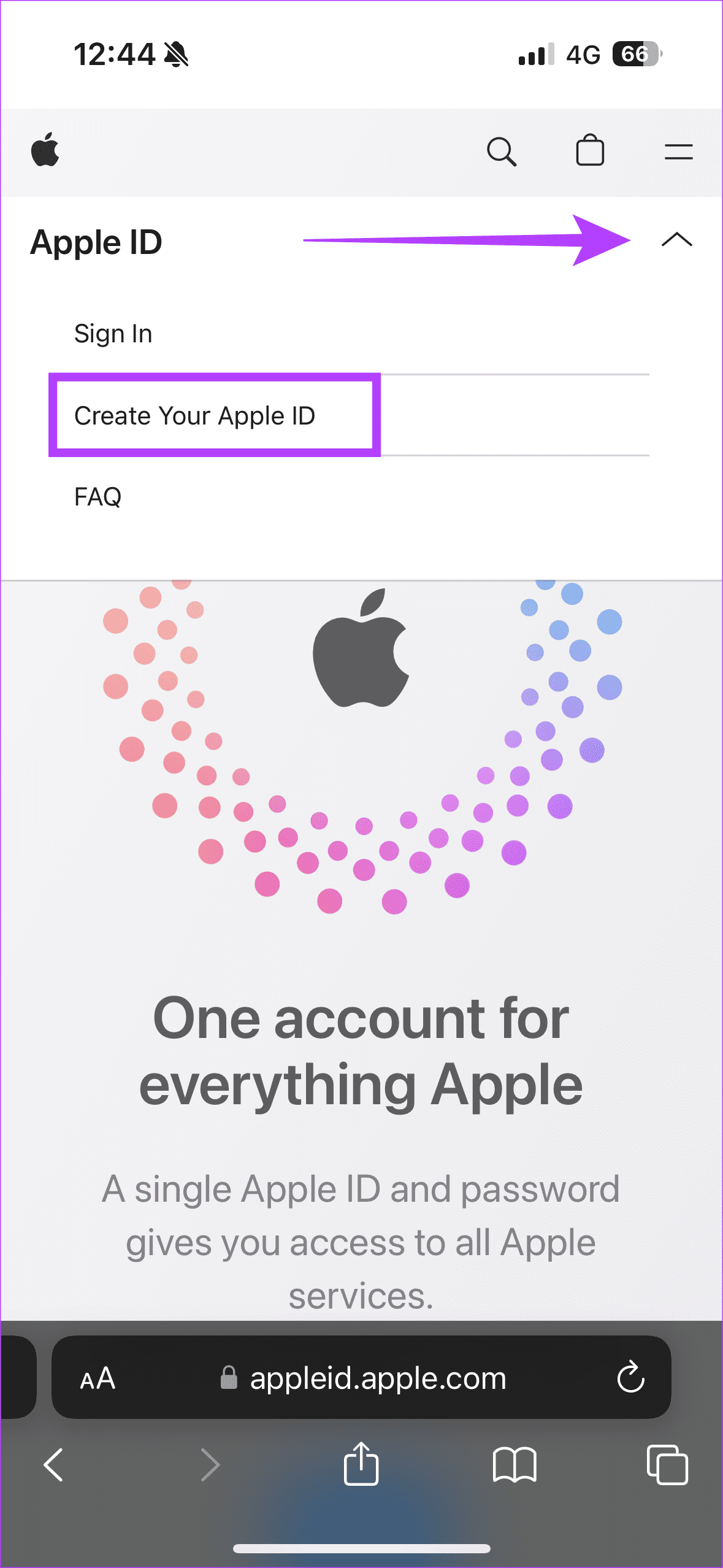
Step 1: Go to the Apple ID account page.
Step 2: Tap the downward arrow and choose Create Your Apple ID.
Step 3: Fill out the required information and choose a country.

Once your new Apple ID is created, log out of your current account and sign in with the new one. You can now access the App Store for that country and download apps.
Drawbacks of Changing Apple ID Region
While you can download applications smoothly via the abovementioned methods, there are several limitations to changing the Apple ID region.
- For instance, if the app you downloaded requires you to be locally present in the region, it may not work properly since your GPS location would point to your original country.
- If you want to purchase any subscriptions on an app, you must add a payment method suited to that region.
- The prices of apps and subscriptions will be displayed in the local currency of the changed region.
- You may not receive updates to apps from your previous region.
To put it straight, no. In our experience, even a VPN has helped to download off-region apps. Changing the region or creating a new Apple ID would be the best option.
You can change countries and revert to your original country innumerable times. There is no cap on the number.
Yes, you can switch between multiple Apple IDs on your iPhone. However, you can only use one Apple ID at a time to access the App Store.
Was this helpful?
Last updated on 30 July, 2024
Read Next
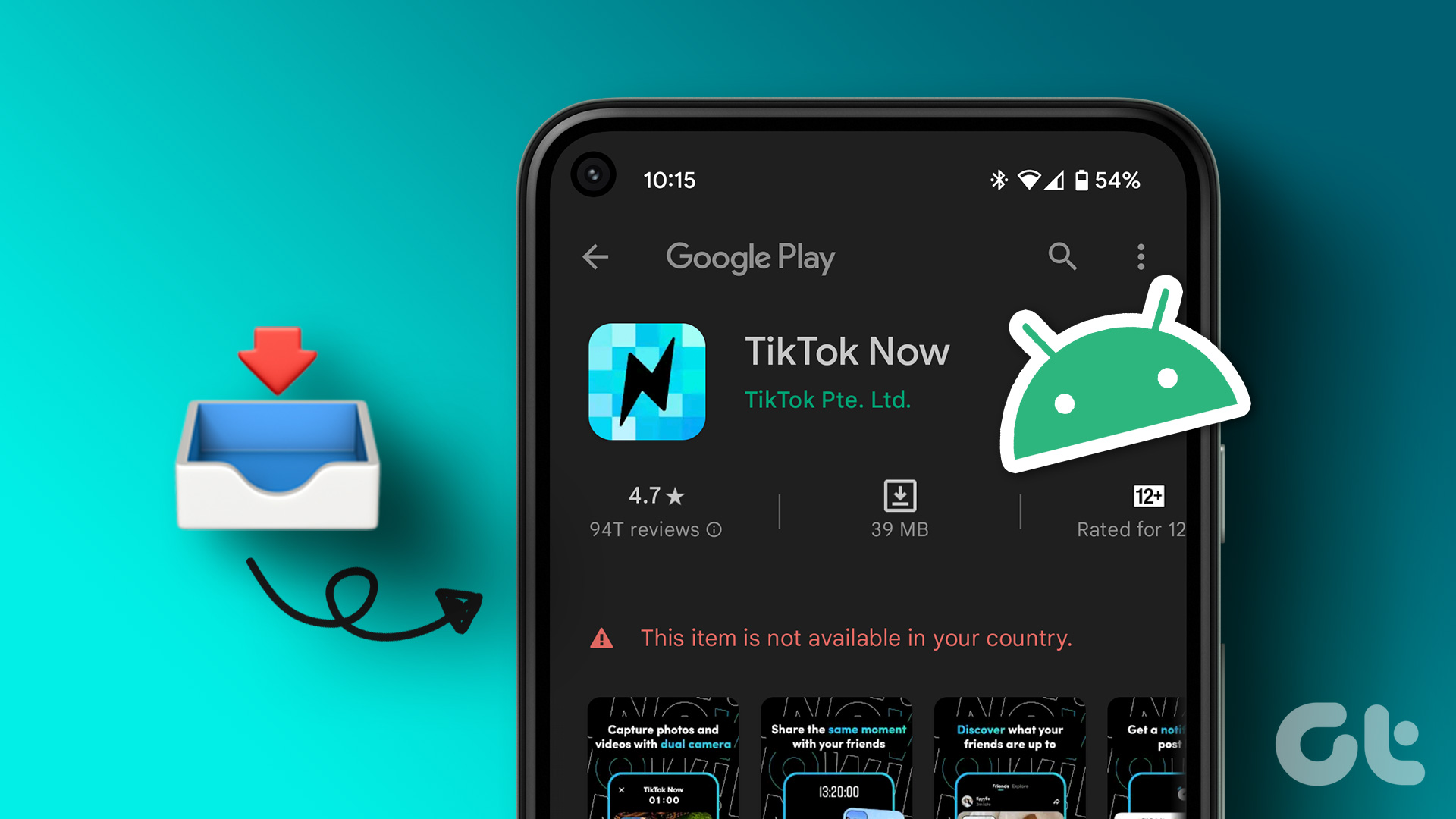 How to Download Android Apps Not Available in Your Country
https://youtu.be/edtTWfhjLXQ Note: None of the methods affect your existing subscriptions or payment methods.
How to Download Android Apps Not Available in Your Country
https://youtu.be/edtTWfhjLXQ Note: None of the methods affect your existing subscriptions or payment methods.
 Five VPN Android Apps to Bypass Country Restrictions
While few VPNs offer free service, they are not safe, and it is best to use a service with free or completely paid plans.
Five VPN Android Apps to Bypass Country Restrictions
While few VPNs offer free service, they are not safe, and it is best to use a service with free or completely paid plans.
 Top 5 Fixes for Cannot Change Country in Google Play Store
Setting the right country in the Play Store is very important since it determines the content you see in the Store.
Top 5 Fixes for Cannot Change Country in Google Play Store
Setting the right country in the Play Store is very important since it determines the content you see in the Store.
 2 Ways to Watch YouTube Videos Not Available in Your Country
Basic Fixes: Clear YouTube Cache: You may not be able to watch a video on YouTube due to corrupt cache files.
2 Ways to Watch YouTube Videos Not Available in Your Country
Basic Fixes: Clear YouTube Cache: You may not be able to watch a video on YouTube due to corrupt cache files.
 2 Ways to Change Your Country in the Google Play Store
Things to Note Before Changing the Country in the Google Play Store An app you recently downloaded is may be unavailable in your country.
2 Ways to Change Your Country in the Google Play Store
Things to Note Before Changing the Country in the Google Play Store An app you recently downloaded is may be unavailable in your country.
 4 Ways to Fix Can’t Download Apps on iPhone
Basic Fixes Restart App Store: Bugs and glitches within the App Store may prevent you from downloading apps on your iPhone.
4 Ways to Fix Can’t Download Apps on iPhone
Basic Fixes Restart App Store: Bugs and glitches within the App Store may prevent you from downloading apps on your iPhone.
 Download iPhone 14 and iPhone 14 Pro Series Wallpapers
Apple launched the iPhone 14 series, a successor to the iPhone 13 series, in its September 2022 event.
Download iPhone 14 and iPhone 14 Pro Series Wallpapers
Apple launched the iPhone 14 series, a successor to the iPhone 13 series, in its September 2022 event.
 Download iPhone 15 and iPhone 15 Pro Series Wallpapers (4K)
Apple unveiled the next iteration of its iconic iPhone 15 lineup at its highly anticipated Wonderlust event in September 2023.
Download iPhone 15 and iPhone 15 Pro Series Wallpapers (4K)
Apple unveiled the next iteration of its iconic iPhone 15 lineup at its highly anticipated Wonderlust event in September 2023.
The article above may contain affiliate links which help support Guiding Tech. The content remains unbiased and authentic and will never affect our editorial integrity.