How to Delete Saved Places in the Uber App
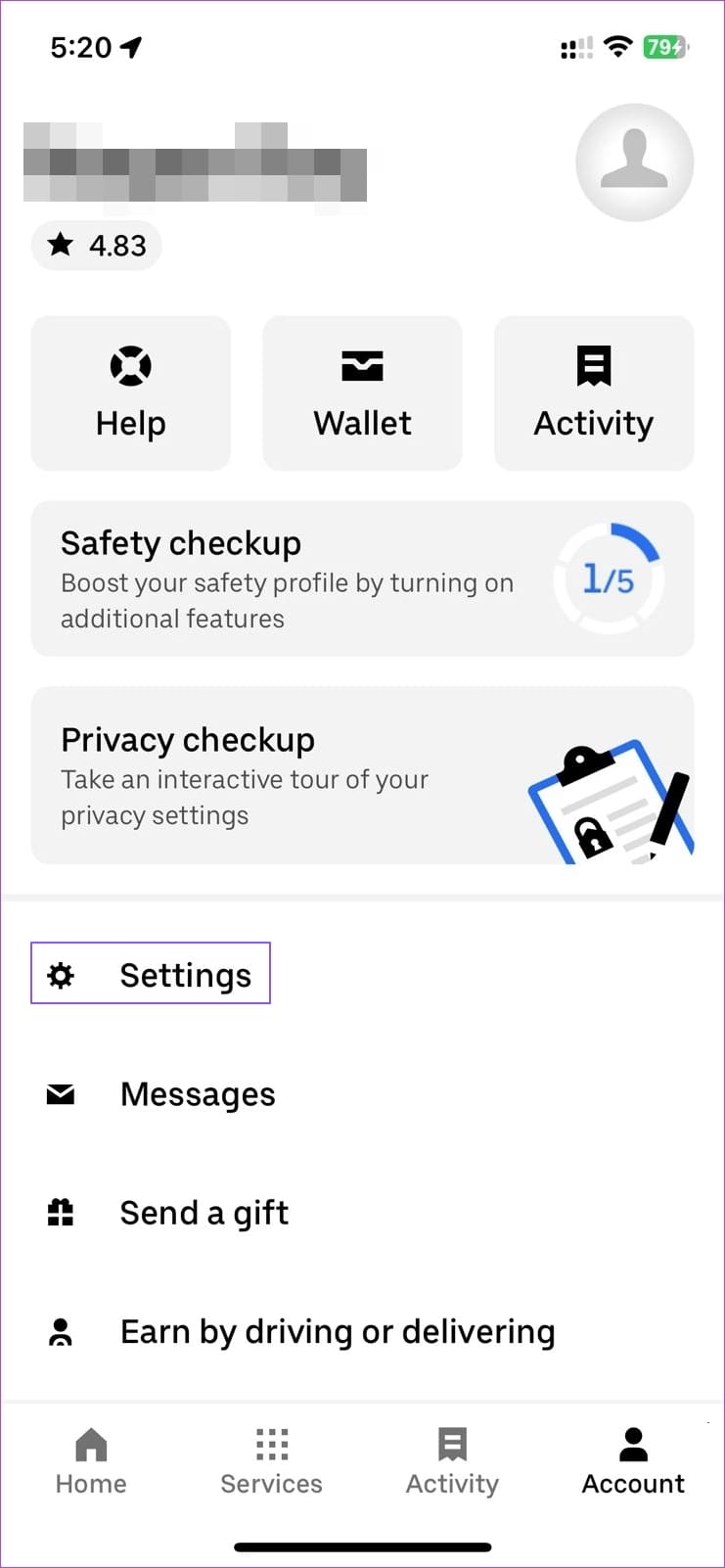
Step 1: Open the Uber app and tap on Account.
Step 2: Go to Settings > Shortcut.
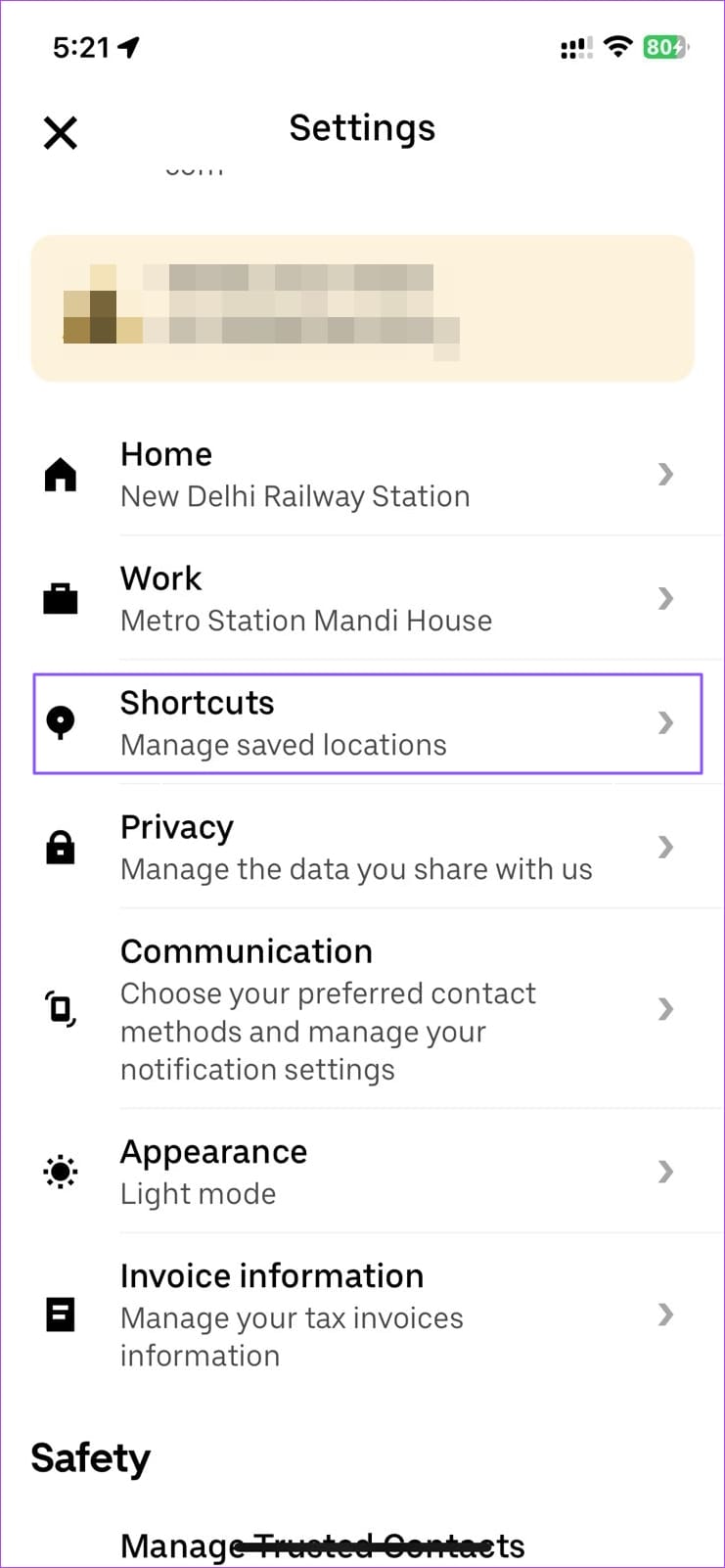
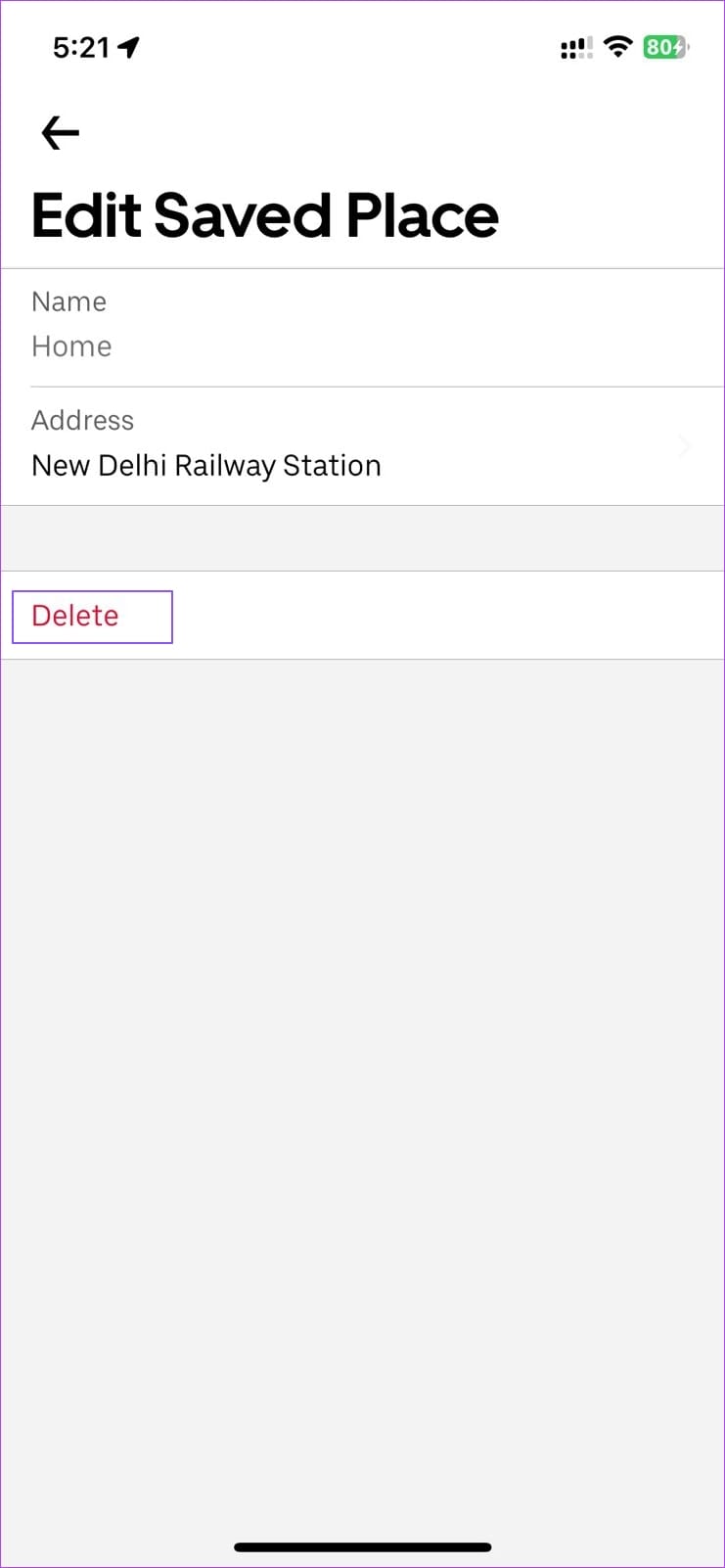
Step 3: Tap on Home and Work individually, and then tap on Delete to delete your saved place.

How to Change Home and Work Location in the Uber App
Step 1: Go to your Uber account > Settings.
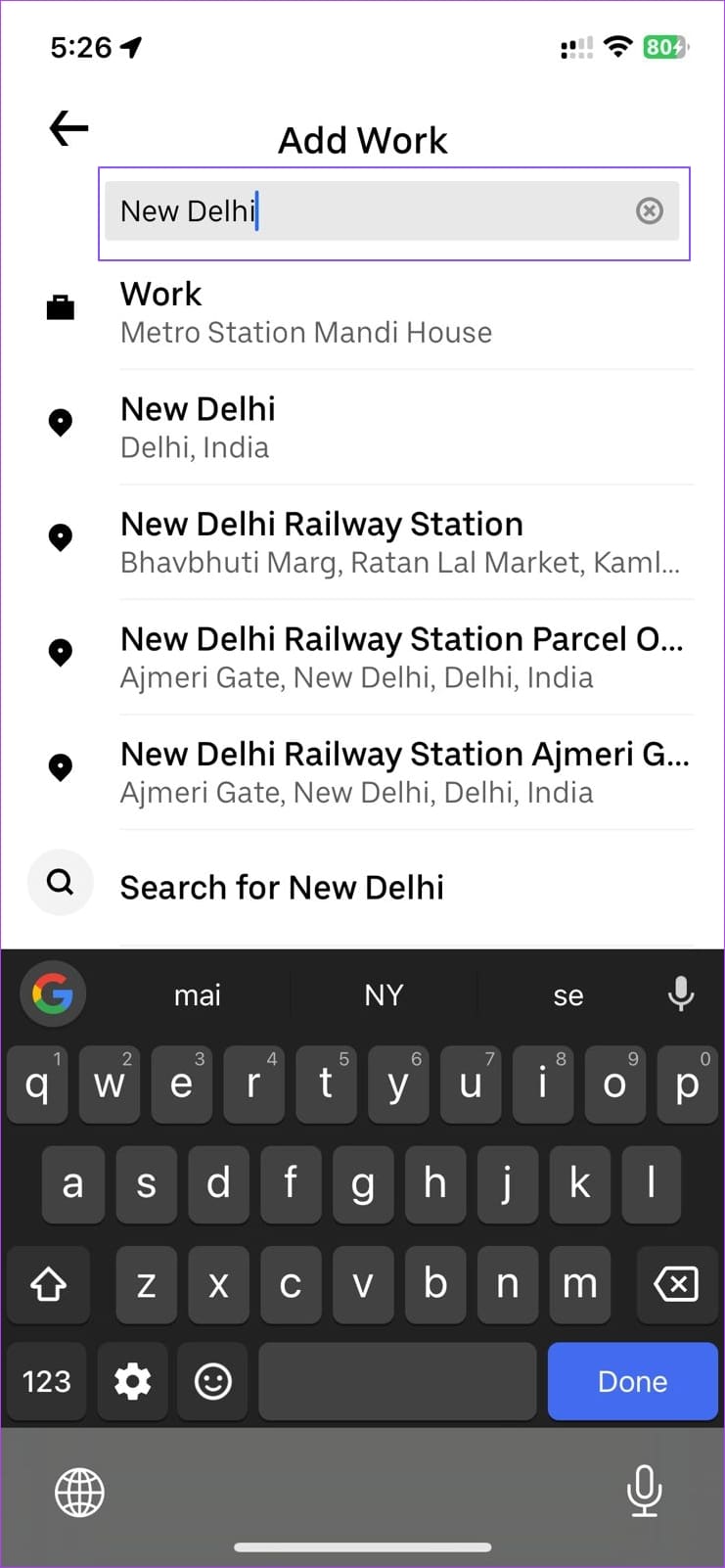
Step 2: Tap on Home and Work one by one, and it will instantly open the location search box.
Step 3: Search for the address and tap on it to set it as your new default home or work location.
Related: How to check your entire Uber ride history with a click
Why Won’t Uber Pick Me up From My Location?
If Uber doesn’t pick you up from your location, it could be because pickups are not allowed in your area, your area isn’t serviceable, or there are no available drivers.
How Do I Change My Route Map on Uber?
Unfortunately, you cannot change the route. However, you can set your destination in the middle of your preferred route and update it to your destination once you are close to it. It would help if you discussed this with your Uber driver to avoid surprises.
Was this helpful?
Last updated on 03 June, 2024
Read Next
 3 Ways to Check Your Entire Uber Ride History
Method 1: Use the Activity Tab On Mobile On the Uber app on your iPhone/Android device, open the Activity tab to check your trip history.
3 Ways to Check Your Entire Uber Ride History
Method 1: Use the Activity Tab On Mobile On the Uber app on your iPhone/Android device, open the Activity tab to check your trip history.
 How to Find Instagram Reels That You Saved or Liked
How to Find Saved Instagram Reels On iPhone and Android Step 1: Tap on your Profile tab at the bottom and select the three-bar menu icon at the top right.
How to Find Instagram Reels That You Saved or Liked
How to Find Saved Instagram Reels On iPhone and Android Step 1: Tap on your Profile tab at the bottom and select the three-bar menu icon at the top right.
 How to Remove Saved Passwords From Google Chrome
Method 1: Use Google Chrome Desktop Step 1: Open Google Chrome, click the three-dot menu, and select Settings.
How to Remove Saved Passwords From Google Chrome
Method 1: Use Google Chrome Desktop Step 1: Open Google Chrome, click the three-dot menu, and select Settings.
 How to Add and Use Saved Replies on Instagram
Requirements for Accessing Saved Replies on Instagram The saved replies function isn’t available for normal accounts.
How to Add and Use Saved Replies on Instagram
Requirements for Accessing Saved Replies on Instagram The saved replies function isn’t available for normal accounts.
 How to Find Liked and Saved Reels on Facebook
 If you've saved an intriguing reel on Facebook to watch later or are curious to check all the reels you've liked,
How to Find Liked and Saved Reels on Facebook
How to Find Liked and Saved Reels on Facebook If you've saved an intriguing reel on Facebook to watch later or are curious to check all the reels you've liked,
 How to See Saved Posts and Comments on Reddit (PC and Mobile)
How to Save Reddit Posts and Comments On iOS and Android Step 1: Tap on the Share button below the post you want to save.
How to See Saved Posts and Comments on Reddit (PC and Mobile)
How to Save Reddit Posts and Comments On iOS and Android Step 1: Tap on the Share button below the post you want to save.
 3 Ways to Remove Saved Snapchat Account From Any Device
Method 1: Remove Account Information From Snapchat App When you log out from Snapchat on your phone, the app doesn’t ask you to delete saved login information.
3 Ways to Remove Saved Snapchat Account From Any Device
Method 1: Remove Account Information From Snapchat App When you log out from Snapchat on your phone, the app doesn’t ask you to delete saved login information.
 How to Find Saved Posts and Jobs on LinkedIn
How to Save a Job Search on LinkedIn On Desktop Step 1: Open LinkedIn in your preferred browser and go to Jobs at the top navigation bar.
How to Find Saved Posts and Jobs on LinkedIn
How to Save a Job Search on LinkedIn On Desktop Step 1: Open LinkedIn in your preferred browser and go to Jobs at the top navigation bar.
The article above may contain affiliate links which help support Guiding Tech. The content remains unbiased and authentic and will never affect our editorial integrity.