We live in times when a good Wi-Fi connection is nothing short of a necessity. If you find yourself in spaces where many users are trying to connect to the internet, then using a Wi-Fi 6E channel is a good idea. Here’s a list of the best Wi-Fi 6E adapters you can consider.
GIGABYTE WiFi 6E GC-WBAX210
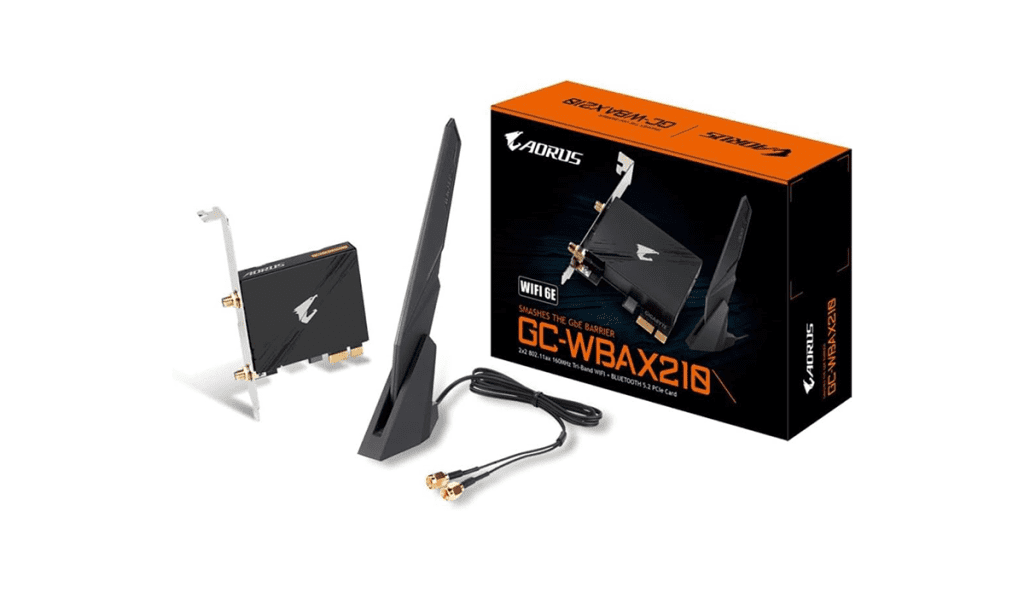
This GIGABYTE WiFi 6E GC-WBAX210 offers good functionality for the price. It is a 2×2 802.11ax Tri-Band Wi-Fi + Bluetooth 5.2 and PCIe expansion card that offers support for the latest 160MHz Tri-Band Wi-Fi and fast Bluetooth connectivity.
This adapter flaunts the AORUS Antenna which facilitates not only tri-band connectivity but also improved Wi-Fi signal strength. The AORUS Antenna also comes with smart antenna functions for Improved signal transmission. Its base offers multiple-angle tilt to further improve connectivity in areas where signal strength may not be the strongest.
What We Like
What We Don’t Like
TP-Link WiFi 6E AXE5400 (Archer TXE75E)
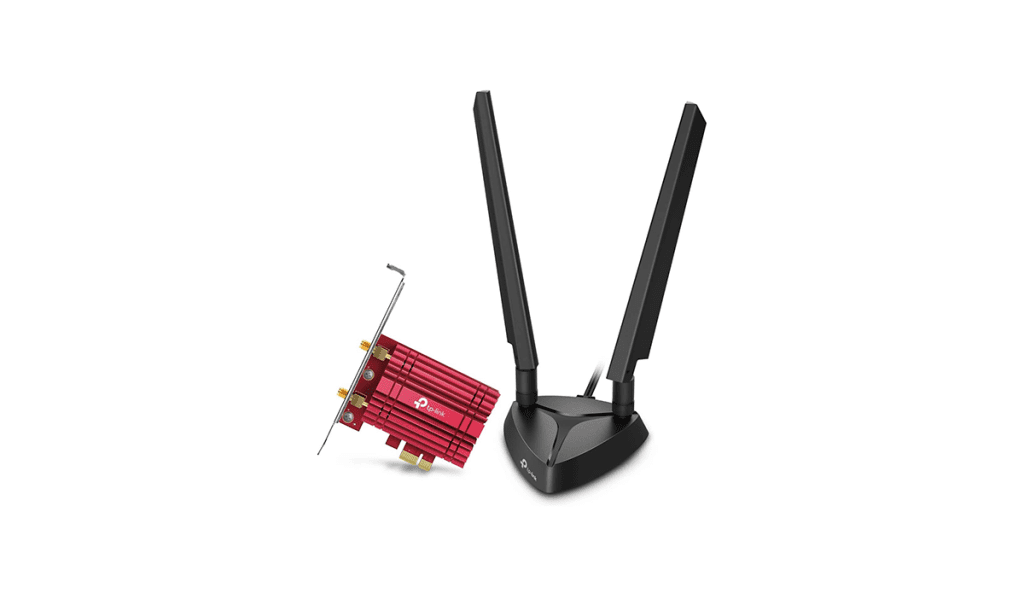
Archer TXE75E gives your PC the ability to access the latest 6GHz band, unlocking your Wi-Fi 6E router’s full potential for preventing drops in speed and interference from legacy devices. The Archer TXE75E comes with two multi-directional antennas and a magnetized base that’s designed for optimal signal reception.
Another thing to note is that the TP-Link WiFi 6E AXE5400 (Archer TXE75E) comes with support for Bluetooth 5.3. This is the latest Bluetooth technology which promises faster speeds and broader coverage. Apart from this, you also get support for the latest security features including, WPA3, which provides enhanced protection in personal password safety.
What We Like
What We Don’t Like
ASUS PCE-AXE59BT
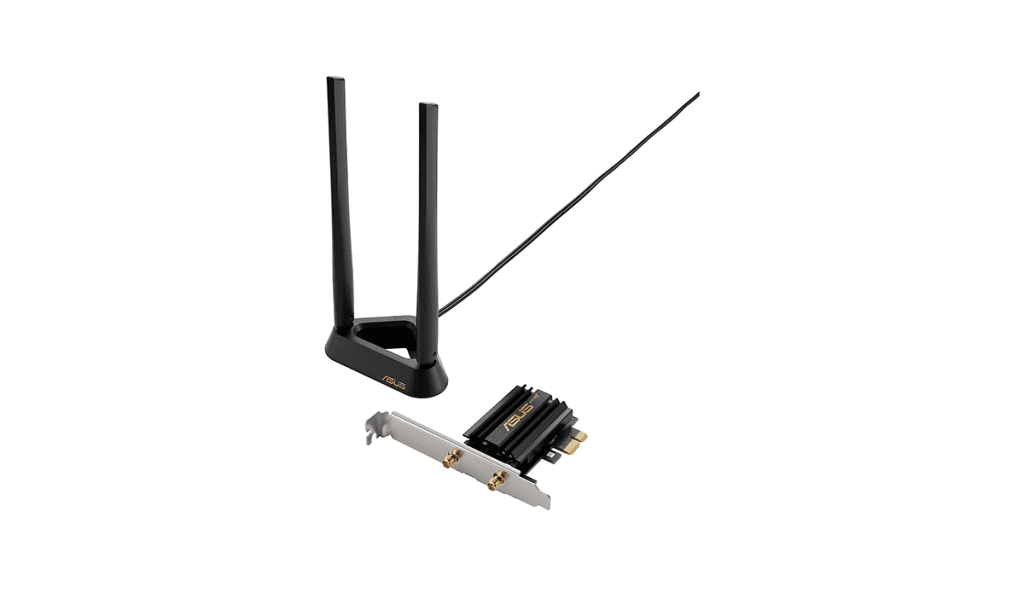
ASUS PCE-AXE59BT is a Wi-Fi 6E PCIe card that allows your PC to connect to a Wi-Fi 6E router via the dedicated 6 GHz band. The 6 GHz band also provides up to seven extra 160 MHz channels, providing more bandwidth, more flexibility, and less congestion.
Thanks to WiFi 6E’s 6GHz technology and wide 160 MHz channels, PCE-AXE59BT delivers wireless speeds that are up to 4.6X faster than regular WiFi 5 devices, making it perfect for even the most bandwidth-demanding tasks such as gaming — in part because of the support for OFDMA and MU-MIMO functionality.
What We Like
What We Don’t Like
NETGEAR Nighthawk (A8000)
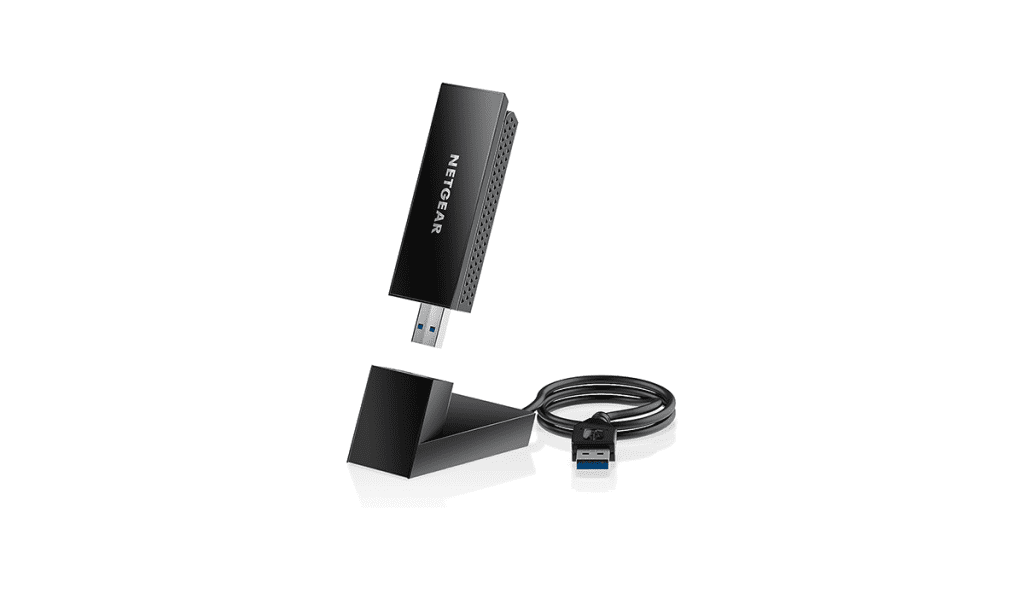
If you don’t want to invest in a Wi-Fi 6e PCIe adapter, then the NETGEAR Nighthawk (A8000) is a good option for you. It can be easily connected to not just your PC but also your old laptop running Windows 11 or above to take advantage of the latest standard in Wi-Fi connectivity.
Thanks to this simple plug-and-play device, your PC and laptop can access exclusive WiFi 6E features for improved performance in tasks such as HD video conferencing, gaming, and streaming your favorite shows. While it’s not a PCIe adapter, this still utilizes a 2×2 adapter platform which is capable of providing a theoretical total of 3000Mbps bandwidth — 600Mbps on its 2.4GHz band and 1200Mbps on each of its other two bands.
What We Like
What We Don’t Like
What’s Wi-Fi 6E and Why Do You Need It?
Wi-Fi 6E takes advantage of new 6 GHz bands which offer higher bandwidth for data transfer and a cleaner route for connections because of the relatively lower amount of channel congestion. As evidenced by the name, Wi-Fi 6E is an upgrade to the existing Wi-Fi 6 standard.
The “E” in Wi-Fi 6E stands for “Extended” as Wi-Fi 6E enhances the capabilities of Wi-Fi 6 to the 6 GHz band for more capacity, wider channels, and less interference. As such, Wi-Fi 6E routers make use of features such as OFDMA, WPA3, and Target Wake Time on Wi-Fi 6 and extend them to the 6 GHz band for improved performance.
Was this helpful?
Last updated on 29 July, 2024
Read Next
 7 Best Bluetooth USB Adapters for PC Gaming
With the world going wireless, it's painful to find out that your PC lacks Bluetooth connectivity.
7 Best Bluetooth USB Adapters for PC Gaming
With the world going wireless, it's painful to find out that your PC lacks Bluetooth connectivity.
 4 Best HDMI to DisplayPort Adapters That You Can Buy
Have you been stuck with a laptop with an HDMI output and a monitor with DisplayPort input?
4 Best HDMI to DisplayPort Adapters That You Can Buy
Have you been stuck with a laptop with an HDMI output and a monitor with DisplayPort input?
 5 Best Wireless CarPlay Adapters for Your Car
Apple's CarPlay interface is a nifty feature that brings your phone's apps to your car's infotainment screen.
5 Best Wireless CarPlay Adapters for Your Car
Apple's CarPlay interface is a nifty feature that brings your phone's apps to your car's infotainment screen.
 Top 5 Ethernet Adapters for Amazon Fire TV Stick
If your Fire TV Stick buffers media frequently, you may need to connect it to a high-speed Wi-Fi network.
Top 5 Ethernet Adapters for Amazon Fire TV Stick
If your Fire TV Stick buffers media frequently, you may need to connect it to a high-speed Wi-Fi network.
 5 Best Wireless Android Auto Adapters for Your Car
Android Auto and Apple CarPlay make driving easier by assisting with navigation and media controls.
5 Best Wireless Android Auto Adapters for Your Car
Android Auto and Apple CarPlay make driving easier by assisting with navigation and media controls.
 5 Best Bluetooth Headphone Adapters for Airplanes
Most in-flight screens don't support Bluetooth, making it challenging to use wireless headphones.
5 Best Bluetooth Headphone Adapters for Airplanes
Most in-flight screens don't support Bluetooth, making it challenging to use wireless headphones.
 6 Best Ethernet Adapters for Google Chromecast
Google Chromecast is one of the best streaming devices for turning your existing TV into a smart unit.
6 Best Ethernet Adapters for Google Chromecast
Google Chromecast is one of the best streaming devices for turning your existing TV into a smart unit.
 6 Best HDMI Adapters for MacBook Air in 2024
Although the latest MacBook Pro models come with a dedicated HDMI port, the MacBook Air lineup is still stuck on USB-C ports only.
6 Best HDMI Adapters for MacBook Air in 2024
Although the latest MacBook Pro models come with a dedicated HDMI port, the MacBook Air lineup is still stuck on USB-C ports only.
The article above may contain affiliate links which help support Guiding Tech. The content remains unbiased and authentic and will never affect our editorial integrity.