


Finding a gaming mouse that fits comfortably and performs well can be challenging if you have small hands. But don’t worry, you’re not alone. There are several great gaming mice on the market to help with this. Here are the best gaming mouse for small hands.
Glorious Model O Minus
- Weight: 58g
- RGB: Yes
- Connectivity: Wired
- Sensitivity: 12,000 DPI
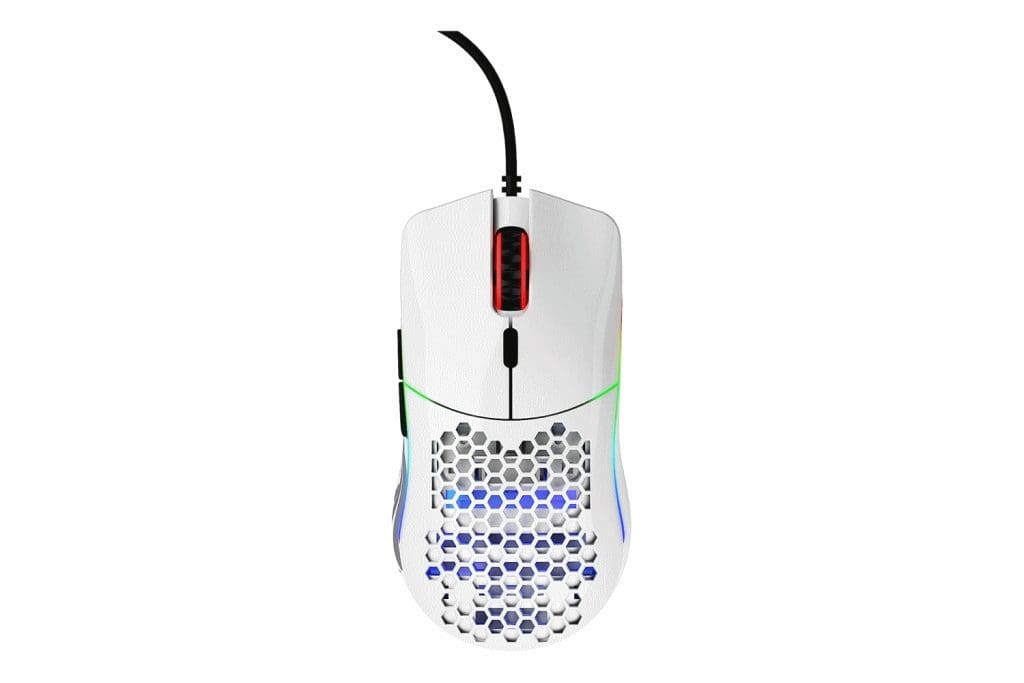
The Glorious Model O is one of the best gaming mice out there. However, the company also offers a Minus variant, designed to cater to the needs of gamers with small hands. Weighing just 58 grams, this mouse is built for speed and precision.
Its honeycomb shell design reduces weight and also aids in ventilation, preventing sweaty palms during intense gaming sessions. There’s RGB lighting around the frame, and you get a total of six programmable buttons. Apart from this, the mouse is equipped with a Pixart PMW3360 sensor for a DPI range of 400 to 12,000.
What We Like
What We Don’t Like
Logitech G305 LIGHTSPEED
- Weight: 99g
- RGB: No
- Connectivity: 2.4GHz Wireless
- Sensitivity: 12,000 DPI

Logitech is one of the biggest names out there when it comes to gaming mice. And while it makes plenty of beefy mice with multiple buttons, there’s also the G305 LIGHTSPEED for folks with small hands.
It’s lightweight and is powered by Logitech’s HERO sensor, which offers excellent sensitivity of up to 12,000 DPI. The mouse is quite power efficient too, with a claimed battery life of up to 250 hours. While there is no RGB lighting here, the mouse itself is available in a handful of colors to choose from to match your setup.
What We Like
What We Don’t Like
Razer DeathAdder v2 Mini
- Weight: 62g
- RGB: Yes
- Connectivity: Wired
- Sensitivity: 8,500 DPI
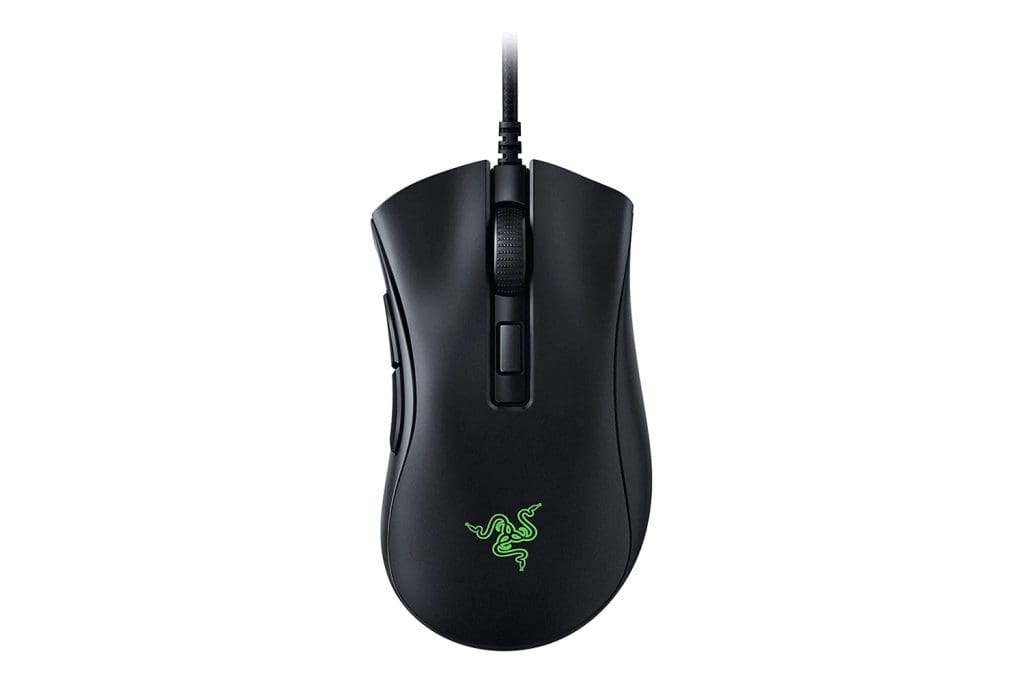
If you’re looking for an FPS gaming mouse for small hands, look no further. The Razer DeathAdder series has long been known as one of the best for competitive gaming. And the V2 Mini offers all that in a form factor perfect for small hands.
The Razer DeathAdder v2 Mini is a scaled-down version of the popular DeathAdder gaming mouse, tailor-made for small-handed gamers. Featuring Razer’s Focus+ Optical Sensor with a DPI range of up to 8,500, this mouse delivers precise tracking and rapid responsiveness. Its ergonomic design, with two side buttons, ensures comfortable gameplay.
What We Like
What We Don’t Like
Corsair Harpoon RGB Wireless
- Weight: 99g
- RGB: Yes
- Connectivity: Wired/2.4GHz Wireless/Bluetooth
- Sensitivity: 10,000 DPI

Packing in the high-precision Pixart PMW3325 sensor, the Corsair Harpoon RGB Wireless is only slightly behind the Glorious Model O Minus. However, it more than makes up for it with its extremely comfortable and grippy design.
Similar to Logitech’s LIGHTSPEED technology, the Corsair Harpoon RGB Wireless comes with Corsair’s Slipstream technology. This also ensures that you get sub-1ms latency when connecting to your PC. Alternatively, you can also rely on Bluetooth for wireless connectivity. In terms of design, the Harpoon RGB Wireless features a contoured shape and rubber side grips.
What We Like
What We Don’t Like
SteelSeries Sensei Ten
- Weight: 92g
- RGB: Yes
- Connectivity: Wired
- Sensitivity: 18,000 DPI
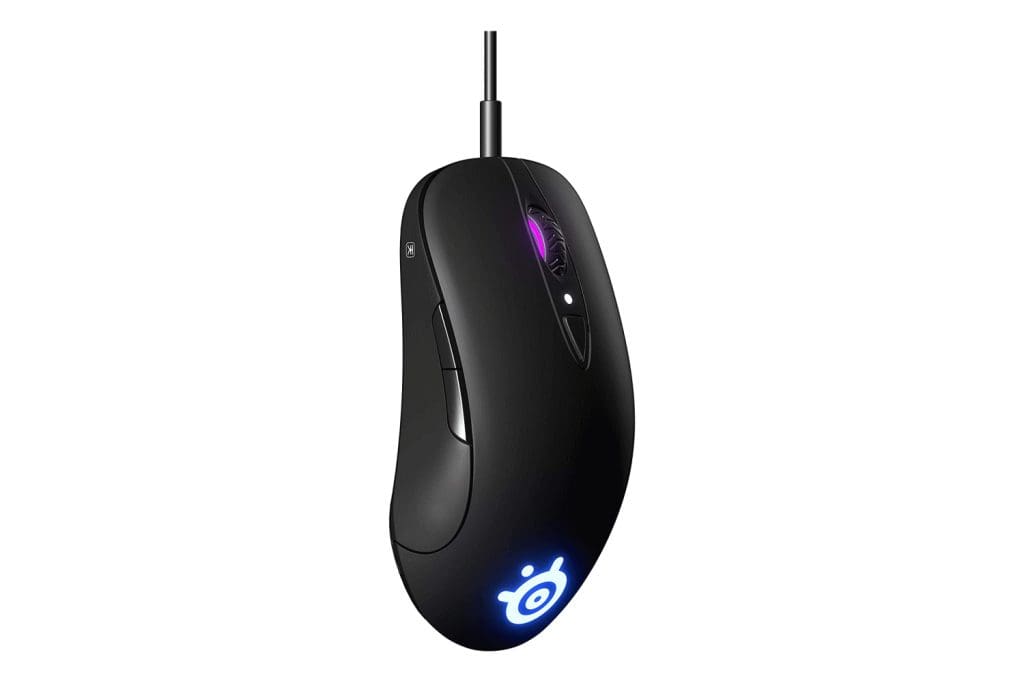
If you’re looking for a professional gaming mouse but play on a higher resolution, the SteelSeries Sensei Ten is a great choice. You get all the essentials for fast and reliable performance, without any unnecessary gimmicks.
The SteelSeries Sensei Ten comes with an ambidextrous design that righties and lefties alike can use without compromise. Adding on to that, the mouse’s shape makes it suitable for all sorts of grips, be it palm, fingertip, or claw grip. You also get a total of eight programmable buttons here, with dual side buttons on each side. The TrueMove Pro sensor here delivers precise tracking and an impressive DPI range of up to 18,000.
What We Like
What We Don’t Like
Razer Viper Mini
- Weight: 62g
- RGB: Yes
- Connectivity: Wired
- Sensitivity: 8,500 DPI

In many ways, the Razer Viper Mini is quite similar to the Razer DeathAdder V2 Mini. However, what sets it apart is the higher price tag. This is justified by the slight boost in performance and a different design.
The Razer Viper Mini comes with the same 8,500 DPI optical sensor and has the company’s SpeedFlex cable for minimal drag. You get a total of six programmable buttons with on-board memory, and support for Razer Chroma RGB lighting. However, what makes the Viper Mini special is that it features an ambidextrous form factor making it comfortable for both left and right-hand users.
What We Like
What We Don’t Like
FAQs on Gaming Mouse for Small Hands
Yes, absolutely. The right gaming mouse, tailored for your hand size and grip style, can significantly improve your gaming performance, irrespective of the size of your hands. It’s important to prioritize comfort and responsiveness to enhance your gaming experience and skill level.
Most gaming mice for small hands are often designed to accommodate claw grip and fingertip grip styles, which are commonly used by users with smaller hands. However, the best grip style for gaming mice depends on individual preferences too.
To determine if your hands are considered small for a gaming mouse, measure the length of your hand from the base of your palm to the tip of your middle finger. If this measurement is around 16 centimeters or less, you likely have small hands and should consider a mouse designed for this hand size.
Was this helpful?
Last updated on 27 June, 2024
1 Comment
Leave a Reply
Read Next
 Top 3 Touch Mouse Alternatives to Apple’s Magic Mouse
The Magic Mouse is useful for plenty of people, but some can get annoyed by its poor ergonomics.
Top 3 Touch Mouse Alternatives to Apple’s Magic Mouse
The Magic Mouse is useful for plenty of people, but some can get annoyed by its poor ergonomics.
 7 Best Gaming Mouse with Side Buttons
If you often play games, you must already know that a mouse with just two buttons and a scroll wheel doesn't quite cut it.
7 Best Gaming Mouse with Side Buttons
If you often play games, you must already know that a mouse with just two buttons and a scroll wheel doesn't quite cut it.
 6 Best FPS Gaming Mouse for Counter-Strike 2 (CS2): Wired and Wireless
Counter-Strike 2, the successor to Counter-Strike: Global Offensive, is shaping up to be one of the best competitive FPS titles.
6 Best FPS Gaming Mouse for Counter-Strike 2 (CS2): Wired and Wireless
Counter-Strike 2, the successor to Counter-Strike: Global Offensive, is shaping up to be one of the best competitive FPS titles.
 6 Best UPS for Gaming PCs for Uninterrupted Gaming
A reliable UPS acts as your gaming PC's guardian angel, shielding it from power fluctuations, surges, and unexpected outages.
6 Best UPS for Gaming PCs for Uninterrupted Gaming
A reliable UPS acts as your gaming PC's guardian angel, shielding it from power fluctuations, surges, and unexpected outages.
 Top 5 Wireless Mouse With USB-C Connector
In 2020, and consumer gadgets are quickly moving to the USB-C era.
Top 5 Wireless Mouse With USB-C Connector
In 2020, and consumer gadgets are quickly moving to the USB-C era.
 6 Best Mouse Pads With Wrist Support
A mouse pad allows you to maneuver the mouse with precision and makes the movement feel smoother.
6 Best Mouse Pads With Wrist Support
A mouse pad allows you to maneuver the mouse with precision and makes the movement feel smoother.
 7 Best Mouse With Programmable Buttons: Wired and Wireless
A mouse with programmable buttons can significantly enhance your gaming and productivity experience.
7 Best Mouse With Programmable Buttons: Wired and Wireless
A mouse with programmable buttons can significantly enhance your gaming and productivity experience.
 6 Best Apple Magic Mouse Alternatives
Apple bundles the Magic Mouse with the iMac, iMac Pro, and Mac Pro, and the company also offers it as a separate accessory for interested Mac users.
6 Best Apple Magic Mouse Alternatives
Apple bundles the Magic Mouse with the iMac, iMac Pro, and Mac Pro, and the company also offers it as a separate accessory for interested Mac users.
The article above may contain affiliate links which help support Guiding Tech. The content remains unbiased and authentic and will never affect our editorial integrity.

Updated July 22nd and still recommending the viper mini when it’s been discontinued for weeks by razer sheesh