How to Suggest a Picture Photo on Telegram Mobile App
You can suggest a profile photo to your Telegram contacts on the Telegram mobile app. This can help give your friends suggestions for any alternate profile picture they might want to consider. Here’s how to do it.
Step 1: Open the Telegram mobile app and go to the relevant chat. Tap the contact name.

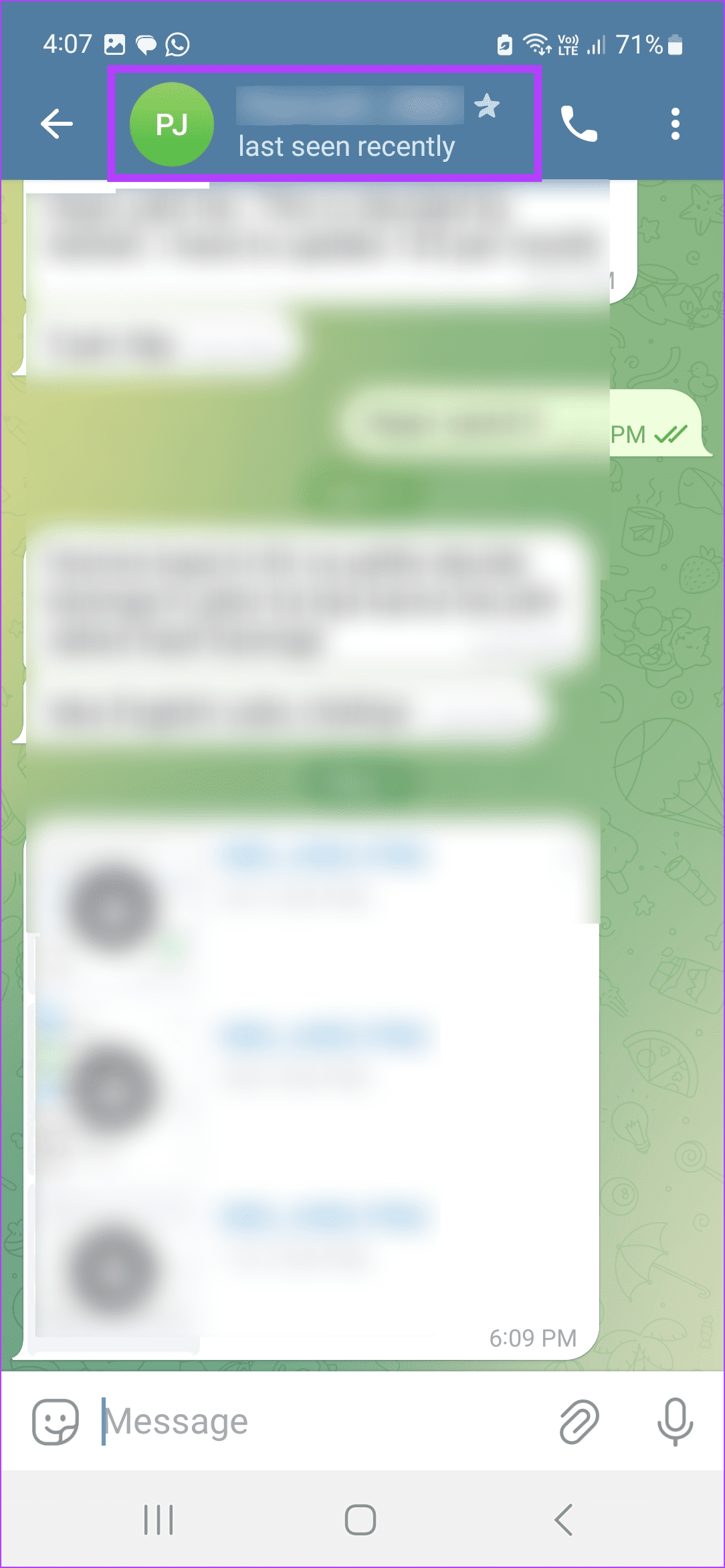
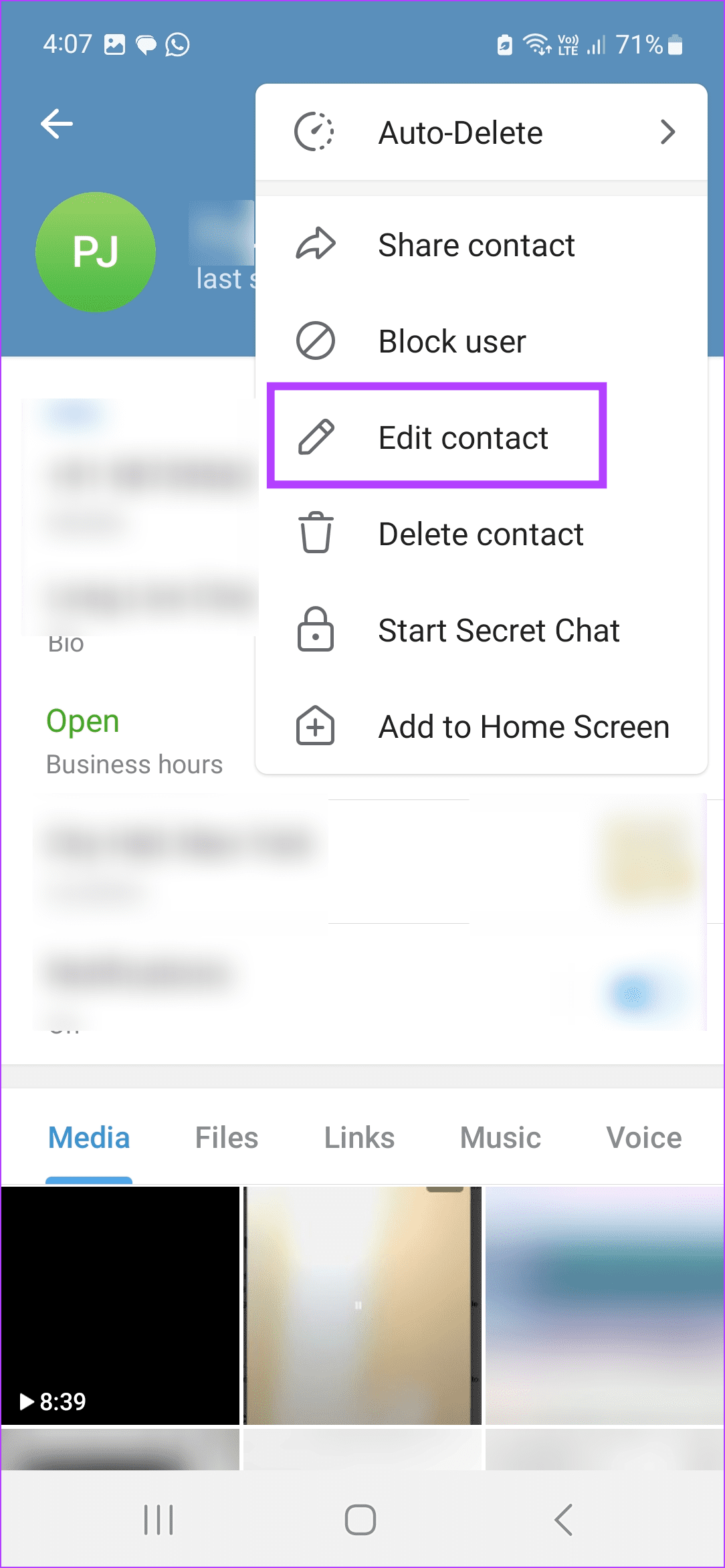
Step 2: Tap the three-dot icon in the top-right corner and tap on Edit contact. Tap on Suggest Photo for.
Note: iPhone users can tap on Edit in the top-right corner and tap on Suggest Photo for.

Step 3: From the options, either select a picture from the gallery or click one using the camera. You can also suggest an emoji.
Step 4: Once the image is selected, resize it using the tools. Tap on Done. Then, tap on Suggest.
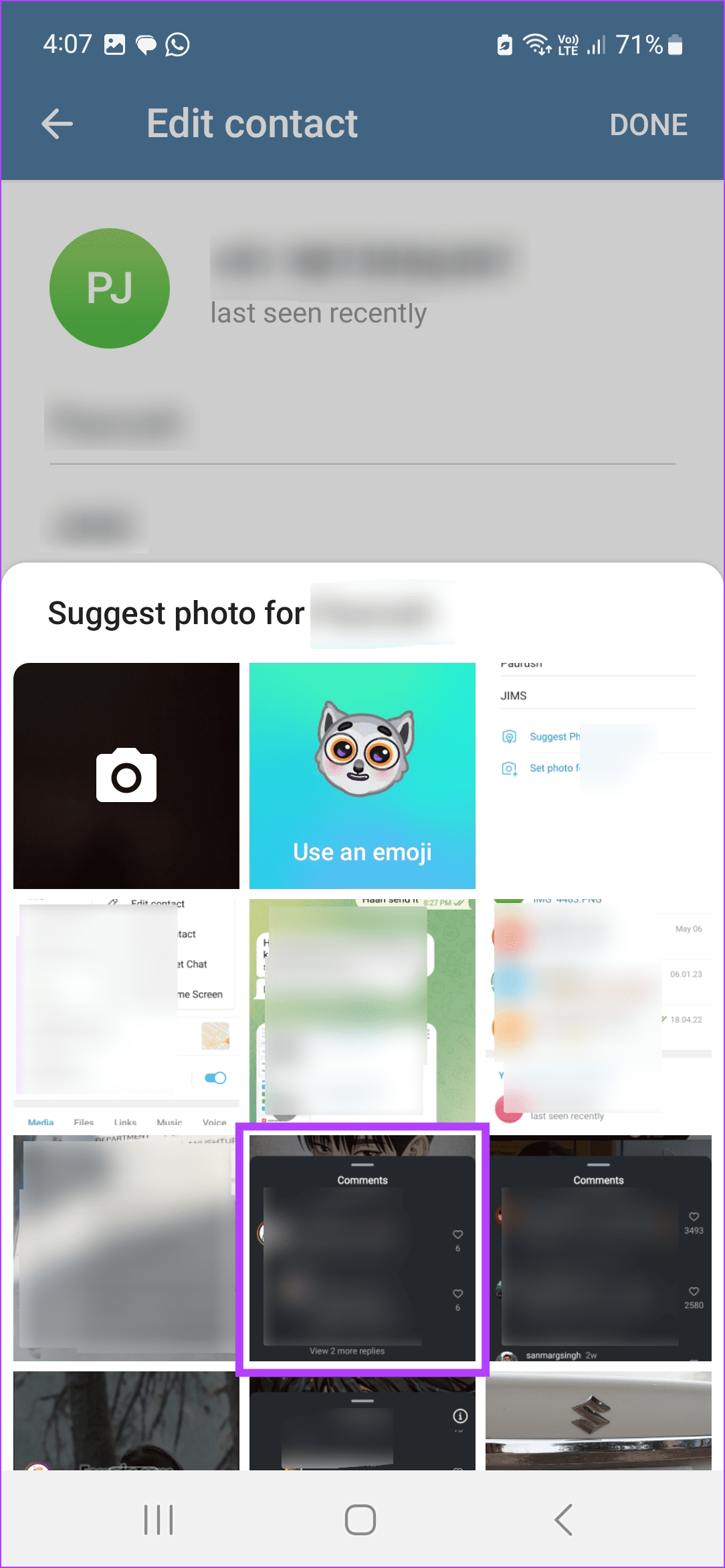

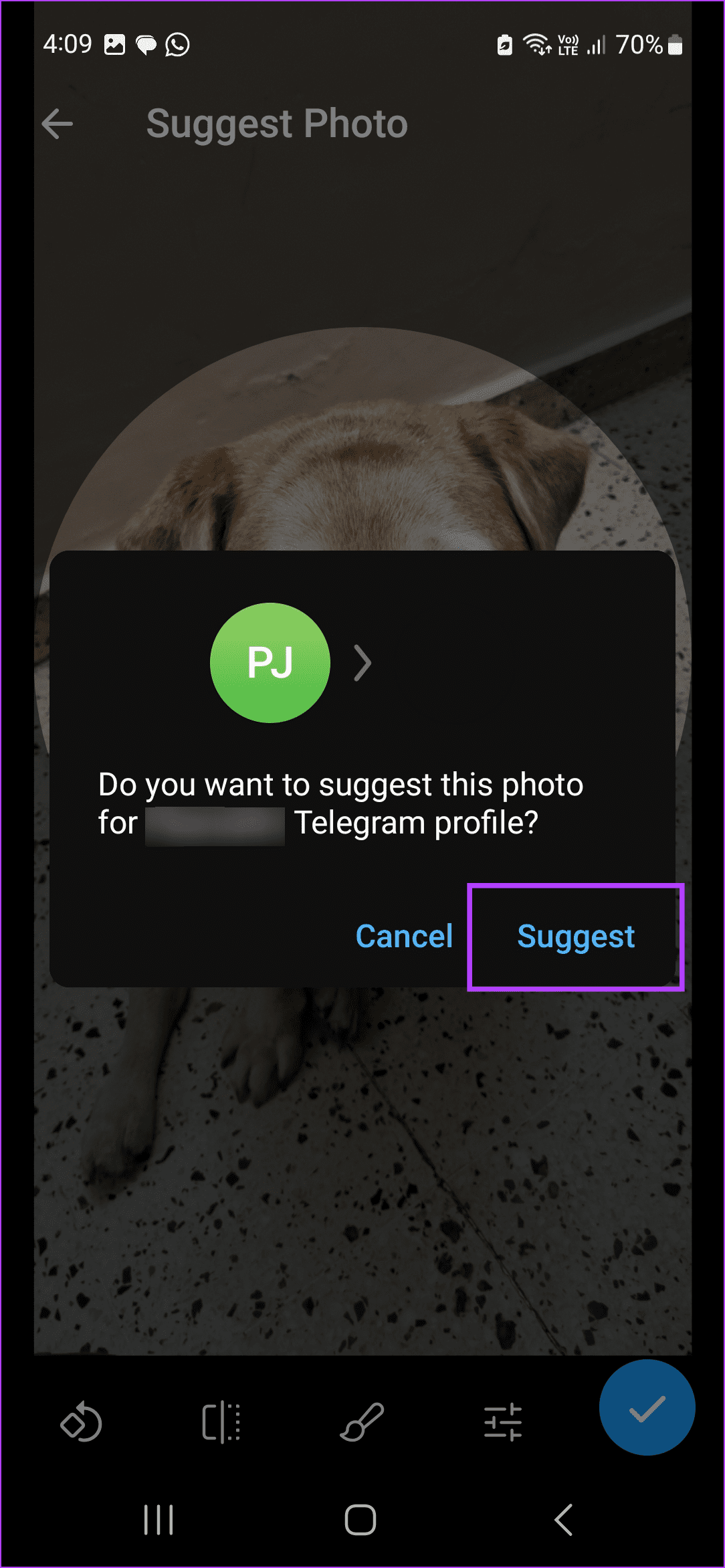
This will send the profile picture suggestion to the selected contact. Please note you can also set this image as your profile picture using the Telegram menu options.
Also Read: How to set custom profile picture for contacts on Telegram
How to Suggest a Profile Picture on Telegram Desktop
Just like the Telegram mobile app, you can also use the Telegram desktop app to suggest profile pictures to your contacts. Here’s a step-by-step look to do the same.
Step 1: Open the Telegram desktop app and click on the relevant contact. Click the contact name.
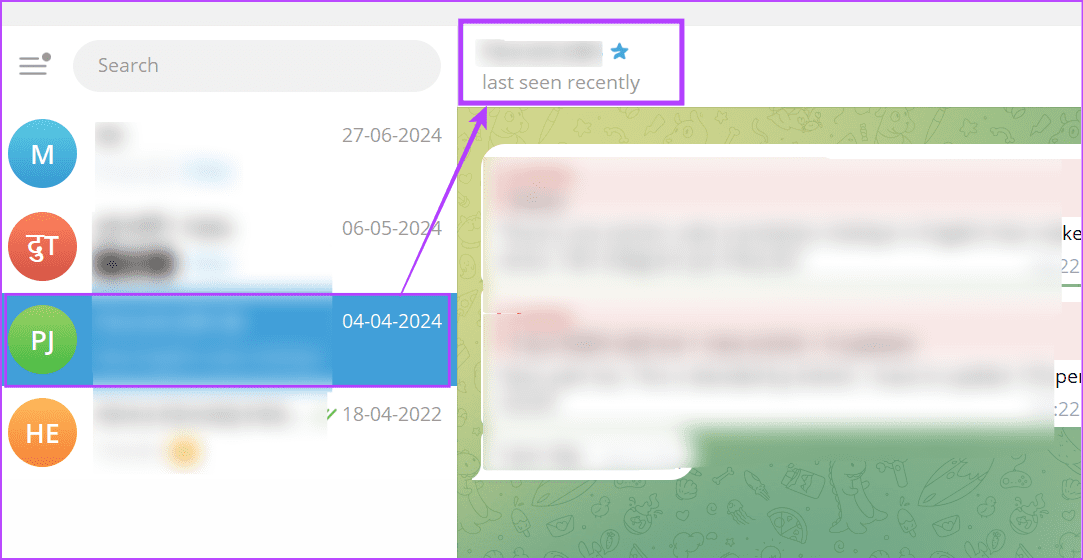
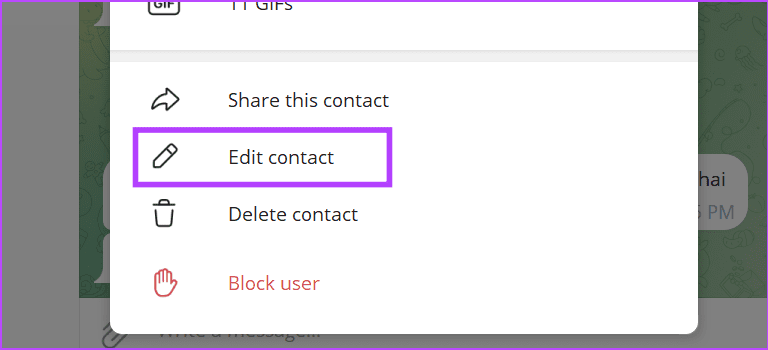
Step 2: Scroll down and click on Edit contact.
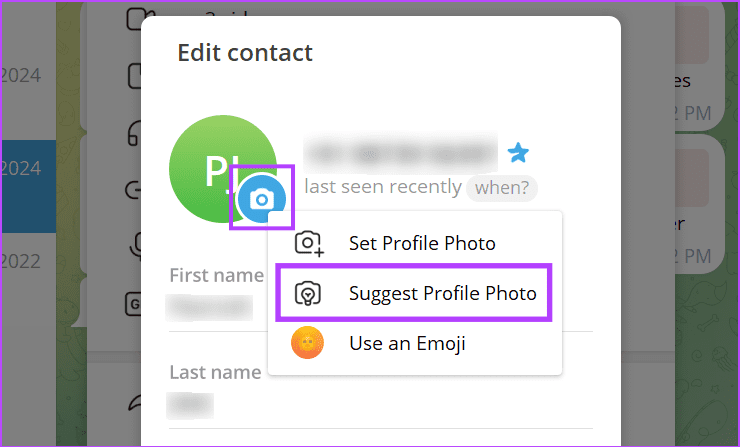
Step 3: Click the camera icon and click on Suggest Profile Photo.
Step 4: Select the relevant photo and click on Open.

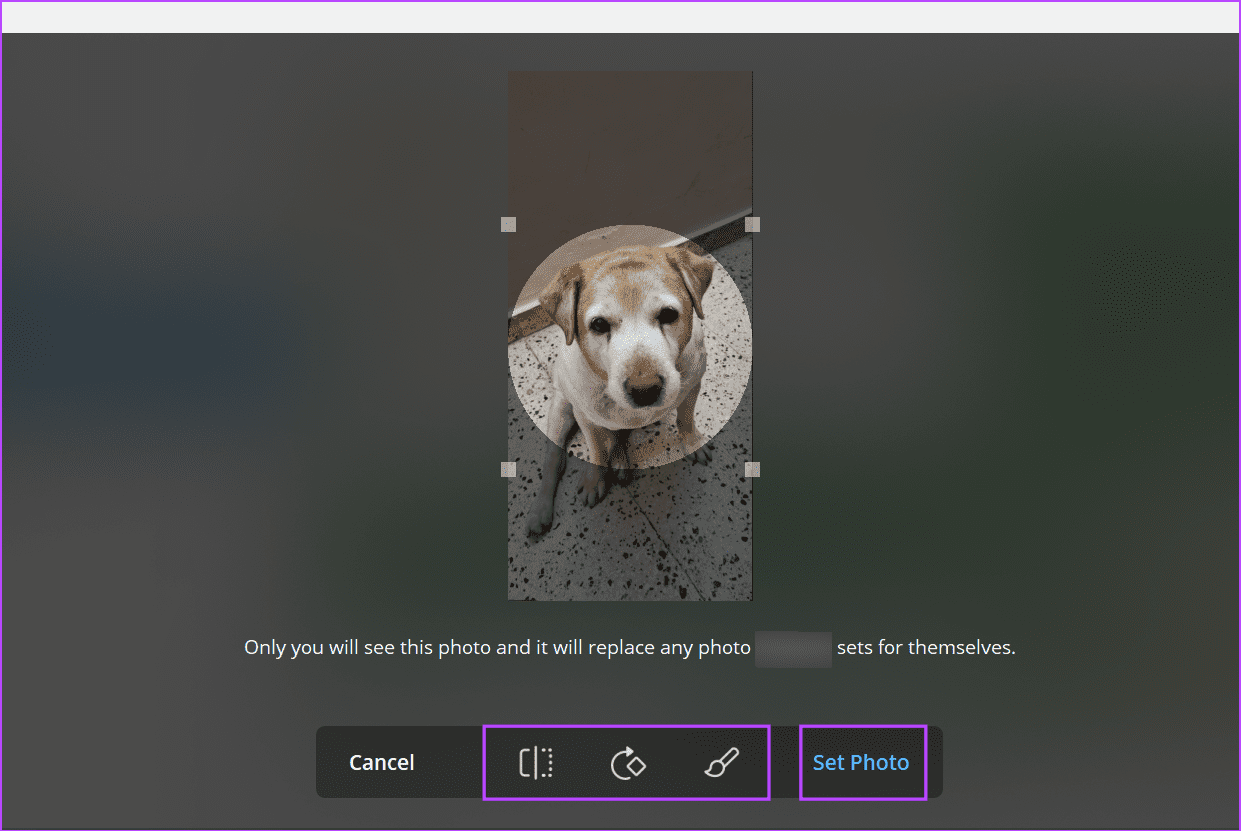
Step 5: Edit the photo using the on-screen options. Once done, click on Set Photo.
Step 6: Click on Done.
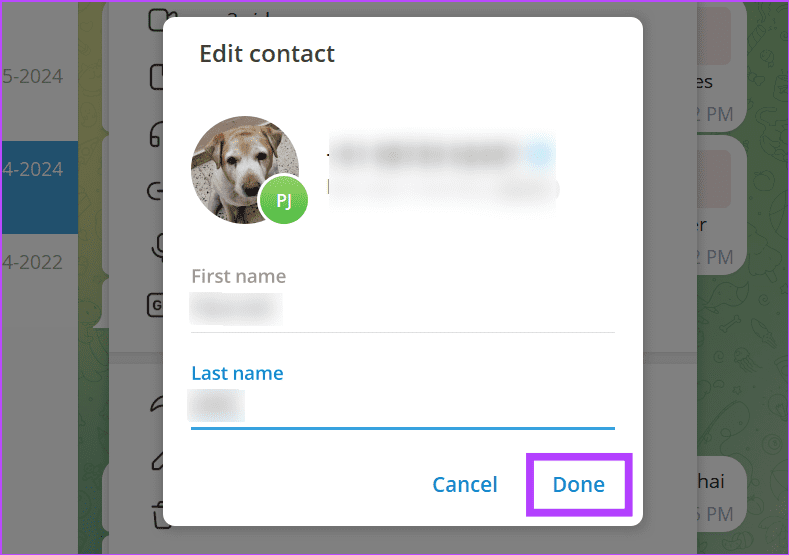
This will replace the current profile picture for you and suggest the image to your contact. Check out our other article to learn more about hiding your Telegram profile picture from specific contacts.
Was this helpful?
Last updated on 29 July, 2024
Read Next
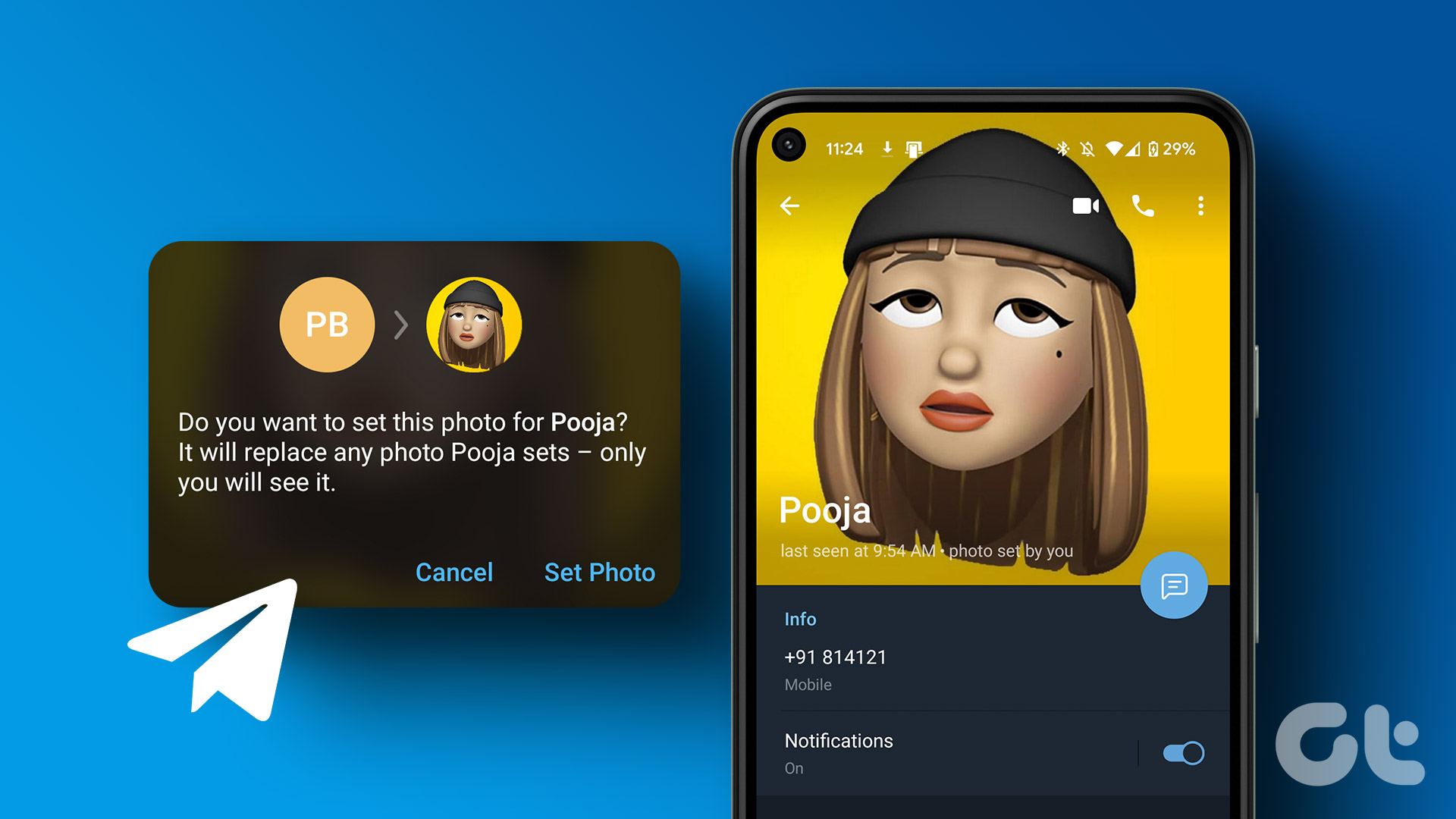 How to Set Custom Profile Picture for Contacts on Telegram
How to Set Custom Profile Picture on Telegram on Mobile Let's start by showing you the steps for Android and iPhone.
How to Set Custom Profile Picture for Contacts on Telegram
How to Set Custom Profile Picture on Telegram on Mobile Let's start by showing you the steps for Android and iPhone.
 What Is WhatsApp Profile Picture Size and How to Add Any Picture to It
What’s the Best Size for a WhatsApp profile Picture While WhatsApp has opened up to many new features, from sharing HD photos to screen sharing, it remains stringent on its
What Is WhatsApp Profile Picture Size and How to Add Any Picture to It
What’s the Best Size for a WhatsApp profile Picture While WhatsApp has opened up to many new features, from sharing HD photos to screen sharing, it remains stringent on its
 3 Fixes for Picture-in-Picture Not Working in Telegram
Basic Fixes Force quit and relaunch Telegram: This will give the app a fresh start on your iPhone or Android phone.
3 Fixes for Picture-in-Picture Not Working in Telegram
Basic Fixes Force quit and relaunch Telegram: This will give the app a fresh start on your iPhone or Android phone.
 ChatGPT Can Suggest Recipes by Photographing Your Food: Here’s How
How to Upload Food Photos in ChatGPT After the free GPT-4o update, ChatGPT now features the ability to recognize what is in a photo.
ChatGPT Can Suggest Recipes by Photographing Your Food: Here’s How
How to Upload Food Photos in ChatGPT After the free GPT-4o update, ChatGPT now features the ability to recognize what is in a photo.
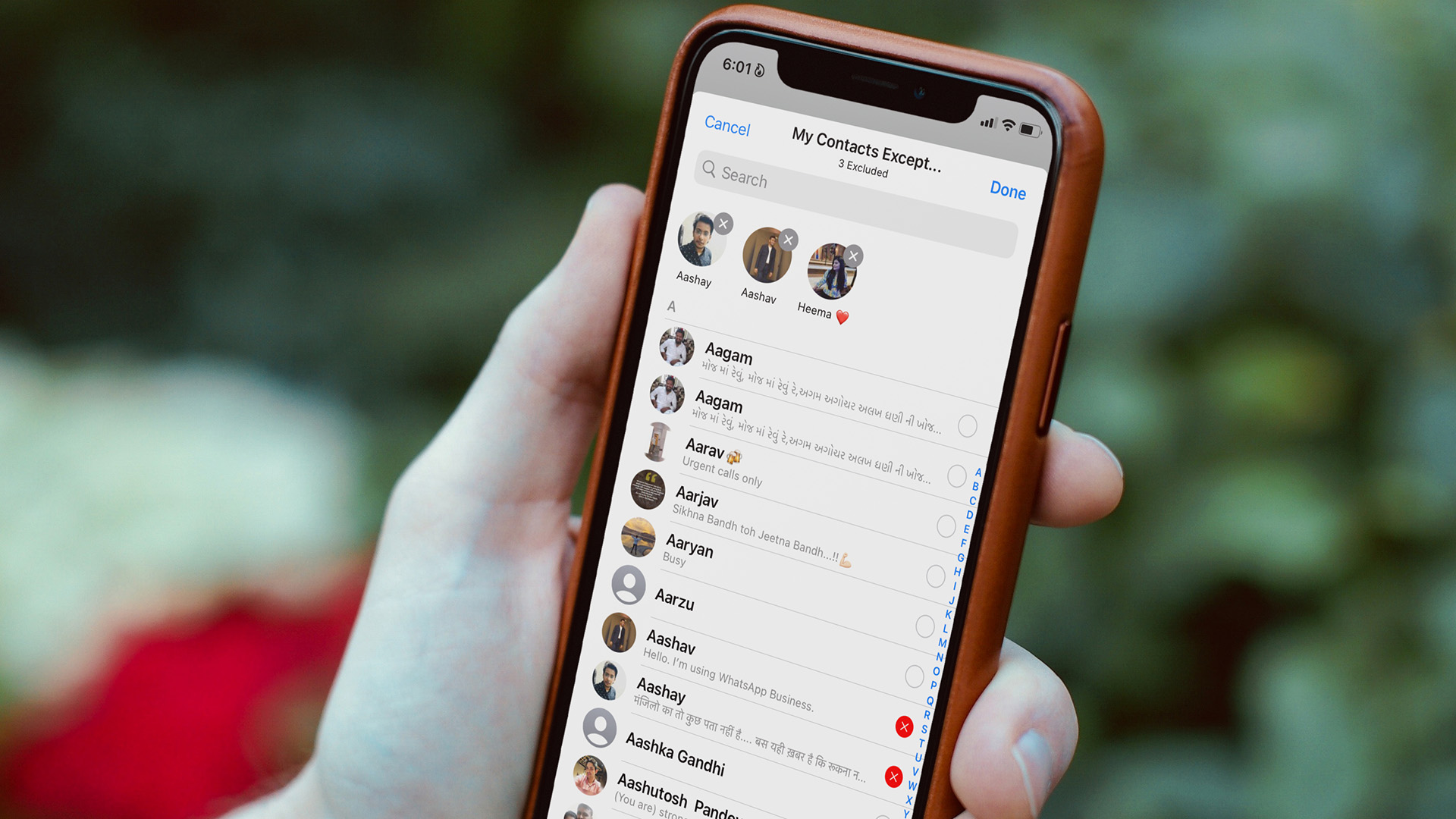 How to Hide Your Profile Picture From Specific Contacts on WhatsApp
What Happens When You Hide Your Profile Picture From Specific Contacts on WhatsApp The selected WhatsApp contacts can no longer view your account photo.
How to Hide Your Profile Picture From Specific Contacts on WhatsApp
What Happens When You Hide Your Profile Picture From Specific Contacts on WhatsApp The selected WhatsApp contacts can no longer view your account photo.
 Google Contacts vs Samsung Contacts: Which App Is Best for Saving and Managing Contacts
Apart from phones running Stock Android, all other Android phones have their own set of basic apps.
Google Contacts vs Samsung Contacts: Which App Is Best for Saving and Managing Contacts
Apart from phones running Stock Android, all other Android phones have their own set of basic apps.
 iCloud Contacts vs Google Contacts: Where Should You Save Contacts on Your iPhone
When you are using an Android phone, one prefers using Google Contacts to store and manage contacts.
iCloud Contacts vs Google Contacts: Where Should You Save Contacts on Your iPhone
When you are using an Android phone, one prefers using Google Contacts to store and manage contacts.
 2 Ways to Turn on Picture in Picture on Microsoft Edge
Method 1: Use the Inbuilt PiP Option in Microsoft Edge Picture-in-Picture (PiP) mode was officially released in Microsoft Edge with the stable release of Microsoft Edge version 78.
2 Ways to Turn on Picture in Picture on Microsoft Edge
Method 1: Use the Inbuilt PiP Option in Microsoft Edge Picture-in-Picture (PiP) mode was officially released in Microsoft Edge with the stable release of Microsoft Edge version 78.
The article above may contain affiliate links which help support Guiding Tech. The content remains unbiased and authentic and will never affect our editorial integrity.