Method 1: Search for Instagram Filters via the Browse Effects Option
The simplest way to find a filter on IG is via the Effects Gallery. Instagram provides thousands of filters on its platform. So, this option enables you to browse various effects.
Step 1: Tap on Your story at the top-left corner of your screen in the Instagram app. Select Camera.
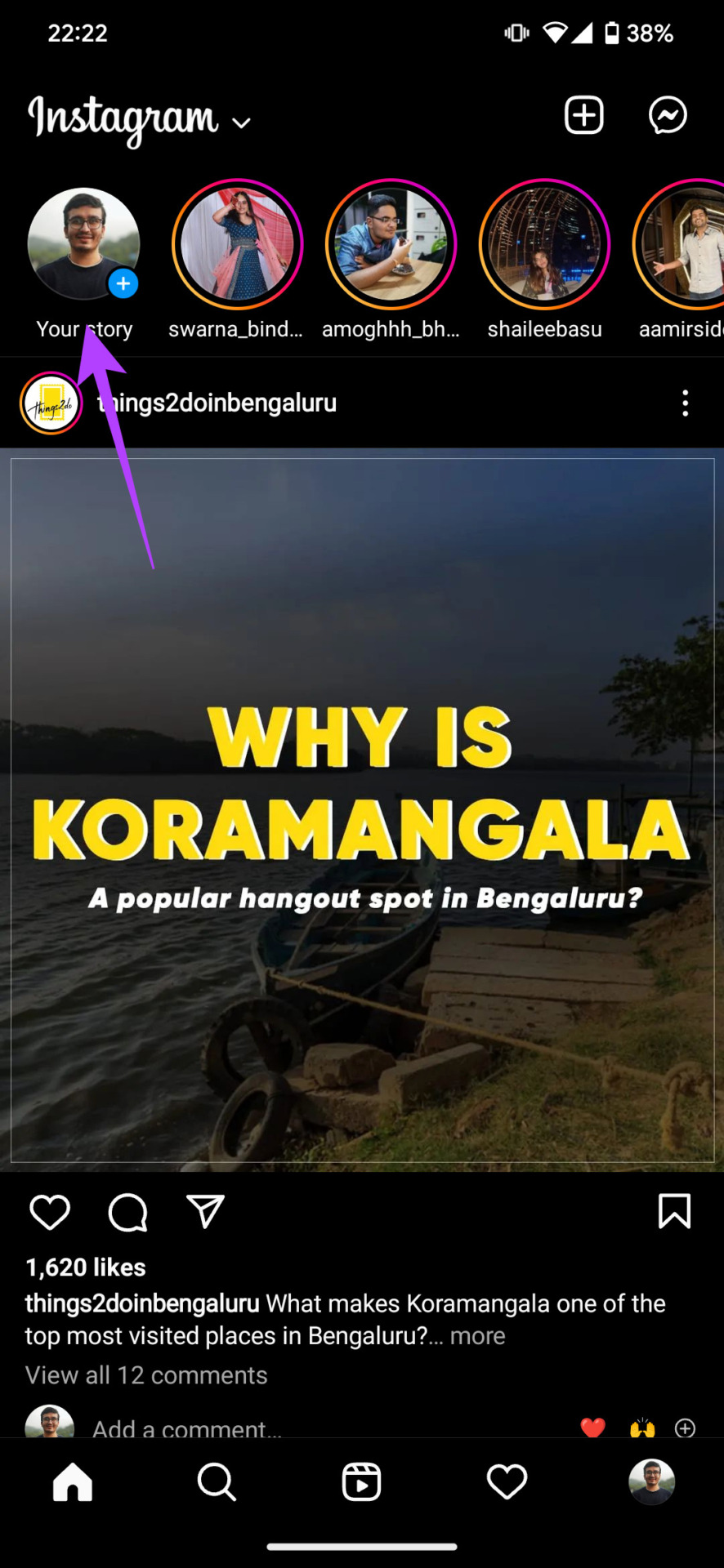
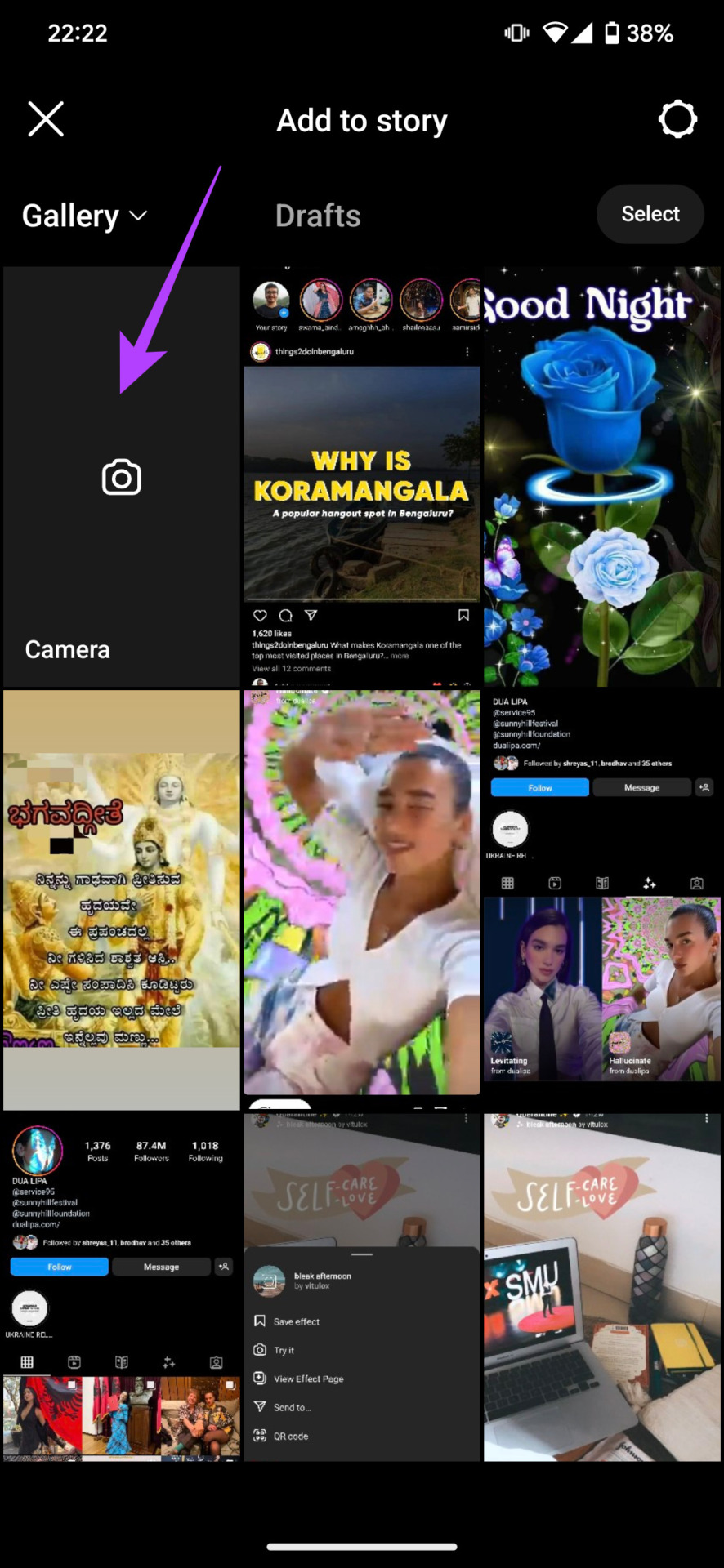
Step 2: Scroll to the end of the icons till you reach Browse Effects. Tap on it to open the Effects Gallery.
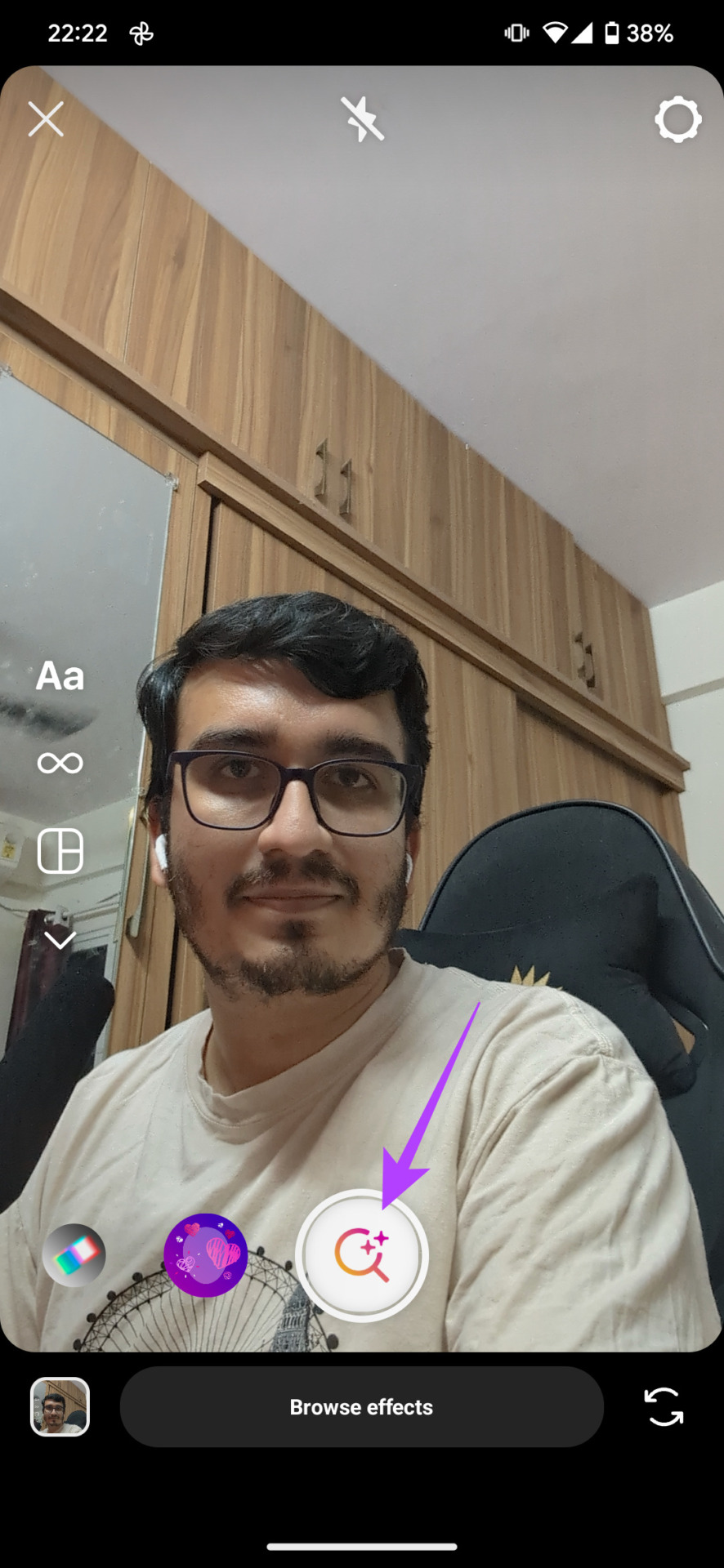
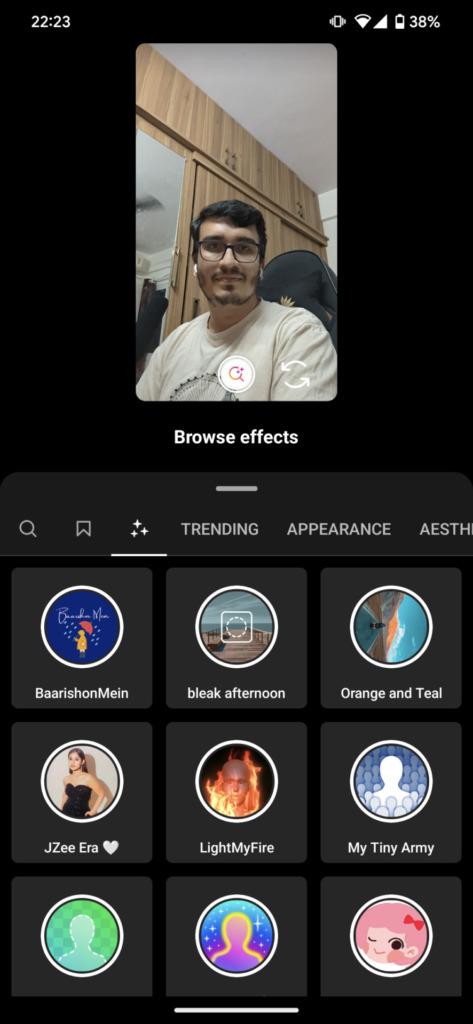
You can search for filters using the magnifying glass at the top left corner of your screen or explore filters that you’re seeing at the center of the screen.


Method 2: Find and Save a Filter via Someone’s Instagram Story
Ever seen a filter on a friend’s story and wanted to try it out yourself? This is the second way to explore filters on Instagram — via someone else’s story. Here’s how to search for IG story filters.
Step 1: Open Instagram. Proceed to the story whose filter you want to save.
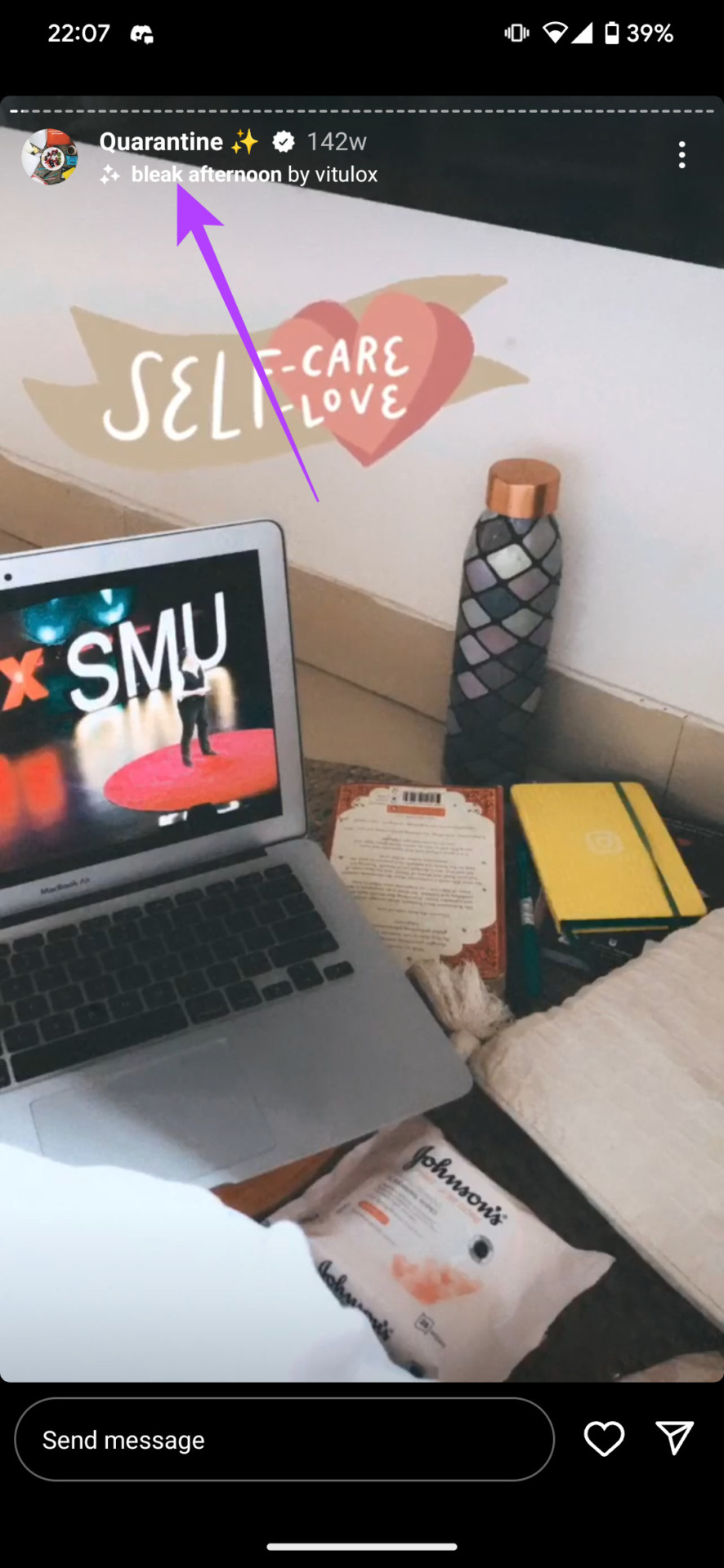
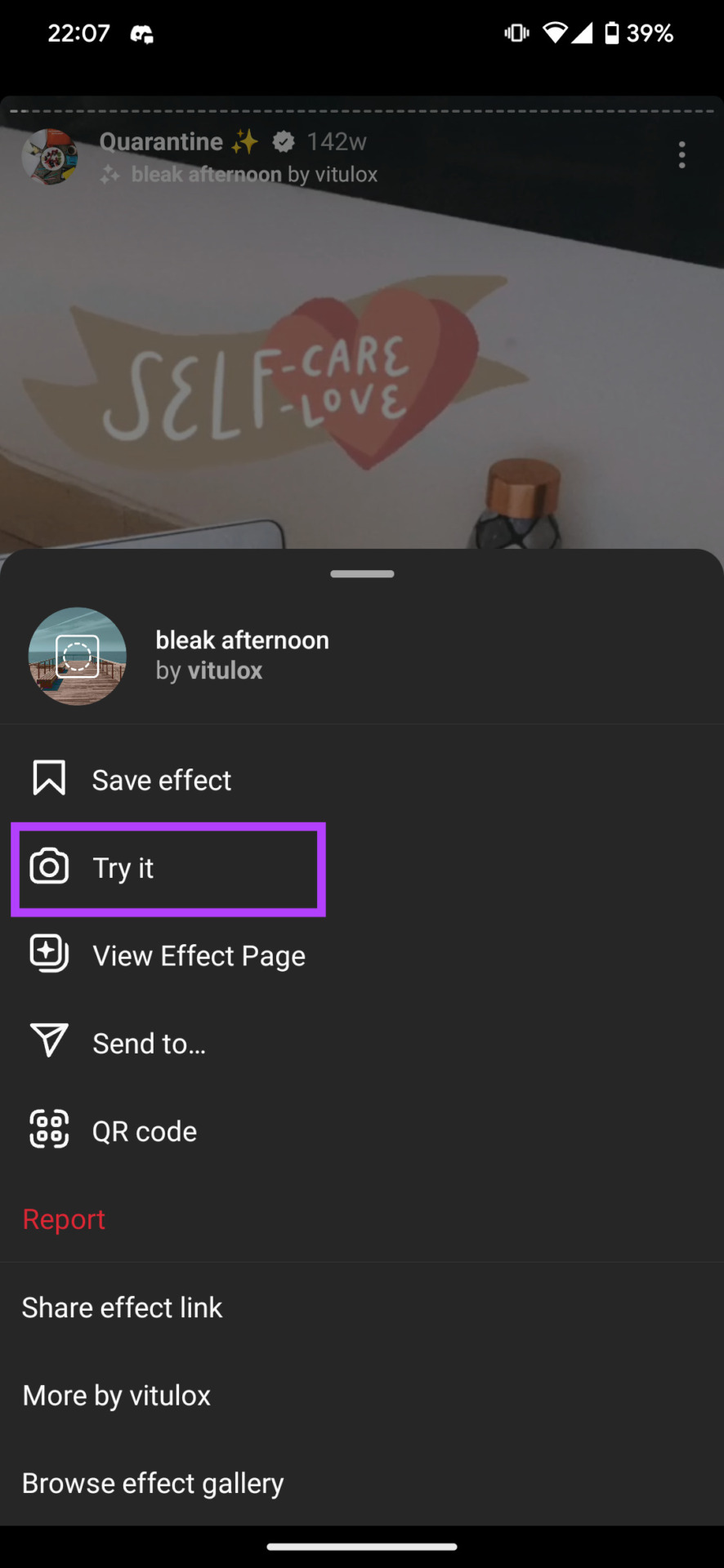
Step 2: If a story has been posted with a filter, you will see the name of the filter listed below the person’s name on the story. Tap on it and select Try it.
If you wish to save the filter and use it at a later stage, select the Save effect option instead.
Method 3: Find Filters on Instagram by Specific Creators
Instagram not only allows creators to use available filters but also enables them to create their own filters. So, users can search for filters by specific creators on Instagram as well.
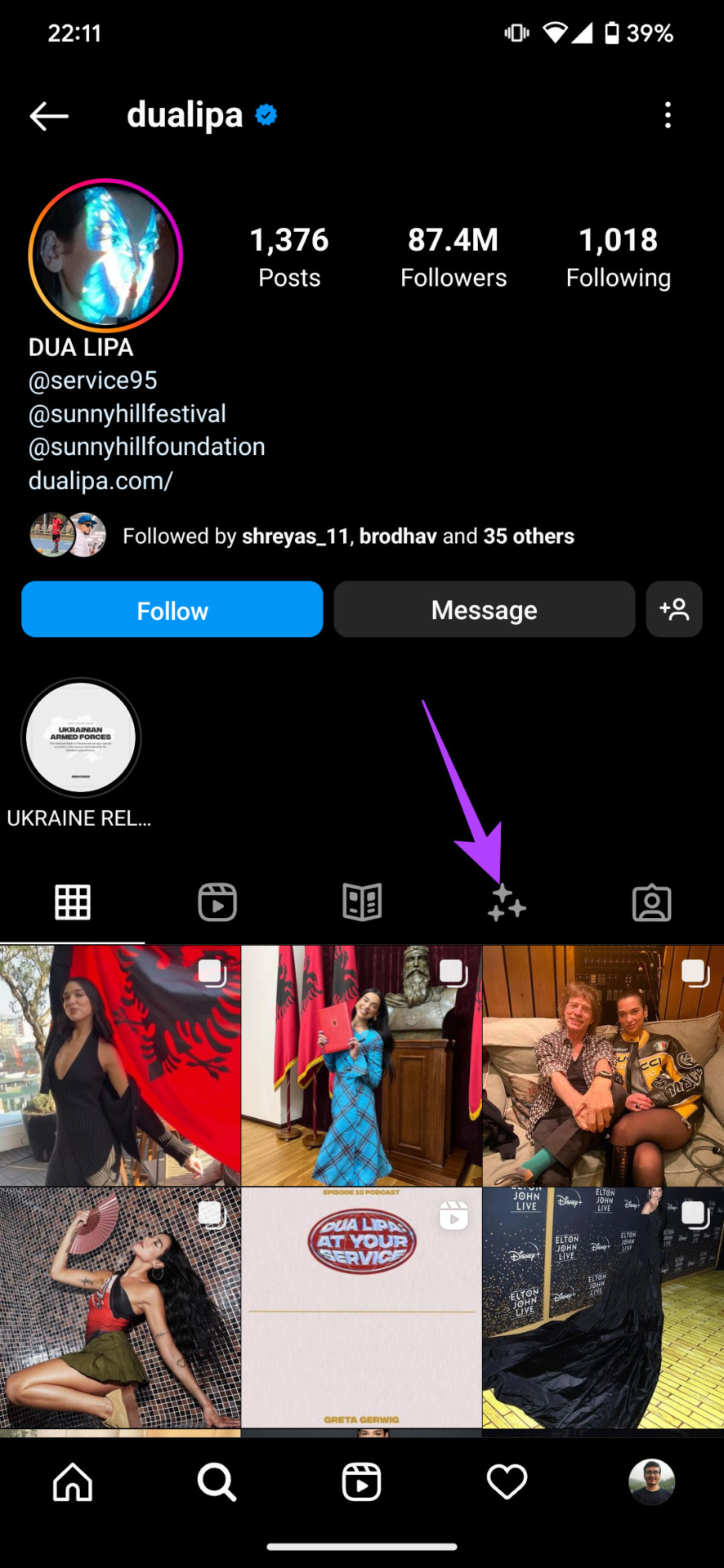
Step 1: Navigate to a creator’s Instagram page. Then, navigate to the Filters tab on their profile and select the filter you wish to use.
Note: If you do not find the filter tab in a particular creator’s profile, it implies they do not have their own filters.
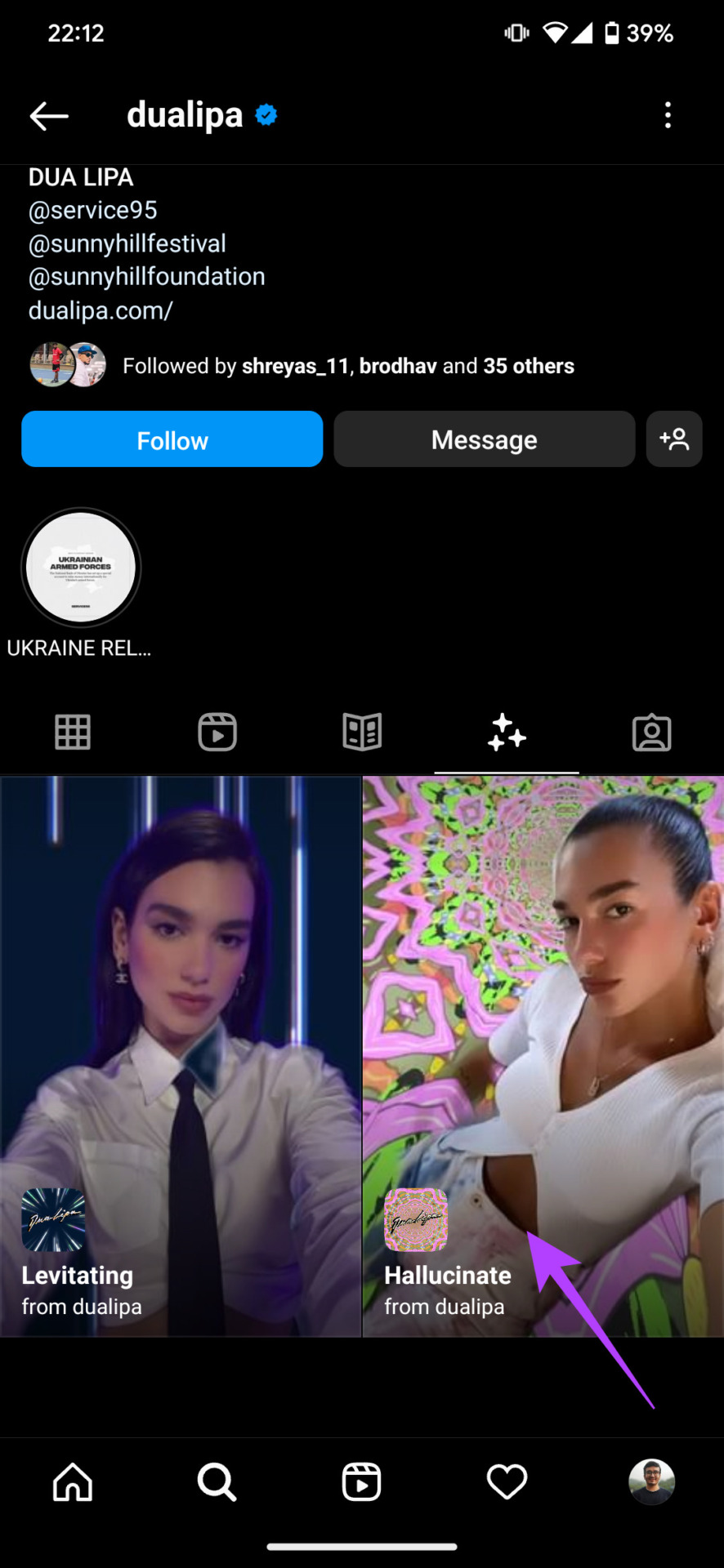
Step 2: Now, choose Try it. If you wish to save the filter and use it later, select Save.


How to Use Saved Instagram Filters
You’ve saved that nice-looking filter. Here’s how you can find that downloaded filter on the Instagram app to use it on your photos.
Step 1: Tap on Your story at the top-left corner of your screen in the Instagram app. Select Camera.
Step 2: Scroll to the end of the icons till you reach Browse Effects. Tap on it to open the Effects Gallery.
Step 3: On the tab in the center of the screen, select the Saved section.
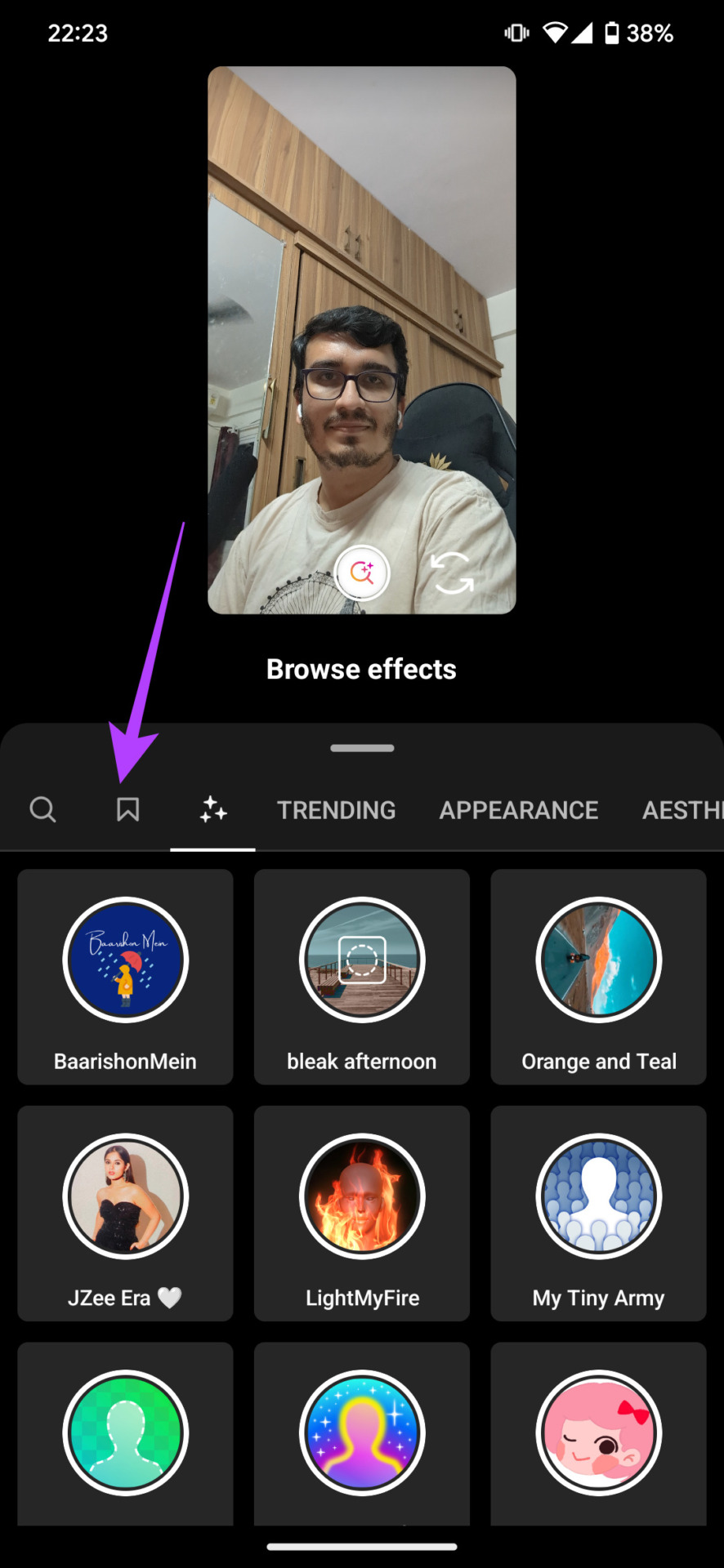
You can now access all your saved filters here. Tap on the filter you wish to use, and it will be applied.
Also Read: How to fix Instagram filters and effects not working
FAQs
You may not find a filter due to Instagram’s gitch. Try saving the filter from someone else’s story (if they have used it), force close the app, and restart it. Now, go through the saved filters. You should find it there.
If you know how to use AR studio applications, you can design your filters for Instagram.
Yes, you can import your photos to Instagram and add the app’s filters to them. After that, you can download the photos back onto your device.
You need an active internet connection to search for filters on your phone. So, ensure you’ve enabled Wi-Fi or mobile data before searching for or downloading filters on your device.
Was this helpful?
Last updated on 09 May, 2024
Read Next
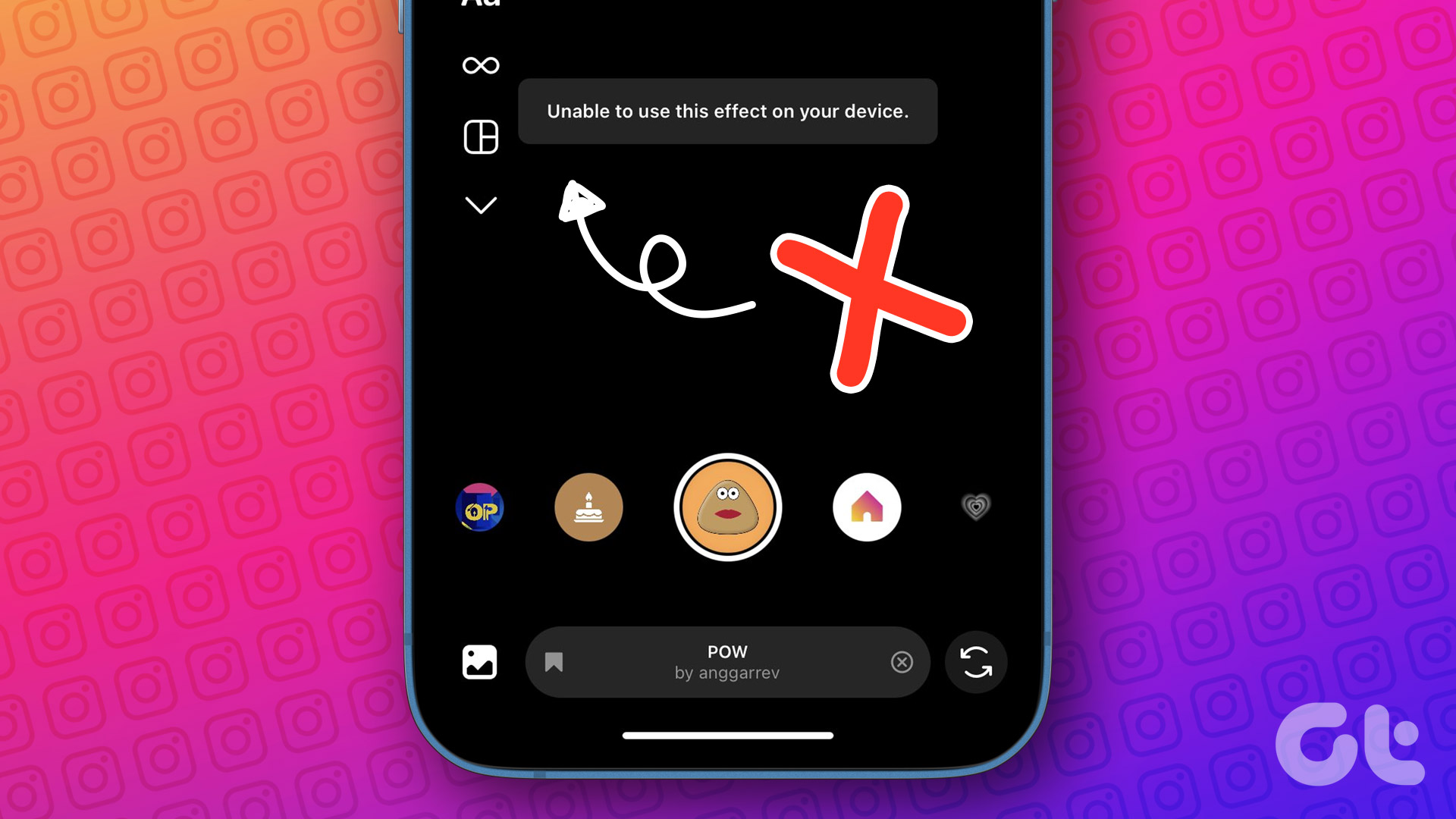 3 Ways to Fix Instagram Filters and Effects Not Working
Try These Basic Fixes Use a VPN connection: If your region's privacy laws prohibit using filters, Instagram may display the "This effect is not available in your location" error.
3 Ways to Fix Instagram Filters and Effects Not Working
Try These Basic Fixes Use a VPN connection: If your region's privacy laws prohibit using filters, Instagram may display the "This effect is not available in your location" error.
 Facebook Story vs Messenger Story: Similarities and Differences
Key Differences and Similarities FeatureFacebook StoriesMessenger StoriesCross-PostingFacebook Stories are visible to Messenger contacts.Messenger Stories are visible to Facebook friends.AvailabilityAvailable on mobile apps and the Facebook website.Available only on the mobile
Facebook Story vs Messenger Story: Similarities and Differences
Key Differences and Similarities FeatureFacebook StoriesMessenger StoriesCross-PostingFacebook Stories are visible to Messenger contacts.Messenger Stories are visible to Facebook friends.AvailabilityAvailable on mobile apps and the Facebook website.Available only on the mobile
 How to Add a Link to Instagram Story and Posts
Are you looking for ways to drive more traffic to your website or promote your brand on Instagram?
How to Add a Link to Instagram Story and Posts
Are you looking for ways to drive more traffic to your website or promote your brand on Instagram?
 How to Use Filters in Microsoft Teams
Do you want to look like a potato during a video call on Microsoft Teams?
How to Use Filters in Microsoft Teams
Do you want to look like a potato during a video call on Microsoft Teams?
 How to Add Music to Facebook Profile and Story
How to Add Music to Your Facebook Profile You can add multiple songs to your Facebook profile.
How to Add Music to Facebook Profile and Story
How to Add Music to Your Facebook Profile You can add multiple songs to your Facebook profile.
 How to Add and Use Facebook Story Highlights: A Definitive Guide
What Are Facebook Story Highlights Highlights are like photo albums where you can sort stories in different folders according to their content.
How to Add and Use Facebook Story Highlights: A Definitive Guide
What Are Facebook Story Highlights Highlights are like photo albums where you can sort stories in different folders according to their content.
 How to Add Multiple Photos to Facebook and Messenger Story
Add Multiple Photos From Android and Ios Devices Step 1: Tap on Create Story on the home screen and tap on Select Multiple.
How to Add Multiple Photos to Facebook and Messenger Story
Add Multiple Photos From Android and Ios Devices Step 1: Tap on Create Story on the home screen and tap on Select Multiple.
 How to Add Camera Roll Photos (Multiple) to Snapchat Story
How to Add Photos to Your Snapchat Story Before we get started on adding multiple pictures from your camera roll, let us quickly look at how to add a single
How to Add Camera Roll Photos (Multiple) to Snapchat Story
How to Add Photos to Your Snapchat Story Before we get started on adding multiple pictures from your camera roll, let us quickly look at how to add a single
The article above may contain affiliate links which help support Guiding Tech. The content remains unbiased and authentic and will never affect our editorial integrity.