Method 1: Use Microsoft Clipchamp
Microsoft acquired the popular web-based video editor Clipchamp and integrated it with Windows. It’s now the default video editor on Windows and lets you perform basic editing such as rotating videos, removing sound from a video, and more quickly. Here are the steps to compress videos with the Clipchamp app.
Step 1: Open Clipchamp and sign in with your Google, Facebook, or Microsoft account. If you are a Microsoft 365 subscriber, you get extra perks with Clipchamp.
Step 2: Select Create a new video at the top.

Step 3: Click Import media and select a video you want to shrink from the File Explorer menu.

Step 4: Drag and drop a video to the editor menu and make the necessary changes. Click Export at the top right corner.

Step 5: Select 720p or any other lower resolution.

Step 6: After completing the export process, check the video length and size. Hit Save to your computer and pick a relevant folder on your PC.

In our testing, we imported a video 130MB in size. We selected 720p during the export process, and Clipchamp managed to shrink the size to 71MB. You can select 480p if you want to reduce the video file further.
Method 2: Use Third-Party Video Players like VLC
VLC is one of the popular video players on Windows. Although it’s known for smooth video playback on a desktop, you can also use it to reduce video size. Download and install VLC and follow the steps below.
Step 1: Open VLC > click Media at the top > select Convert / Save.

Step 2: Click Add > select a video from the File Explorer > click on Convert / Save.

Step 3: Confirm the source file > select a video profile > browse a destination folder > hit Start.

During the process, VLC reduced a video file from 130 MB to 40 MB for the video we selected. VLC is an open-source project that is entirely free to download and use.
Was this helpful?
Last updated on 28 May, 2024
Read Next
 4 Fixes for “Compress to ZIP File” Option Not Working in Windows 11
Try Basic Fixes Try another file or folder: Compressing another file or folder should help confirm if it's a system-wide issue.
4 Fixes for “Compress to ZIP File” Option Not Working in Windows 11
Try Basic Fixes Try another file or folder: Compressing another file or folder should help confirm if it's a system-wide issue.
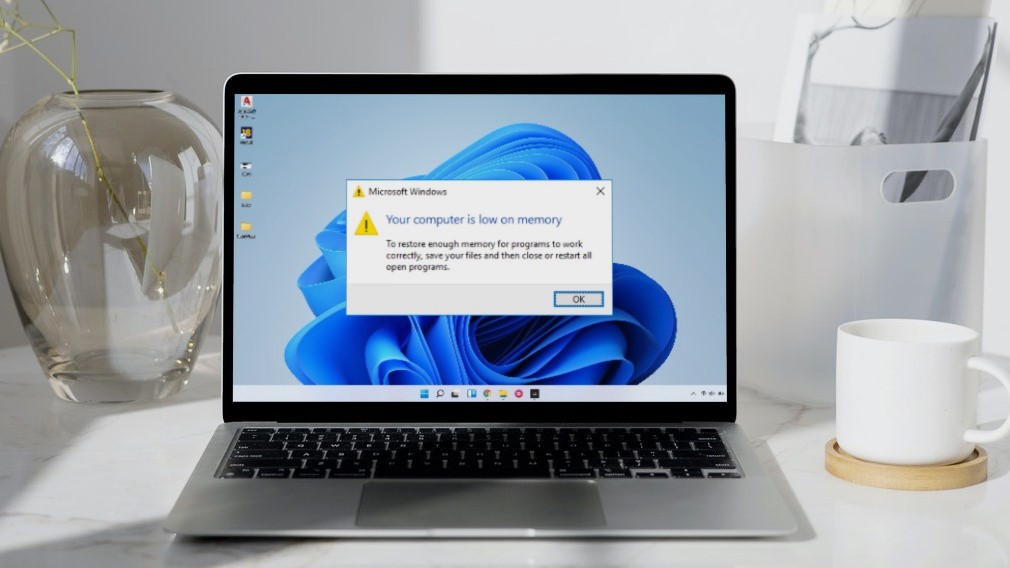 5 Ways to Fix “Your Computer Is Low on Memory” Error on Windows 10 and Windows 11
Try Basic Fixes Close unwanted apps and programs: Start by closing any unwanted apps and programs on your computer, especially the ones consuming a major chunk of your PC’s memory.
5 Ways to Fix “Your Computer Is Low on Memory” Error on Windows 10 and Windows 11
Try Basic Fixes Close unwanted apps and programs: Start by closing any unwanted apps and programs on your computer, especially the ones consuming a major chunk of your PC’s memory.
 7 Best Fixes for Computer Name Is Invalid Error on Windows 10
Calling your computer with a nickname does sound cool, and what makes it even more fun is giving it a name officially.
7 Best Fixes for Computer Name Is Invalid Error on Windows 10
Calling your computer with a nickname does sound cool, and what makes it even more fun is giving it a name officially.
 Why You Need to Activate Windows 10 on Your Computer: GT Explains
Microsoft changed a lot of things with the launch of Windows 10.
Why You Need to Activate Windows 10 on Your Computer: GT Explains
Microsoft changed a lot of things with the launch of Windows 10.
 5 Ways to Fix Computer Turns on but No Display on Windows 11
Basic Fixes: Ensure the monitor is turned on: If you're using an external monitor or if your laptop's monitor has an external power switch, ensure it is turned on before
5 Ways to Fix Computer Turns on but No Display on Windows 11
Basic Fixes: Ensure the monitor is turned on: If you're using an external monitor or if your laptop's monitor has an external power switch, ensure it is turned on before
 2 Ways to Open Computer Management on Windows 11
Method 1: Open Computer Management From Control Panel You can easily access Computer Management through the Control Panel.
2 Ways to Open Computer Management on Windows 11
Method 1: Open Computer Management From Control Panel You can easily access Computer Management through the Control Panel.
 6 Ways to Find the Name of Computer on Windows 11 and 10
Have you ever had to identify your Windows computer for networking or system management purposes?
6 Ways to Find the Name of Computer on Windows 11 and 10
Have you ever had to identify your Windows computer for networking or system management purposes?
 How to Find Who Is Currently Logged Into Your Windows Computer
Method 1: Use the Start Menu The simplest and quickest method to view all the users who are currently logged in to Windows is through the Start menu.
How to Find Who Is Currently Logged Into Your Windows Computer
Method 1: Use the Start Menu The simplest and quickest method to view all the users who are currently logged in to Windows is through the Start menu.
The article above may contain affiliate links which help support Guiding Tech. The content remains unbiased and authentic and will never affect our editorial integrity.