Who Can Create Reminders for Events on Instagram
Reminders are a great way to ensure you remind your followers about any of your plans and events, and they are quite easy to add to a post or a story.
Instagram reminders are mainly aimed at creators and professionals on the platform. Therefore, you can only use this feature if you have a professional account on Instagram.
Tap on the menu button on the Profile page. Tap on Settings > Account > Switch to professional account.
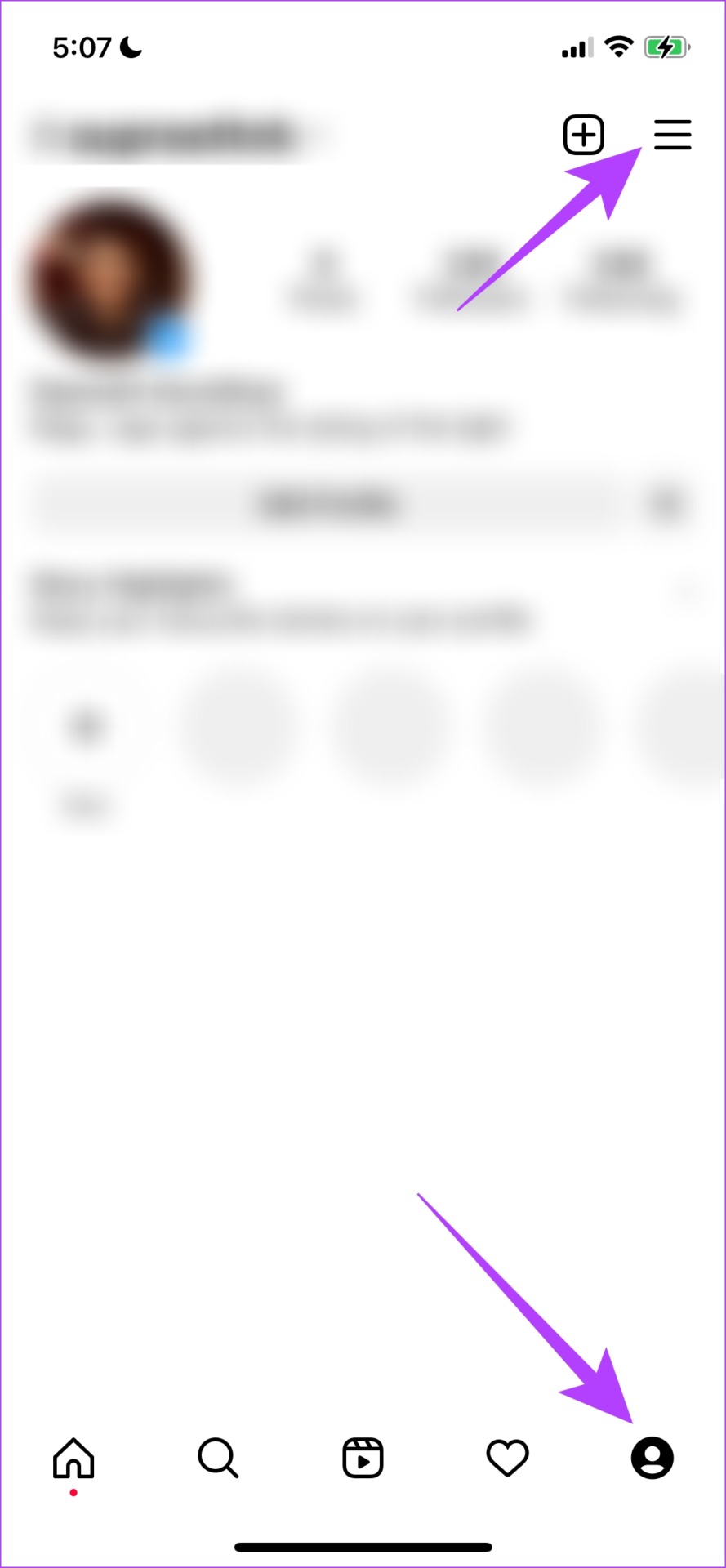

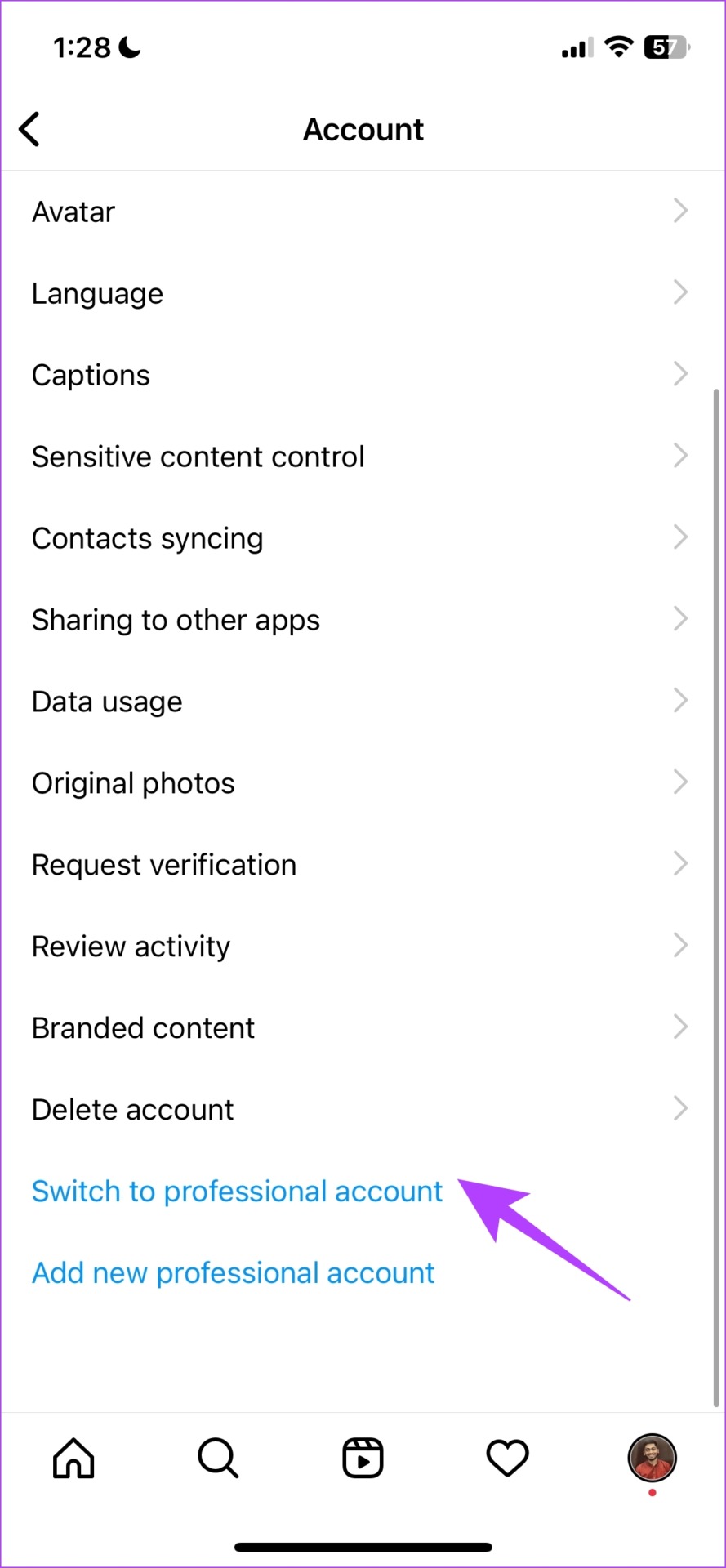
Provide all the relevant details, and set up your professional account.
How to Add Reminders on Instagram Posts to Schedule Events
Step 1: Launch the Instagram app and tap on the Plus icon to add a new post.
Step 2: Select an Image and tap on Next. Add a filter if needed and tap on Next again.
Step 3: You will now find an option to add reminders. Tap on Add Reminder.


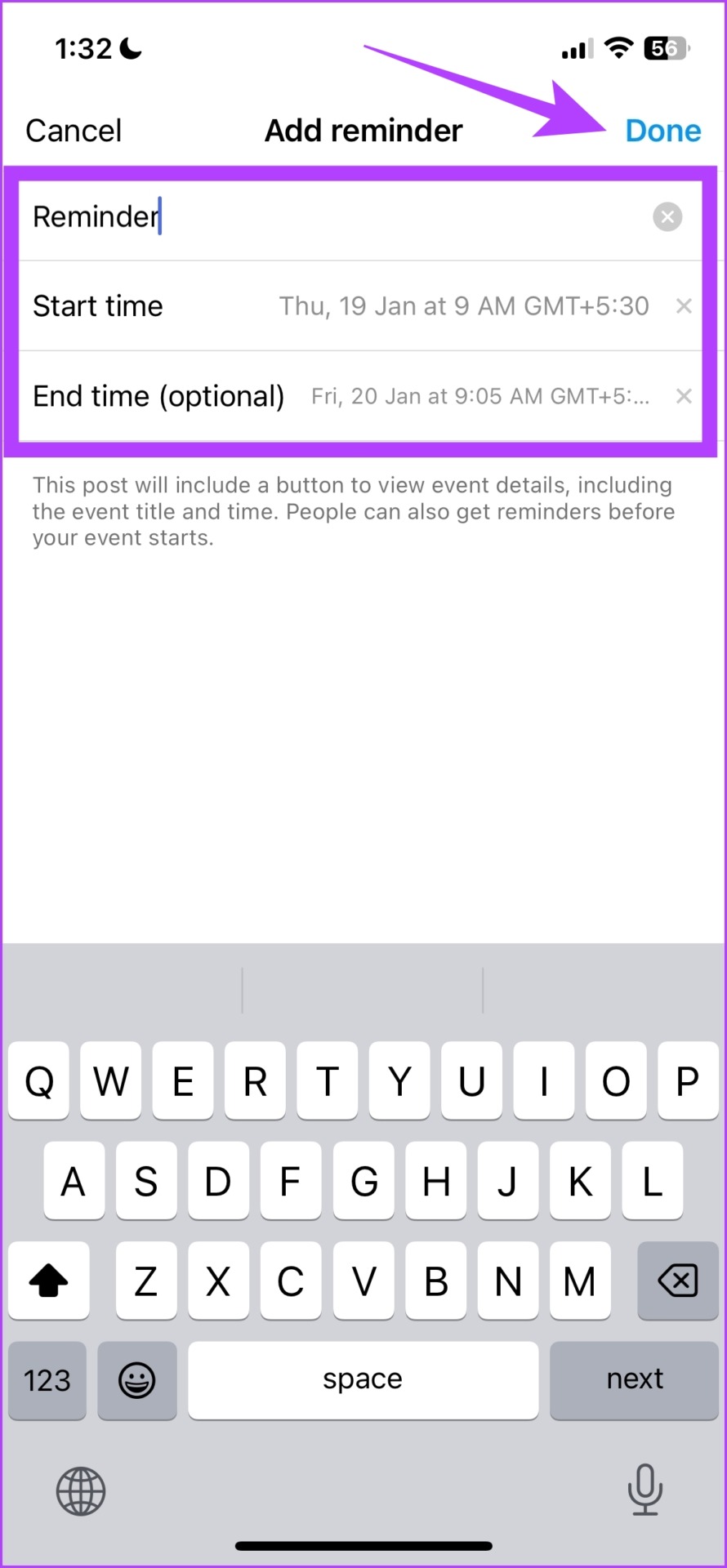
Step 3: Add a name to your Reminder. Add a Start time and an End time to your event and tap on Done.
There you go, that is how you add a reminder to your post. Your followers will be able to tap on the Remind Me option.

How to Set a Reminder on Instagram Story
Firstly, you have to have an existing post with a reminder to add a reminder to a story. Once you have it, here’s how you can add a reminder to an Instagram story.
Step 1: Open the Instagram app and tap on the + icon on the Your Story option on the app’s home page.
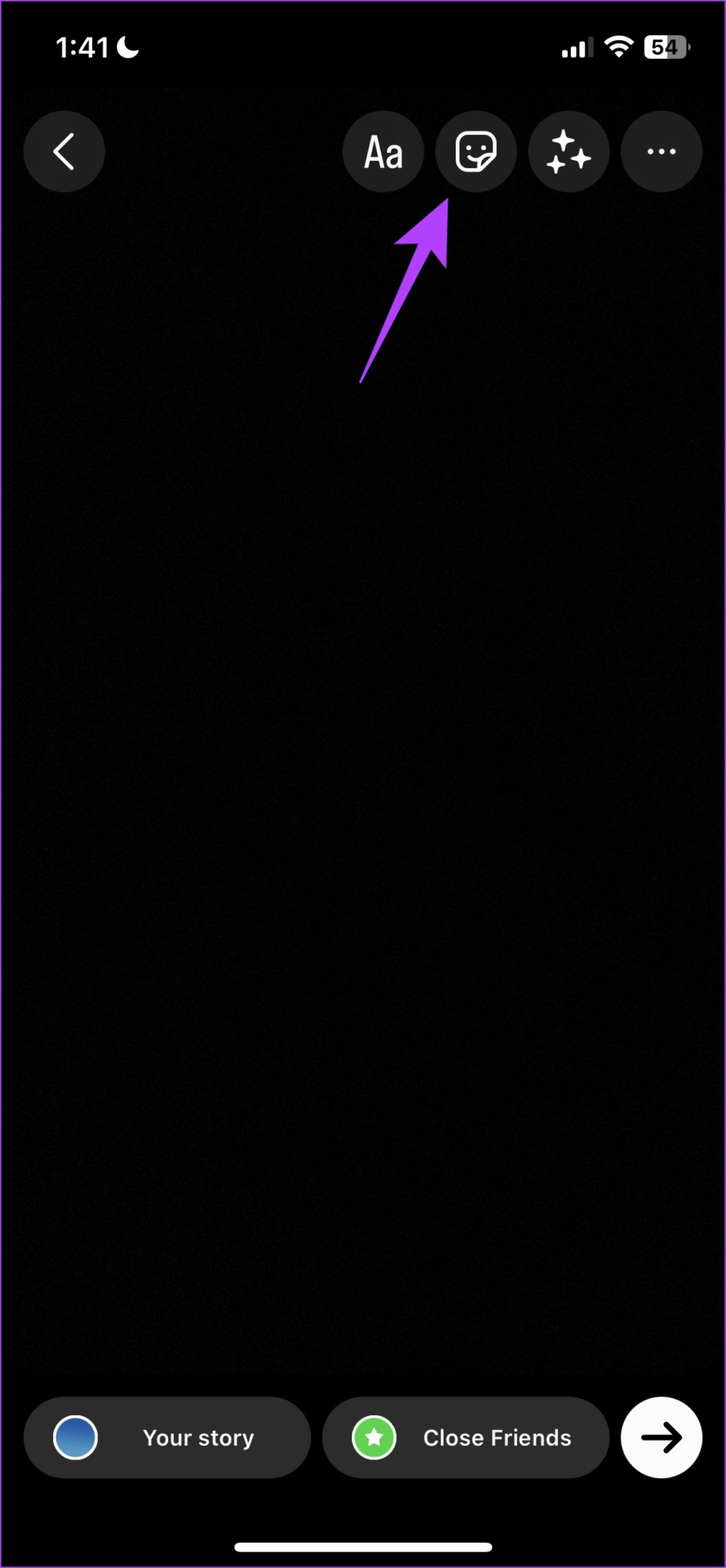
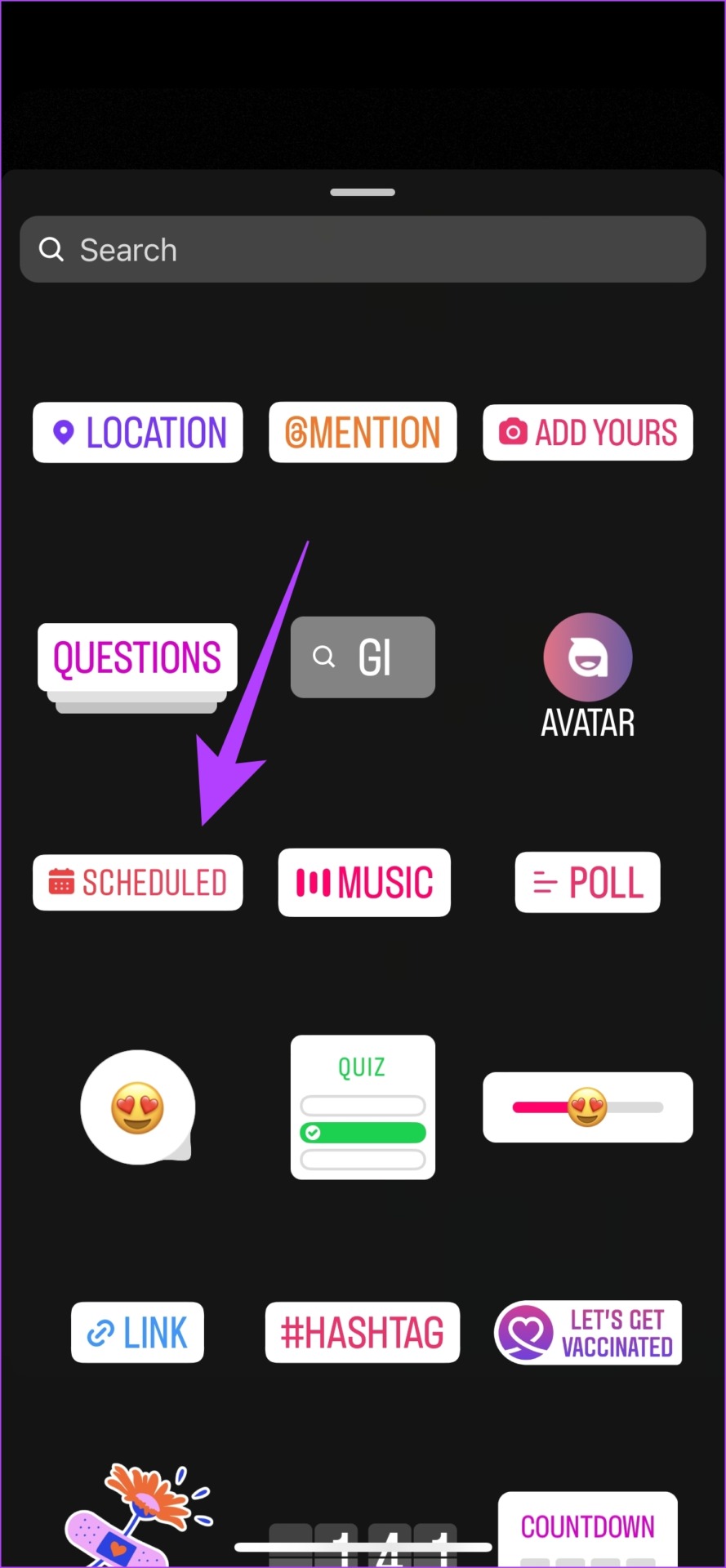
Step 2: Once you are on the story window, tap on the Stickers option. Tap on the Scheduled sticker.
Step 3: From the list of scheduled reminders, select the one that you want to add.
Once you add the Reminder, you can share the story with your followers.

Also Read: How to use ‘Add Yours’ sticker on Instagram story
How to Edit or Delete Instagram Reminders
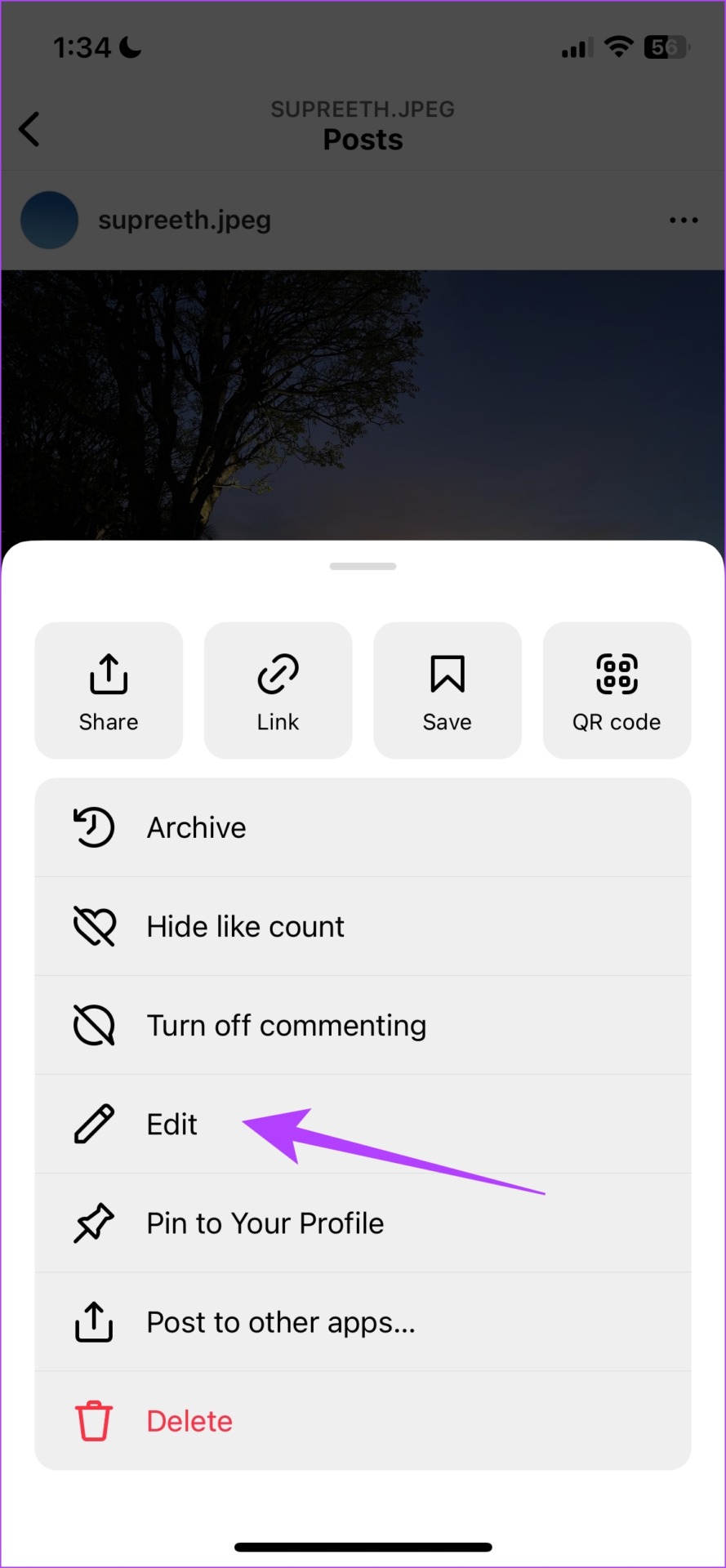
Step 1: Go to the post with a reminder and tap on the three dots icon. Tap on Edit, and select the Reminder.


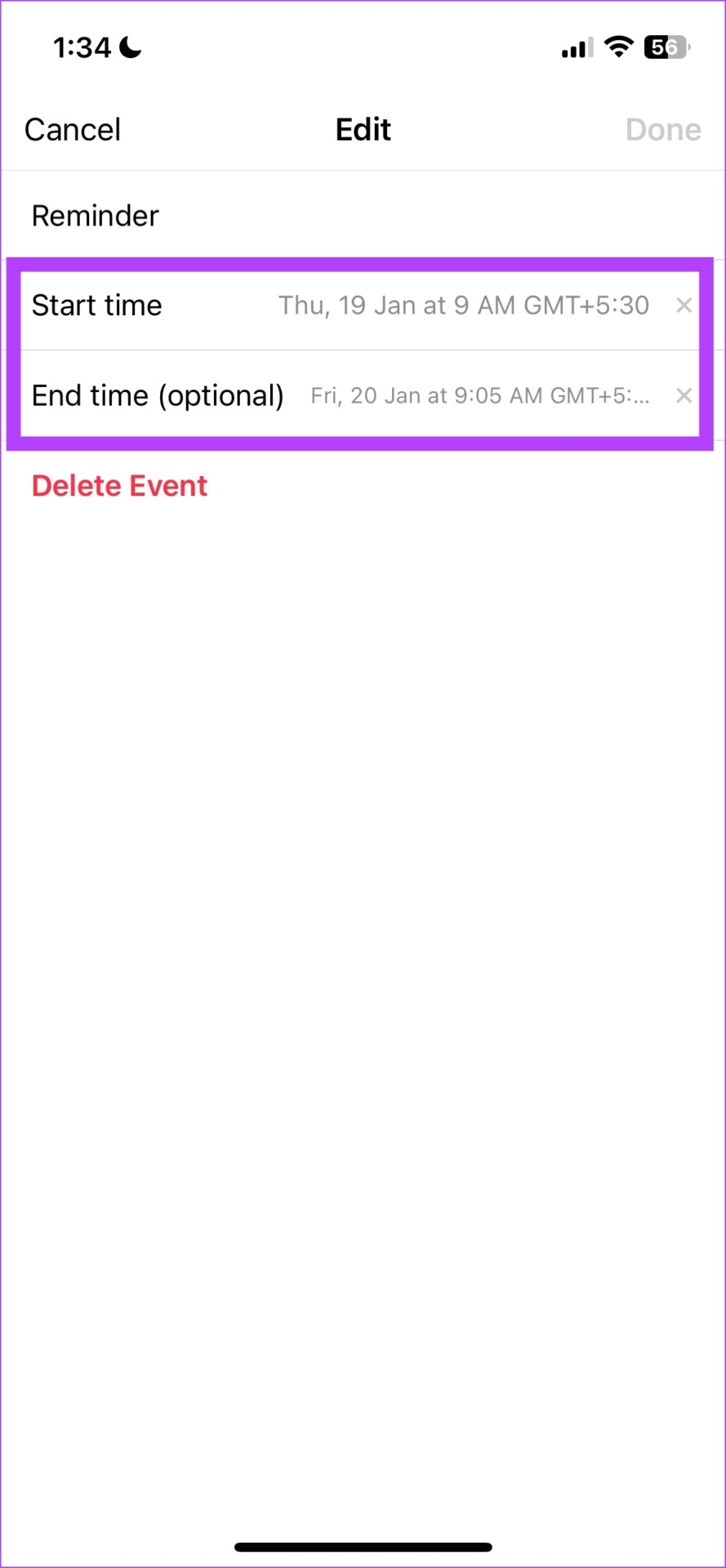
Step 2: You can edit the start time, end time, and even the name. Once edited, tap on Done.
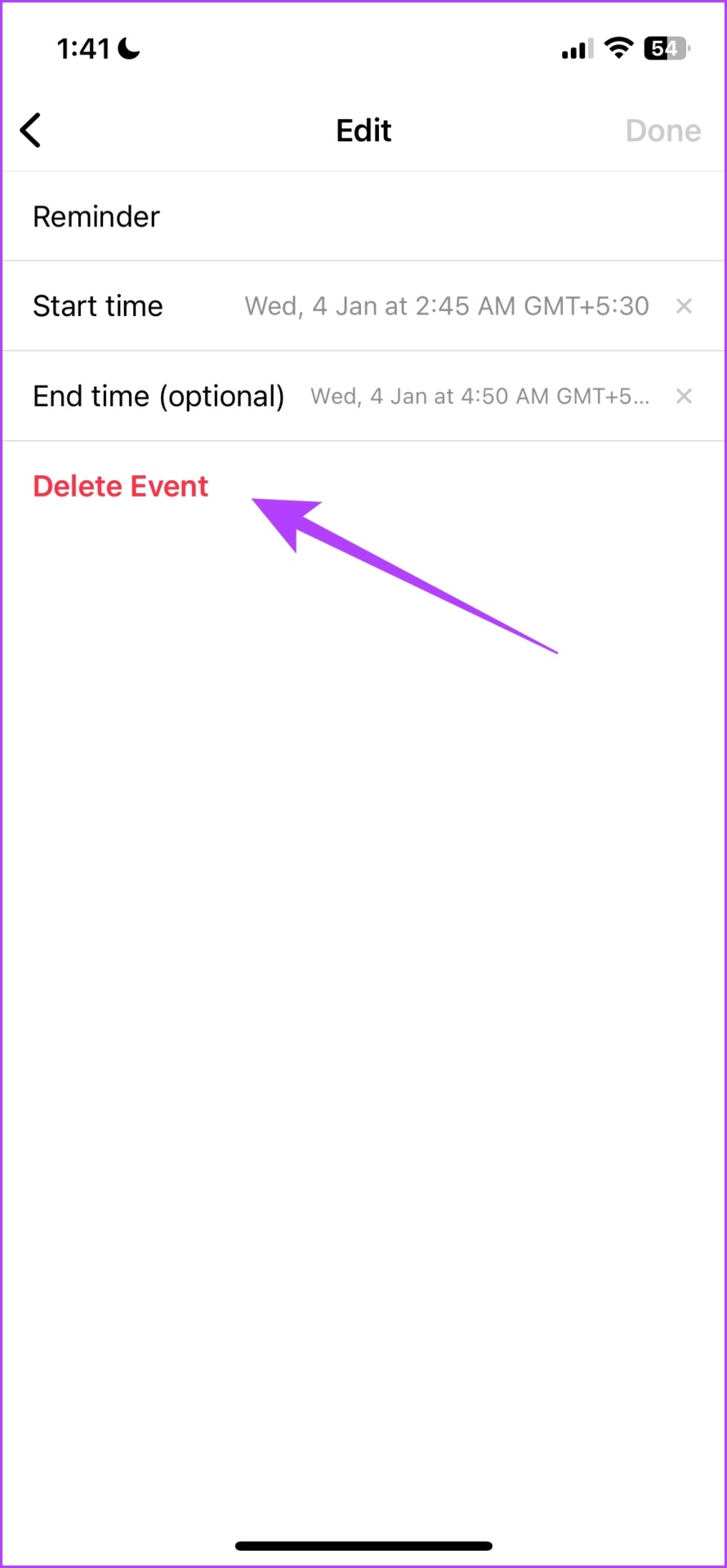
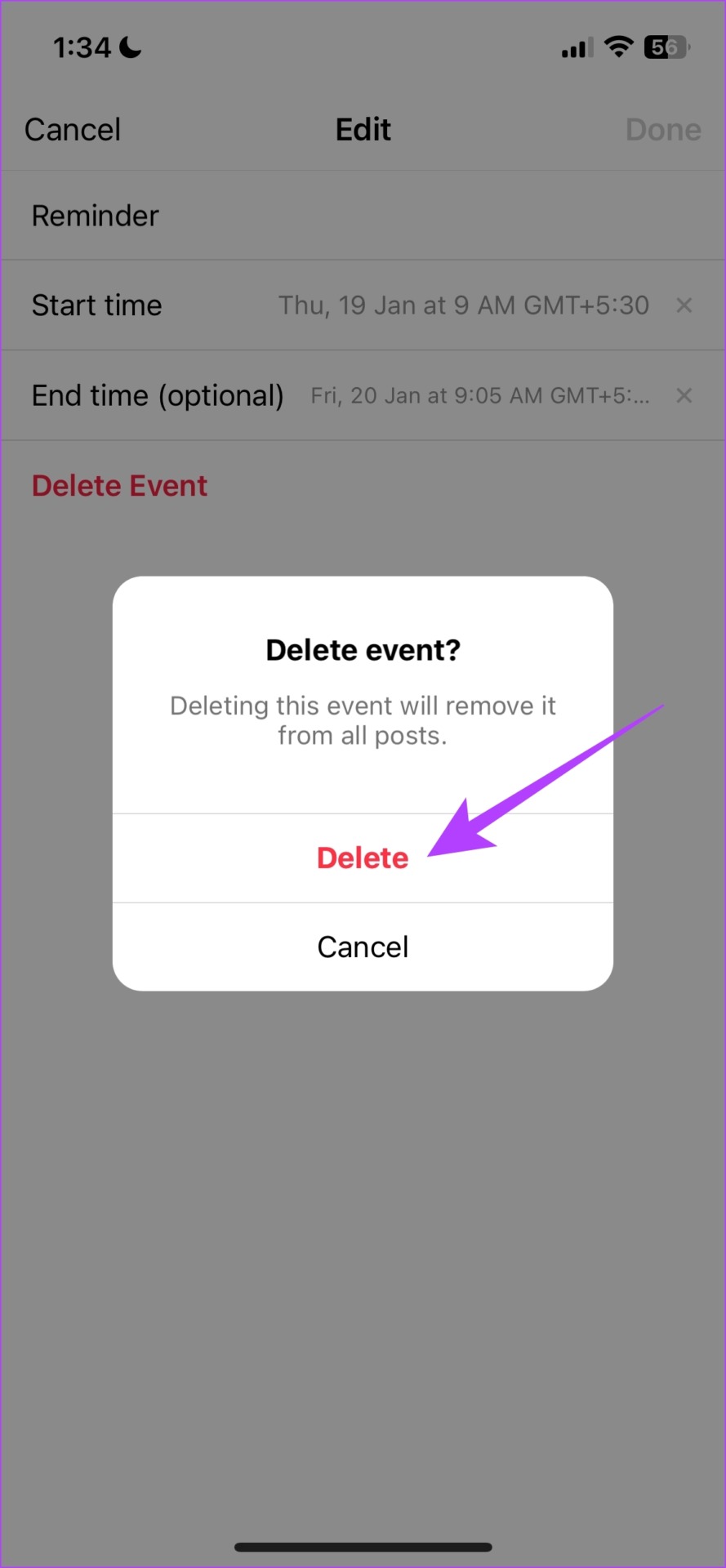
Step 3: On the same window, you also get an option to delete the event. Tap on Delete Event.
Step 4: Next, tap on Delete to confirm.
Reuse Instagram Reminders on Other Posts
Step 1: Open Instagram on your device and tap on the Plus icon to add a new post.
Step 2: Select an Image and tap on Next.
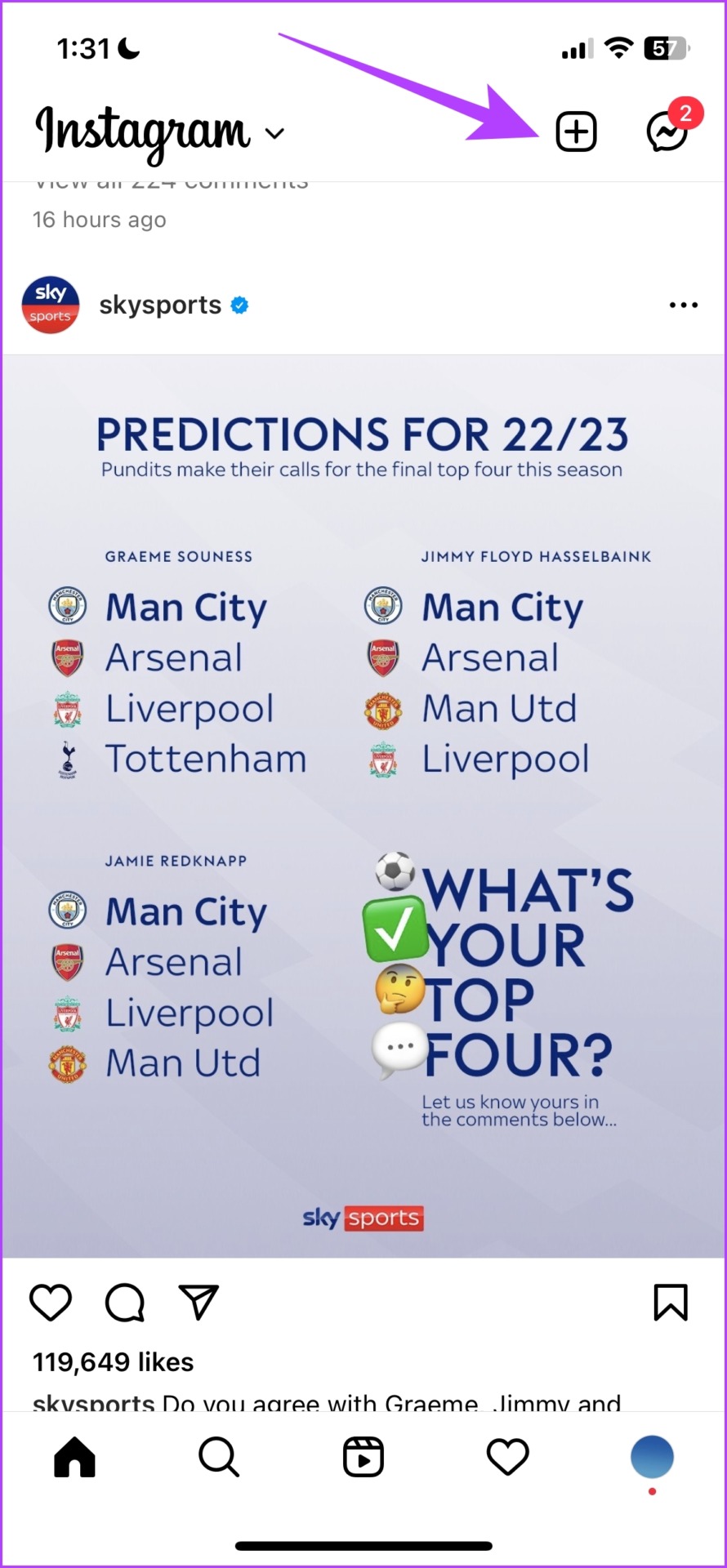
Step 3: Add a filter if needed and tap on Next again. You will now find an option to Add Reminder. Tap it.
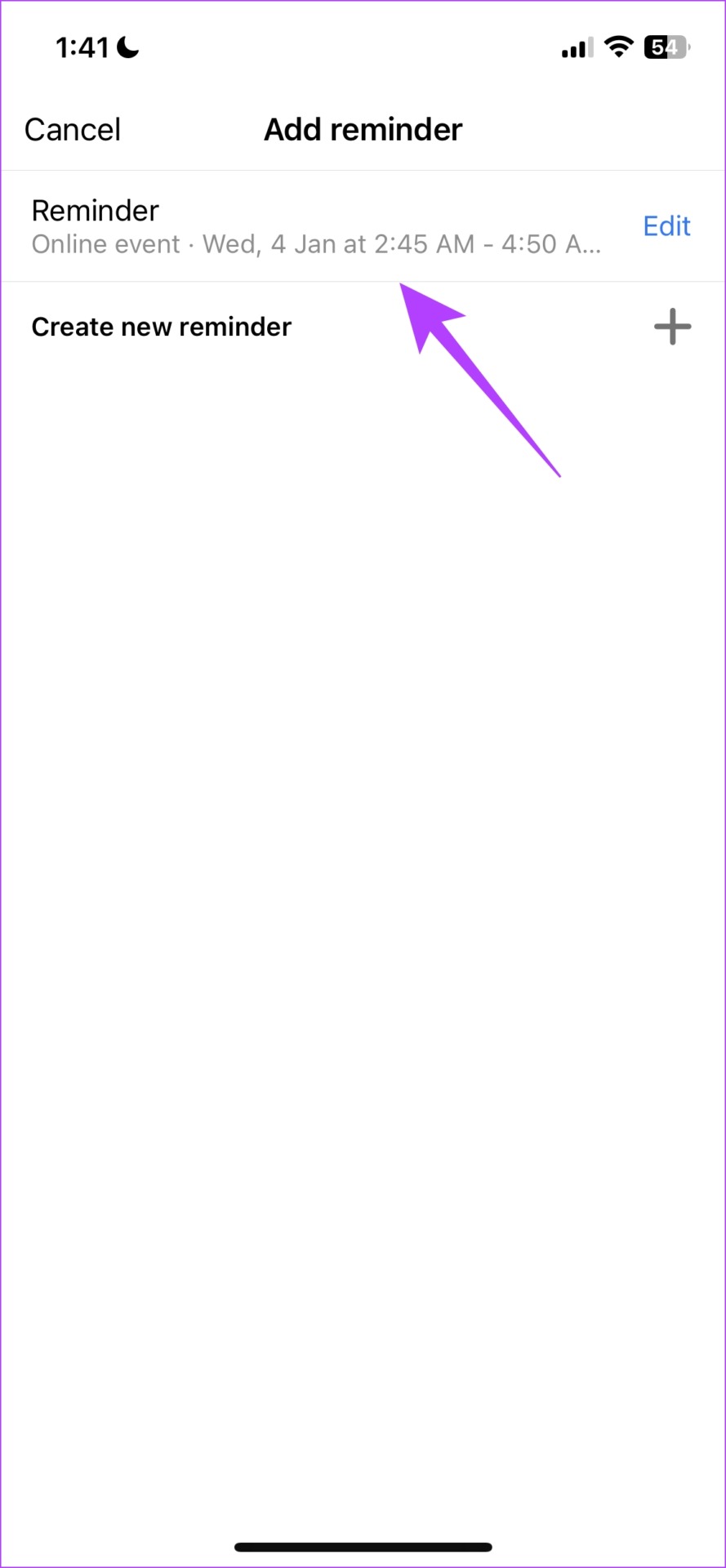
Step 4: You will find a list of existing reminders. Tap on it to reuse the same on a post.

Also Read: What happens when you Archive a post on Instagram
Was this helpful?
Last updated on 30 June, 2024
Read Next
 How to Add Stickers to Instagram Posts and Stories
Add Stickers to Instagram Stories on Android and iPhone Step 1: Open the Instagram app on your iPhone and Android.
How to Add Stickers to Instagram Posts and Stories
Add Stickers to Instagram Stories on Android and iPhone Step 1: Open the Instagram app on your iPhone and Android.
 How to Recover Deleted Instagram Posts, Stories, Reels, and IGTV Videos
To save people from losing their Instagram data when their account gets hacked, Instagram launched the Recently Deleted feature.
How to Recover Deleted Instagram Posts, Stories, Reels, and IGTV Videos
To save people from losing their Instagram data when their account gets hacked, Instagram launched the Recently Deleted feature.
 How to View Instagram Posts and Stories Without an Account
How to See Instagram Stories Without an Account Unlike posts on Instagram (mentioned below), users can see who opened/viewed their Instagram Stories.
How to View Instagram Posts and Stories Without an Account
How to See Instagram Stories Without an Account Unlike posts on Instagram (mentioned below), users can see who opened/viewed their Instagram Stories.
 9 Ways to Fix Videos Freezing on Instagram Stories and Posts
Ever since apps like Dubsmash and TikTok popularized short videos, popular social media apps have come up with alternatives for posting short-form content.
9 Ways to Fix Videos Freezing on Instagram Stories and Posts
Ever since apps like Dubsmash and TikTok popularized short videos, popular social media apps have come up with alternatives for posting short-form content.
 How to Add Captions (Subtitles) to Instagram Reels and Stories
Enable Auto-Generated Captions to any Reels This is similar to YouTube subtitles.
How to Add Captions (Subtitles) to Instagram Reels and Stories
Enable Auto-Generated Captions to any Reels This is similar to YouTube subtitles.
 How to Add a Link to Instagram Story and Posts
Are you looking for ways to drive more traffic to your website or promote your brand on Instagram?
How to Add a Link to Instagram Story and Posts
Are you looking for ways to drive more traffic to your website or promote your brand on Instagram?
 6 Fixes for Facebook Stories Not Showing on Mobile and PC
Try These Basic Fixes Update the Facebook app: It’s possible that the Facebook app is not showing stories because you're using an outdated app version.
6 Fixes for Facebook Stories Not Showing on Mobile and PC
Try These Basic Fixes Update the Facebook app: It’s possible that the Facebook app is not showing stories because you're using an outdated app version.
 3 Ways to Save Instagram Stories With Music Easily
These days content sharing is inevitable, especially between platforms.
3 Ways to Save Instagram Stories With Music Easily
These days content sharing is inevitable, especially between platforms.
The article above may contain affiliate links which help support Guiding Tech. The content remains unbiased and authentic and will never affect our editorial integrity.