

Basic Fixes
- Check if Twitter (X) is down: Visit DownDetector and see if the servers are working fine for your region.
- Force quit and relaunch the app: This will give the app a fresh start if it has been running in the background for some time.
- Check your internet connection and restart your device: You can try switching from Mobile Data to Wi-Fi and then restart your device.
- Login again to your account: Log out from your account and log in again to see if the issue is fixed.
- Update or Reinstall X App: The current version installed on your device might have bugs or glitches causing the issue.
Fix 1: Disable Data Saver
Even after connecting to Wi-Fi, the app won’t load if Data Saver is enabled in the X app or on your iPhone or Android phone.
On Twitter (X) App
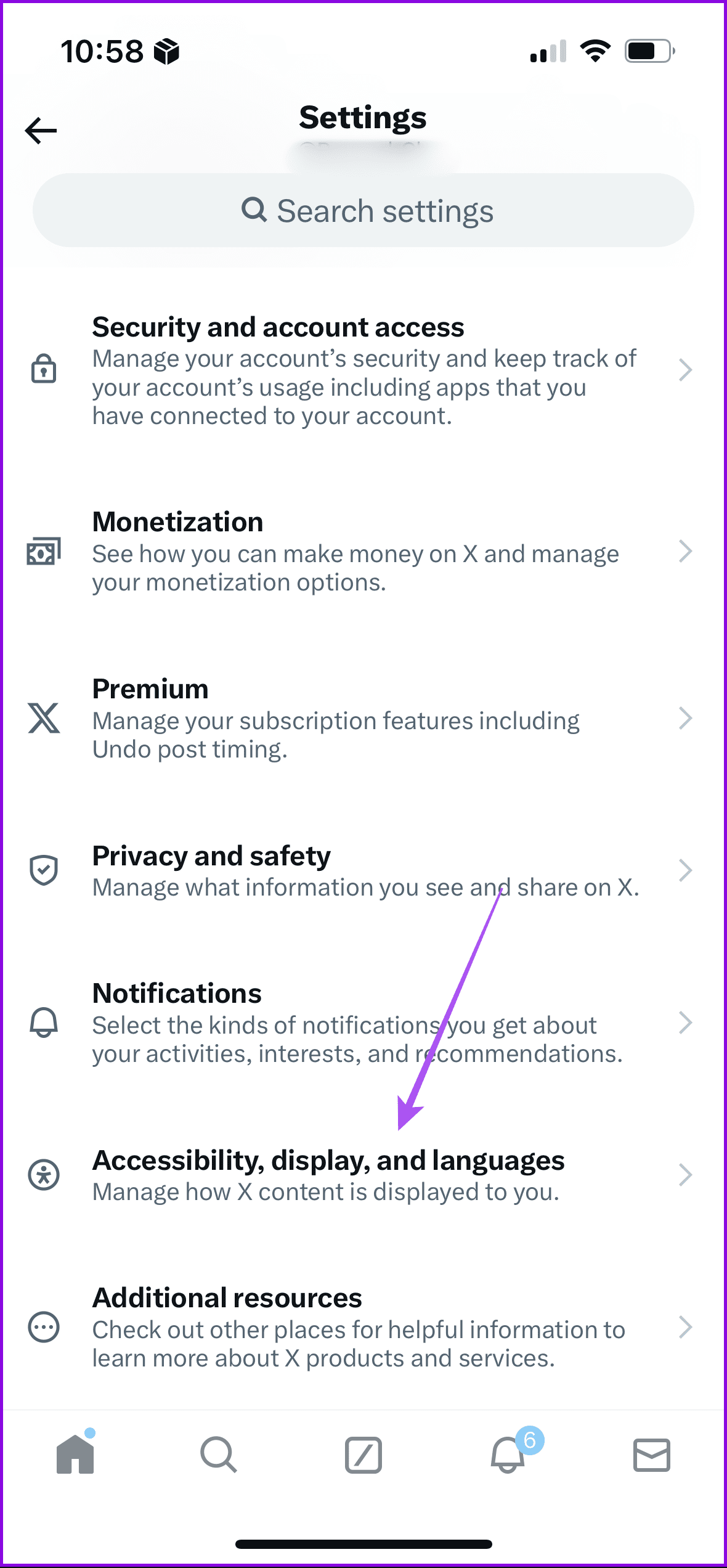
Step 1: Open the app, tap on your profile icon, and then select Settings and Privacy.
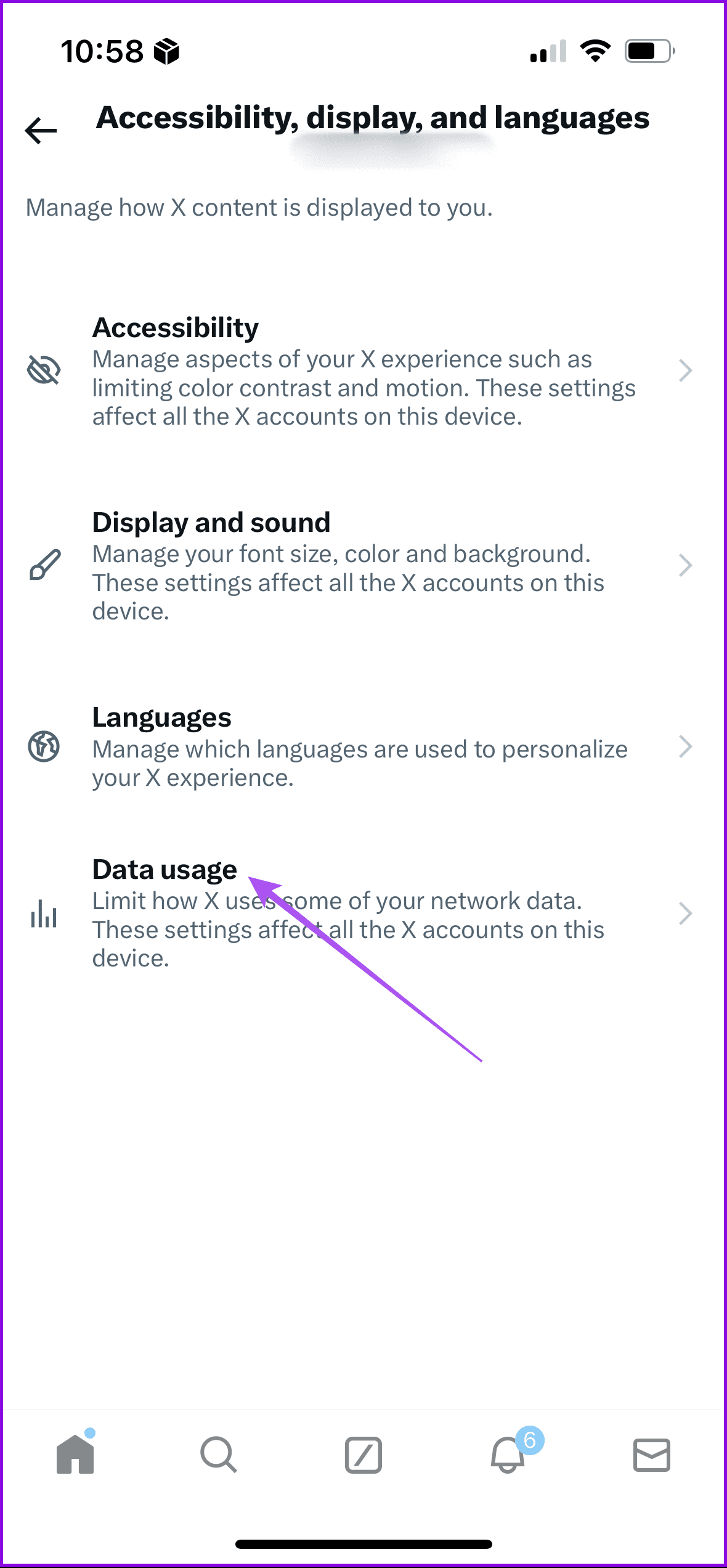
Step 2: Select Accessibility, display, and languages and then tap on Data usage.
Step 3: Turn off the toggle for Data saver.
On iPhone
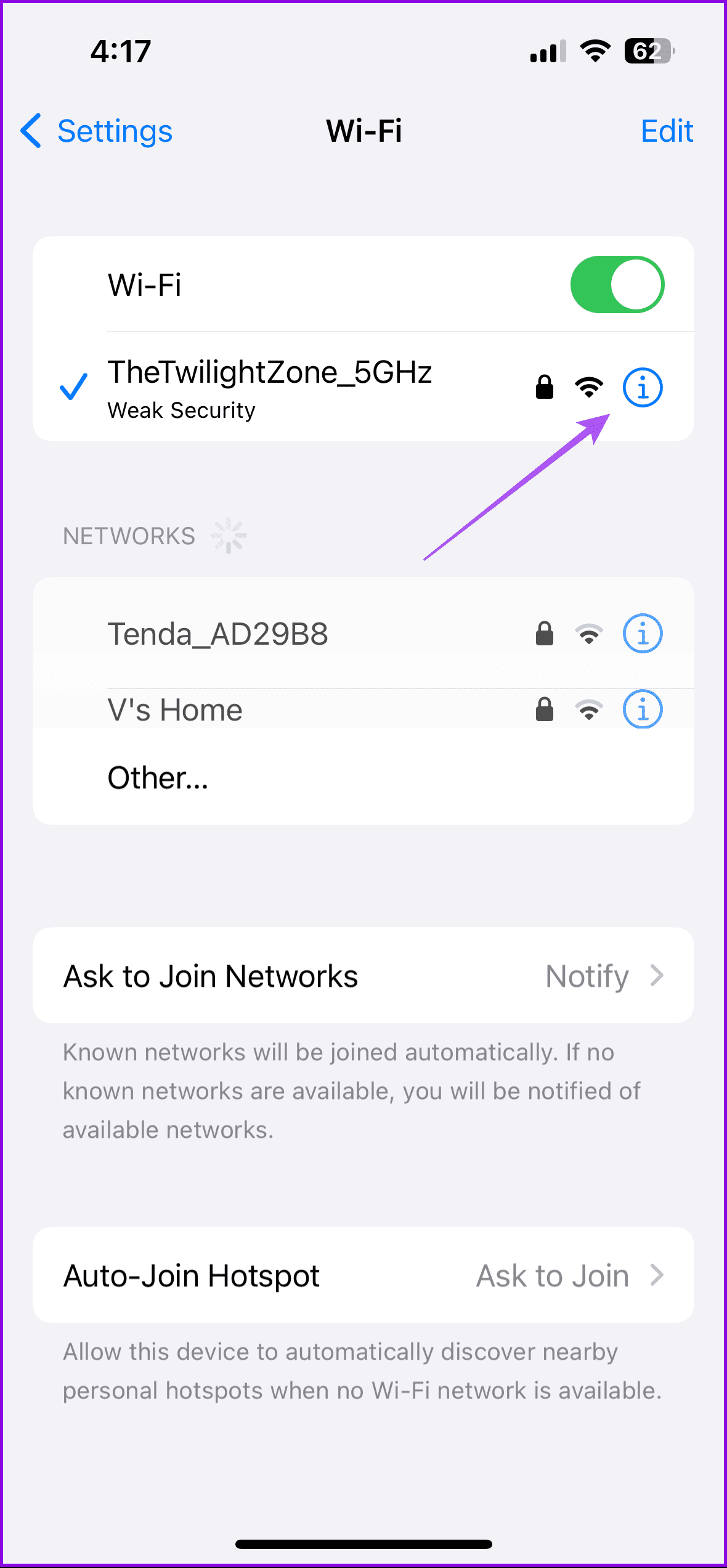
Step 1: Open Settings and then tap on Wi-Fi.
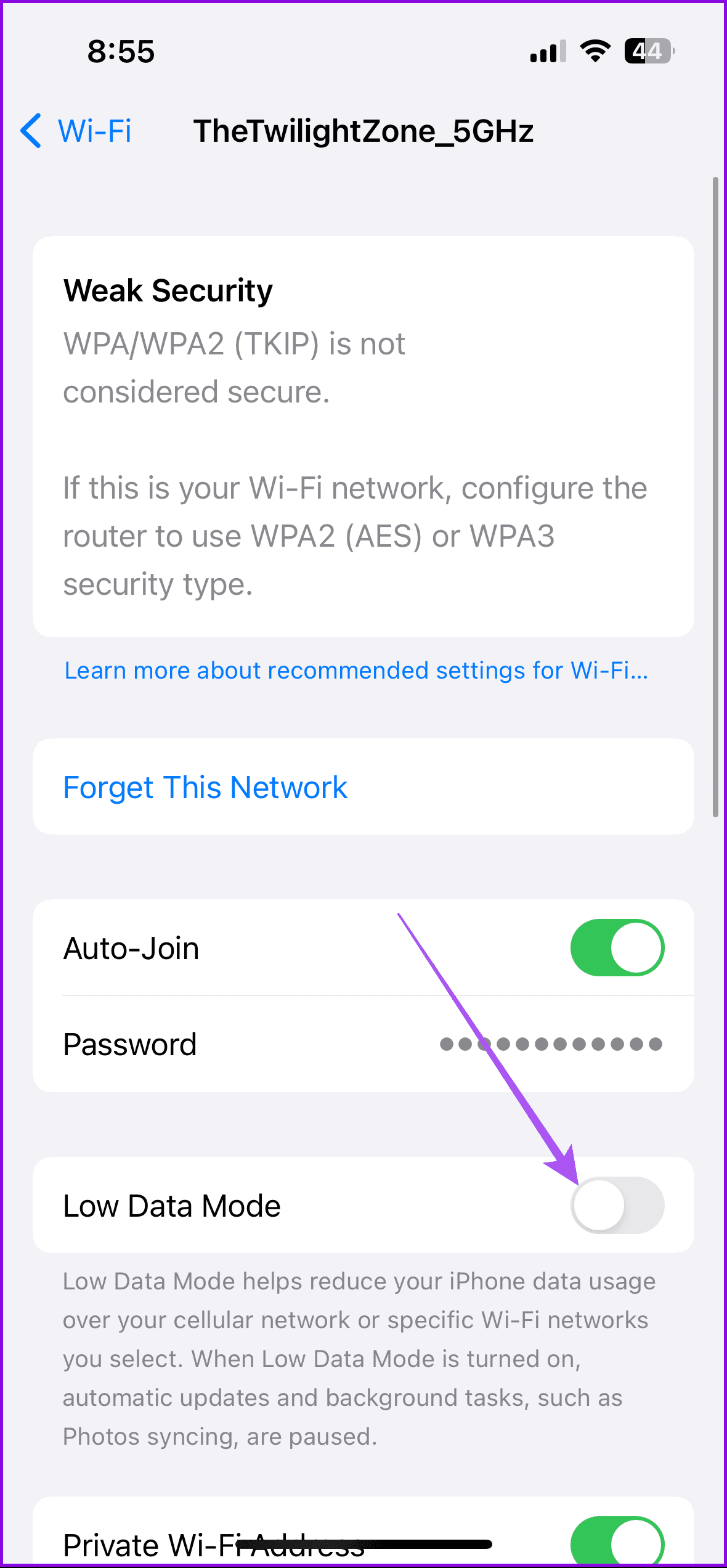
Step 2: Tap the Info icon next to the connected Wi-Fi network name. Then, ensure that Low Data Mode is disabled.
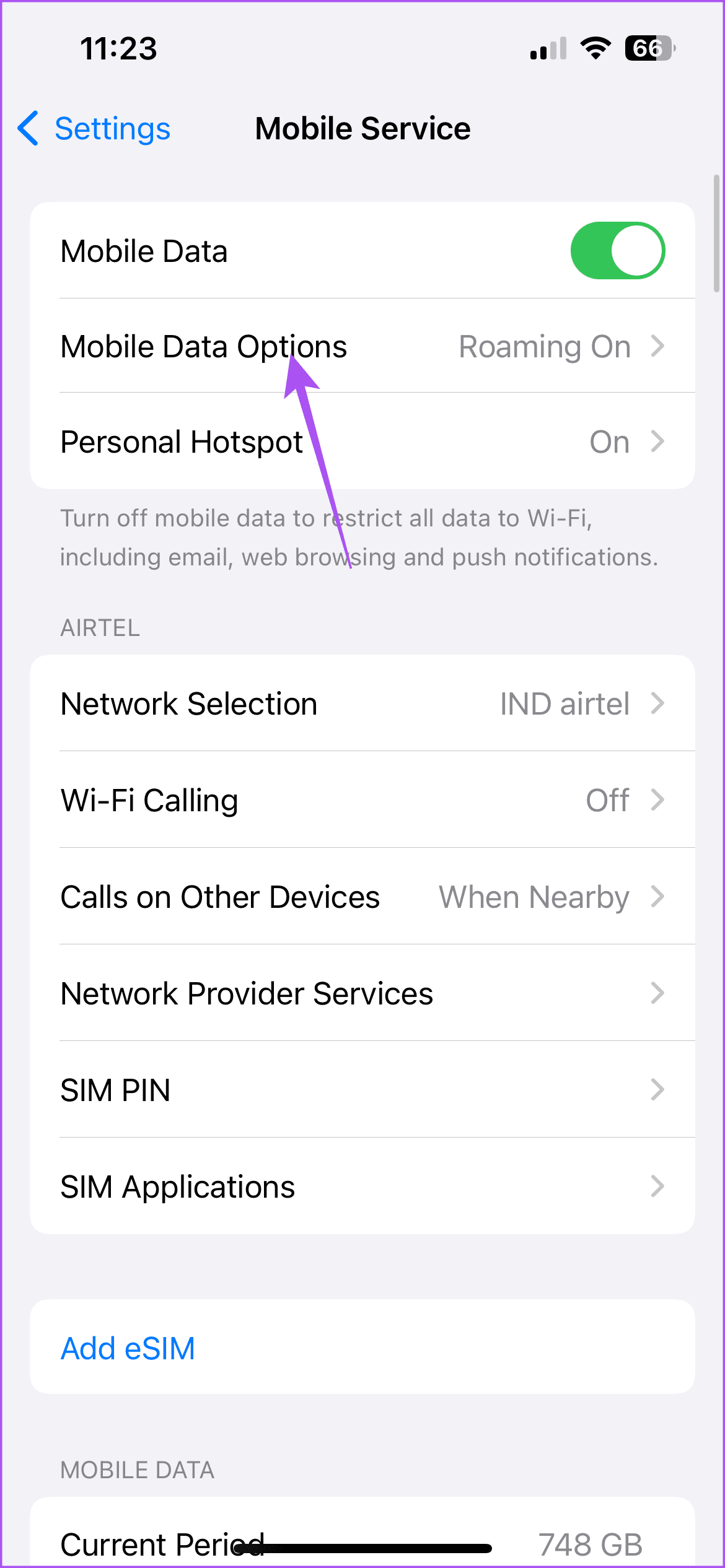
Step 3: Go back to the main menu and then tap on Mobile Service.
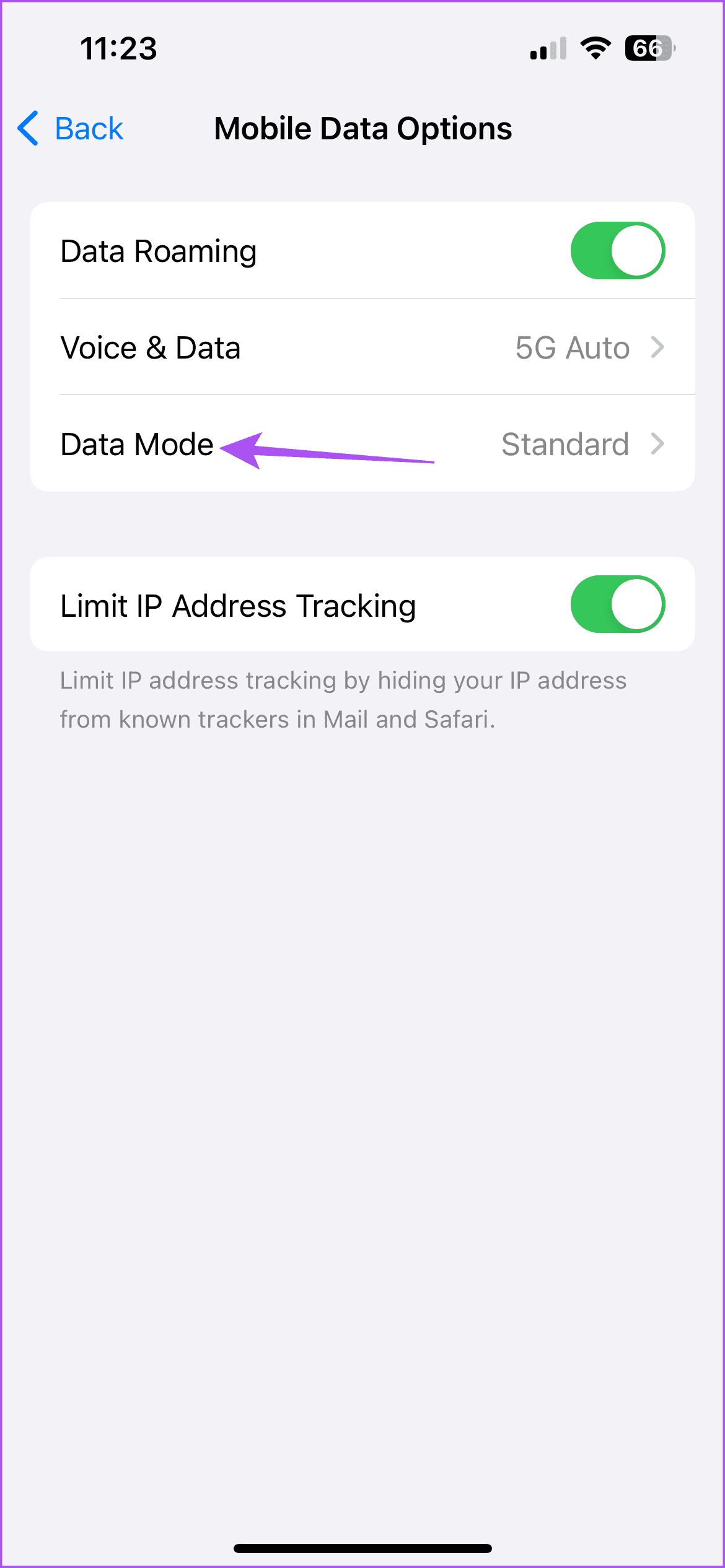
Step 4: Tap on Mobile Data Options and then select Data Mode.
Step 5: Ensure that Data Saver is disabled.
On Android
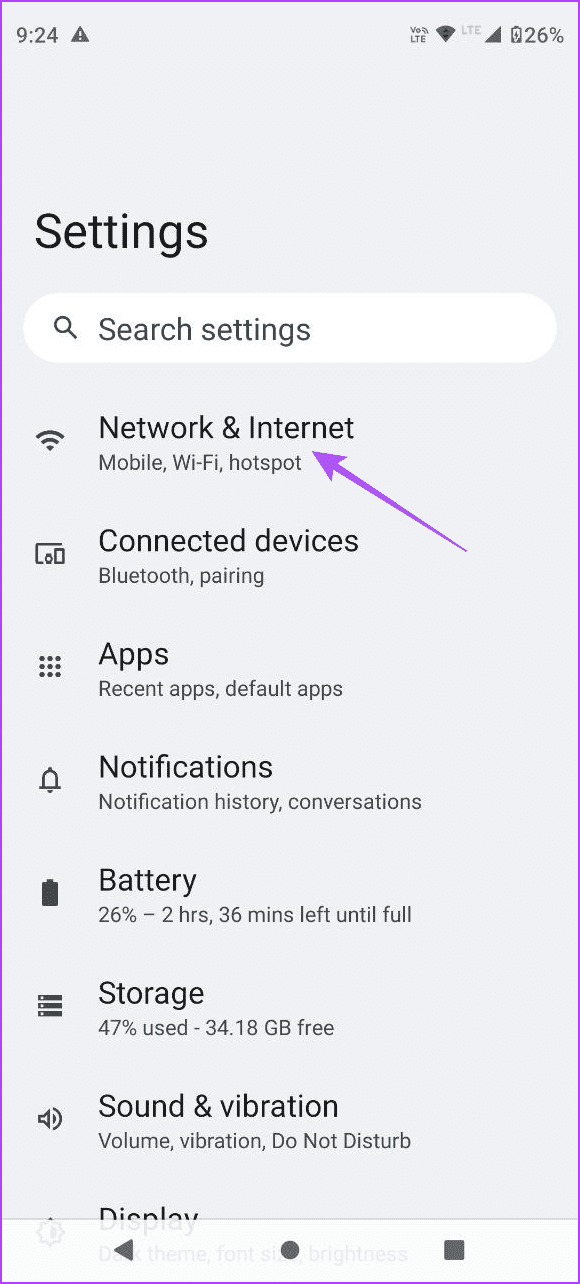
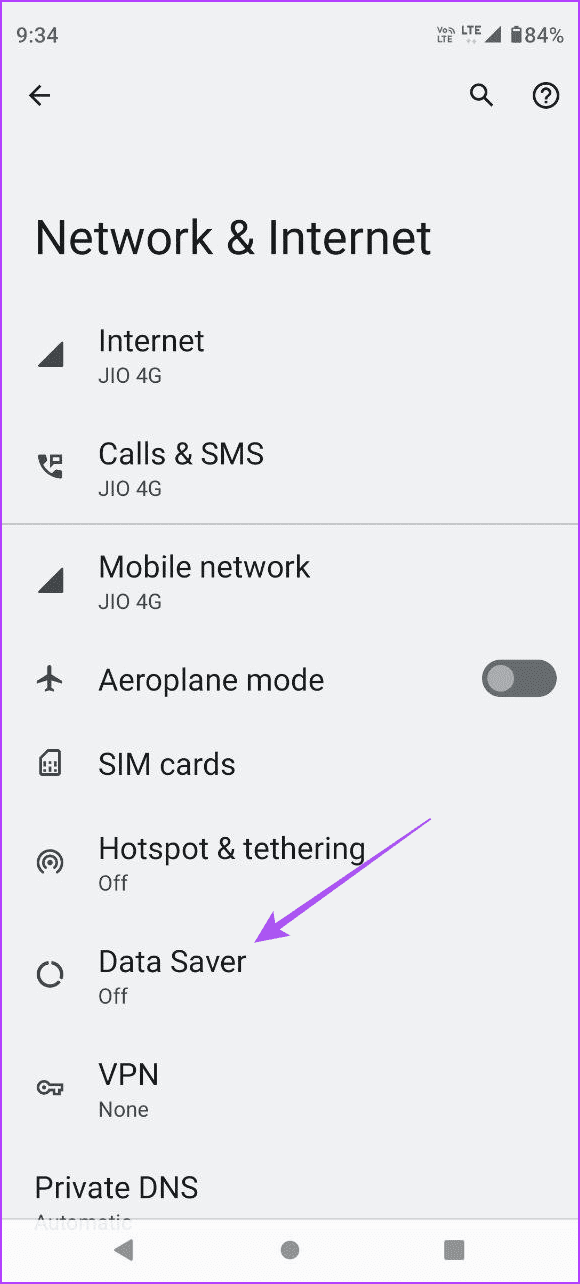
Open Settings > Network and Internet > Data Saver and then ensure it has been disabled.
Clear App Cache
On iPhone
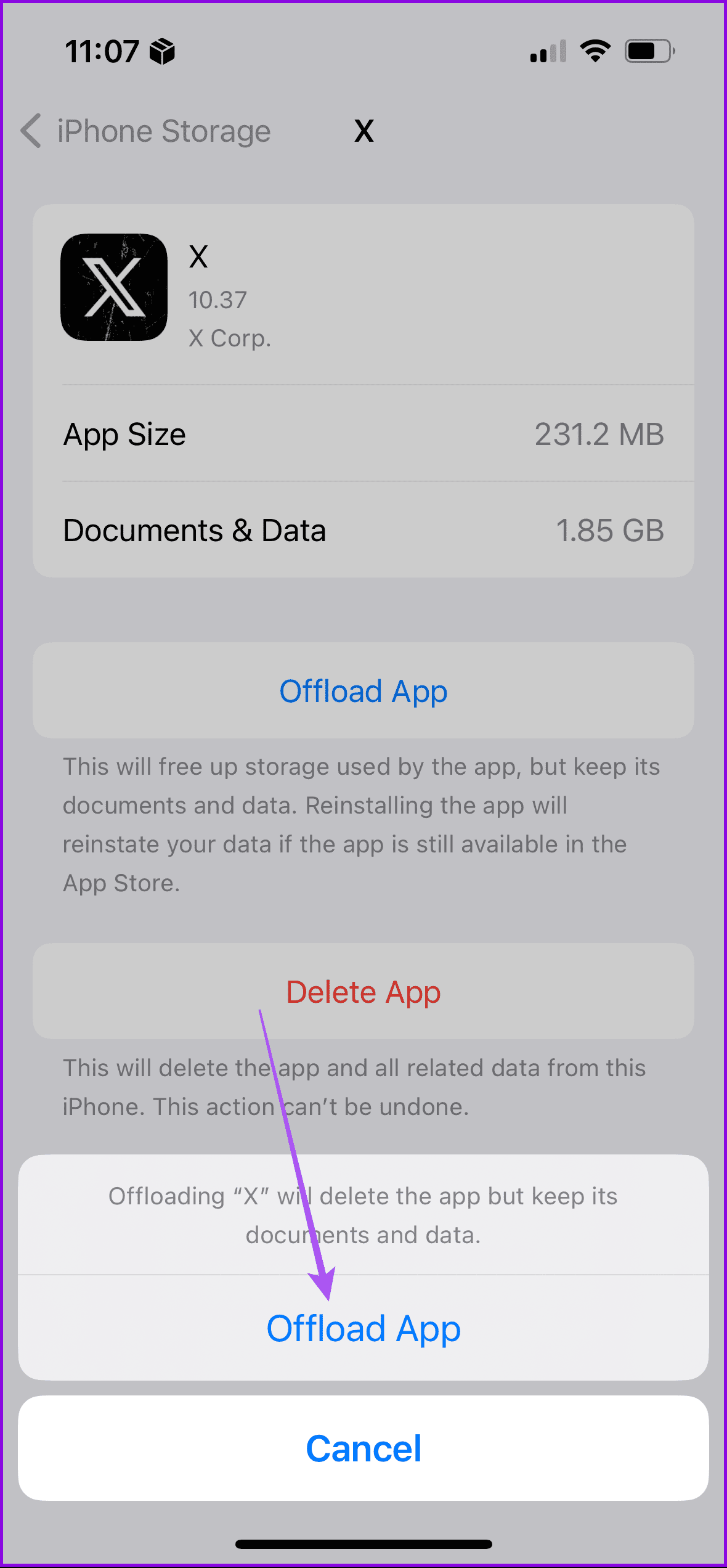
Step 1: Open the Settings app > tap on iPhone Storage.
Step 2: Tap on Twitter (X) > select Offload App > tap on Offload App again to confirm.
Step 3: Reinstall the app and then check if the problem is solved.

On Android
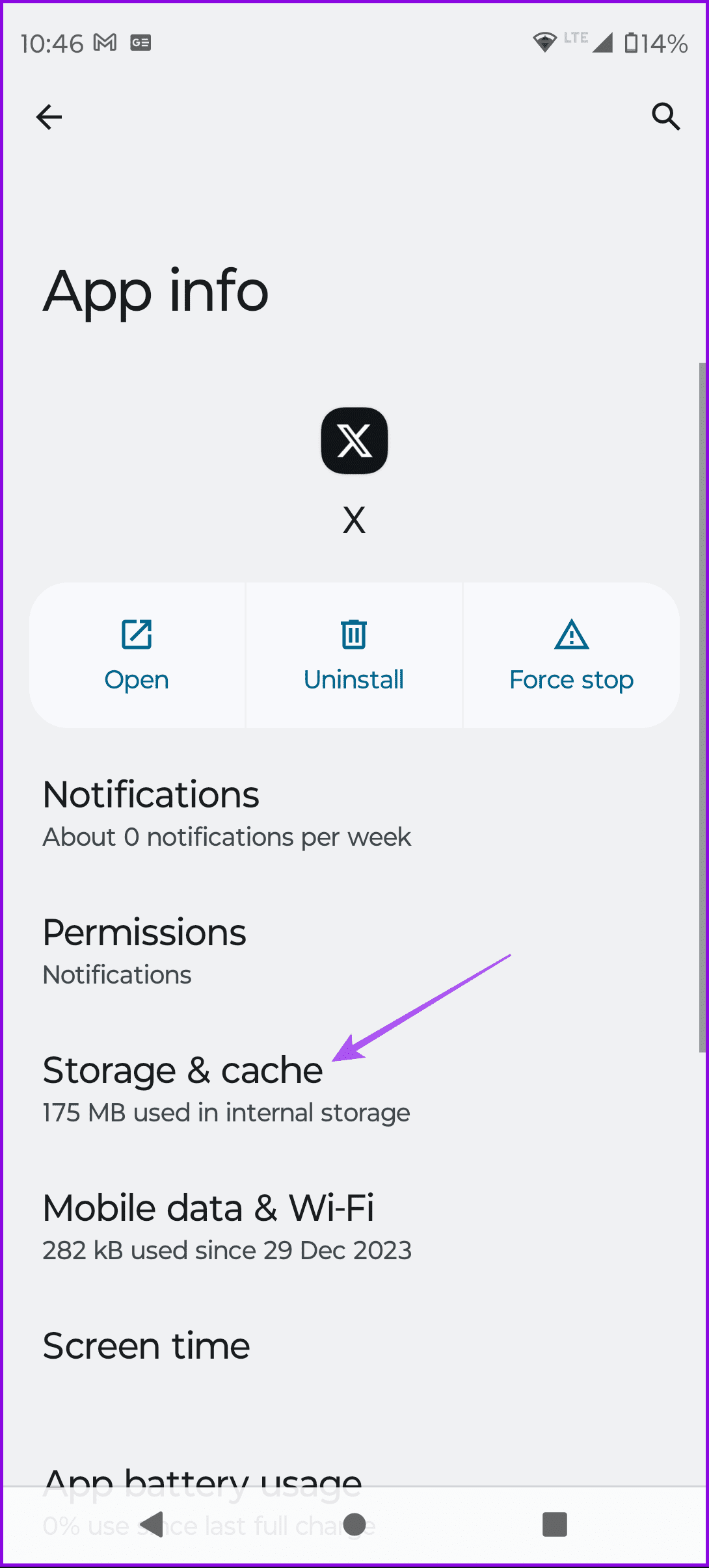
Step 1: Long-press the X app icon and then select App Info.
Step 2: Tap on Storage and Cache and then select Clear Cache.
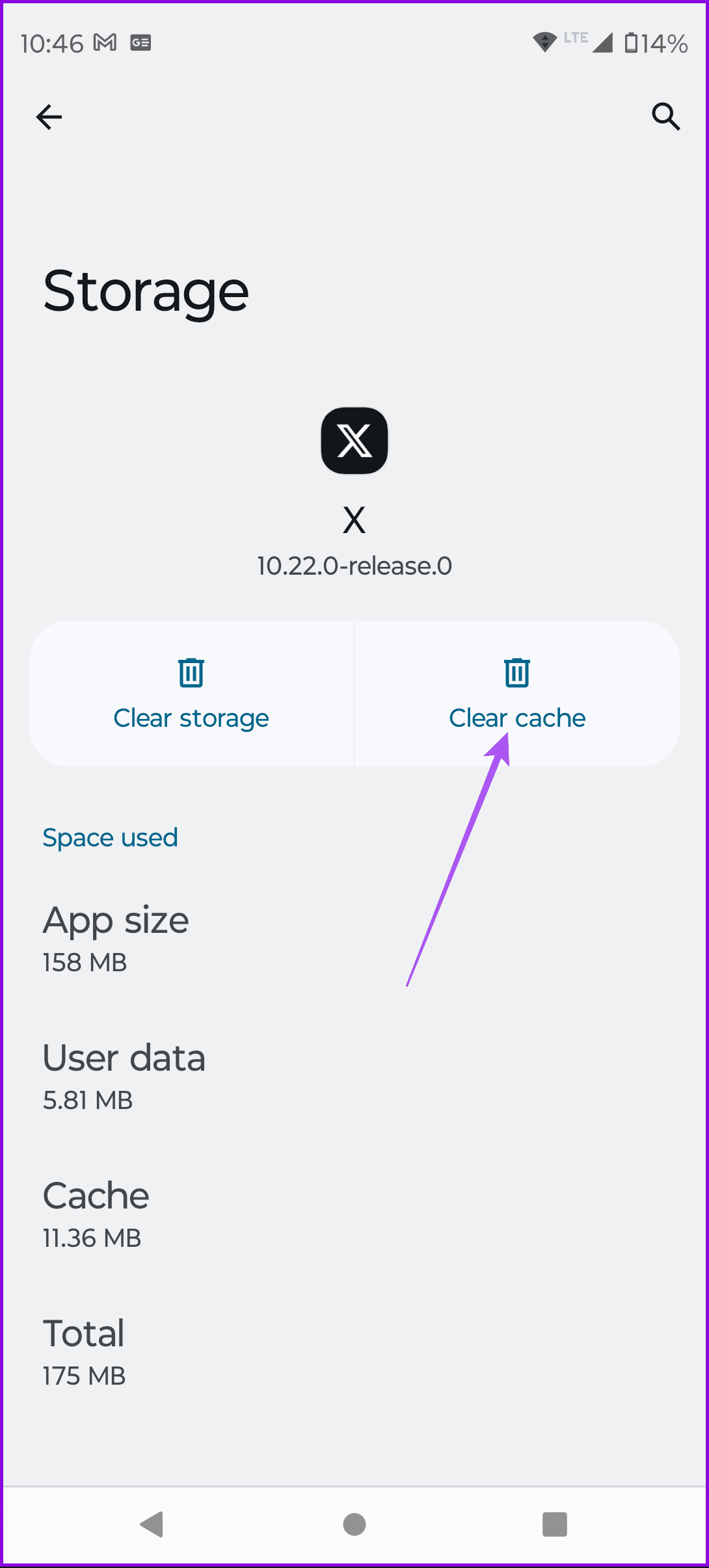
Step 3: Close App Info, log in again to your account in the X app, and then check if the problem is solved.
Was this helpful?
Last updated on 02 May, 2024
1 Comment
Leave a Reply
Read Next
 3 Fixes for Sound Not Working on Twitter (X) for Android or iPhone
Preliminary Fixes Open the Tweet or Refresh it.
3 Fixes for Sound Not Working on Twitter (X) for Android or iPhone
Preliminary Fixes Open the Tweet or Refresh it.
 How to Fix Links Not Opening or Working in X (Twitter) App
Basic Fixes: Restart your device: Restarting your smartphone helps close and restart the app process from scratch.
How to Fix Links Not Opening or Working in X (Twitter) App
Basic Fixes: Restart your device: Restarting your smartphone helps close and restart the app process from scratch.
 3 Ways to Fix Translate Not Working on X (Twitter) App
Basic Fixes Check network connection: If there's a problem with your Wi-Fi or cellular connection, X may not be able to translate the post.
3 Ways to Fix Translate Not Working on X (Twitter) App
Basic Fixes Check network connection: If there's a problem with your Wi-Fi or cellular connection, X may not be able to translate the post.
 How to Fix X (Twitter) Search Not Working on Phone
Common Fixes Update the app - Updating X (Twitter) fixes most app anomalies, such as the broken search feature.
How to Fix X (Twitter) Search Not Working on Phone
Common Fixes Update the app - Updating X (Twitter) fixes most app anomalies, such as the broken search feature.
 5 Fixes for X (Twitter) Videos Not Playing on iPhone and Android
Basic Fixes Check network connection: If there's a problem with your Wi-Fi or cellular connection, X may be unable to play the video.
5 Fixes for X (Twitter) Videos Not Playing on iPhone and Android
Basic Fixes Check network connection: If there's a problem with your Wi-Fi or cellular connection, X may be unable to play the video.
 4 Ways to Fix Pictures Not Loading on X (Twitter)
Basic Fixes Check your internet connection: Ensure your device is connected to a stable Wi-Fi network or has a strong mobile data signal.
4 Ways to Fix Pictures Not Loading on X (Twitter)
Basic Fixes Check your internet connection: Ensure your device is connected to a stable Wi-Fi network or has a strong mobile data signal.
 4 Ways to Fix X (Twitter) Links Not Opening in Chrome and Safari
Basic Fixes: Open page in Incognito Mode: Incognito mode allows you to load your browser without any extensions, cookies, or cache data.
4 Ways to Fix X (Twitter) Links Not Opening in Chrome and Safari
Basic Fixes: Open page in Incognito Mode: Incognito mode allows you to load your browser without any extensions, cookies, or cache data.
 3 Ways to Fix X (Twitter) Not Uploading Photos and Videos
Basic Fixes: Ensure your account is not restricted: X moderators may restrict your account to read-only mode.
3 Ways to Fix X (Twitter) Not Uploading Photos and Videos
Basic Fixes: Ensure your account is not restricted: X moderators may restrict your account to read-only mode.
The article above may contain affiliate links which help support Guiding Tech. The content remains unbiased and authentic and will never affect our editorial integrity.


My Twitter account hasn’t worked in the days and I am unable to get any messages. I was hoping that it would have cleared up by now but it hasn’t and I haven’t been notified if I have been suspended but I haven’t done anything to get suspended for