Fix 1: Use Alternate Method to Delete the Album
Go to Settings > General > Storage > select Photos from the list > tap on Empty Recently Deleted album.


Also Read: How to stop deleted photos from coming back on iPhone
Fix 2: Delete Photos in a Batch
Try deleting the photos in smaller batches instead of deleting them all at once.
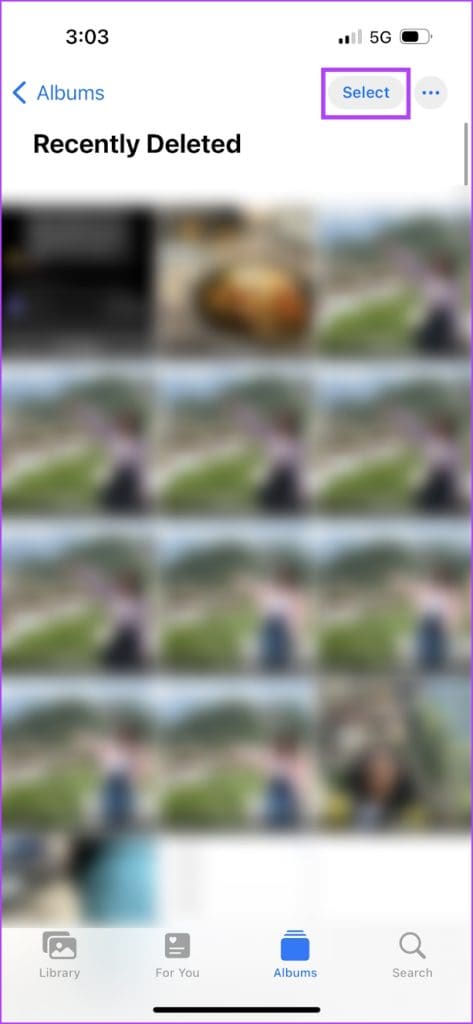
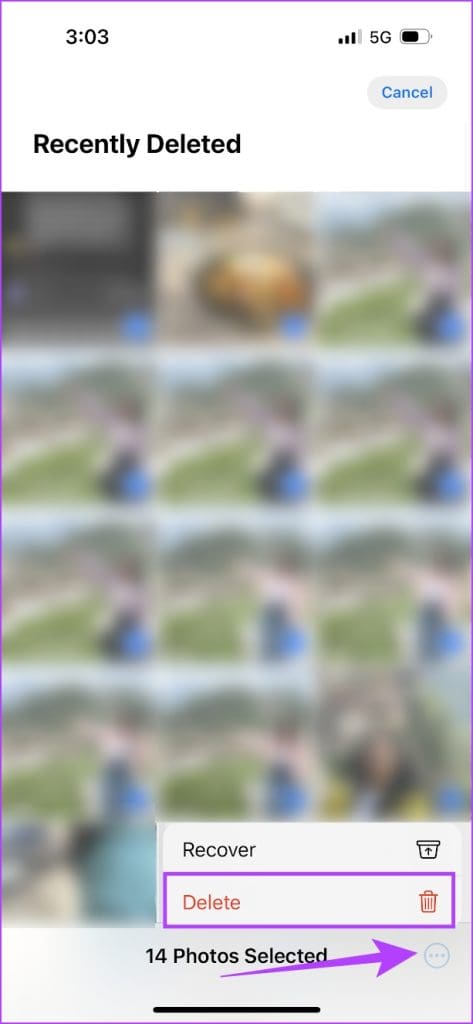
Go to the Recently Deleted folder > tap on Select > select photos in small batches > delete them.
Fix 3: Turn Off Auto Lock
When your iPhone locks before the Recently Deleted album is emptied, the process is interrupted. Therefore, consider disabling auto-lock temporarily and deleting the photos.
Go to Settings > Display & Brightness > Auto Lock > select Never.


Fix 4: Delete Using iCloud
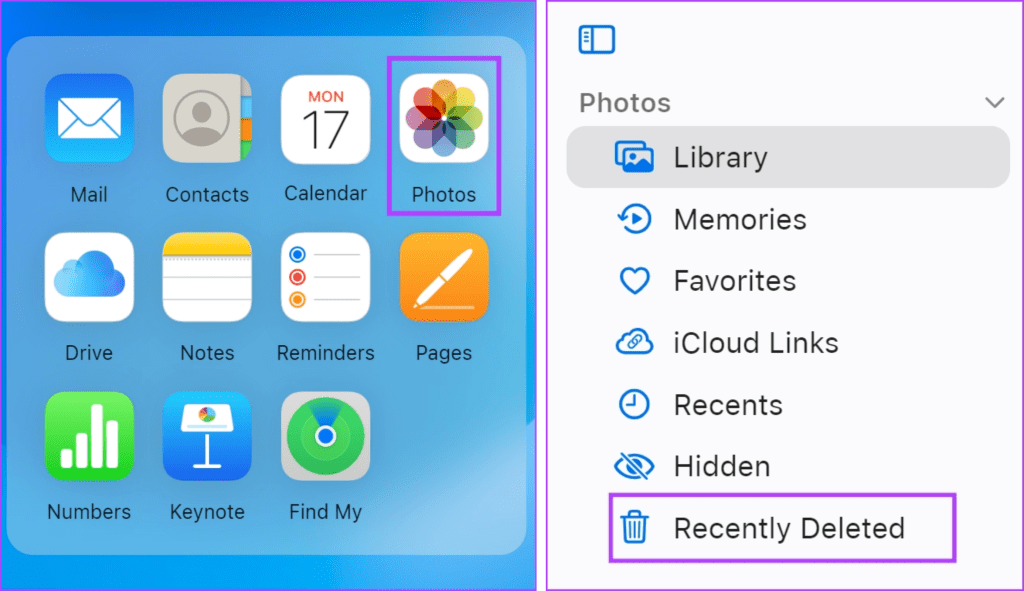
If the Apple Photos app fails to delete the photos, use the web version of iCloud. For that, visit icloud.com/photos. Log in with your Apple account > go to Photos > click on Recently Deleted > Delete All.
Note: This only applies to photos synced to iCloud.
Also Read: How to remove duplicate photos from iPhone
Was this helpful?
Last updated on 09 August, 2024
Read Next
 How to See Recently Opened Links on Instagram
Steps to View Recently Opened Links on Instagram Step 1: Launch the Instagram app.
How to See Recently Opened Links on Instagram
Steps to View Recently Opened Links on Instagram Step 1: Launch the Instagram app.
 How to Clear or Disable Recently Used Documents List in Microsoft Word
Remove Specific or All Entries From Recent Documents List in Microsoft Word If you only want to remove a few documents from the Recent list, go to the Home tab
How to Clear or Disable Recently Used Documents List in Microsoft Word
Remove Specific or All Entries From Recent Documents List in Microsoft Word If you only want to remove a few documents from the Recent list, go to the Home tab
 4 Ways to View Recently Opened Files in Windows 11
Method 1: View Recently Opened Files in the Home Tab The Home tab in File Explorer maintains a list of recently opened files on Windows.
4 Ways to View Recently Opened Files in Windows 11
Method 1: View Recently Opened Files in the Home Tab The Home tab in File Explorer maintains a list of recently opened files on Windows.
 3 Fixes to Stop Deleted Photos From Coming Back on iPhone
Basic Fixes Restart your iPhone: A simple restart can sometimes fix issues like this one.
3 Fixes to Stop Deleted Photos From Coming Back on iPhone
Basic Fixes Restart your iPhone: A simple restart can sometimes fix issues like this one.
 How to Delete Photos From iPhone But Not From Google Photos
How to Delete Photos from iPhone But Keep Them in Google Photos Open Google Photos, swipe up the photo you want to delete, and select Delete from Device.
How to Delete Photos From iPhone But Not From Google Photos
How to Delete Photos from iPhone But Keep Them in Google Photos Open Google Photos, swipe up the photo you want to delete, and select Delete from Device.
 How to Delete Photos from Google Photos But Not From iCloud
How Do Google Photos and iCloud Work Both Apple Photos and Google Photos act as a medium to show you the photos on your phone.
How to Delete Photos from Google Photos But Not From iCloud
How Do Google Photos and iCloud Work Both Apple Photos and Google Photos act as a medium to show you the photos on your phone.
 How to Delete Photos From Google Photos But Not From Phone
What Happens When You Delete Photos?
How to Delete Photos From Google Photos But Not From Phone
What Happens When You Delete Photos?
 What Happens When You Delete Photos from Google Photos
If you use the gallery app on your phone without the cloud storage service, things are pretty easy.
What Happens When You Delete Photos from Google Photos
If you use the gallery app on your phone without the cloud storage service, things are pretty easy.
The article above may contain affiliate links which help support Guiding Tech. The content remains unbiased and authentic and will never affect our editorial integrity.