Method 1: Check Apple Watch Battery Life Using Control Center
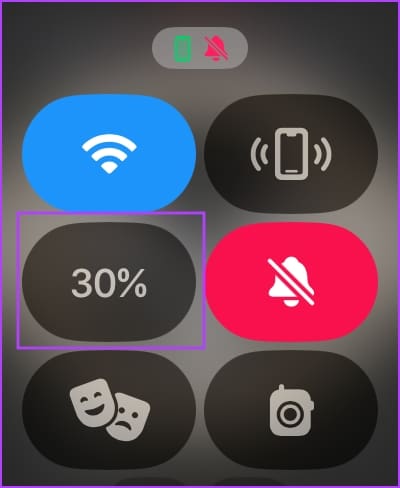
Step 1: Open the Control Center on your Apple Watch. Press the side button (watchOS 10) or swipe from the bottom (watchOS 9 and below) to open it.
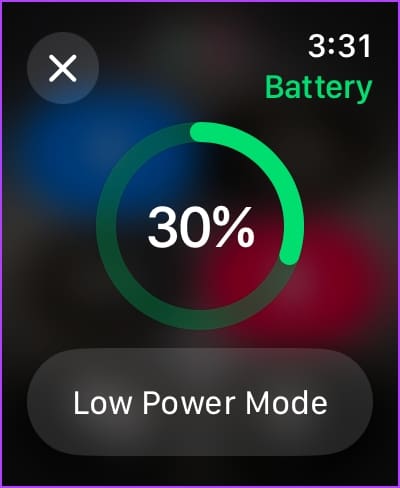
Step 2: You will see the battery percentage tile. You can tap it to expand the same and enable Low Power Mode if the battery is too low.
Method 2: How to Check Battery Life in Apple Watch Settings
You can also view detailed battery life details and statistics using the Settings app on your Apple Watch.
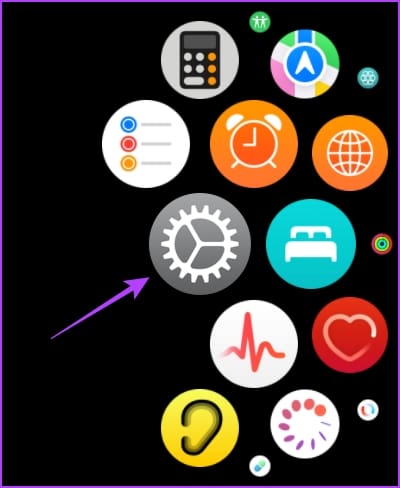
Step 1: Press the Digital Crown once to open the App Library and tap on the Settings app.
Step 2: Tap on Battery.
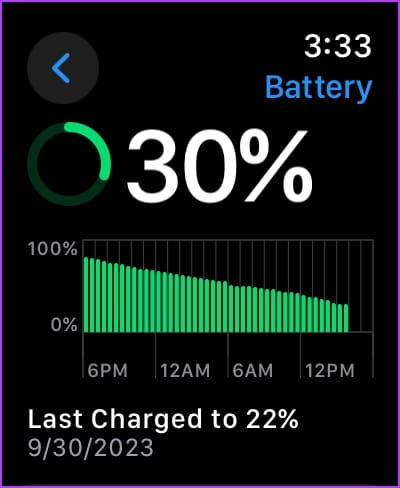
You can see the battery percentage when you last charged it and how the battery has performed in the last twenty-four hours.

Method 3: Add Battery Percentage to Apple Watch Face
An easier way to check the battery level of your Apple Watch is by adding the percentage to the watch face.
Using Apple Watch
Step 1: Tap and hold your watch face to edit it. You can edit your watch face or swipe to select another one.
Step 2: Tap on Edit.
Step 3: Swipe to enter the Complications screen. Tap on an empty complication or the complication you want to replace.


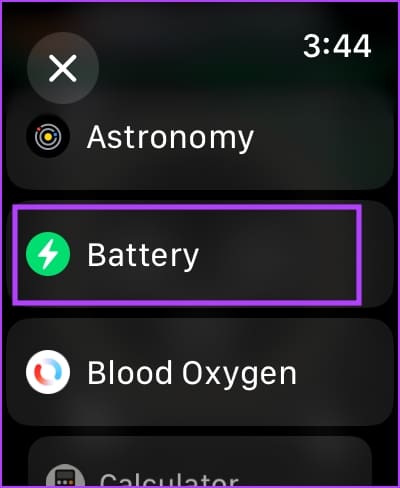
Step 4: Select Battery. Now, select the complication.
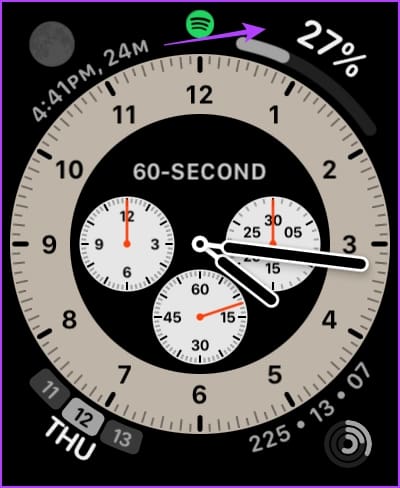
There you go. The battery percentage will be added to your watch face.

Using the Watch App on iPhone
Alternatively, you can add the battery percentage on your watch face using the Watch app on your iPhone.
Step 1: Open the Watch app on your iPhone.
Step 2: Swipe across the array of watch faces and select the one to which you want to add the battery percentage.
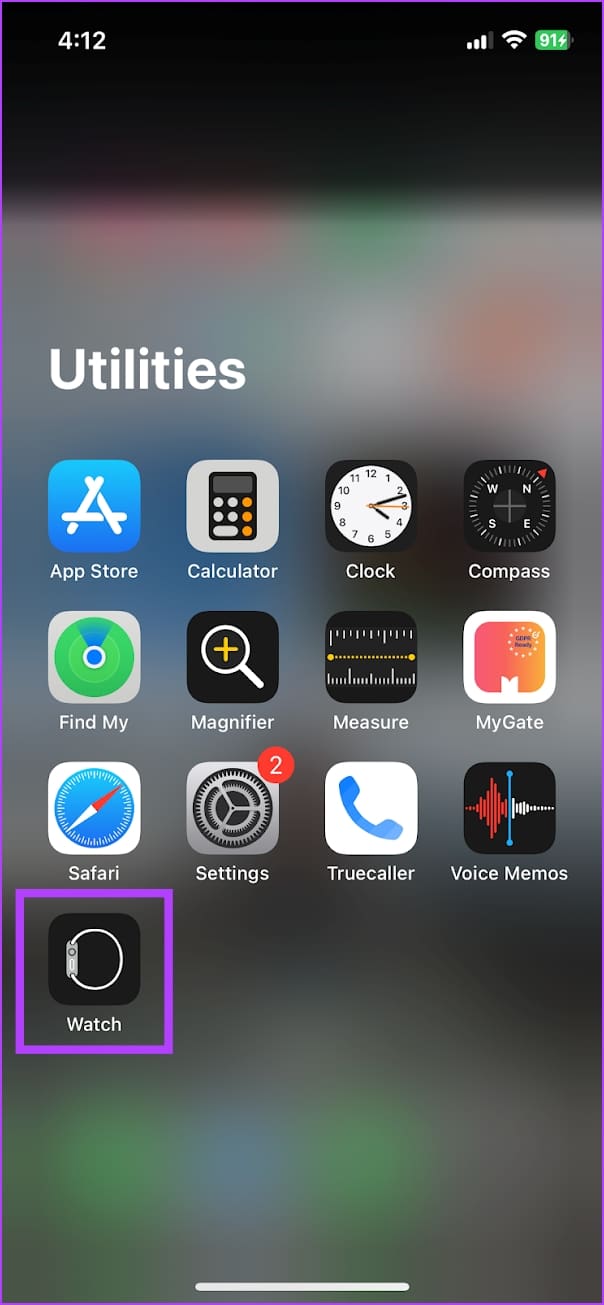
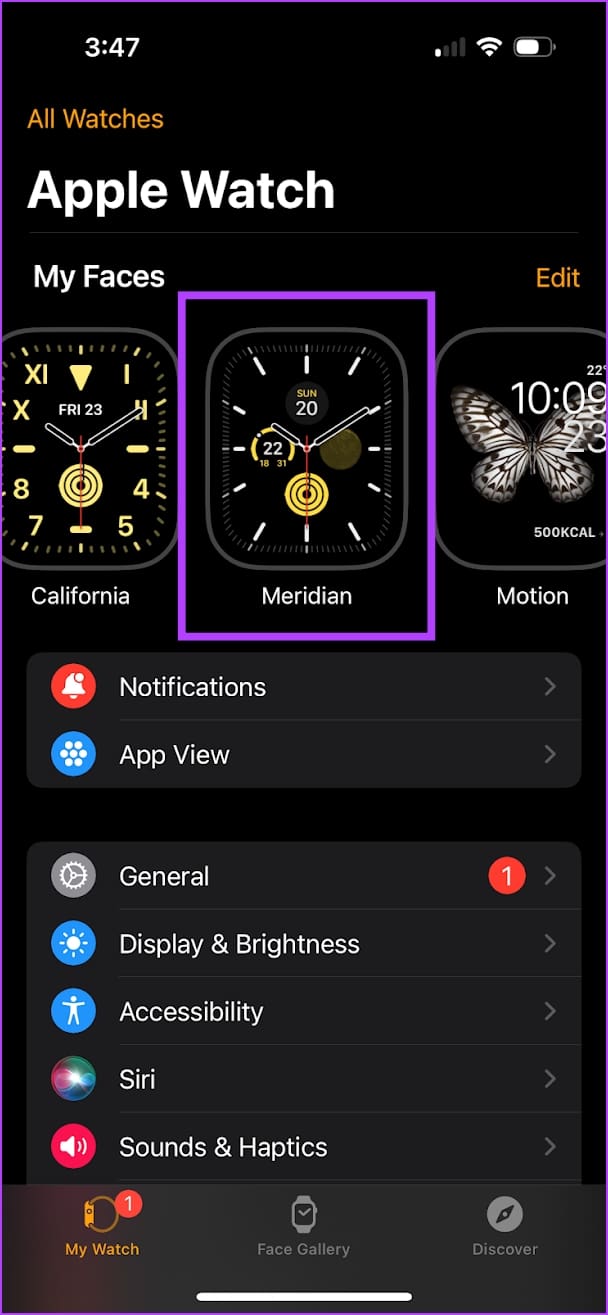
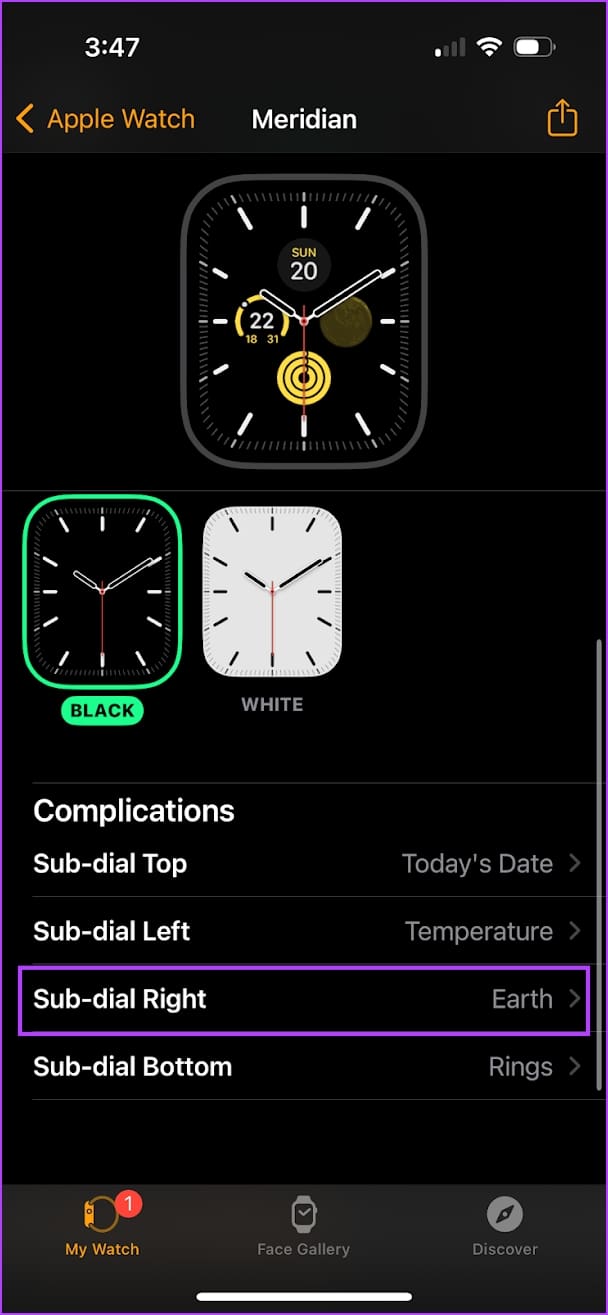
Step 3: You can add a new complication or replace an existing one. We’ll add the battery percentage to the ‘Sub Dial Right’ complication.
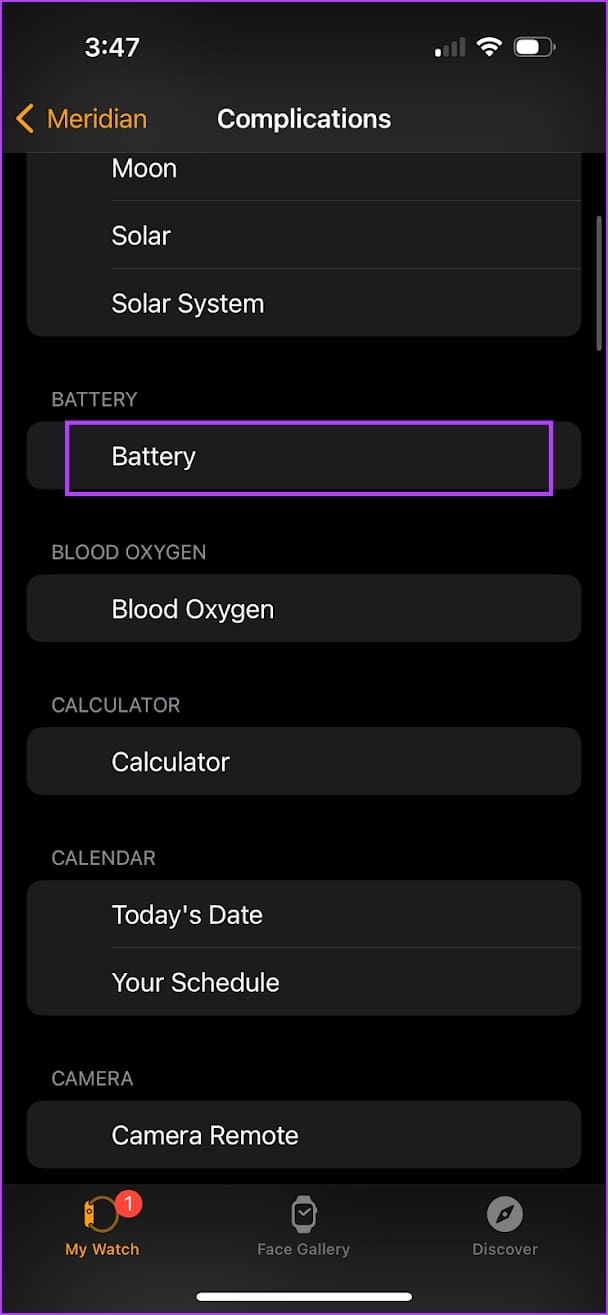
Step 4: Select the battery complication.
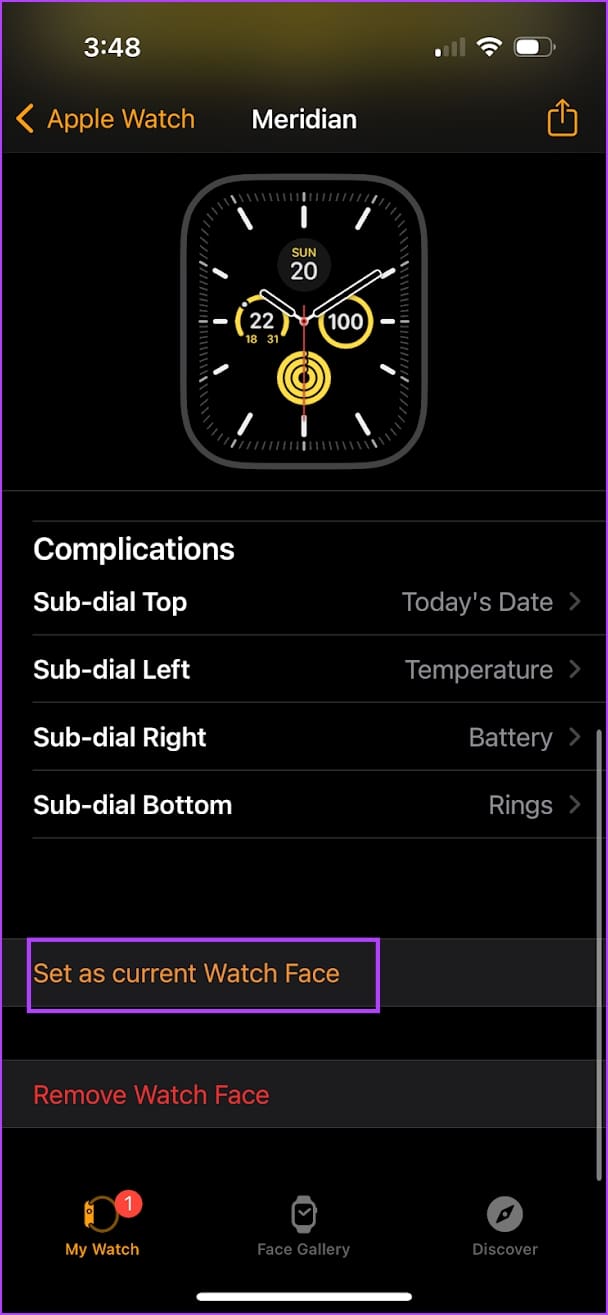
Step 5: Tap on Set as Current Watch Face to make the change on your Apple Watch.
Also Read: Apps to make your Apple Watch do more than fitness tracking
Method 4: Check the Apple Watch Battery on iPhone Home Screen
You can also add a widget on your iPhone’s Home Screen to track the battery life on your Apple Watch.
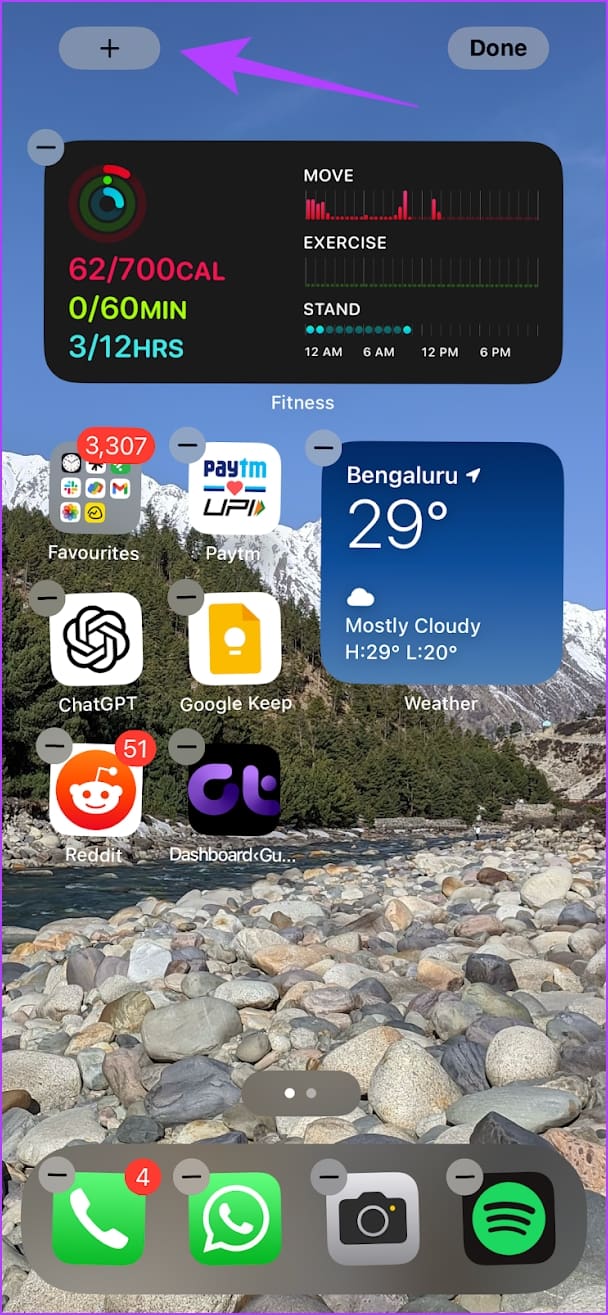
Step 1: Tap and hold anywhere on the Home Screen. Wait for the icons to start wiggling.
Step 2: Tap on the + icon at the top left corner.
Step 3: Select Batteries from the list.
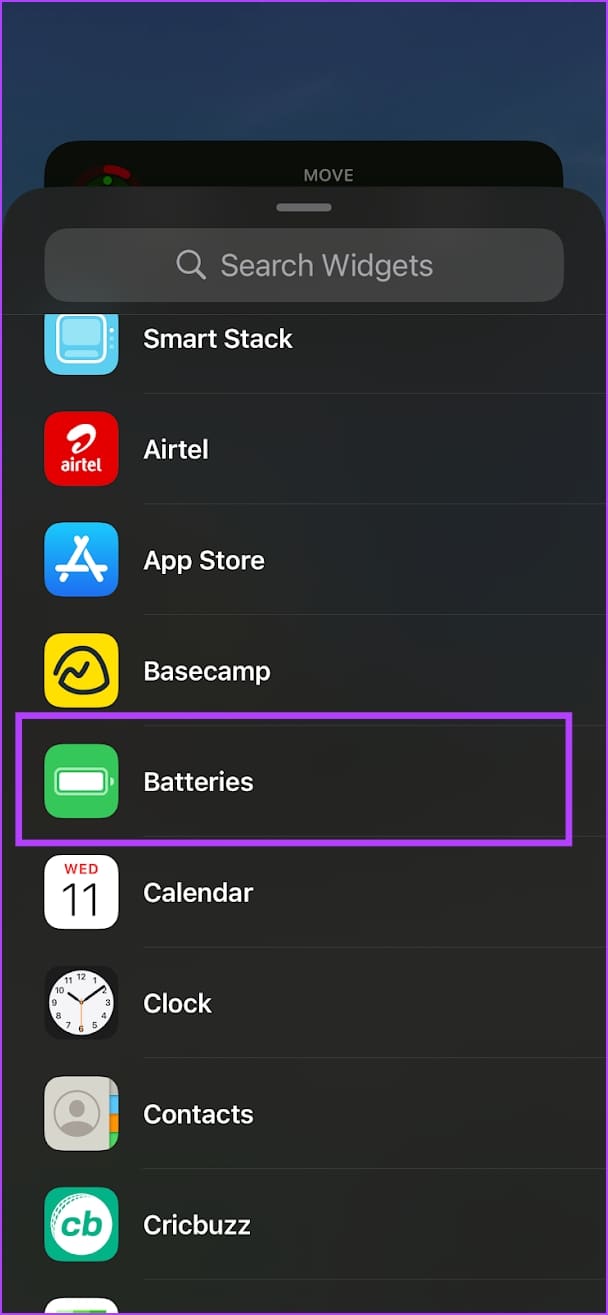
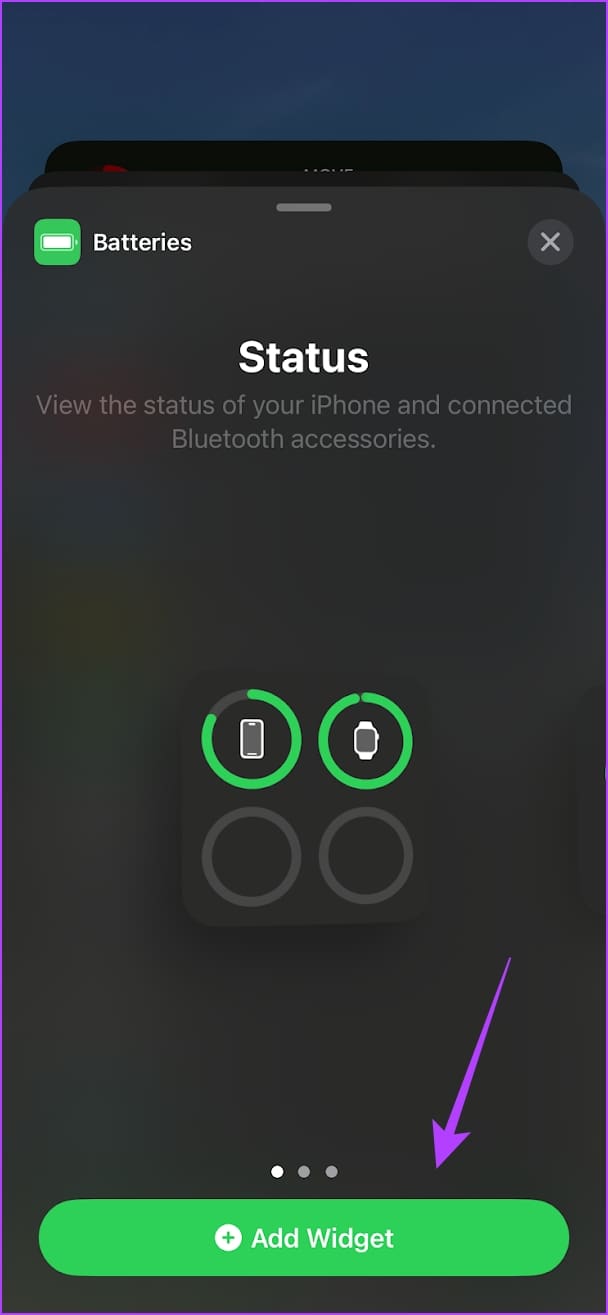
Step 4: Choose the widget you want to add. You can select from three options.
Step 5: Tap on Add Widget under the style you prefer. You can move and place the widget anywhere on your Home Screen.

Method 5: Add a Lockscreen Widget on iPhone to View Apple Watch Battery
Apple’s focus with the iOS 16 was the Lock Screen, and it got plenty of new features. One feature was the ability to use widgets on the Lock Screen.
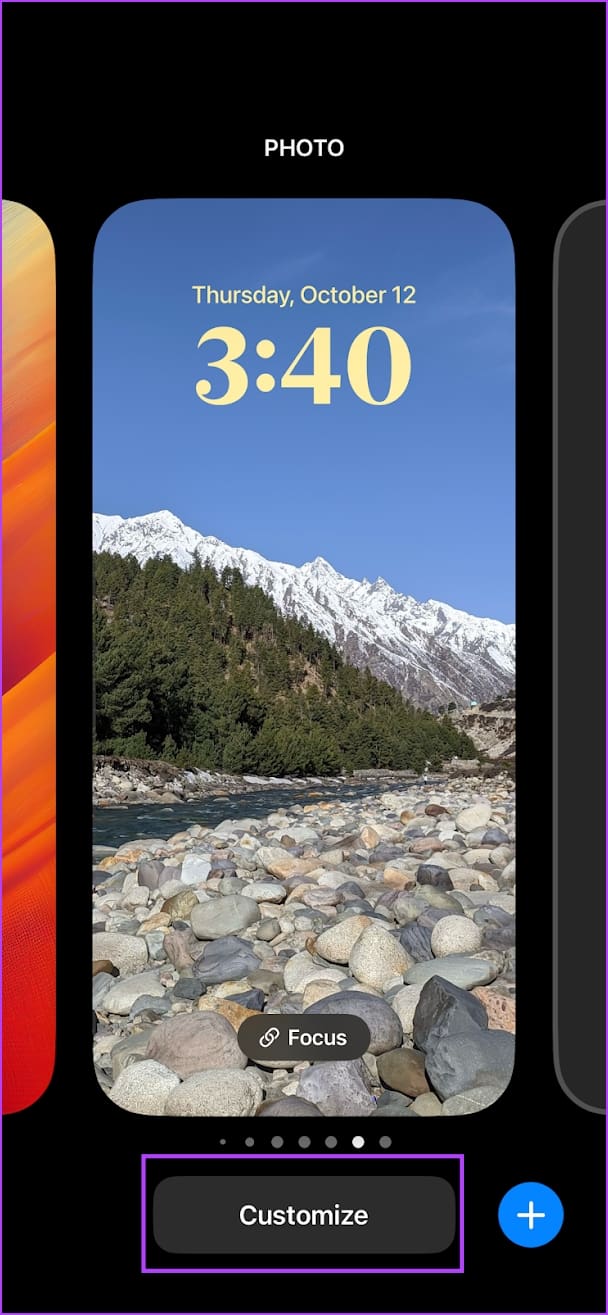
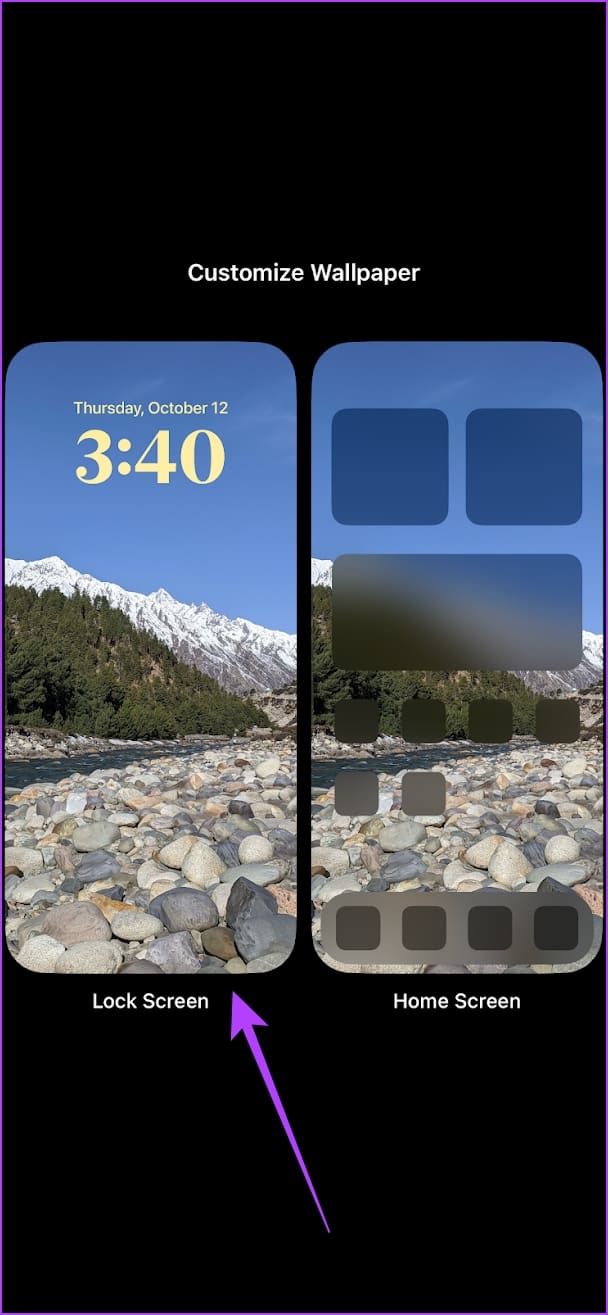
Step 1: Tap and hold anywhere on your iPhone’s Lock Screen.
Step 2: Tap on Customize > select the Lock Screen.
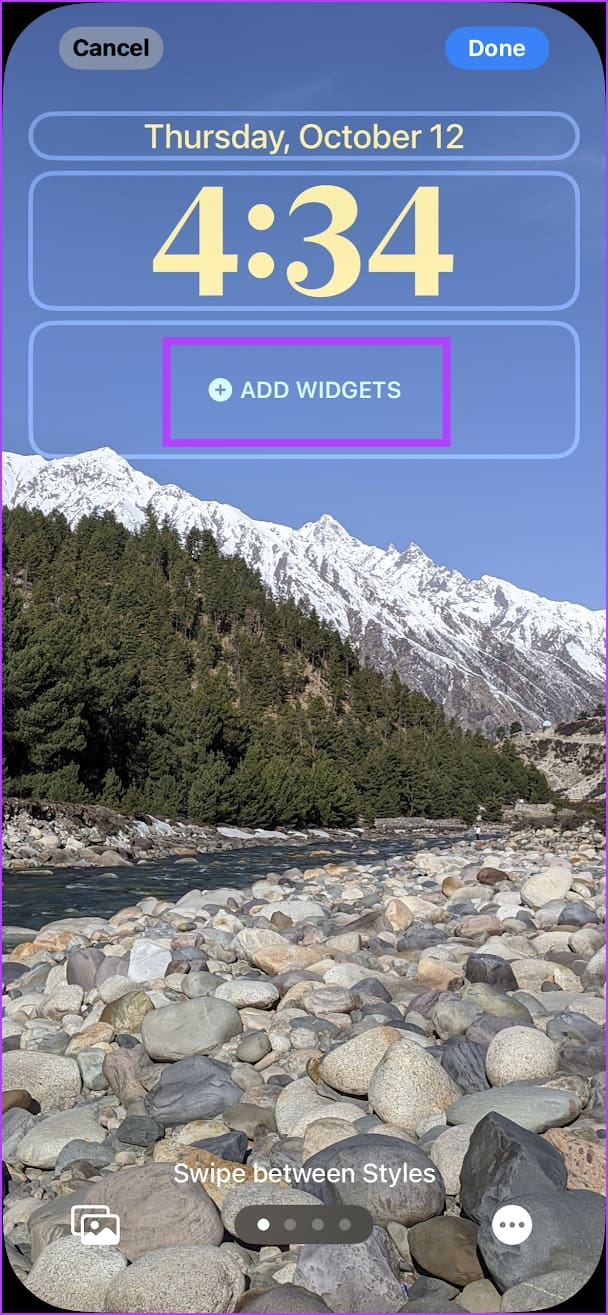
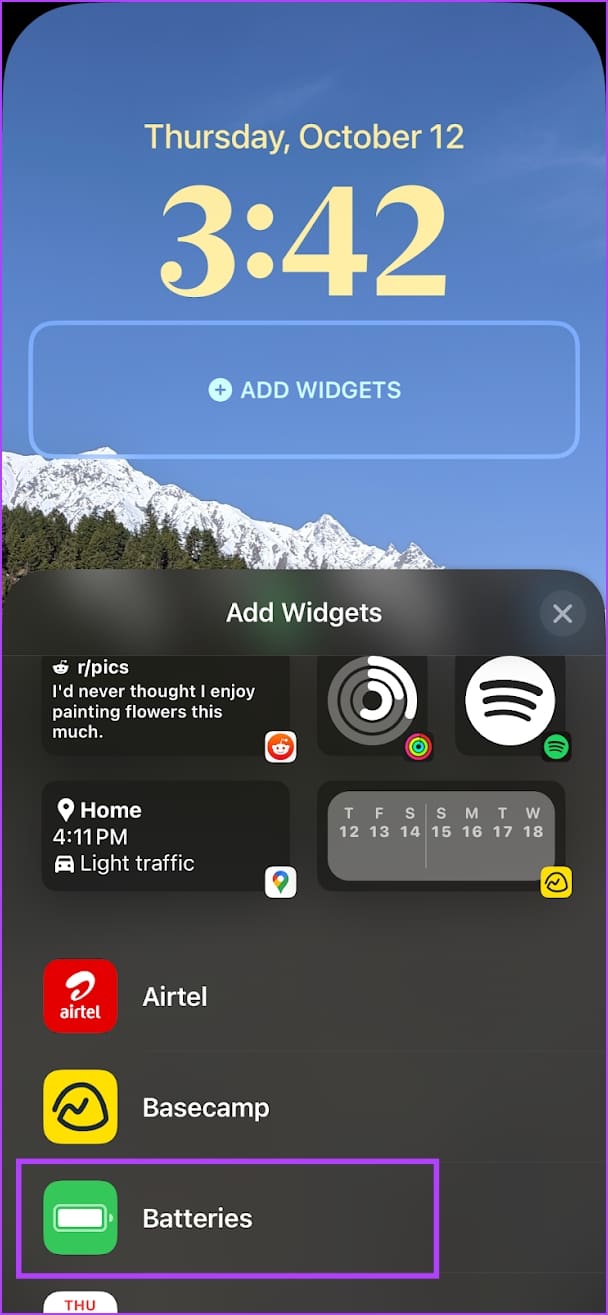
Step 2: Tap on Add Widgets > scroll down and select Batteries.
Step 6: Select the widget you want to add. It will be added on the lock screen, and you can preview it.
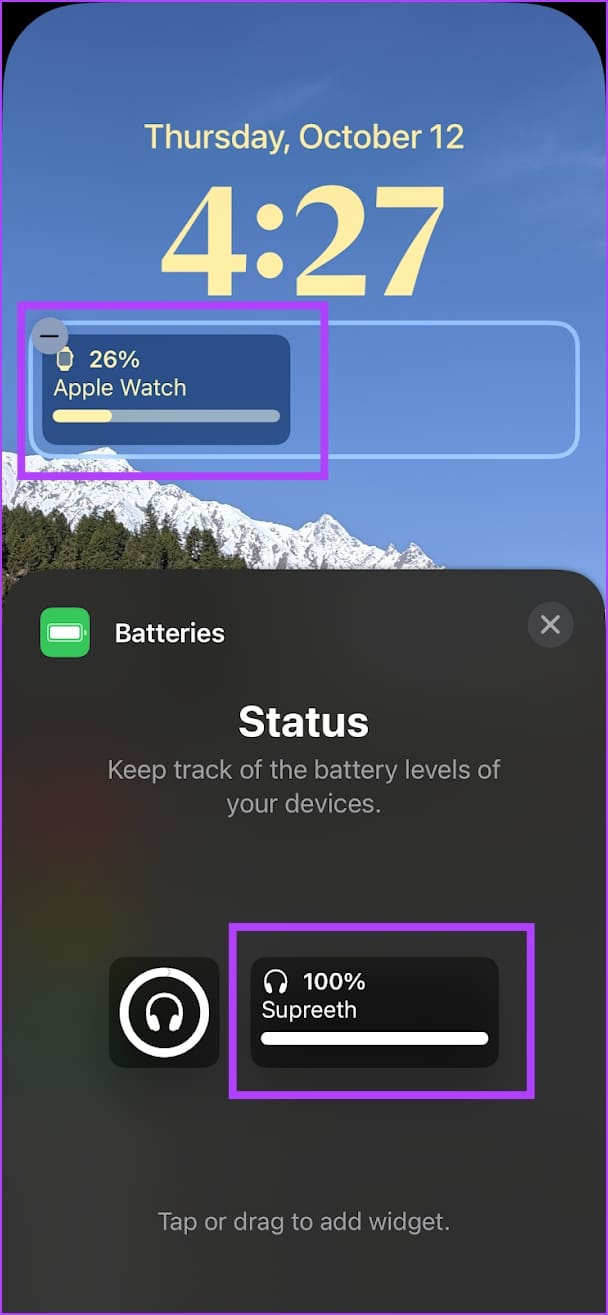
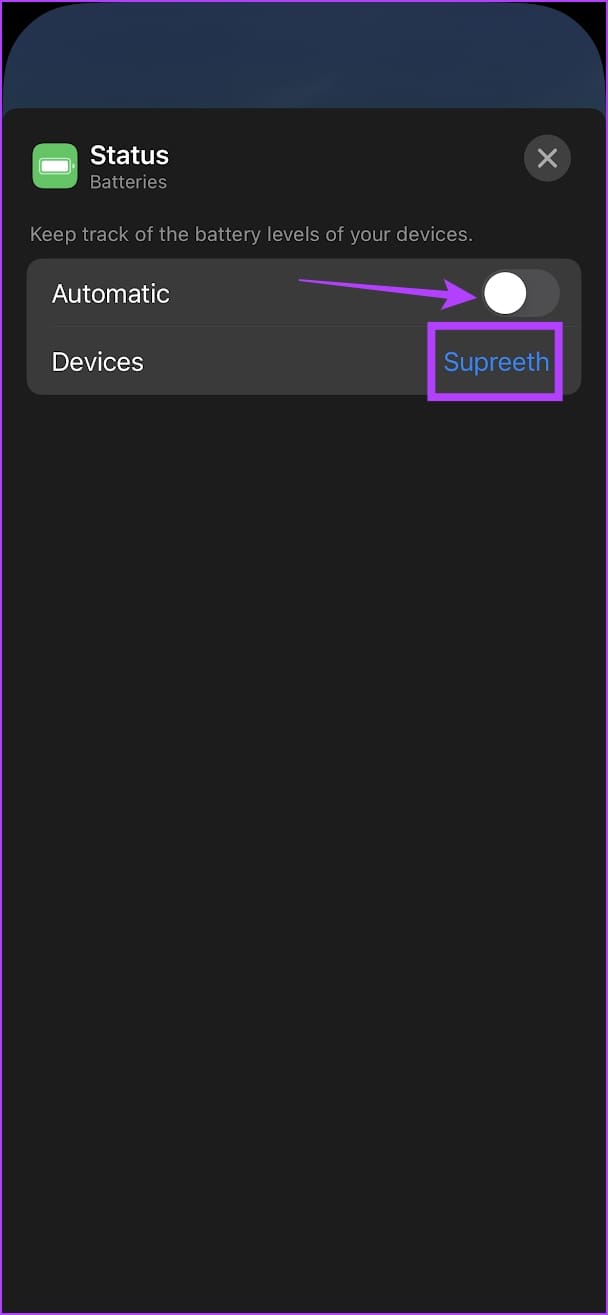
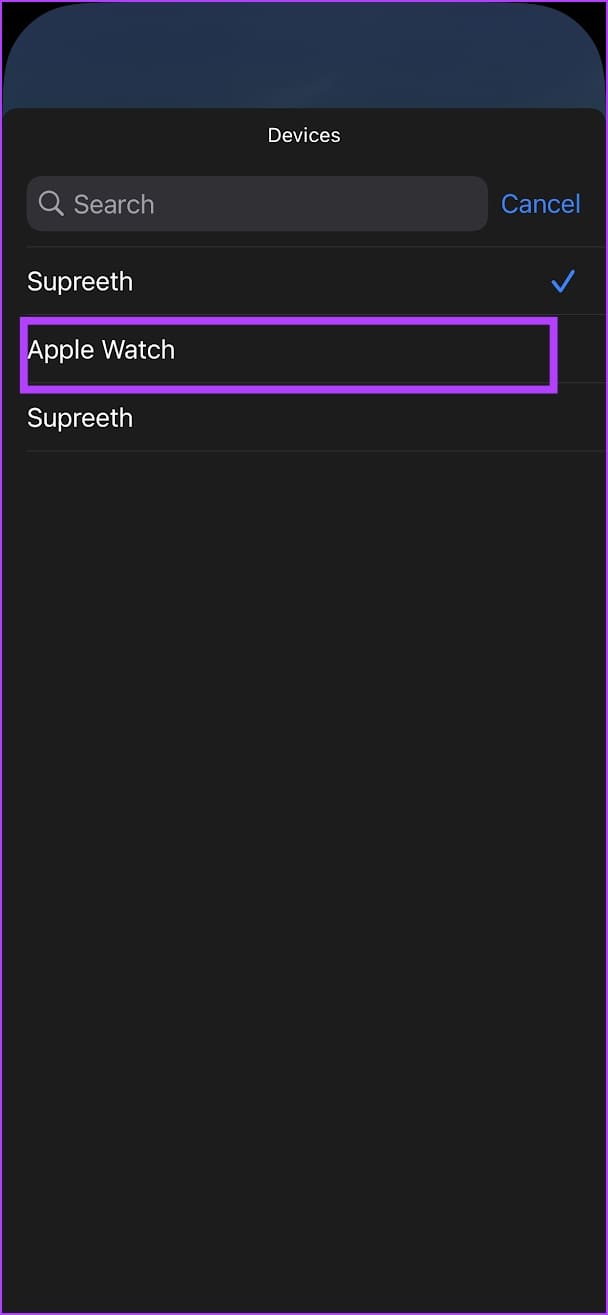
The widget will automatically display the battery percentage of any one device connected via Bluetooth on your iPhone. Here’s how to ensure it shows the Apple Watch battery percentage at all times.
- Tap on the widget again on the Lock Screen > turn off the toggle for Automatic.
- Tap on Devices > select Apple Watch.
Also Read: How to check Apple Watch battery health
Was this helpful?
Last updated on 12 August, 2024
Read Next
 How to Check Apple Watch Battery Health
Check Battery Health on Apple Watch Battery Health percentage is an indicator of the performance level of the battery life on the Apple Watch.
How to Check Apple Watch Battery Health
Check Battery Health on Apple Watch Battery Health percentage is an indicator of the performance level of the battery life on the Apple Watch.
 6 Best Cordless Vacuum Cleaners With Long Battery Life
Cordless vacuum cleaners are more convenient and have many advantages.
6 Best Cordless Vacuum Cleaners With Long Battery Life
Cordless vacuum cleaners are more convenient and have many advantages.
 How to Estimate Laptop Battery Life Before Buying
We all know how much manufacturers lie about battery life.
How to Estimate Laptop Battery Life Before Buying
We all know how much manufacturers lie about battery life.
 Top 5 Wireless Earbuds With Long Battery Life
Not many years ago, truly wireless earbuds were a rarity.
Top 5 Wireless Earbuds With Long Battery Life
Not many years ago, truly wireless earbuds were a rarity.
 5 Best Smartwatches With Long Battery Life in 2024
A smartwatch can help you avoid phone addiction and stay on top of your fitness game.
5 Best Smartwatches With Long Battery Life in 2024
A smartwatch can help you avoid phone addiction and stay on top of your fitness game.
 5 Best Gaming Laptops with Good Battery Life in 2024
As a gamer constantly on the go, you would seek good battery backup from your device.
5 Best Gaming Laptops with Good Battery Life in 2024
As a gamer constantly on the go, you would seek good battery backup from your device.
 What Series or Model Is My Apple Watch: 4 Ways to Check
Method 1.
What Series or Model Is My Apple Watch: 4 Ways to Check
Method 1.
 How to Change Apple Watch Face from iPhone or Watch
Traditional watches had the problem that you couldn't change their clock face.
How to Change Apple Watch Face from iPhone or Watch
Traditional watches had the problem that you couldn't change their clock face.
The article above may contain affiliate links which help support Guiding Tech. The content remains unbiased and authentic and will never affect our editorial integrity.