Important Update (August 13, 2024)
Due to recent security restrictions implemented by Google, it is currently impossible to change the background color of Chrome’s Incognito mode using themes. Themes and extensions that previously worked are now deprecated and can no longer alter the Incognito window’s appearance.
We will update this post and provide new information if and when the ability to customize the background color of the Incognito mode returns.
1. Material Incognito Light Theme
The Material Incognito Light Theme is just one of two themes within the entire Chrome Web Store that focus solely on Chrome’s default Incognito color scheme. Just apply the theme and launch an Incognito tab, and you’d be pretty amazed at how different things are.

For starters, Incognito mode should now look exactly like normal mode — except for the Incognito icon to the top-left of the window. Even the title bar looks the same, so do be careful that you don’t get confused — using a normal Chrome tab to do some private browsing accidentally wouldn’t bode well!
But despite the significantly lightened colors in Incognito mode, you should still find the ‘You’ve Gone Incognito’ notification whenever you open a new tab surrounded in a black-colored box. That really shouldn’t pose an issue since who stares at an empty tab?
Download Material Incognito Light Theme
So what are you waiting for? Just start browsing away, or take a look at the other themes listed below that work really well with Incognito mode. However, they also impact normal Chrome windows, so do take note of the fact when applying them.
2. Material Classic Blue Theme
If you frequently reminisce about how Chrome looked ages ago, then the Material Classic Blue Theme should fit right in. And as the name suggests, the theme adorns Chrome in a classic blue color that really sparks those old memories!
Even if you’re a recent Chrome adopter, the Material Classic Blue Theme lets you bring out a decent amount of color without going overboard to an otherwise bleak and boring-looking browser.

But what makes the theme really awesome is the fact that both normal and Incognito modes are easily distinguishable from each other — the latter sports a slightly darker shade of blue on the title bar, so you can be rest assured that you didn’t mix the two up!
Download Material Classic Blue Theme
3. Green Turf
Love nature? Just apply Green Turf and watch while it turns Chrome into a lush jungle. And in contrast to the normal mode, Incognito windows sport a dark green title bar that helps avoid confusion.
Inactive tabs also sport the same color as the title bar, yet the white fonts and black outlines let you easily locate and switch to any open webpage in a flash!
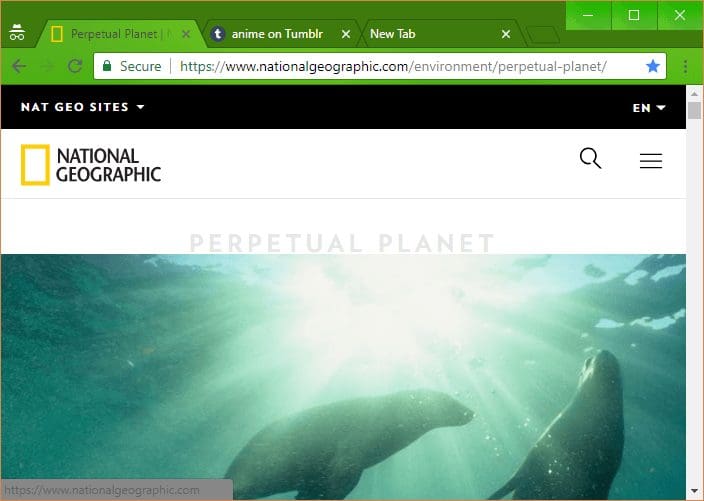
If you want to perform some anonymous browsing while draped in green camouflage, then this is it!
4. Ghibli Totoro Theme
If you love anime, then can you say no to a Totoro-inspired Chrome theme? Don’t think so! The Ghibli Totoro Theme is perfect for those who adore Studio Ghibli’s popular mascot.

Admittedly, your browser can feel a bit cluttered with all those different colors applied by the theme, but with Totoro himself peeking over at all times, you likely won’t feel lonely when it comes to lengthy anonymous sessions!
In contrast to the rest of the theme, however, your tabs are displayed in dashing sky blue, so you won’t have to worry about fumbling around.
5. Feisar
Without playing Wipeout HD, you likely won’t understand the meaning behind the name, but it doesn’t matter. Feisar displays your browser in a crisp yellow color, and you won’t feel down or moody after going incognito thanks to this cheerful theme.
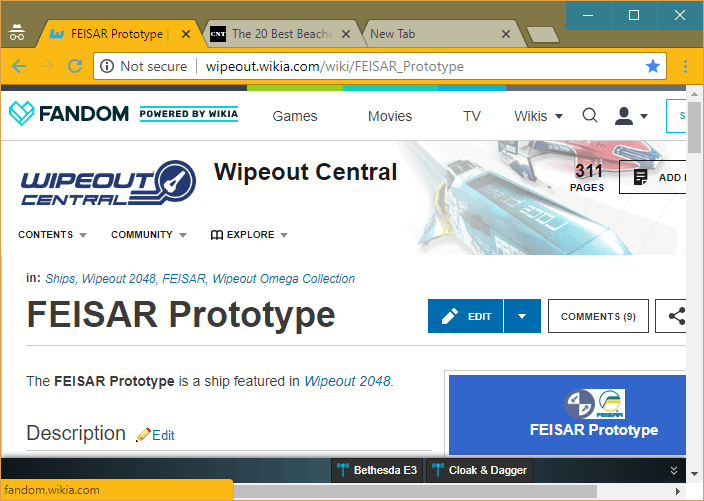
And if you were wondering, normal windows feature a title bar in a brighter shade of yellow, so it’s highly unlikely that you’ll accidentally use one for any anonymous surfing.
6. Summer Holidays
If you want to just relax and browse privately for extended periods of time, then the Summer Holidays theme should be a perfect fit. A touch of sky blue on the title bar combined with cyan-colored tabs should put anyone at ease.
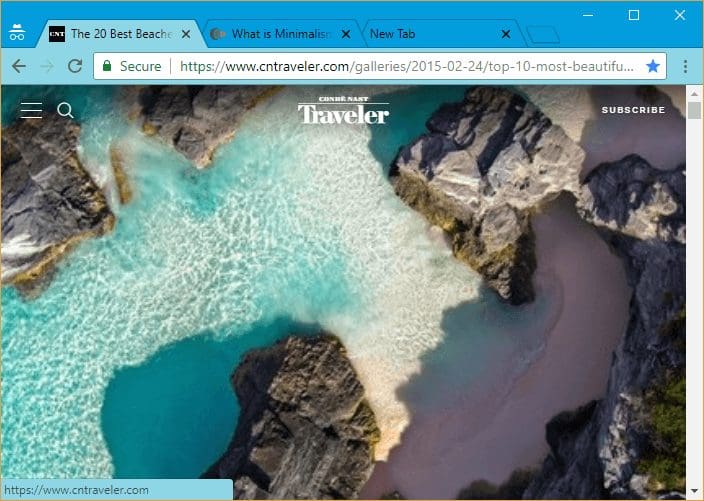
However, the theme offers no visual changes between normal and Incognito modes — except for the trusty old Incognito icon — so you may want to careful that you don’t mix the two up.
Oh, and there’s a magnificent shot of the ocean to greet you whenever you open a new tab, which is kinda cool.
7. Slinky Glamour
Prefer a minimalistic theme, yet one that isn’t boring to look at? Then you absolutely can’t afford to miss out on this one. Slinky Glamour strikes the perfect balance with a faint pink color — with an even fainter shade for inactive tabs — that looks majestic against a velvety backdrop.
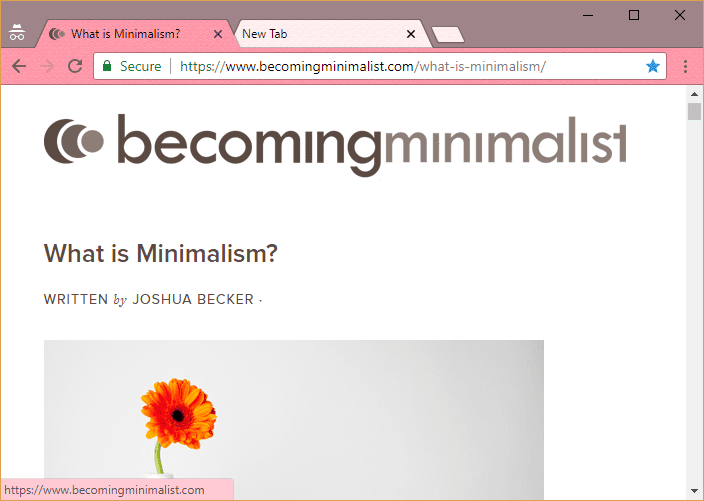
When switching to Incognito mode, you should see a similar color scheme, yet with a darker title bar that prevents any confusion between modes.
Overall, a perfect theme that you can work with comfortably regardless of whatever mode that you are on.
Resetting Your Theme
If you feel moody and depressed with Chrome’s default Incognito colors, then these themes should definitely brighten up your day. However, you may want to disable some of the more colorful themes when surfing normally.
To do that, head into the Chrome Settings panel, locate the Appearance section, and then click Reset to Default next to Themes. Re-installing your favorite theme should take mere seconds, so consider bookmarking the respective Chrome Web Store page to get to it faster.
And of course, you can always use the Material Incognito Light Theme if simply increasing visibility is the only thing that you’re after.
Was this helpful?
Last updated on 13 August, 2024
Read Next
 3 Ways to Change Default Background Color in Chrome
Method 1: Use the Customize Chrome Button The easiest way to change the background color in Chrome is to use the Customize Chrome button.
3 Ways to Change Default Background Color in Chrome
Method 1: Use the Customize Chrome Button The easiest way to change the background color in Chrome is to use the Customize Chrome button.
 How to Change or Remove Themes in Facebook Messenger
Things to Know About Messenger Chat Themes Any participant in the chat can change the Messenger theme.
How to Change or Remove Themes in Facebook Messenger
Things to Know About Messenger Chat Themes Any participant in the chat can change the Messenger theme.
 How to Change Instagram Chat Themes When They’re Not Working
How to Change Instagram Chat Theme in the Correct Manner The first thing to do to fix the Instagram chat themes not showing would be to follow the correct steps
How to Change Instagram Chat Themes When They’re Not Working
How to Change Instagram Chat Theme in the Correct Manner The first thing to do to fix the Instagram chat themes not showing would be to follow the correct steps
 How to Disable Chrome Incognito Mode on Windows, macOS, and Android
Disable Chrome Incognito Mode on Windows If you have Windows Pro and above, you can use Group Policy; else, use the Command prompt to update the Windows Registry.
How to Disable Chrome Incognito Mode on Windows, macOS, and Android
Disable Chrome Incognito Mode on Windows If you have Windows Pro and above, you can use Group Policy; else, use the Command prompt to update the Windows Registry.
 6 Ways to Fix if Google Chrome Keeps Changing Themes
Fix 1: Disable the "Customize Chrome Color Extraction" Flag A common reason Google Chrome may keep changing themes automatically is if the "Customize Chrome Color Extraction" flag is active.
6 Ways to Fix if Google Chrome Keeps Changing Themes
Fix 1: Disable the "Customize Chrome Color Extraction" Flag A common reason Google Chrome may keep changing themes automatically is if the "Customize Chrome Color Extraction" flag is active.
 4 Best Ways to Change Themes in Windows 11
Are you tired of seeing the same old theme on your Windows PC?
4 Best Ways to Change Themes in Windows 11
Are you tired of seeing the same old theme on your Windows PC?
 3 Ways to Change Tab Color in Google Chrome on PC
Method 1: Change Tab Colors With a Chrome Theme When you change Chrome’s theme, the color of its toolbar and the top bar change along with the tabs, the search
3 Ways to Change Tab Color in Google Chrome on PC
Method 1: Change Tab Colors With a Chrome Theme When you change Chrome’s theme, the color of its toolbar and the top bar change along with the tabs, the search
 How to Create Incognito Mode Shortcut on Windows Desktop
Create a Shortcut to Open Incognito Tab on Desktop Nearly all browsers offer Incognito/Private mode, but the feature is named differently on every browser.
How to Create Incognito Mode Shortcut on Windows Desktop
Create a Shortcut to Open Incognito Tab on Desktop Nearly all browsers offer Incognito/Private mode, but the feature is named differently on every browser.
The article above may contain affiliate links which help support Guiding Tech. The content remains unbiased and authentic and will never affect our editorial integrity.