Entering a long password to log in to your PC can be cumbersome. The same holds particularly true if you have an alphanumeric passkey instead of a 6-digit PIN. If you lock and unlock your computer or laptop multiple times daily, the struggles only worsen. A great way to make the unlocking process seamless is by getting a Windows Hello webcam. Check out the top options listed below for your perusal.
Elecom Facial Recognition Webcam
- Resolution: 1080p
- Field of view: 80°
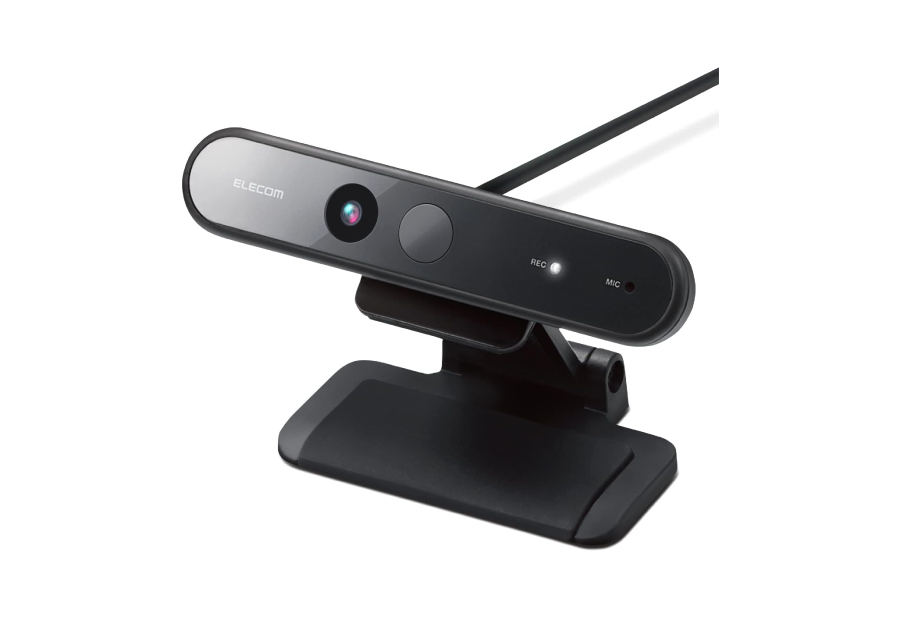
You don’t have to burn a hole in your pocket to get a Windows Hello webcam, and the Elecom camera is the best example of this. Despite being affordable, the sensor captures 1080p videos, and the device even comes with a built-in mic.
For most people, 1080p clips should suffice for online meetings. Additionally, the lens is 80° wide and can cover a wide field of view. This is beneficial if you often take calls with your team or many people in the background. While the picture quality is decent, the output can get slightly grainy if you are in a dark environment.
What We Like
What We Don’t Like
Lenovo 510
- Resolution: 1080p
- Field of view: 95°
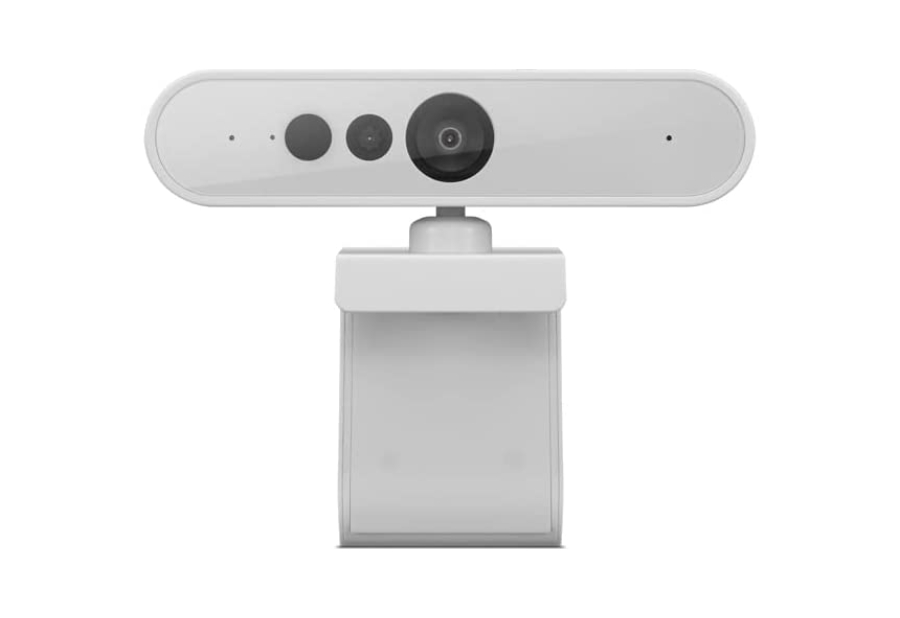
If you thought the Elecom camera offered a wide FoV, wait until you hear about the Lenovo 510’s specifications. The webcam’s 1080p sensor offers a 95-degree lens to fit as many people as you want in your meeting.
The Lenovo 510’s FoV is on par with an ultra-wide camera on most smartphones. If you don’t want to splurge on dedicated webcams, you can get one that can accommodate your entire team for seamless video conferencing. Do note that a large FoV may not be ideal for personal use or if you work from home. Thankfully, the camera has a built-in 4x zoom feature that can crop into the frame.
What We Like
What We Don’t Like
NexiGo HelloCam
- Resolution: 1080p
- Field of view: 90°
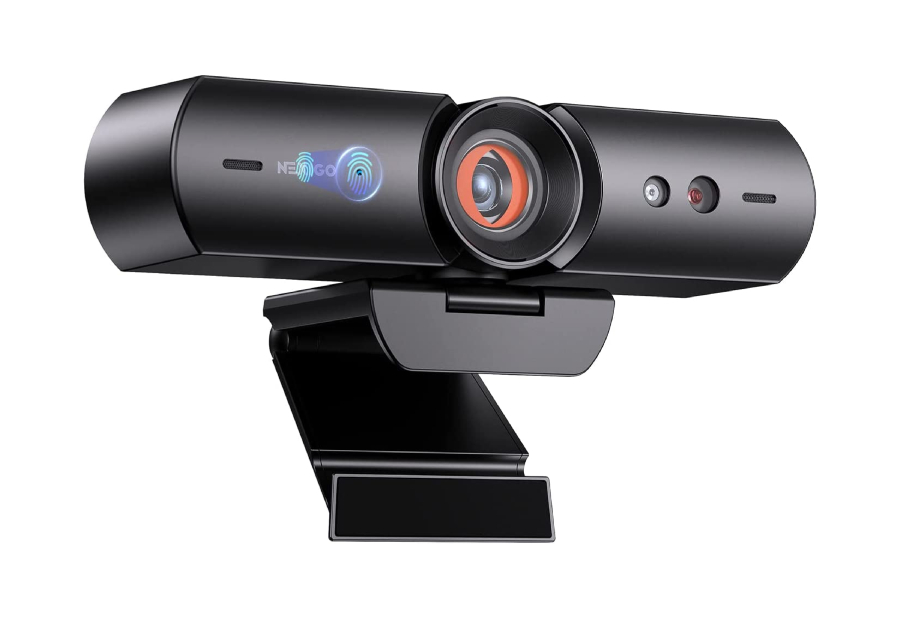
At first glance, the NexiGo HelloCam looks like any other run-of-the-mill 1080p webcam. But if you look closely, you’ll realize the HelloCam has an automatic electronic shutter that hides the camera lens when you’re not using the webcam.
For all of you who are worried about privacy — the NexiGo HelloCam’s shutter is the best solution. The camera offers good picture quality too. Unsurprisingly, the output takes a hit in less-than-ideal lighting. As such, you might notice the feed to be a bit grainy without ample light.
What We Like
What We Don’t Like
Yealink UVC30
- Resolution: 4K
- Field of view: 70°, 90°, and 120°
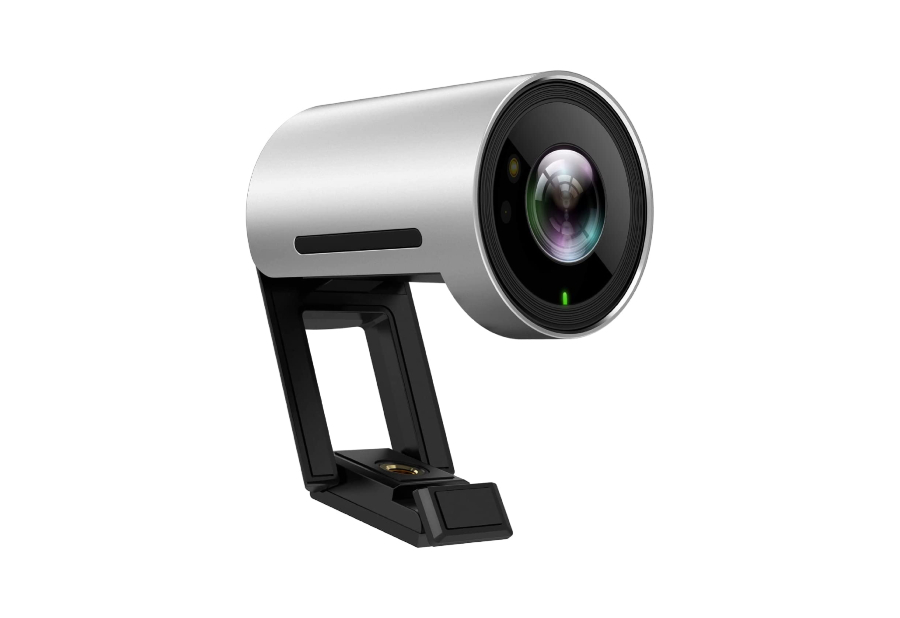
The Yealink UVC30 is a reliable 4K webcam with Windows Hello support that you can use for streaming or professional video calls. Another exciting highlight of the UVC30 is its FoV options. For example, you can vary the FoV from 70 degrees to 90 degrees and even 120 degrees if you have too many people in the frame.
Thanks to the 4K resolution, you won’t lose out on a lot of detail even when you’re using the webcam’s digital crop feature. If there’s one slight downside to the Yealink camera, it’s the size. The webcam is rather large, so you may be unable to mount it on a laptop. It may also look odd if you have a small monitor.
What We Like
What We Don’t Like
Logitech Brio Webcam
- Resolution: 4K
- Field of view: 65°,78°, and 90°
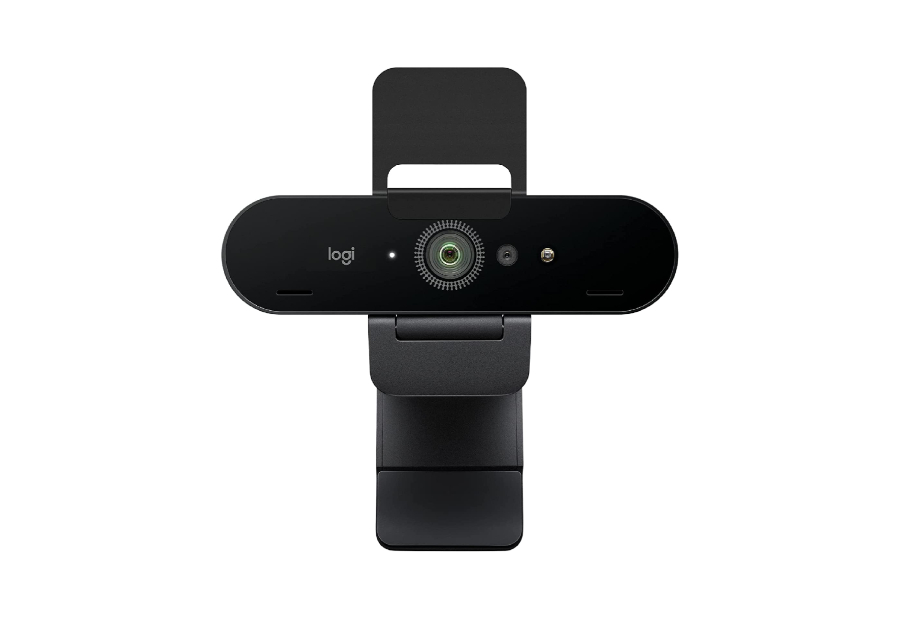
Logitech is one of the most renowned accessory manufacturers for computers. The Brio 4K webcam offers premium features like auto light correction, syncing multiple webcams, and up to 90fps frame rate for smooth streaming. Of course, Windows Hello support is still the marquee feature.
Like Yealink’s offering, the Logitech Brio offers multiple FoV options. It also has a manual privacy shutter, which is handy but not as convenient as the automatic one on the NexiGO HelloCam. What is convenient, though, is Logitech’s software suite, which allows you to sync multiple Brio webcams to your account. This way, you can connect and monitor the status of several webcams.
What We Like
What We Don’t Like
Dell UltraSharp HDR Webcam
- Resolution: 4K
- Field of view: 65°, 78°, and 90°

The major highlight of the Dell UltraSharp webcam — as the name suggests — is its video quality. The picture appears sharp and vivid making it an excellent option for streamers. Thanks to the 4K resolution, you also get multiple FoV options.
Apart from superior video quality thanks to a custom Sony sensor, the Dell UltraSharp webcam has yet another USP: the built-in facial recognition algorithms constantly scan for your face. When the IR camera detects that you’re not in front of your computer anymore, it automatically locks it. When you walk back into the frame, the camera scans your face and unlocks your PC.
What We Like
What We Don’t Like
FAQs for Windows Hello Webcams
You need a Windows Hello-compatible camera to use facial recognition on your PC. Check your existing webcam’s product page or user manual to see if Windows Hello is supported.
Yes, Windows Hello is a safe way to unlock your computer since it uses a webcam and an IR camera to scan your face.
Both biometric unlock methods are safe and can be used at your convenience. Some users may find a fingerprint reader more convenient while others may just want to look at their PC to unlock it.
Was this helpful?
Last updated on 30 July, 2024
Read Next
 4 Ways to Fix Face Recognition Not Working on Samsung Galaxy Devices
Basic Fixes: Ensure facial recognition data is added properly: When capturing your face data, ensure you're in a well-lit room.
4 Ways to Fix Face Recognition Not Working on Samsung Galaxy Devices
Basic Fixes: Ensure facial recognition data is added properly: When capturing your face data, ensure you're in a well-lit room.
 5 Ways to Fix Google Photos Face Recognition Not Working on Android and iPhone
https://youtu.be/UbhXaGftf4s Try Basic Fixes Update the app: Such issues with the facial recognition feature can occur due to a bug within the Photos app.
5 Ways to Fix Google Photos Face Recognition Not Working on Android and iPhone
https://youtu.be/UbhXaGftf4s Try Basic Fixes Update the app: Such issues with the facial recognition feature can occur due to a bug within the Photos app.
 5 Best Windows Hello USB Fingerprint Readers for Your PC
A Windows Hello USB fingerprint reader can make the mundane task of logging in to your Windows PC an easy and convenient affair.
5 Best Windows Hello USB Fingerprint Readers for Your PC
A Windows Hello USB fingerprint reader can make the mundane task of logging in to your Windows PC an easy and convenient affair.
 How to Set up and Use Windows Hello on Windows 10 and 11
Having a secure password is crucial, especially in these times.
How to Set up and Use Windows Hello on Windows 10 and 11
Having a secure password is crucial, especially in these times.
 How to Use Handwriting Recognition in Microsoft OneNote
How to Take Handwritten Notes in OneNote Step 1: On the OneNote app, click the Draw option > select your preferred pen or highlighter tool.
How to Use Handwriting Recognition in Microsoft OneNote
How to Take Handwritten Notes in OneNote Step 1: On the OneNote app, click the Draw option > select your preferred pen or highlighter tool.
 How to Improve Facial Recognition in Google Photos
Method 1: Fix Results in the Google Photos App Google Photos app on mobile lets you remove inaccurate results, making it more intelligent to figure out the next time it
How to Improve Facial Recognition in Google Photos
Method 1: Fix Results in the Google Photos App Google Photos app on mobile lets you remove inaccurate results, making it more intelligent to figure out the next time it
 6 Ways to Fix Windows Hello Fingerprint Option Unavailable or Not Working
Basic Fixes Restart PC: Restart your PC to fix any temporary bugs and glitches.
6 Ways to Fix Windows Hello Fingerprint Option Unavailable or Not Working
Basic Fixes Restart PC: Restart your PC to fix any temporary bugs and glitches.
 6 Fixes for Windows Hello Something Went Wrong Error
Fix 1: Enable Camera Access If you have previously disabled camera access, Windows Hello may have trouble using your camera and display the "Sorry, something went wrong.
6 Fixes for Windows Hello Something Went Wrong Error
Fix 1: Enable Camera Access If you have previously disabled camera access, Windows Hello may have trouble using your camera and display the "Sorry, something went wrong.
The article above may contain affiliate links which help support Guiding Tech. The content remains unbiased and authentic and will never affect our editorial integrity.