


M.2 SSDs promise superb performance in a small form factor. But they also generate a lot of heat. That’s where a heatsink comes in. Here’s a list of the best ones available right now.
MHQJRH M.2 2280 SSD Heatsink

The MHQJRH M.2 2280 SSD heatsink is a budget-friendly option that is good at dissipating heat. It is made of aluminum and has a double-sided design for improved compatibility.
Thanks to its compact size, you can even use it as a heatsink for your PS5’s SSD. Apart from a black colorway, you can also get this heatsink in six other colors, such as red, green, blue, purple, silver, and golden. As such, if you’re looking for a simple-to-install and value-for-money M.2 SSD heatsink, this is the one for you.
What We Like
What We Don’t Like
Thermalright HR-09 2280 PRO
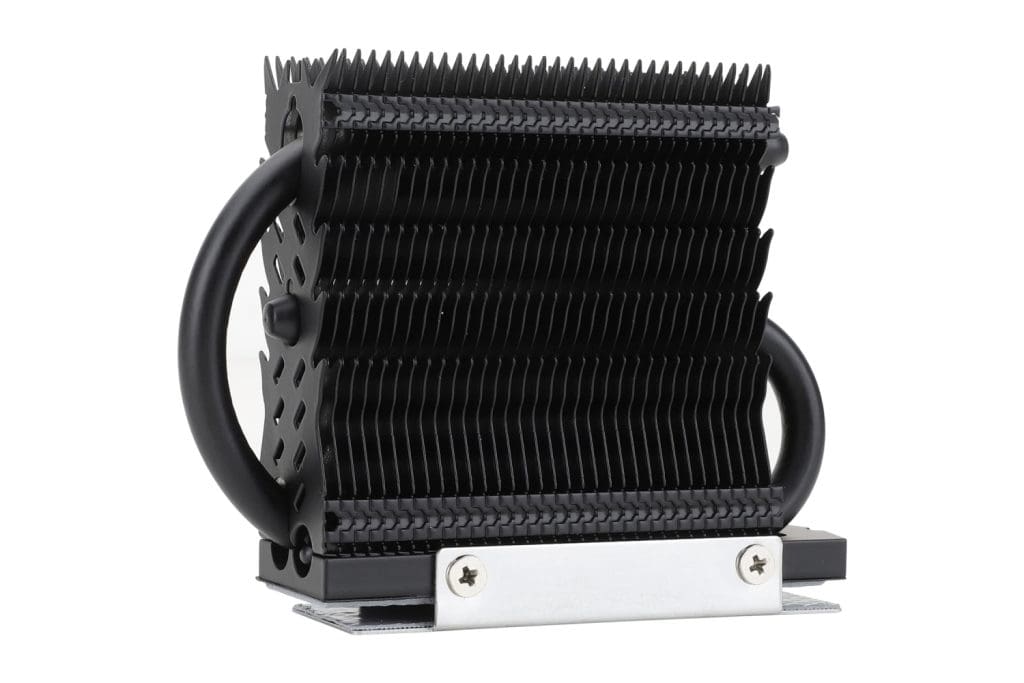
The HR-09 2280 PRO heatsink comes with a total of 33 fins on top along with an aluminum alloy-groove design. It also uses a unique thermal pad made from nano silicon grease material. All the components work exceptionally well and ensure that your SSD has a larger heat dissipation area with no performance limitations.
In terms of installation, the HR-09 is relatively easy to install thanks to its double-sided clip design. However, due to its tall form factor, it might not fit every system out there. As such, you’ll need to ensure that you have enough room to accommodate the 74mm tall heatsink.
What We Like
What We Don’t Like
ineo Aluminum M.2 2280 SSD Heatsink
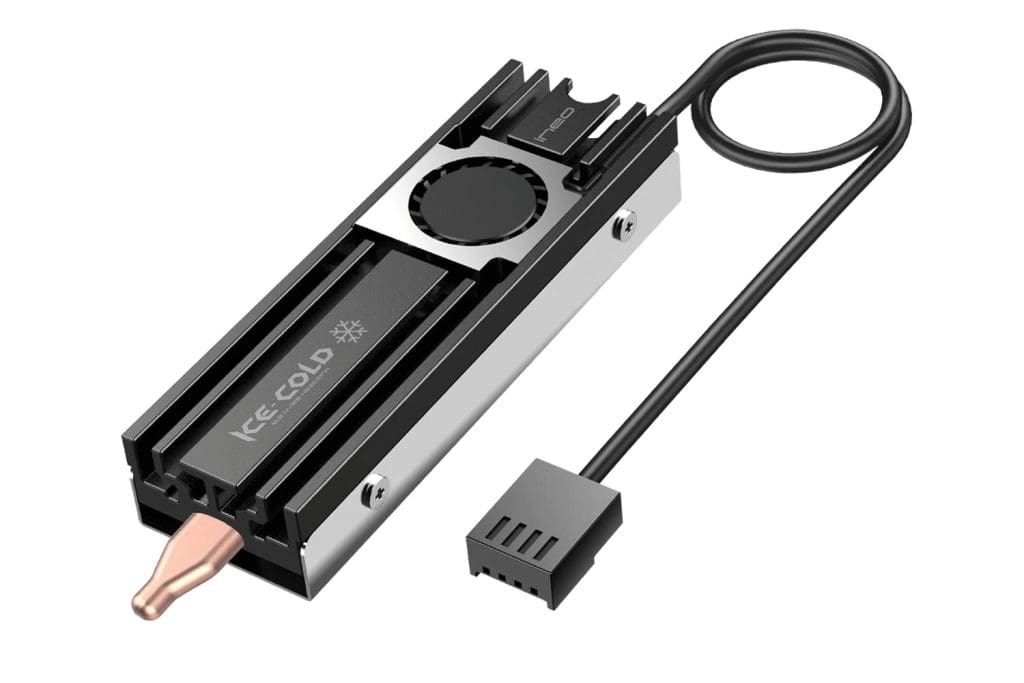
At the end of the day, a heatsink is a passive cooling solution. Unless, of course, you attach a fan close to it. If your system doesn’t have enough fans to keep the cabinet cool, how about a heatsink with its own fan? Enter the ineo Aluminum M.2 2280 SSD Heatsink.
The ineo Aluminum M.2 2280 SSD Heatsink has a tiny 20x20mm fan. However, don’t be fooled by its size. Despite drawing just 1W of power, it can spin at a whopping 10,000 rpm. The heatsink is made from aluminum alloy material, but it also packs in a pure copper strip underneath for good heat dissipation.
What We Like
What We Don’t Like
be quiet! BZ002 MC1 M.2 SSD Cooler
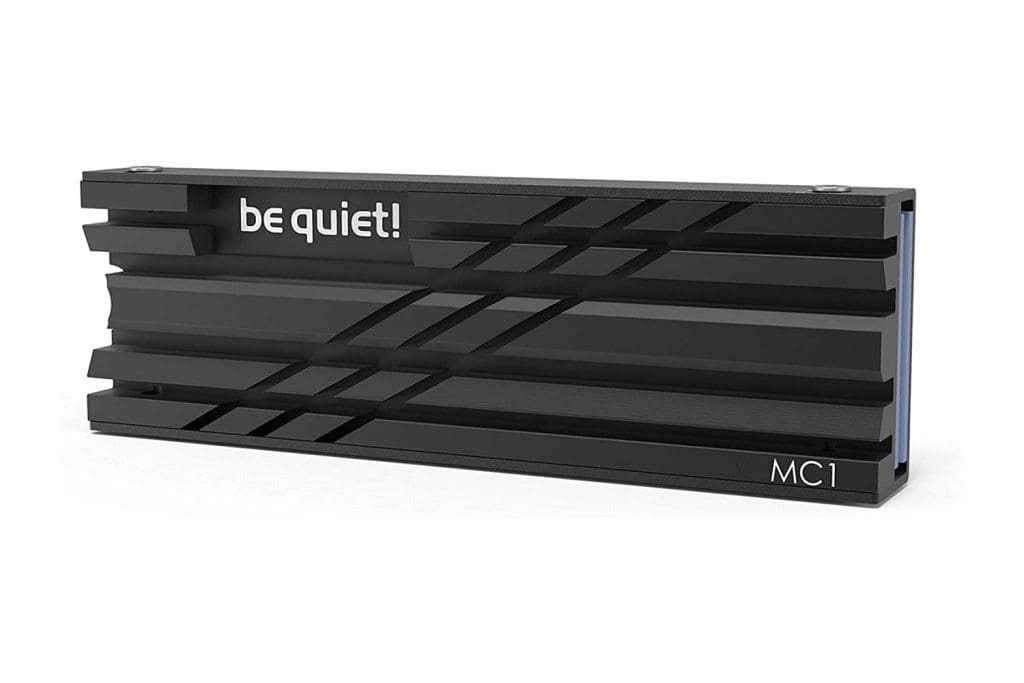
be quiet! BZ002 MC1 M.2 SSD is a reliable cooler that can keep your SSD’s operating temperatures in check. As such, the drive should be able to run at full performance for an extended period.
The SSD Cooler is made of aluminum and has a simple, yet effective design. It touts an all-black finish that looks premium and elegant and blends in with most black motherboards. The heatsink comes with a thermal pad, which helps to transfer heat from the SSD to the heatsink. It is also very easy to install.
What We Like
What We Don’t Like
SABRENT M.2 NVMe Heatsink (SB-PSHS)

If you’re specifically looking for a PS5 SSD heatsink, then this is the one for you. It fits inside the PS5’s SSD expansion slot, making for a quick and easy installation. It is made of aluminum and has a unique “sandwich design” which ensures even pressure throughout the SSD for efficient and consistent heat transfer.
One thing to note is that it replaces the SSD slot cover plate on the PS5. However, that is necessary to ensure optimal cooling. Needless to say, if you’re looking for an efficient way to improve your PS5’s storage performance, then this is it.
What We Like
What We Don’t Like
SABRENT M.2 2280 SSD Rocket Heatsink (SB-HTSP)
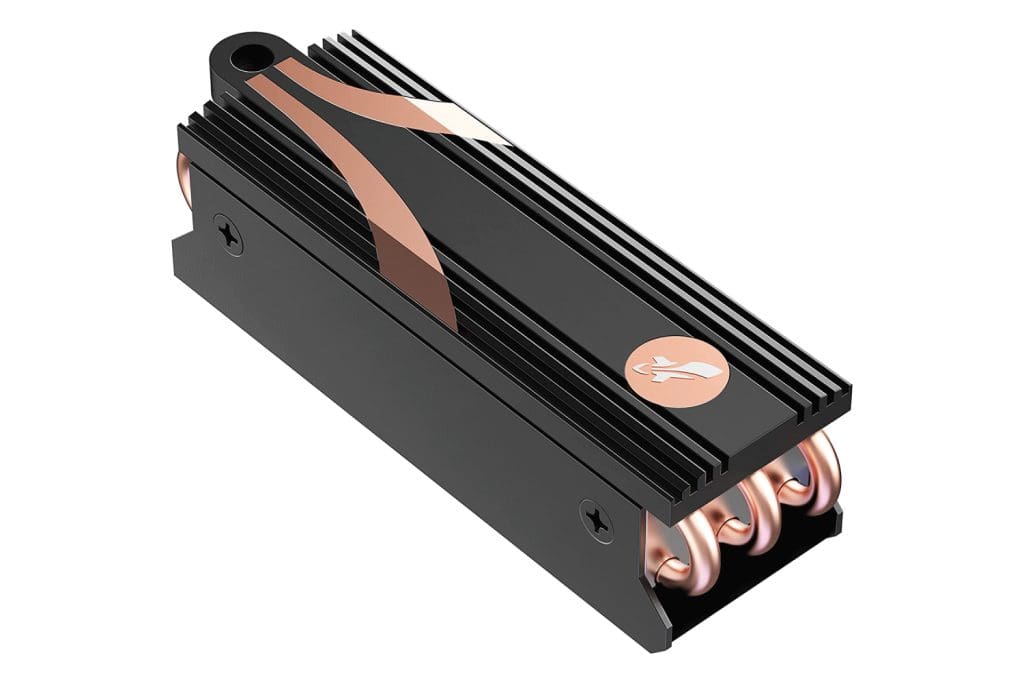
The SB-HTSP from SABRENT is a high-performance heatsink designed for M.2 NVMe SSDs. It is made of copper and aluminum and has a unique “fin design” that helps dissipate heat effectively.
The copper absorbs the heat from the drive, fanning it up to the grooved, aluminum surface of the heatsink. The heatsink also offers an enlarged surface area for efficient cooling. As a result, you can squeeze every ounce of performance out of your NVMe drive without worrying about throttling.
What We Like
What We Don’t Like
FAQs about Heatsinks for M.2 SSDs
Not all M.2 SSDs need a heatsink. However, if you constantly face throttling, or are using an NVMe SSD that generates a lot of heat, you may want to consider using a heatsink. A heatsink can come in handy for demanding tasks such as gaming or video editing.
The best material for a heatsink is aluminum. Aluminum is a good conductor of heat, and it is also relatively lightweight. That being said, some heatsinks are also made of copper, which is an even better conductor of heat. However, it is also more expensive. As such, using a combination of both is the best.
In general, you will need to remove the screw cover on your M.2 SSD slot, attach the heatsink to the SSD, and then screw it in place. However, the actual installation can differ from heatsink to heatsink. As such, it’s best to refer to the instruction manual that comes included in the package.
Was this helpful?
Last updated on 14 April, 2024
1 Comment
Leave a Reply
Read Next
 4 Best SSDs for ASUS ROG Ally in 2024
The ASUS ROG Ally is a superb handheld gaming console.
4 Best SSDs for ASUS ROG Ally in 2024
The ASUS ROG Ally is a superb handheld gaming console.
 5 Best SSDs for NAS in 2024
SSDs are fast becoming the preferred medium for adding storage to a NAS.
5 Best SSDs for NAS in 2024
SSDs are fast becoming the preferred medium for adding storage to a NAS.
 6 Best External SSDs for iPad Pro You Should Buy
Apple's iPad Pros are exceptional tablets and are a joy to use.
6 Best External SSDs for iPad Pro You Should Buy
Apple's iPad Pros are exceptional tablets and are a joy to use.
 6 Best External SSDs for iPhone 15 Pro Series
The USB-C port in the iPhone 15 series opens up a wide range of possibilities for users.
6 Best External SSDs for iPhone 15 Pro Series
The USB-C port in the iPhone 15 series opens up a wide range of possibilities for users.
 6 Best MagSafe Cases for iPhone 15 Pro Max in 2024
The Apple iPhone 15 Pro Max is a big phone.
6 Best MagSafe Cases for iPhone 15 Pro Max in 2024
The Apple iPhone 15 Pro Max is a big phone.
 6 Best Silent Mice for Macs and PCs in 2024
If you use a laptop, chances are you use the built-in trackpad for navigation.
6 Best Silent Mice for Macs and PCs in 2024
If you use a laptop, chances are you use the built-in trackpad for navigation.
 5 Best Portable GPS Trackers for Cars in 2024
Whether you're a security-conscious driver, a concerned parent, or someone who wants to keep an eye on their prized possession, a good GPS tracker can provide peace of mind and
5 Best Portable GPS Trackers for Cars in 2024
Whether you're a security-conscious driver, a concerned parent, or someone who wants to keep an eye on their prized possession, a good GPS tracker can provide peace of mind and
 4 Best Google TVs of 2024
Launched as an update to the Android TV platform, this Google TV platform offers impressive features like content recommendations based on usage patterns, a big app library, and more.
4 Best Google TVs of 2024
Launched as an update to the Android TV platform, this Google TV platform offers impressive features like content recommendations based on usage patterns, a big app library, and more.
The article above may contain affiliate links which help support Guiding Tech. The content remains unbiased and authentic and will never affect our editorial integrity.

I got an email from Thermalright saying that: “No, HR-09 2280 PRO is not suitable for double sided NVMe SSDs like the Crucial T700.”