With the prices of RAM sticks and SSDs skyrocketing, gaming when you’ve got a low budget is looking more grim by the day. But that doesn’t mean that all hope is lost. If you use the right accessories, you can still play some of the newest titles. So if you’re wondering what are the best monitors for gamers on a budget, here are just some of our top picks so you can check what you should be paying for certain specs.
AOC Q27G3XMN – Best 27-Inch Budget Monitor for Gaming
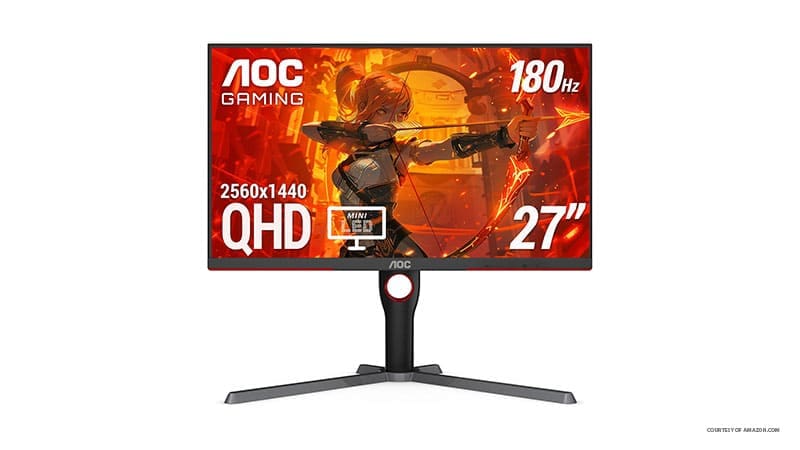
Coming in with an admirable 165 Hz refresh rate (or 180 when overclocked) with a native resolution of 1440p, this monitor has pretty much every box you could check, especially as it’s a Mini-LED monitor. Its latency (or input lag) is only 3.5 ms, which is on the lower side of budget-friendly monitors.
Ergonomically, the monitor has a fairly large and tall stand, so you can comfortably fit it on a desktop or place a console underneath it.
Lighting-wise, the monitor uses local dimming to increase the contrast, with the VA panel producing solid colors that don’t smear. Connectivity-wise, the monitor has an HDMI 2.0 and a DisplayPort 1.4, and it natively supports Adaptive Sync (which should work on all graphics cards). Notably, however, some users reported seeing smearing if the game has a much different framerate than the monitor, but this shouldn’t be an issue if you properly cap it.
LG 24GS65F-B – Cheapest Monitor for Gamers Available
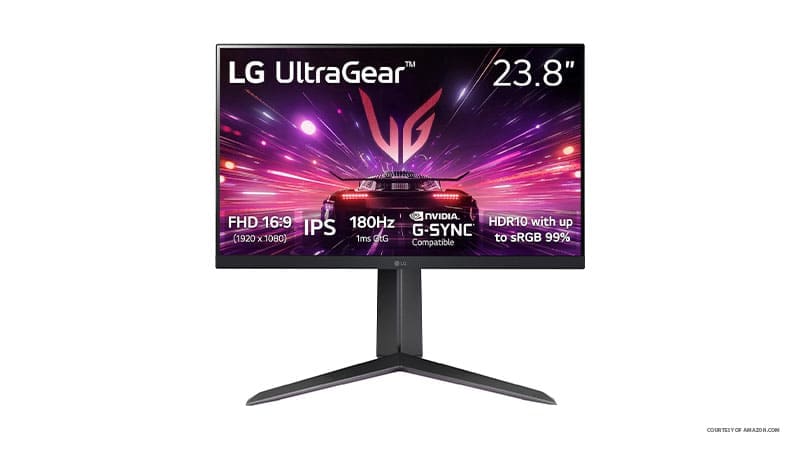
If you want something that’s on a practically barebones budget but still having decent specs, then this 1080p, 24-inch monitor will do just fine.
It boasts a great 180 Hz refresh rate so it can be paired with last-generation games to pull out more frames. The monitor can pivot in all directions, so it can also be a great addition if you want a second monitor for streaming or increasing the workspace without breaking the bank.
Connectivity-wise, you get an HDMI 2.0 and DisplayPort 1.4, which also decides if G-Sync is available for the graphics card (so read the manual before buying). AMD FreeSync should be set from the start, though.
Brightness-wise, the monitor struggles with higher contrasts or vibrant colors, and you’ll need to tweak a few settings to get the blacks to be deep enough for horror games.
Samsung Odyssey G5 G50F – Best 32-Inch Monitor on a Budget

If you want to go for a slightly larger monitor, then look no further with Samsung’s G5. This 180Hz monitor has an IPS panel (making it easier to view from odd angles), with a slightly higher input lag of around 4 ms.
Notably, the screen’s resolution is QHD (1440p), and it has built-in G-Sync compatibility through its HDMI and DP ports.
One of the drawbacks of the Samsung is that the stand looks a bit flimsy for the size of the monitor it’s supposed to be supporting, and the menu button is a bit out of the way on the back, making it difficult to adjust settings mid-match.
However, you’re unlikely to get a better price-to-performance ratio.
AOC C27G4ZH – Best Curved Budget Monitor
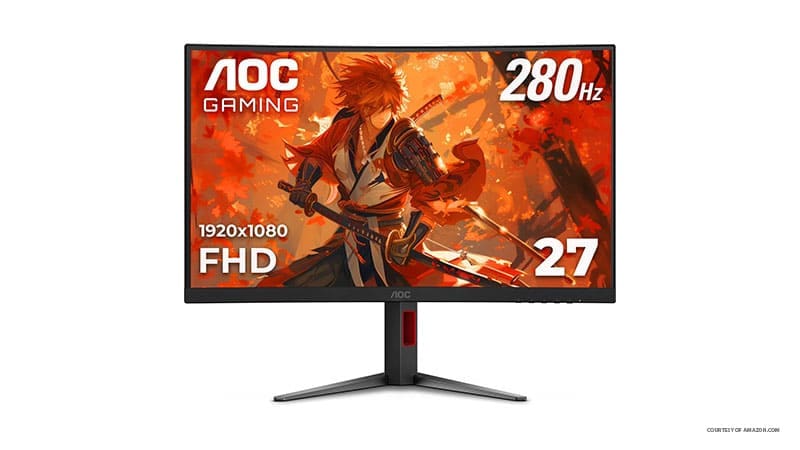
If you want games to be a bit more immersive, a curved monitor will be your best bet. This AOC has a curvature of 1500R (meaning the optimal viewpoint is from 1.5 meters away), while boasting solid specs of 1080p on a 27-inch diagonal.
By far the biggest standout feature here is the refresh rate of 280Hz on the DisplayPort and 240 Hz on HDMI.
However, you’re paying for this with a slightly lower color fidelity and contrast, as well as having a curved monitor, which might not be best outside of gaming.
Was this helpful?
Last updated on 18 February, 2026
Read Next
 Top 9 Google Sheets Budget Templates for Finance Tracking
Managing money can be tricky sometimes.
Top 9 Google Sheets Budget Templates for Finance Tracking
Managing money can be tricky sometimes.
 11 Steps to Create a Monthly Budget Tracker Using Microsoft Excel
Microsoft Excel is perhaps one of the easiest tools to use to keep up with basic expenses, so long as you’re willing to maintain a steady stream of inputs.
11 Steps to Create a Monthly Budget Tracker Using Microsoft Excel
Microsoft Excel is perhaps one of the easiest tools to use to keep up with basic expenses, so long as you’re willing to maintain a steady stream of inputs.
 6 Best Budget PC Gaming Controllers Under $50
A couple of years ago, opting for a budget controller meant compromising on plenty of features.
6 Best Budget PC Gaming Controllers Under $50
A couple of years ago, opting for a budget controller meant compromising on plenty of features.
 6 Best Budget Tablets Under $100 for 2023
These days, tablets have become an essential tool for many people, from students and professionals to casual users.
6 Best Budget Tablets Under $100 for 2023
These days, tablets have become an essential tool for many people, from students and professionals to casual users.
 6 Best Budget Graphics Cards Under $300
It's true that PCs remain one of the best ways to game on a budget.
6 Best Budget Graphics Cards Under $300
It's true that PCs remain one of the best ways to game on a budget.
 5 Best Budget Drawing Tablets in 2024
Figuring out the right set of tools, such as a Drawing Tablet, is the most important step in an artist's journey.
5 Best Budget Drawing Tablets in 2024
Figuring out the right set of tools, such as a Drawing Tablet, is the most important step in an artist's journey.
 5 Best RGB LED Backlights for Monitors and TVs
RGB LED light strips are one of the best solutions if you want to jazz up your gaming or entertainment room.
5 Best RGB LED Backlights for Monitors and TVs
RGB LED light strips are one of the best solutions if you want to jazz up your gaming or entertainment room.
 6 Best DisplayLink Docks to Connect Multiple Monitors to M1 Macs
Despite being a couple of years old, the M1-based MacBook Air and MacBook Pro are fantastic laptops that offer great performance and endurance.
6 Best DisplayLink Docks to Connect Multiple Monitors to M1 Macs
Despite being a couple of years old, the M1-based MacBook Air and MacBook Pro are fantastic laptops that offer great performance and endurance.
The article above may contain affiliate links which help support Guiding Tech. The content remains unbiased and authentic and will never affect our editorial integrity.