If your work requires you to crunch through numbers, you must be looking for a dedicated NumPad. We believe that if you have buyer’s remorse for picking up a compact keyboard, a dedicated NumPad will help you easily zip through numbers. On that note, here are the best standalone mechanical NumPads that will cut down the time you spend staring at an Excel sheet.
Rottay Number Pad
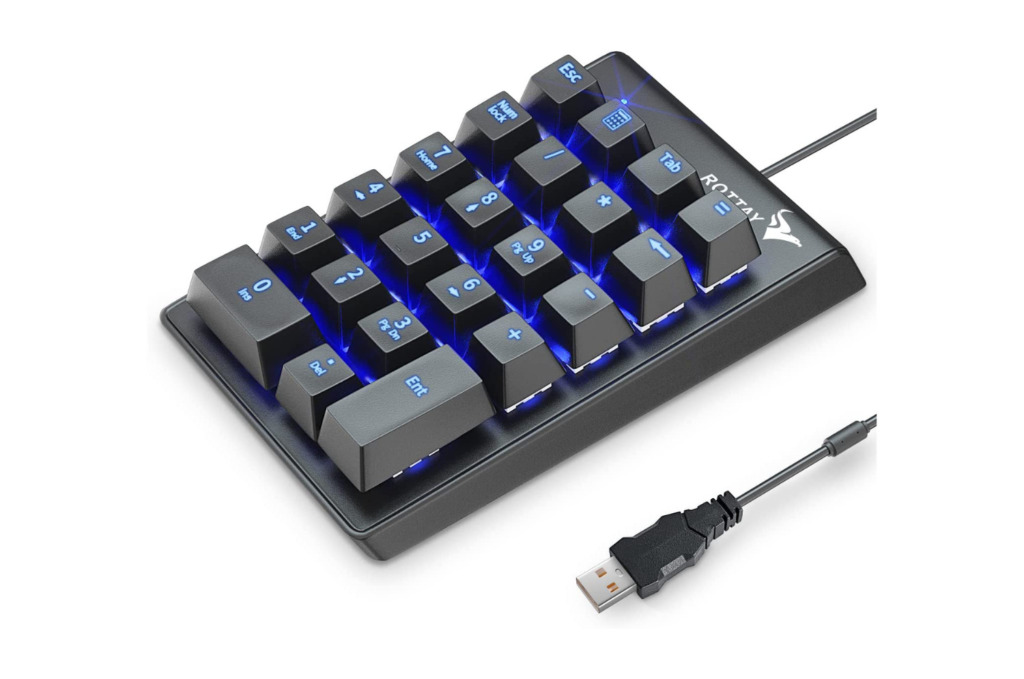
The Rottay Number Pad is the most affordable NumPad you can buy, and interestingly, this Number Pad has a lot going for it. For one, the device comes with Blue mechanical switches, which provide satisfying audible and tactile feedback with every data entry. Second, it has three lighting modes. The icing on the cake is the sturdy ABS keycaps rated for 50 million keystrokes. The unit is also compatible with a host of Windows operating systems.
That said, this NumPad is not fully compatible with Mac machines. To that end, while the Number keys work, you won’t be able to use the Function keys with the same. Moreover, the unit doesn’t come with a detachable cable. Installation is easy and simple and doesn’t require any additional drivers, either. It works as advertised and is among the best and most affordable mechanical NumPads you can buy today.
What We Like
What We Don’t Like
MOTOSPEED NumPad

If you’re itching for a NumPad with snappy key actuation to jot down numbers faster, then you’ll find plenty to like about MOTOSPEED’s NumPad. To that end, the unit comes with either Blue or Red mechanical switches. At the same time, it boasts an ergonomic shape and is angled at 15 degrees to prevent wrist strain. If anything, the unit ships with a hardwired cable.
Here, we’ve shortlisted the model with Red switches, which are more suited to office environments. They are quieter and offer slightly quicker actuation as well. The NumPad also comes with RGB LEDs that can sift through 14 different backlit modes. Or, you can turn the backlit off or have it shuffle through one of seven random colors. More importantly, it has excellent build quality and performance.
What We Like
What We Don’t Like
Magicforce NumPad

If you’re looking to strike a delicate balance between tactility and fluidity, you will find the Magicforce mechanical NumPad right up your alley. We say this because the unit comes with Brown mechanical switches that aren’t too loud. At the same time, the switches offer ample clickiness, and you’ll have a gala of a time filling rows upon rows with the NumPad. Interestingly, this NumPad comes with a detachable USB cable. Ironically, it employs an archaic mini USB connector
Moving on, the Magicforce NumPad comes wrapped in a white colorway that makes it stand out. At the same time, the unit features floating keycaps that add to the device’s overall aesthetics. Adding to the list of pros, the NumPad has a backlit LED, and you can choose from four different modes by pressing the Function and ‘5’ numeric keys simultaneously.
What We Like
What We Don’t Like
EPOMAKER TH21

If you’re okay spending a little extra, you must check out EPOMAKER’s TH21 NumPad. The unit costs a pretty penny and retails for as much as some affordable mechanical keyboards. That said, you do get a ton of features with the device. For one, the unit features gorgeous XDA profile PBT keycaps in the company’s Geometry Grey colorway.
That’s not all; this compact NumPad comes with hot-swappable switches. So, if you don’t like the tactile feedback from the model with the Gateron Pro Yellow switches, you can swap the switches out and use a different set. The company also pre-lubricates all its switches to further accentuate the feedback from each key tap. Moreover, the device offers fully programmable keys, too, and you can fine-tune various commands via the companion app. Lastly, the TH21 sports an ergonomic, wedge-shaped chassis that should keep your wrists from straining too much.
What We Like
What We Don’t Like
Kisnt Mechanical NumPad

Kisnt’s Mechanical NumPad is a compact device with a unique look. For one, its keycaps are gorgeous pastel colors, making the unit stand out amidst the herd of all-black NumPads. More notably, the NumPad employs Brown mechanical switches, which should get the job done for most buyers. That’s not all, as the unit features a stepped or wedge-shaped design that is extremely comfortable. And guess what? You can prop up the keypad via the adjustable keyboard feet.
Notably, the NumPad comes with a backlit LED with six brightness levels. And, although the device cannot communicate wirelessly, you get a Type-C connector to route your cables. All said and done, the Kisnt Mechanical NumPad scores big in both the design and functionality departments.
What We Like
What We Don’t Like
Was this helpful?
Last updated on 02 August, 2024
Read Next
 6 Best Silent Mechanical Keyboards in 2024
Mechanical keyboards have several advantages.
6 Best Silent Mechanical Keyboards in 2024
Mechanical keyboards have several advantages.
 7 Best 17-Inch Laptop Backpacks for Office, Travel, and More
Not all regular backpacks can fit in a 17-inch laptop.
7 Best 17-Inch Laptop Backpacks for Office, Travel, and More
Not all regular backpacks can fit in a 17-inch laptop.
 How to Add Fonts to Office Online
Note: The Microsoft account used on the PC and the web app must be the same for the downloaded fonts to work.
How to Add Fonts to Office Online
Note: The Microsoft account used on the PC and the web app must be the same for the downloaded fonts to work.
 How to Generate QR Codes in Microsoft Office Using QR4Office
Pre-Requisites to Create QR Codes With QR4office To create a QR code, you'll need the following: Windows 10 version 16299 or higher Microsoft 365 subscription Microsoft Word/PowerPoint/Excel QR4Office How to
How to Generate QR Codes in Microsoft Office Using QR4Office
Pre-Requisites to Create QR Codes With QR4office To create a QR code, you'll need the following: Windows 10 version 16299 or higher Microsoft 365 subscription Microsoft Word/PowerPoint/Excel QR4Office How to
 How to Repair Microsoft Office Installation Errors in Windows
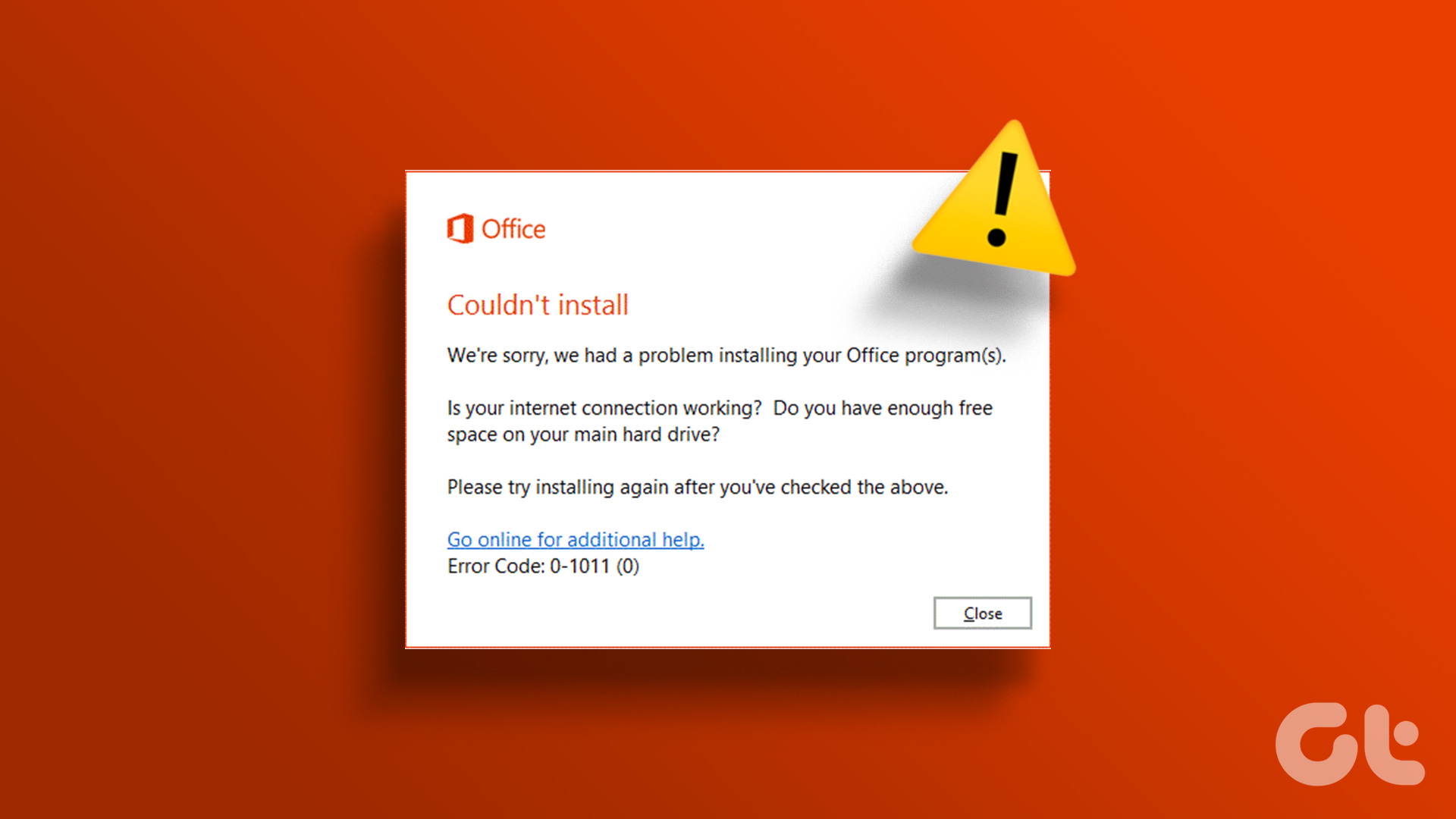
Are you having trouble installing Microsoft Office on your Windows computer?
How to Repair Microsoft Office Installation Errors in Windows
Are you having trouble installing Microsoft Office on your Windows computer?
 Fix: Microsoft Office Stuck on Getting Things Ready on Windows 11
Basic Fix Close other programs: This may be necessary, especially since other running programs may interfere with installation.
Fix: Microsoft Office Stuck on Getting Things Ready on Windows 11
Basic Fix Close other programs: This may be necessary, especially since other running programs may interfere with installation.
 How to Set Out of Office Message on Mac Mail
Method 1: Using Rules Feature You can create rules in the Mail app on your Mac to effectively manage your emails.
How to Set Out of Office Message on Mac Mail
Method 1: Using Rules Feature You can create rules in the Mail app on your Mac to effectively manage your emails.
 5 Fixes for “Application Was Unable to Start Correctly (0xc0000142)” Error for Office Apps
Fix 1: Run the Office App as Administrator Lack of relevant permissions can prevent Office apps from accessing essential files, triggering the "The application was unable to start correctly (0xc0000142)"
5 Fixes for “Application Was Unable to Start Correctly (0xc0000142)” Error for Office Apps
Fix 1: Run the Office App as Administrator Lack of relevant permissions can prevent Office apps from accessing essential files, triggering the "The application was unable to start correctly (0xc0000142)"
The article above may contain affiliate links which help support Guiding Tech. The content remains unbiased and authentic and will never affect our editorial integrity.