What Are Read Receipts in WhatsApp
WhatsApp uses three types of checkmarks in chats: a single grey checkmark indicates your message has been sent, two grey checkmarks mean it was delivered, and two blue checkmarks show it has been read.


In group chats, a single checkmark means the message was sent but not yet received by all participants, double checkmarks mean it has been delivered to everyone, and blue checkmarks indicate all members have read it. If you don’t see blue checkmarks, the recipient might not have seen the message, have network issues, or have disabled read receipts.
What Happens When You Turn Off Read Receipts in WhatsApp
Let’s see how read receipts impact individual chats, groups, status, and voice messages in WhatsApp.
How Read Receipts Affect Individual Chats
Disabling read receipts in WhatsApp settings results in the sender seeing only two grey checkmarks instead of blue when you’ve read their message. They won’t see the read timestamp, only the delivery time.
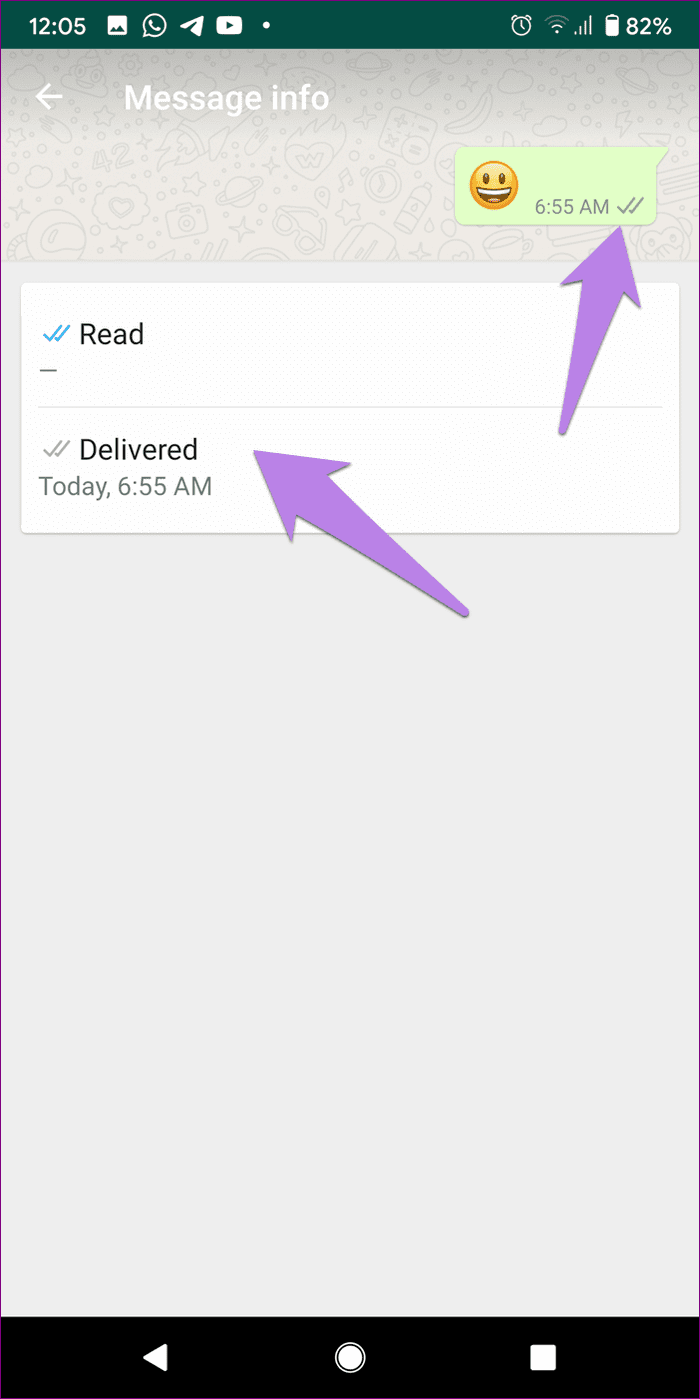
While turning off read receipts allows you to read messages without the sender knowing, it also means you can’t see read receipts for your own sent messages. You’ll only see two grey checkmarks and won’t have access to the read timestamp. In a nutshell, both parties must have read receipts enabled to view this information.
How Read Receipts Can Affect WhatsApp Groups and Status
Disabling read receipts also affects WhatsApp status. When turned off, others won’t know you’ve viewed their status since your name is hidden from the Viewed by list. However, with read receipts disabled, you also can’t see who viewed your status.
In WhatsApp groups, read receipts don’t affect group conversations. Even with read receipts off, the usual checkmarks and message information remain visible. The blue checkmarks appear when all participants have read the message, and you can view the Read by details by tapping and holding a sent message and selecting the (i) icon.
How Read Receipts Can Impact Voice Messages
Strangely, WhatsApp voice messages treat the read receipts oddly. If you send a voice message to a person who has read receipts disabled, you will still see blue ticks when the person views the voice message. Inside the message information, you will find the Seen and Played time.
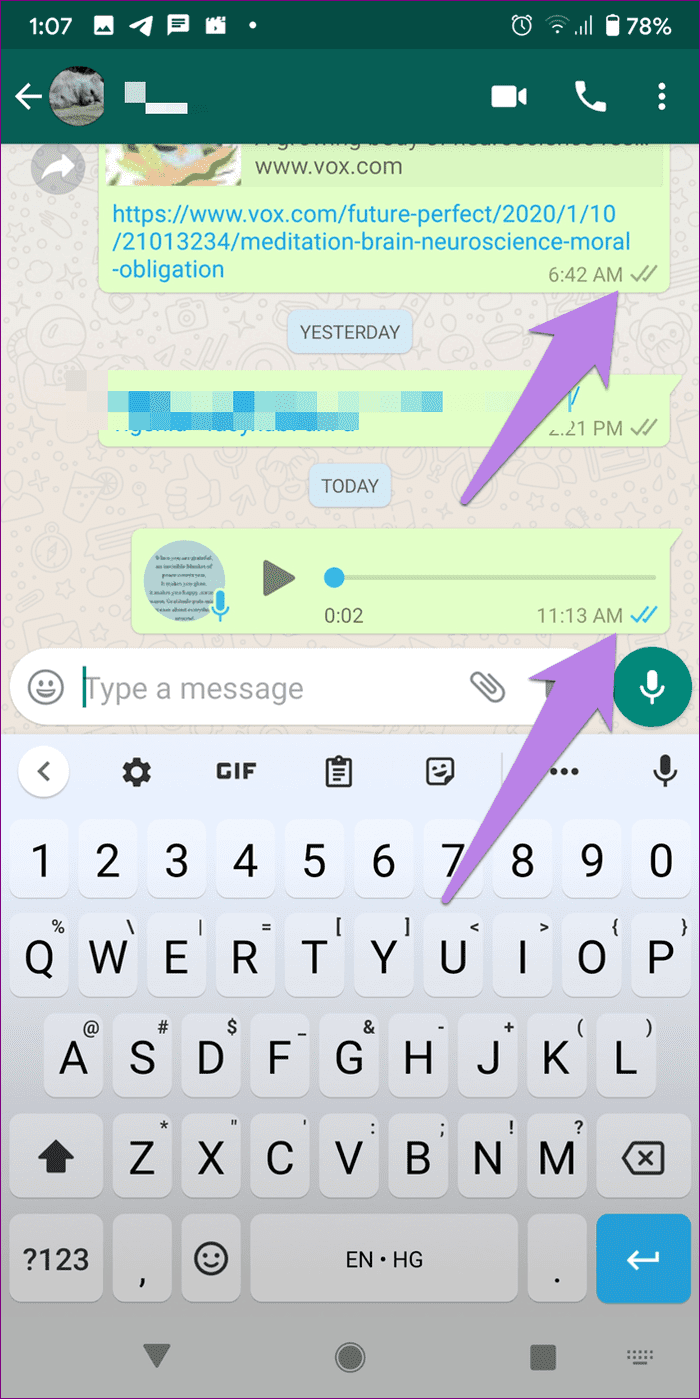

Pro Tip: Send a voice message (can be of 2 seconds) to the person who has disabled read receipts to find out whether they are reading your messages or not.
How to Disable WhatsApp Read Receipts on Android and iPhone
Here are the steps to enable or disable read receipts on WhatsApp.
Step 1: Launch WhatsApp on your phone. On Android, tap on the three-dot icon at the top and go to Settings. On iPhone, tap on Settings at the bottom.
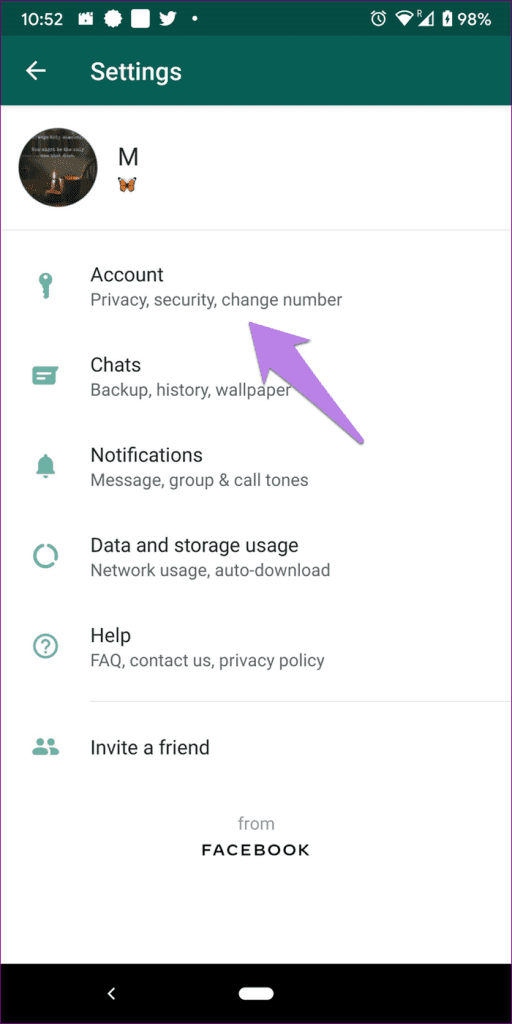
Step 2: Go to Account.
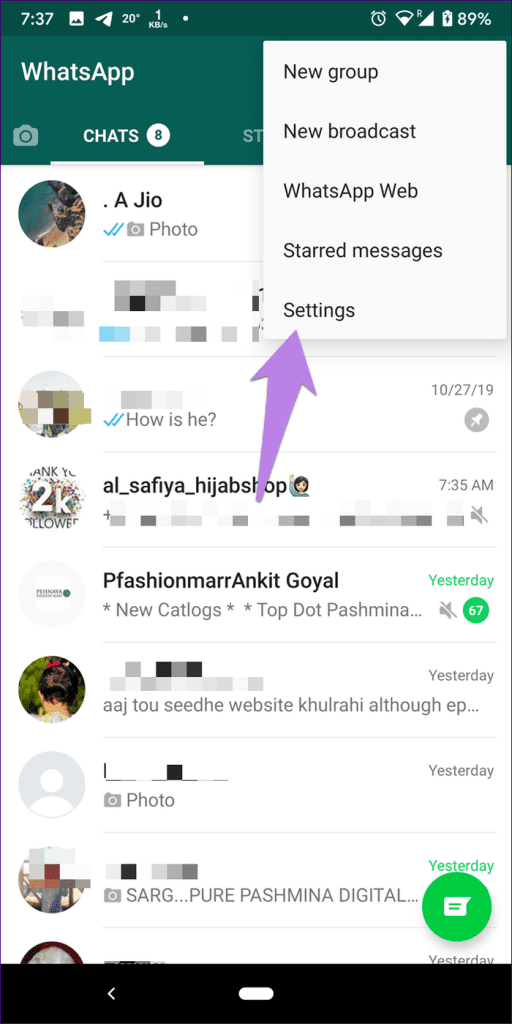
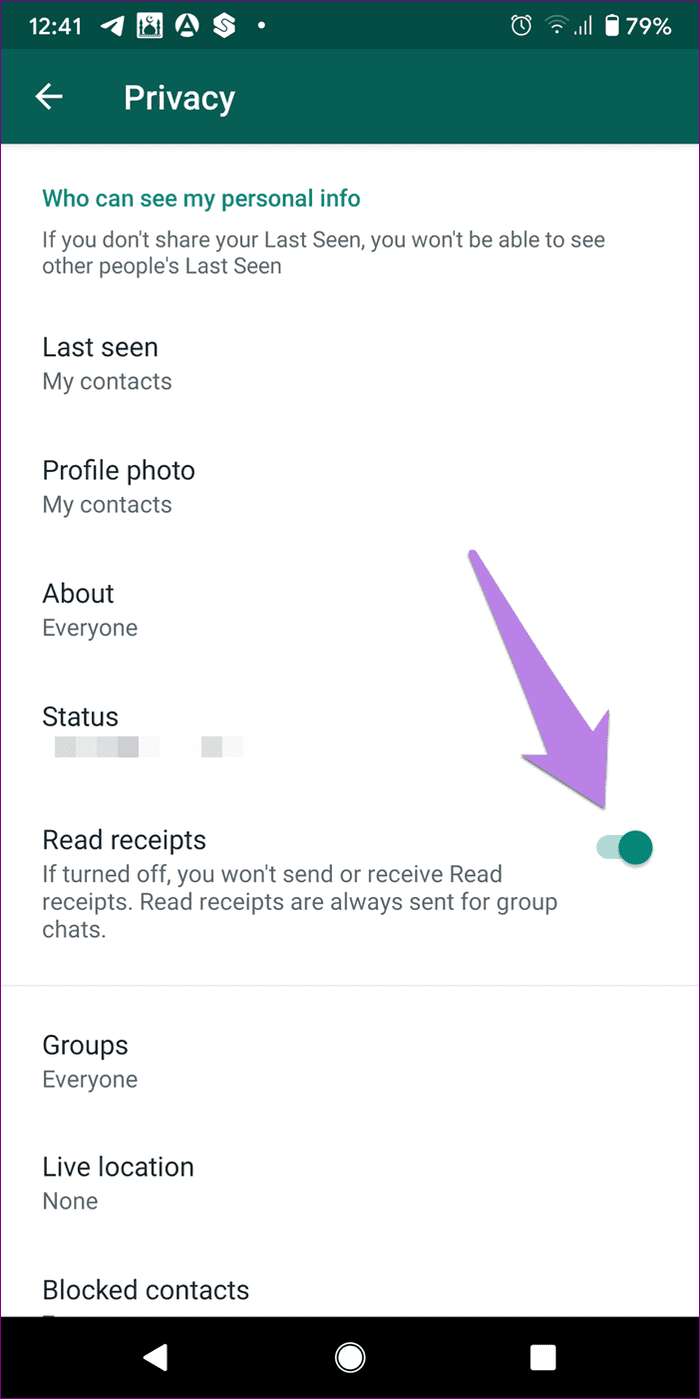
Step 3: Select Privacy and turn off the toggle next to Read receipts.

If you disable read receipts to view someone’s status stealthily and then enable read receipts again before the status expires, the person will know that you have seen the status.
Was this helpful?
Last updated on 14 August, 2024
Read Next
 Does Bumble Have Read Receipts and How to Tell if Someone Read Your Message
Does Bumble Show Read Receipts?
Does Bumble Have Read Receipts and How to Tell if Someone Read Your Message
Does Bumble Show Read Receipts?
 What Are Telegram Read Receipts and Can You Turn Them Off?
What Does Telegram Check Mark or Read Receipt Mean?
What Are Telegram Read Receipts and Can You Turn Them Off?
What Does Telegram Check Mark or Read Receipt Mean?
 2 Fixes for Read Receipts Not Working on WhatsApp
Basic Fixes Force quit and relaunch: This will give the app a fresh start and should make the feature work.
2 Fixes for Read Receipts Not Working on WhatsApp
Basic Fixes Force quit and relaunch: This will give the app a fresh start and should make the feature work.
 How to Turn Off Read Receipts for Apple Watch Only
How Does Apple Watch Mark Texts as Read?
How to Turn Off Read Receipts for Apple Watch Only
How Does Apple Watch Mark Texts as Read?
 How to Read WhatsApp Messages Without Sender Knowing
Method 1: Dive Into Notification History (Android) You can read WhatsApp messages without letting the sender know by accessing the Notification History on your Android smartphone.
How to Read WhatsApp Messages Without Sender Knowing
Method 1: Dive Into Notification History (Android) You can read WhatsApp messages without letting the sender know by accessing the Notification History on your Android smartphone.
 How to Mark All Emails As Read in Gmail
Method 1: Mark All Email as Read in Gmail Web Google doesn’t offer a direct option to mark all emails as read, so we must use special search prompts to
How to Mark All Emails As Read in Gmail
Method 1: Mark All Email as Read in Gmail Web Google doesn’t offer a direct option to mark all emails as read, so we must use special search prompts to
 4 Ways to Read and Save Twitter Threads as a PDF or an Article
The process of maintaining context continuity from one tweet to another to convey a lot of information has been made possible by threads.
4 Ways to Read and Save Twitter Threads as a PDF or an Article
The process of maintaining context continuity from one tweet to another to convey a lot of information has been made possible by threads.
 How to Use the Read Aloud Feature in Microsoft Edge
Use Read Aloud in Microsoft Edge on Desktop Microsoft Edge’s Read Aloud feature is simple to use and does not require any setup.
How to Use the Read Aloud Feature in Microsoft Edge
Use Read Aloud in Microsoft Edge on Desktop Microsoft Edge’s Read Aloud feature is simple to use and does not require any setup.
The article above may contain affiliate links which help support Guiding Tech. The content remains unbiased and authentic and will never affect our editorial integrity.