

Try Basic Fixes
- Check if Facebook is down: It’s not uncommon for services like Facebook to experience server outages. You can visit a website like Downdetector to check if others are facing similar issues. If it’s a widespread outage, simply wait for Meta to fix the issue on its end.
- Update the app: The Facebook app on your iPhone may malfunction if it’s outdated or buggy. Open the App Store to update the Facebook app and see if that helps.
- Reinstall the app: Consider uninstalling and reinstalling the Facebook app on your iPhone if updating it doesn’t work. This should help fix issues caused by corrupt data or misconfigured settings.
Fix 1: Allow Necessary Permissions to the App
Facebook may fail to work as expected if it lacks the necessary permission to use things like your iPhone’s mobile data, camera, and microphone. To avoid this, allow all the necessary permissions to the Facebook app.
Open the Settings app, scroll down to tap on Facebook, and then enable all the permissions from the following menu.


Fix 2: Disable Data Saver in the Facebook App
Enabling the data saver option in the Facebook app can occasionally result in loading issues. Hence, it’s best to disable it.
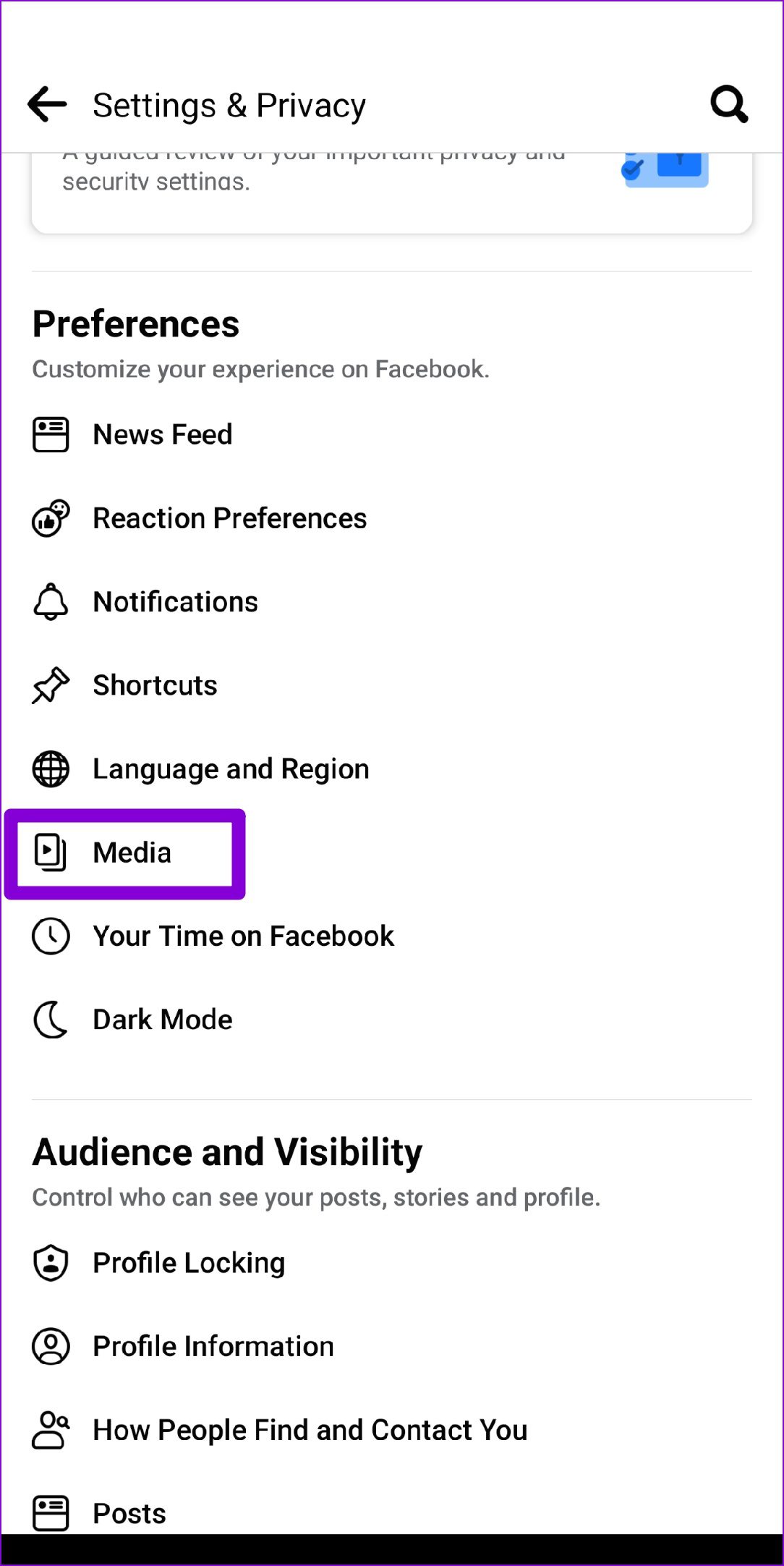
Step 1: Open the settings menu in the Facebook app.
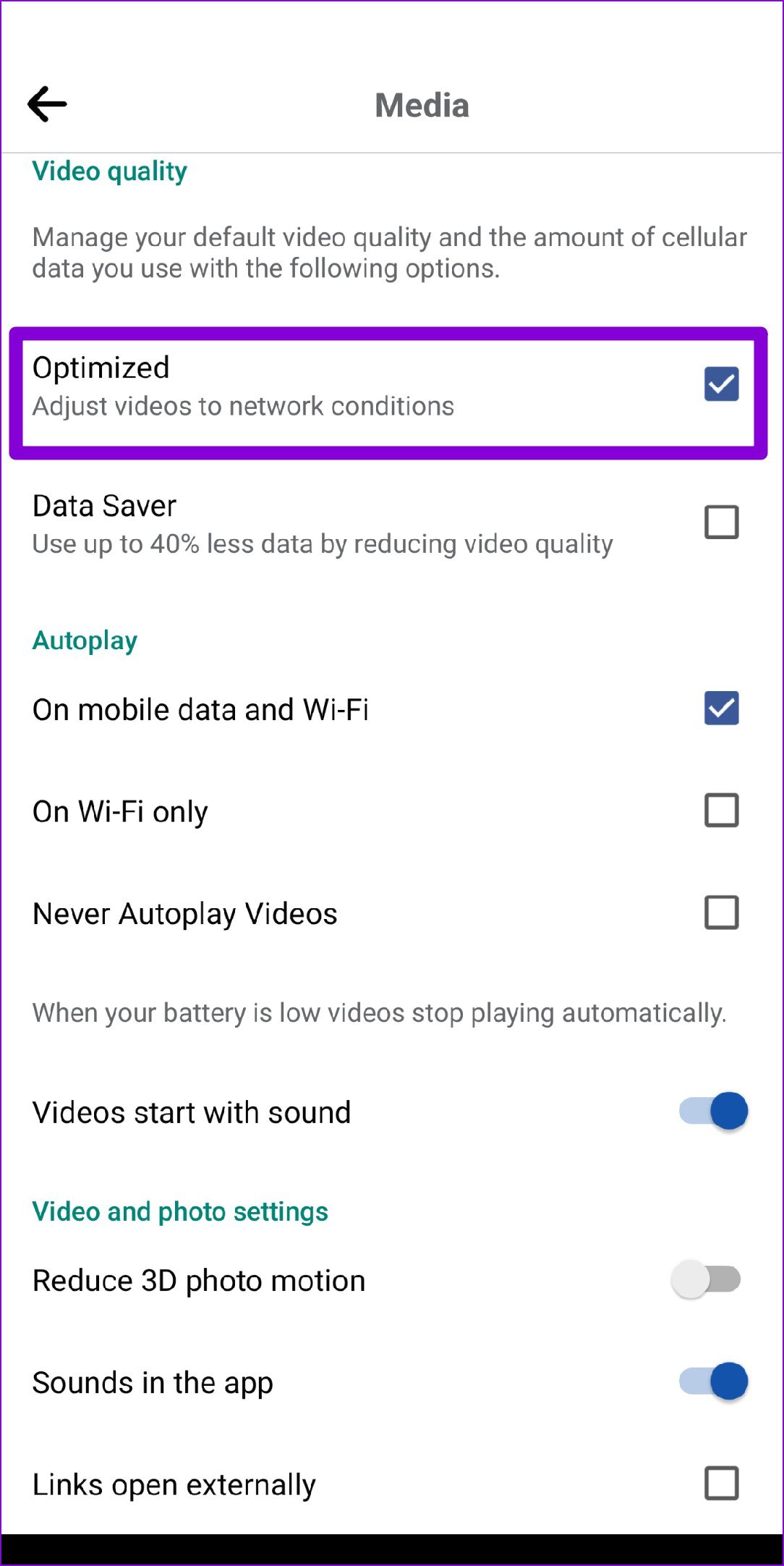
Step 2: Under Preferences, tap on Media. Select Optimized and clear the Data Saver checkbox.
Was this helpful?
Last updated on 30 June, 2024
1 Comment
Leave a Reply
Read Next
 3 Ways to Fix Facebook Messenger Camera Not Working on Android and iPhone
Fix 1: Enable Camera Permission for Messenger Like any other app, Messenger needs permission to access your phone's camera.
3 Ways to Fix Facebook Messenger Camera Not Working on Android and iPhone
Fix 1: Enable Camera Permission for Messenger Like any other app, Messenger needs permission to access your phone's camera.
 Top 5 Ways to Fix Facebook Messenger Calls Not Working (iPhone and Android)
Preliminary Fixes Check the Network Connection: A stable internet connection is crucial for Messenger calls.
Top 5 Ways to Fix Facebook Messenger Calls Not Working (iPhone and Android)
Preliminary Fixes Check the Network Connection: A stable internet connection is crucial for Messenger calls.
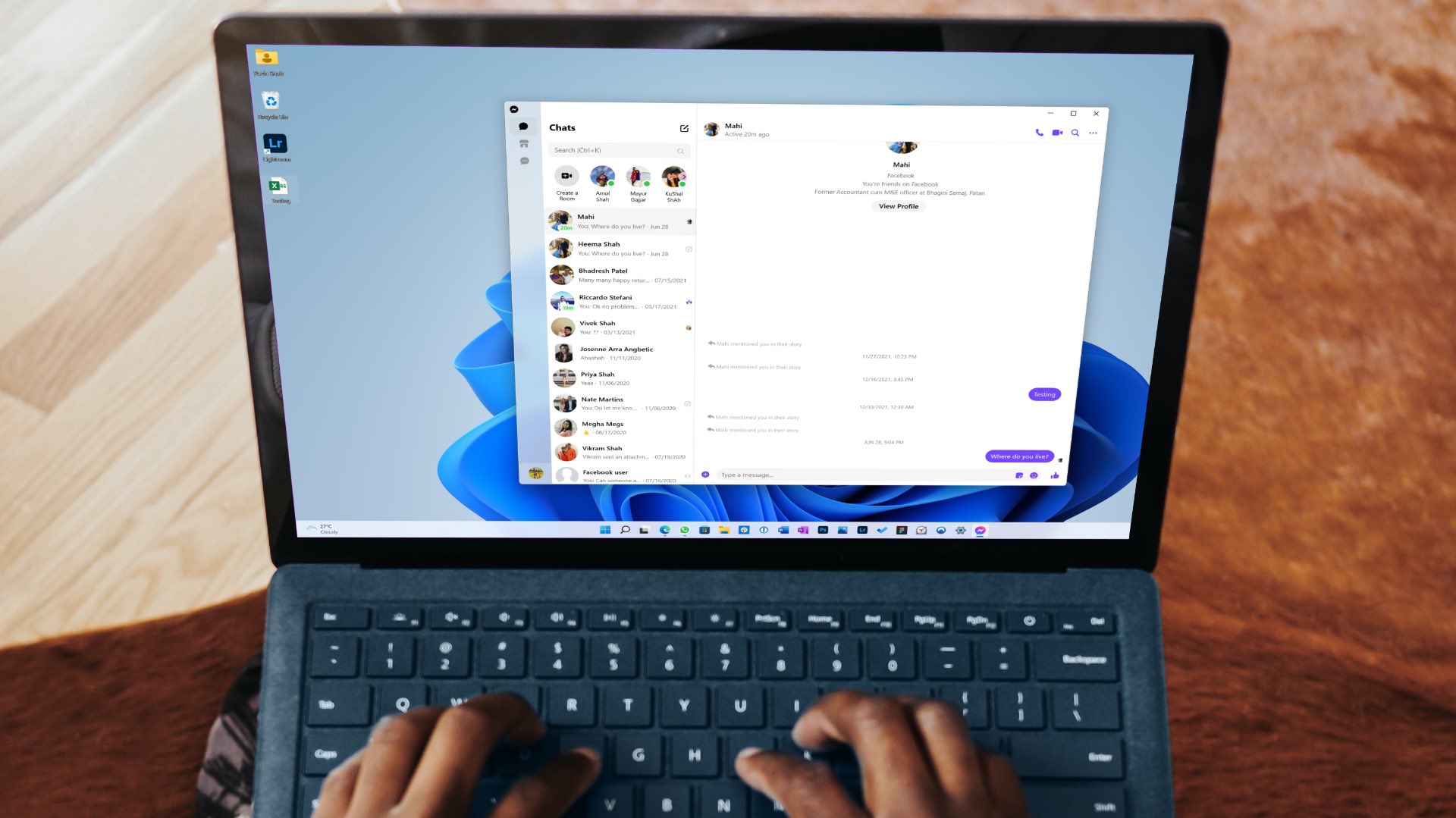 4 Ways to Fix Facebook Messenger Not Working on the Desktop
Basic Fixes Run Messenger app as an Admin: Search for the Messenger app on your PC and select Run as Administrator.
4 Ways to Fix Facebook Messenger Not Working on the Desktop
Basic Fixes Run Messenger app as an Admin: Search for the Messenger app on your PC and select Run as Administrator.
 5 Ways to Fix Facebook Marketplace Not Working
Why Facebook Marketplace May Not Be Available for You?
5 Ways to Fix Facebook Marketplace Not Working
Why Facebook Marketplace May Not Be Available for You?
 4 Ways to Fix Facebook Messenger Notification Sound Not Working
Try Basic Fixes Close the Messenger app on your computer: If you have the Messenger app open on your computer, notifications may appear there instead of on your phone, and
4 Ways to Fix Facebook Messenger Notification Sound Not Working
Try Basic Fixes Close the Messenger app on your computer: If you have the Messenger app open on your computer, notifications may appear there instead of on your phone, and
 9 Ways to Fix Facebook Not Working on Mobile Data
Basic Troubleshooting Check Facebook's status: Maybe Facebook servers are down, visit Downdetector and search for Facebook.
9 Ways to Fix Facebook Not Working on Mobile Data
Basic Troubleshooting Check Facebook's status: Maybe Facebook servers are down, visit Downdetector and search for Facebook.
 Top 9 Ways to Fix Facebook Video or Story Sound Not Working
Although Facebook isn’t as popular as before, it still plays a major role for millions to stay in touch with friends and family.
Top 9 Ways to Fix Facebook Video or Story Sound Not Working
Although Facebook isn’t as popular as before, it still plays a major role for millions to stay in touch with friends and family.
 How to Fix Facebook Dating Not Working or Showing Up
Find the Facebook Dating Option You can access Facebook Dating on your phone in a couple of ways.
How to Fix Facebook Dating Not Working or Showing Up
Find the Facebook Dating Option You can access Facebook Dating on your phone in a couple of ways.
The article above may contain affiliate links which help support Guiding Tech. The content remains unbiased and authentic and will never affect our editorial integrity.

Tried all the suggestions & Facebook is still not working. It opens & immediately shuts off. Very annoying.