Basic Fixes
- Force quit and relaunch: This will give the Facebook app a fresh start on your mobile device.
- Update or reinstall the app: Install the latest version on your phone to get rid of bugs or glitches that may be causing the issue.
Fix 1: Check Birthday Notification Settings
If you are not getting birthday notifications on Facebook, you need to check the app’s notification settings on your Android or iPhone. Facebook now lets you control notifications of different categories like friend requests, comments, tags, birthdays, and more. Here’s how to check the same.
On Facebook App
Open the app > Profile icon > Settings and Privacy > Settings > Notifications > Birthdays > check and enable notifications.


Facebook App Notifications
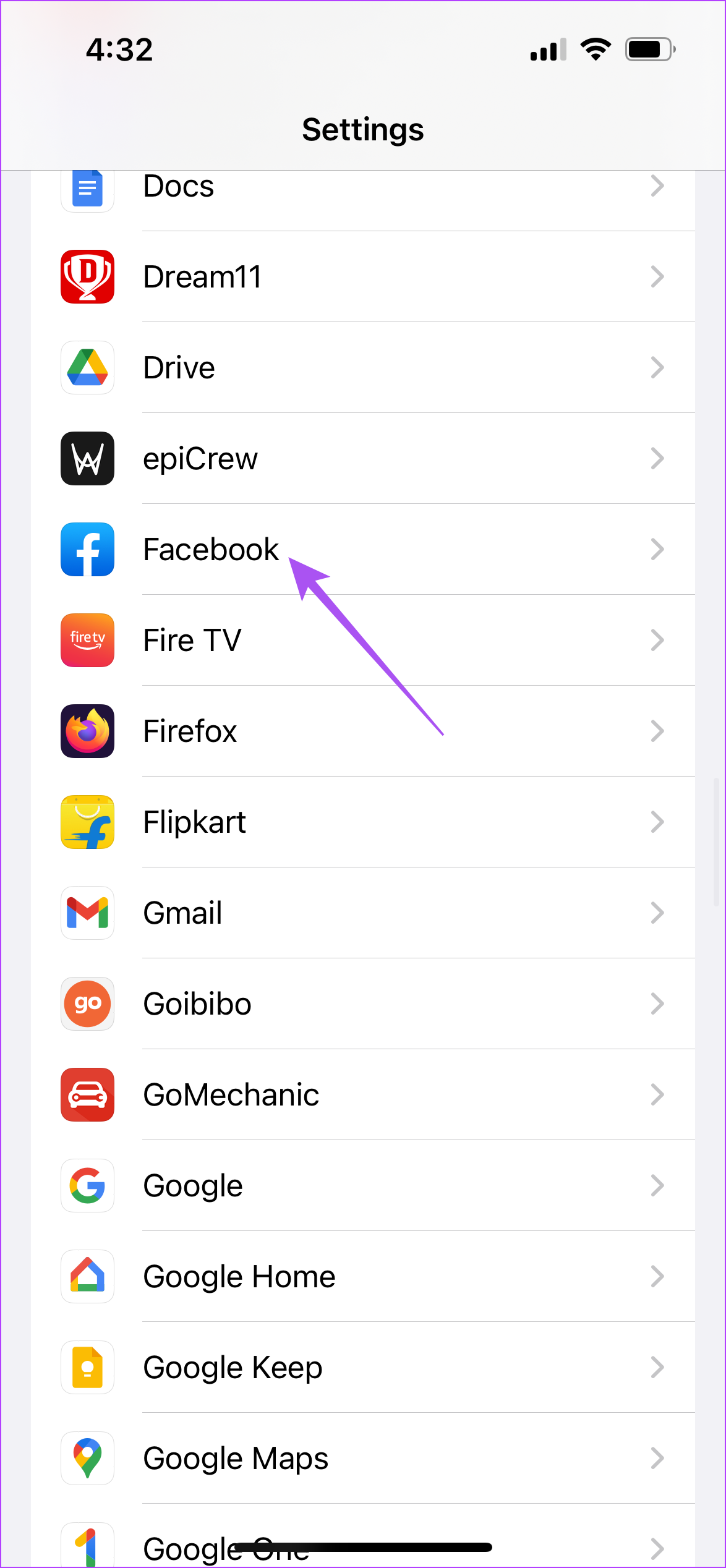
On iPhone, open Settings > Facebook > Notifications > enable them.

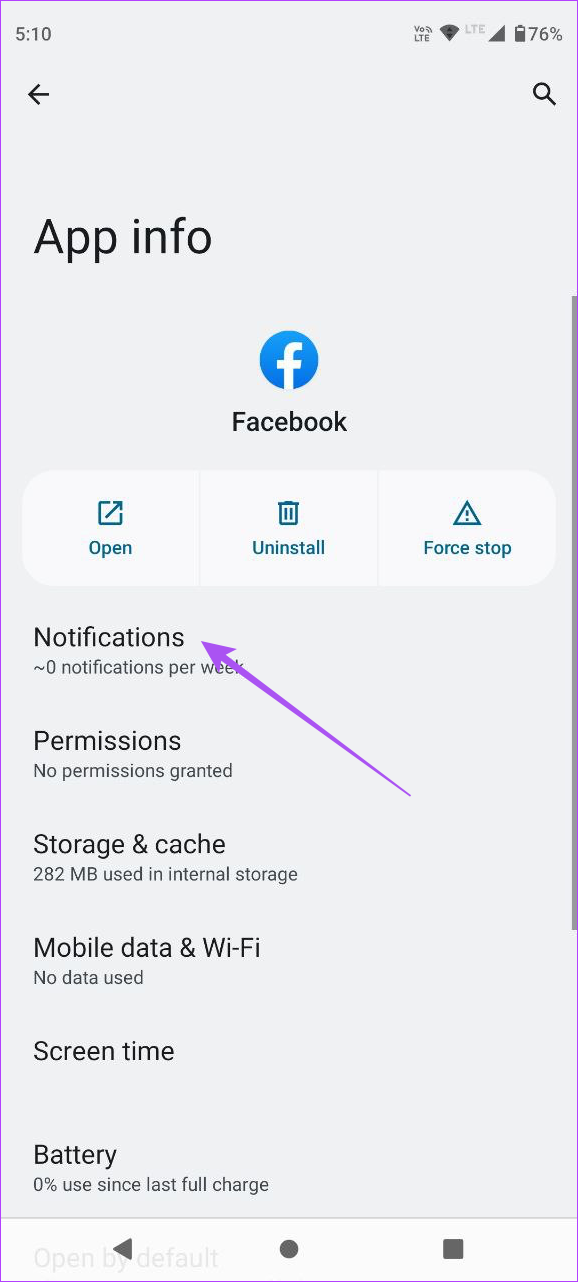
On Android, open Facebook app info > Notifications > enable them.

Fix 2: Check Blocked Accounts
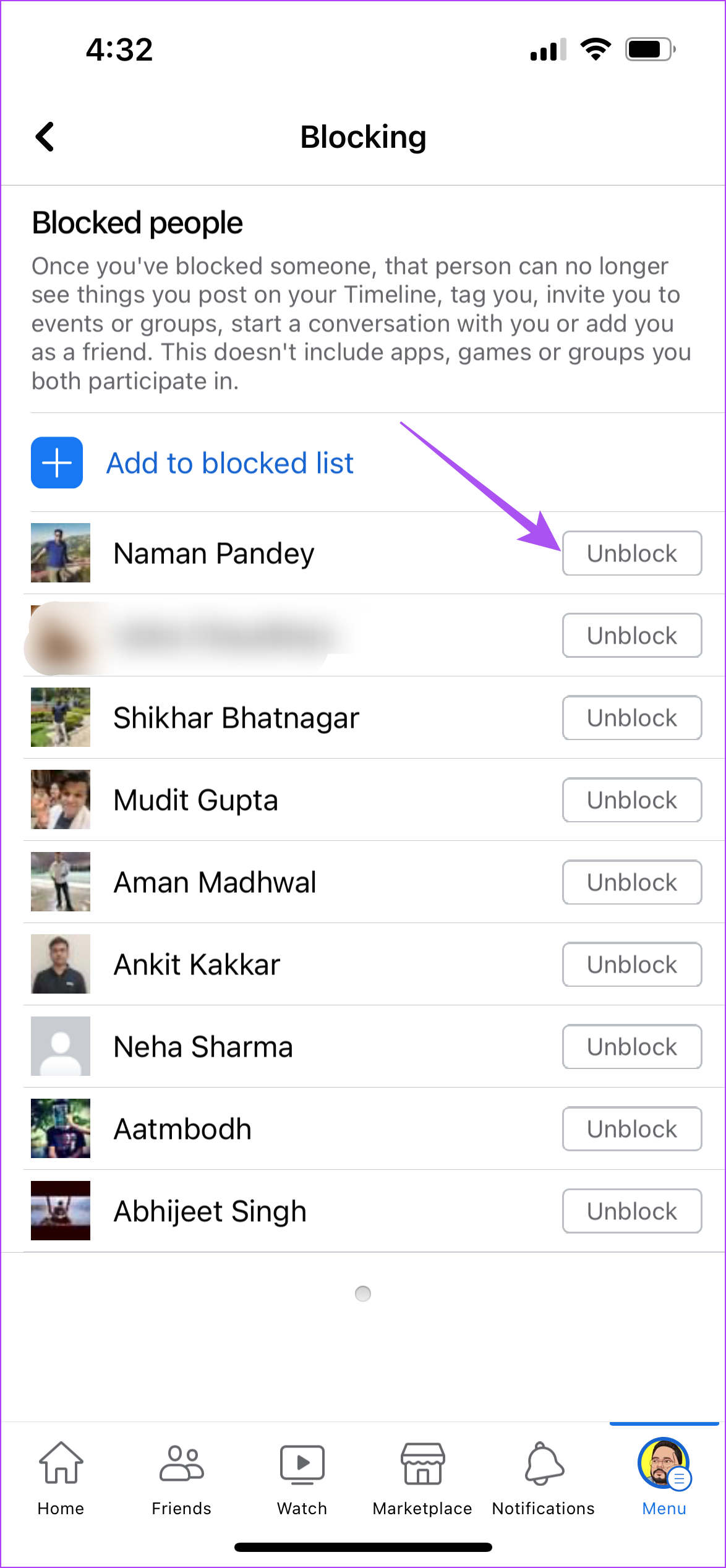
If your Facebook birthday notifications are still not showing up, you should check if you have blocked some of your friends. In case things are fine between you and them, you can unblock them to receive their birthday notifications.
Open Facebook app > Settings & Privacy > Settings > Blocking > Unlock accounts.

Fix 3: Disable Focus Mode or Do Not Disturb
Depending on your device, we suggest disabling Focus Mode (iPhone) or Do Not Disturb (Android) to avoid restricting Facebook app notifications.
On iPhone
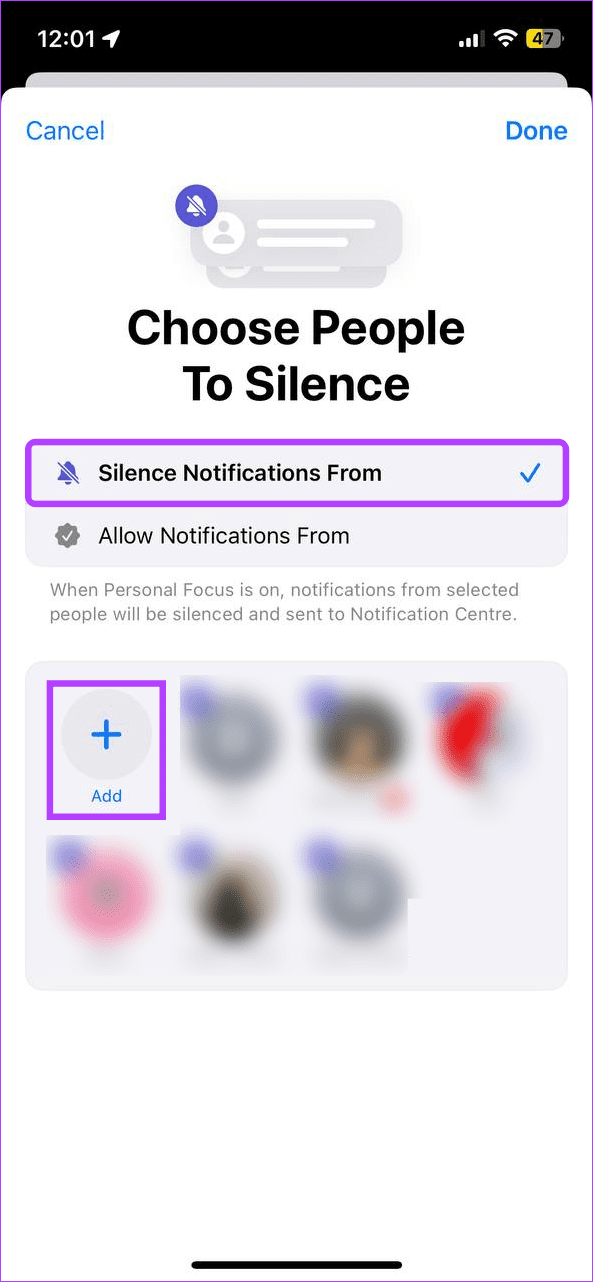
Open Settings > Focus > select your current Focus Mode that has Facebook > Apps > Silence Notifications From > exclude Facebook app.

On Android
In the Quick Settings menu, tap the Do Not Disturb icon to disable it.
Fix 4: Clear App Cache
If nothing has worked for you, we suggest clearing the Facebook app cache. You can log in again to your account.
On Android
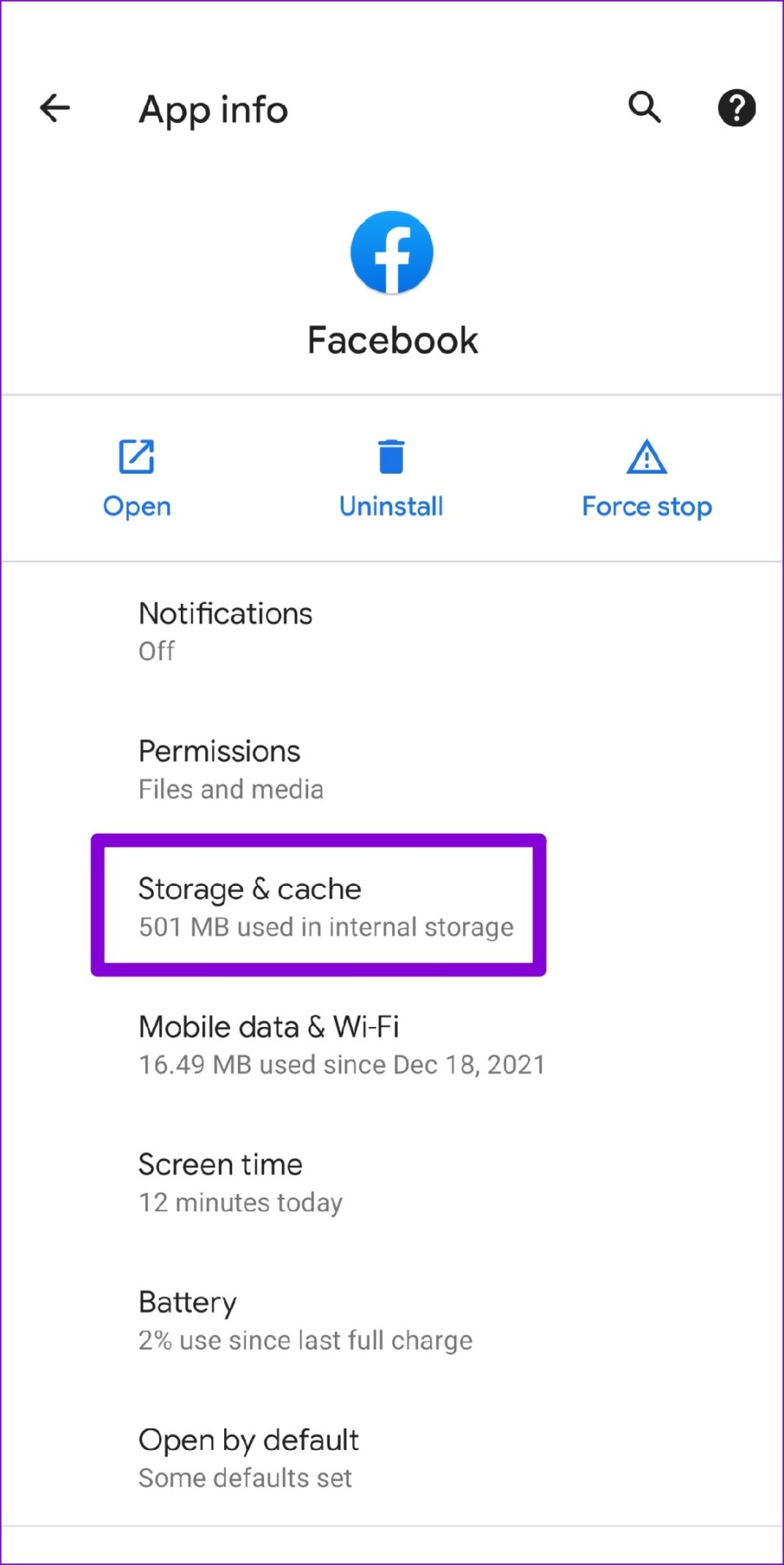
Open Facebook app info > Storage and cache > Clear cache.

On iPhone
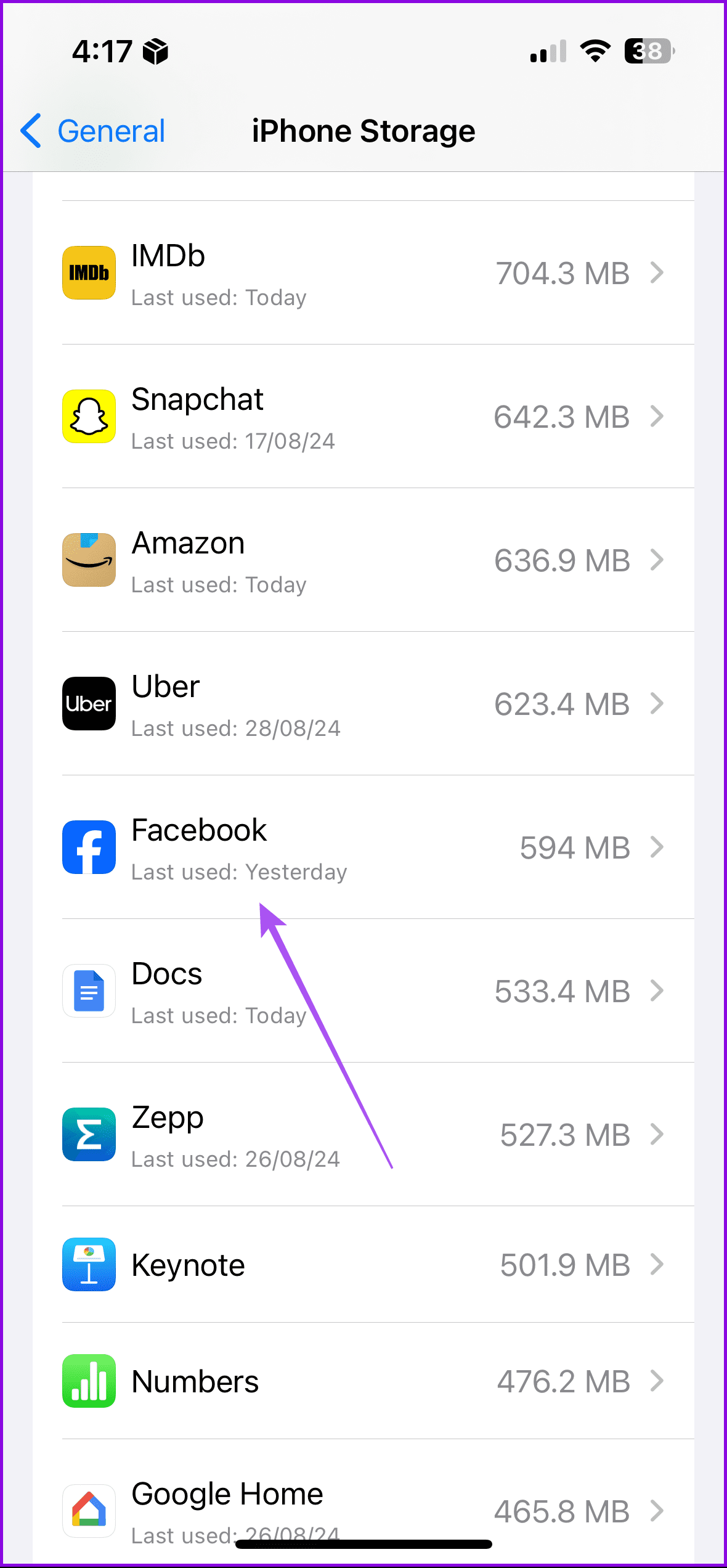
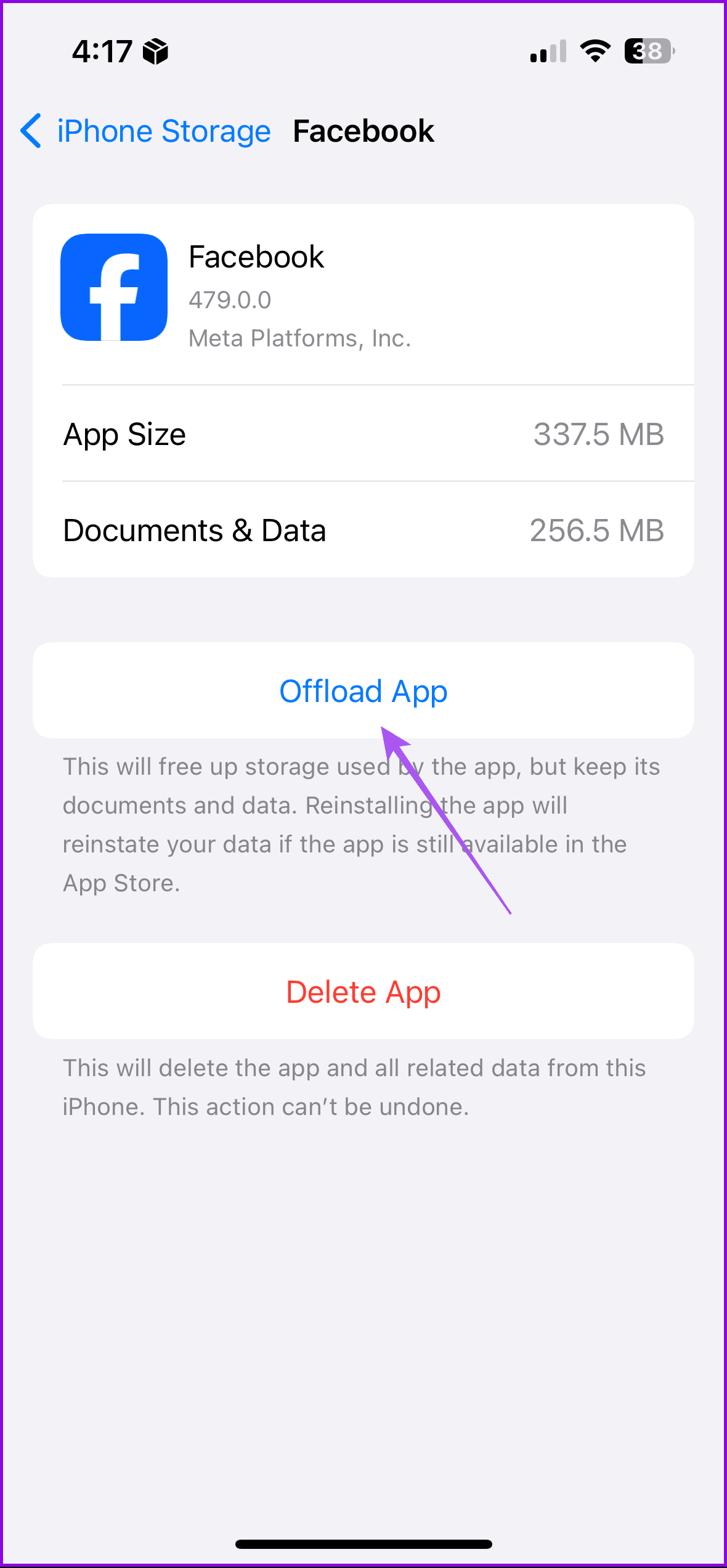
Open Settings > General > iPhone Storage > Facebook > Offload App.
Tip: You can also read our post if you want to turn off your birthday on Facebook.
Was this helpful?
Last updated on 30 August, 2024
Read Next
 How to Get Facebook Birthday Notifications on Desktop and Mobile
Facebook is not just about sharing updates and connecting with friends; it's also a platform for celebrating special moments, like birthdays.
How to Get Facebook Birthday Notifications on Desktop and Mobile
Facebook is not just about sharing updates and connecting with friends; it's also a platform for celebrating special moments, like birthdays.
 How to Turn Off Your Birthday on Facebook
Things to Know Before Removing Your Birthday From FB Disabling your birthday means your friends and contacts won't receive notifications or reminders about your special day.
How to Turn Off Your Birthday on Facebook
Things to Know Before Removing Your Birthday From FB Disabling your birthday means your friends and contacts won't receive notifications or reminders about your special day.
 6 Fixes for Facebook Stories Not Showing on Mobile and PC
Try These Basic Fixes Update the Facebook app: It’s possible that the Facebook app is not showing stories because you're using an outdated app version.
6 Fixes for Facebook Stories Not Showing on Mobile and PC
Try These Basic Fixes Update the Facebook app: It’s possible that the Facebook app is not showing stories because you're using an outdated app version.
 Top 8 Fixes for Notifications Banners Not Showing on Windows 10
Typically, when you receive a notification on your Windows 10 computer, you will hear a sound, and a banner will appear near the Action Center.
Top 8 Fixes for Notifications Banners Not Showing on Windows 10
Typically, when you receive a notification on your Windows 10 computer, you will hear a sound, and a banner will appear near the Action Center.
 5 Fixes for Phone Link App Not Showing Notifications on Windows 11
Basic Fixes: Check Wi-Fi and Bluetooth settings: The Phone Link app uses both Bluetooth and Wi-Fi to help sync your phones with your Windows device. So, ensure your Wi-Fi connection is
5 Fixes for Phone Link App Not Showing Notifications on Windows 11
Basic Fixes: Check Wi-Fi and Bluetooth settings: The Phone Link app uses both Bluetooth and Wi-Fi to help sync your phones with your Windows device. So, ensure your Wi-Fi connection is
 Top 9 Fixes for Facebook Notifications Not Working on iPhone and iPad
Imagine getting several comments and likes on your recent profile picture, and Facebook doesn't notify you about the same.
Top 9 Fixes for Facebook Notifications Not Working on iPhone and iPad
Imagine getting several comments and likes on your recent profile picture, and Facebook doesn't notify you about the same.
 5 Fixes for Facebook Messenger Notifications Not Working on Mobile
Try Basic Fixes Turn Off the battery saver mode: When you enable battery saver mode on your phone, it limits certain background activities to reduce power consumption.
5 Fixes for Facebook Messenger Notifications Not Working on Mobile
Try Basic Fixes Turn Off the battery saver mode: When you enable battery saver mode on your phone, it limits certain background activities to reduce power consumption.
 7 Ways to Fix Delayed Notifications in Facebook Messenger
Basic Troubleshooting Check your notification settings: Ensure that Messenger notifications are enabled in your device settings.
7 Ways to Fix Delayed Notifications in Facebook Messenger
Basic Troubleshooting Check your notification settings: Ensure that Messenger notifications are enabled in your device settings.
The article above may contain affiliate links which help support Guiding Tech. The content remains unbiased and authentic and will never affect our editorial integrity.