Check Who Viewed My Facebook Story
Facebook introduced a way to check your story viewers. While it was aimed at businesses to track story engagement, normal users can check a list of Facebook story viewers. Here’s what to do.
On Mobile (iPhone or Android)
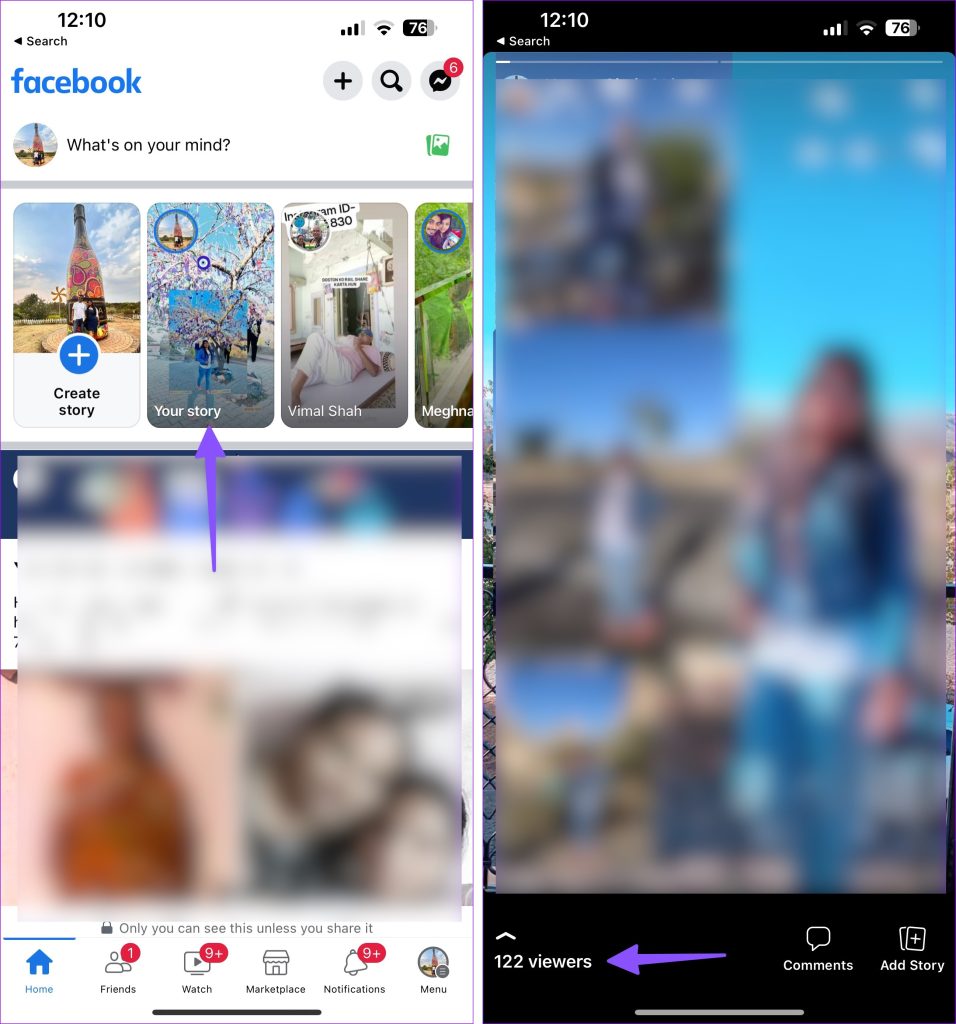
Step 1: Open the Facebook app > select your uploaded story at the top.
Step 2: Tap the number of viewers at the bottom left.
Step 3: Here, glance at the list of friends and family members who viewed your Facebook story. The app shows recent story viewers at the top.
WhatsApp shows when (date and time) the person has viewed your story. Unfortunately, the same isn’t available on Facebook. You can hit Refresh at the top to check the newest story viewers.
Tip: Want to keep your WhatsApp and Facebook synced? Follow this guide on how to auto-share WhatsApp Status as a Facebook Story.
Check Story Views via Facebook Web
Step 1: Head to the Facebook site on the web > open your story.
Step 2: Select your story viewers from the bottom.
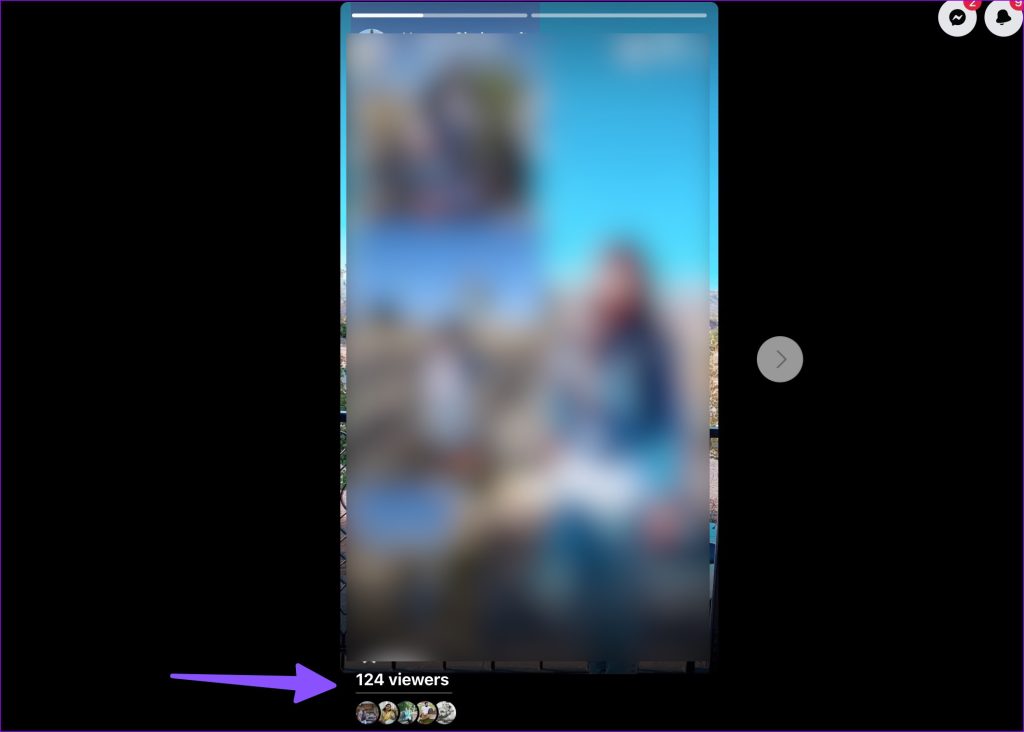
Step 3: Check the viewers list.
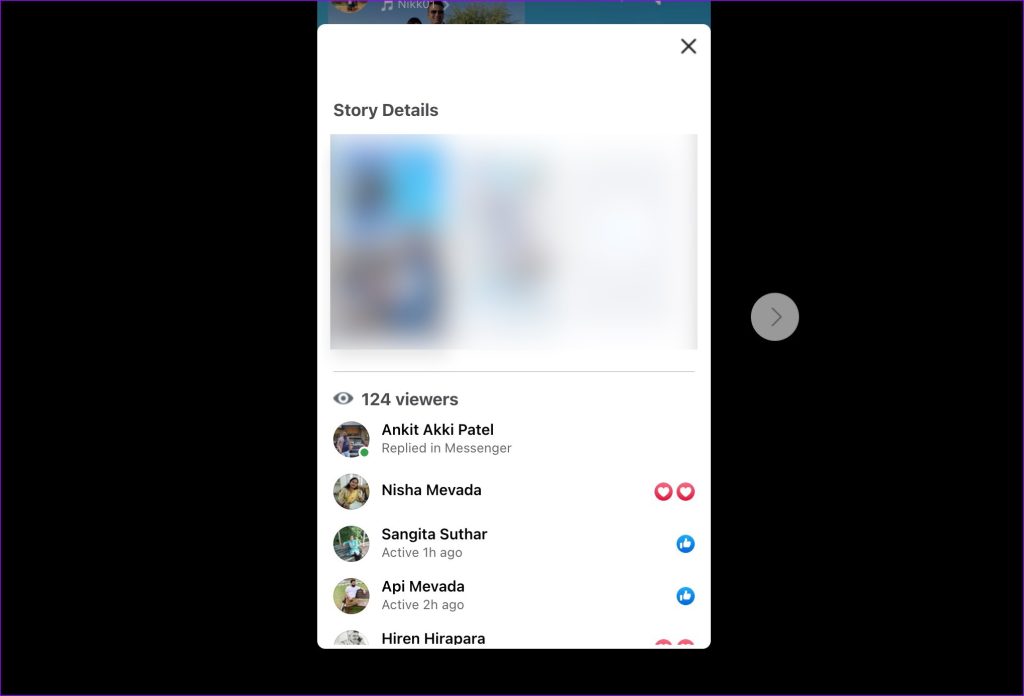
Check Facebook Story Viewers After It Expires (24 Hours)
While your Facebook stories disappear for others after 24 hours, you can always check them from the Archive menu. You can glance over your past stories and viewers list on Facebook.
Step 1: Launch the Facebook app > open a current story.
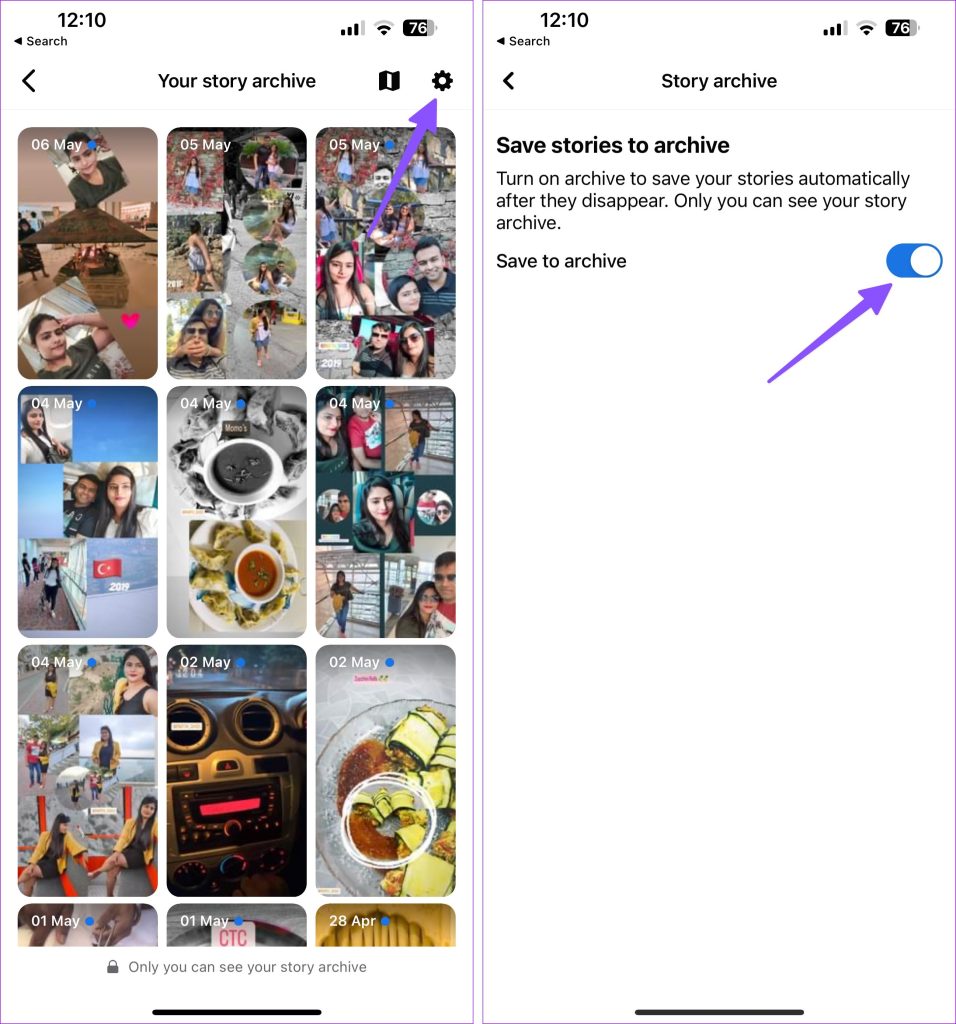
Step 2: Tap current viewers at the bottom > select the Story Archive menu at the top-right corner.

Step 3: Here, you can check all your previous stories with a date. Open any story and check viewers from the bottom-right corner.
You can save the story, delete it, or share it as a Reel from the same menu. Only you can see your story archive.
Note: If you don’t want Facebook to save your stories, tap the Settings gear at the top > disable the Save to archive toggle.
Who Are Others in Facebook Story Viewers
When you share your stories in public, everyone on Facebook can see them. When you check the viewers for your story, you may notice Others in the list. Other viewers are people who have viewed your story and are on your friends list. Facebook doesn’t reveal their name for privacy reasons. You can always change your privacy settings to prevent others from peeking at your stories.
Was this helpful?
Last updated on 31 July, 2024
Read Next
 How to See Who Viewed Your WhatsApp Status
Can I See Who Viewed My WhatsApp Status?
How to See Who Viewed Your WhatsApp Status
Can I See Who Viewed My WhatsApp Status?
 Can I See Who Viewed My Facebook Profile?
Can You See Who Viewed Your Profile?
Can I See Who Viewed My Facebook Profile?
Can You See Who Viewed Your Profile?
 Can You See Who Viewed Your Video on Facebook
Does Facebook Show Who Viewed Your Video Well, the answer to this question depends on where the video is being shared, News Feed, Stories, or whether it’s a live.
Can You See Who Viewed Your Video on Facebook
Does Facebook Show Who Viewed Your Video Well, the answer to this question depends on where the video is being shared, News Feed, Stories, or whether it’s a live.
 Facebook Story vs Messenger Story: Similarities and Differences
Key Differences and Similarities FeatureFacebook StoriesMessenger StoriesCross-PostingFacebook Stories are visible to Messenger contacts.Messenger Stories are visible to Facebook friends.AvailabilityAvailable on mobile apps and the Facebook website.Available only on the mobile
Facebook Story vs Messenger Story: Similarities and Differences
Key Differences and Similarities FeatureFacebook StoriesMessenger StoriesCross-PostingFacebook Stories are visible to Messenger contacts.Messenger Stories are visible to Facebook friends.AvailabilityAvailable on mobile apps and the Facebook website.Available only on the mobile
 How to Add Music to Facebook Profile and Story
How to Add Music to Your Facebook Profile You can add multiple songs to your Facebook profile.
How to Add Music to Facebook Profile and Story
How to Add Music to Your Facebook Profile You can add multiple songs to your Facebook profile.
 Facebook Story Archive: How to Enable, View, Delete and Reuse
How to View Archived Story on FaceBook Once a Story has been active for more than 24 hours, it disappears but may be found in the Story Archive.
Facebook Story Archive: How to Enable, View, Delete and Reuse
How to View Archived Story on FaceBook Once a Story has been active for more than 24 hours, it disappears but may be found in the Story Archive.
 How to Fix Facebook Messenger Story Not Showing on iPhone and Android
Why Can't I See Stories on Facebook Messenger Several factors can affect your story experience in Facebook Messenger.
How to Fix Facebook Messenger Story Not Showing on iPhone and Android
Why Can't I See Stories on Facebook Messenger Several factors can affect your story experience in Facebook Messenger.
 How to Hide Story From Someone on Facebook
Method 1.
How to Hide Story From Someone on Facebook
Method 1.
The article above may contain affiliate links which help support Guiding Tech. The content remains unbiased and authentic and will never affect our editorial integrity.