The Meta Quest 2 is one of the best standalone VR headsets for most people. The best part is that you don’t have to connect it to a PC or a console to play games. You can download your favorite games from the Oculus store directly and enjoy them. However, the game library on the Oculus store is limited. Luckily, you can play some Steam games using your PC. And for that, you’ll need any of the best Meta Quest 2 link cables mentioned below.
Deegotech Link Cable for Meta Quest 2
Cable length: 10ft | Connector: USB Type-A
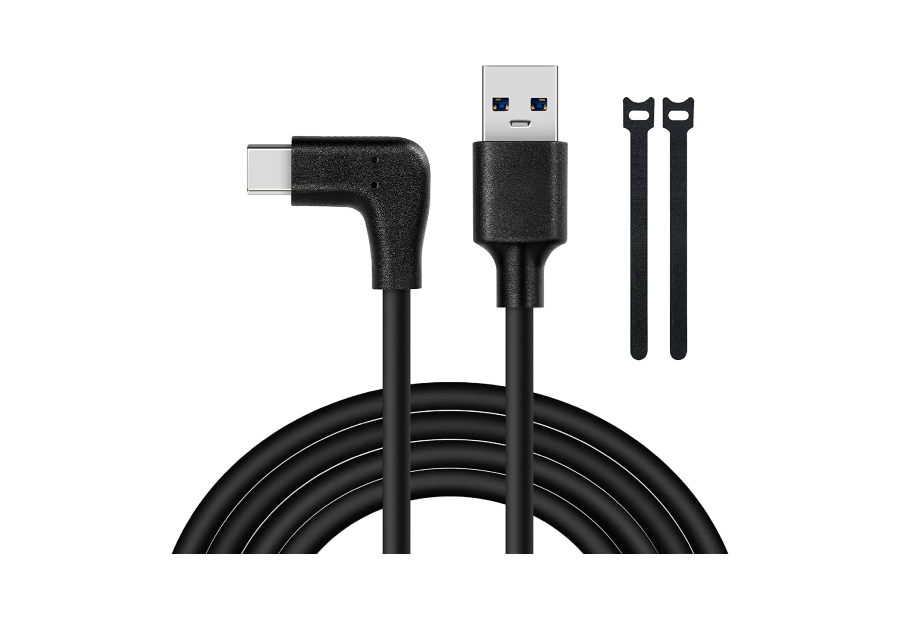
Link cables are generally long to let you use a VR headset easily. So, if your PC is quite far from your playing area, avoid the Deegotech link cable. There are no issues with connectivity and the outer casing of the cable seems strong. You also get a couple of cable ties in the box, making it easy to carry the cable around.
What We Like
What We Don’t Like
JSAUX 2-in-1 Link Cable
Cable length: 16ft | Connector: USB Type-C and USB Type-A

If you have multiple computers with different ports, look at the JSAUX 2-in-1 link cable for the Meta Quest 2. The default connector is USB Type-C, but the brand has also attached a USB Type-A dongle to the cable, making it a versatile link cable.
What We Like
What We Don’t Like
Syntech Link Cable
Cable length: 20ft | Connector: USB Type-A

As mentioned previously, playing in VR with a link cable connection can involve some involuntary tugging from time to time. You may step on the cable or move far away from your PC without realizing it. With the Syntech link cable, you don’t have to worry about this since it’s longer than usual.
What We Like
What We Don’t Like
Syntech Link Cable With Charging Port
Cable length: 16ft | Connector: USB Type-A

The issue with most Oculus Quest 2 link cables (including the first-party one) is that they either don’t charge the headset when playing or supply a low wattage that is insufficient to charge the headset for long periods. This Syntech link cable with a charging port solves that issue.
What We Like
What We Don’t Like
Oculus Quest 2 Link Cable
Cable length: 16ft | Connector: USB Type-C

It’s neither braider nor is it extraordinarily long. Also, it lacks a pass-through USB Type-C port for charging. Except for the Official Quest 2 cable, it doesn’t have anything spectacular. The only real advantage of the first-party Oculus Quest 2 link cable is that it’s a USB 3.2 Gen 1 Type-C cable which promises faster data speeds. Meanwhile, most of the other cables on this list are USB 3.0.
What We Like
What We Don’t Like
Was this helpful?
Last updated on 04 September, 2024
Read Next
 7 Best Meta Quest 2 Head Straps
If you want to enter the world of VR, the Meta Quest 2 is probably your best bet.
7 Best Meta Quest 2 Head Straps
If you want to enter the world of VR, the Meta Quest 2 is probably your best bet.
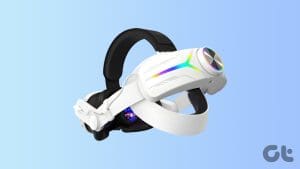 5 Best Meta Quest 3 Battery Packs For Extended Gaming Sessions
The Meta Quest 3 improves upon its predecessor thanks to its focus on Mixed Reality.
5 Best Meta Quest 3 Battery Packs For Extended Gaming Sessions
The Meta Quest 3 improves upon its predecessor thanks to its focus on Mixed Reality.
 6 Best Meta Quest 3 Head Straps for Better Comfort
The Meta Quest 3 is the best portal to virtual and augmented reality.
6 Best Meta Quest 3 Head Straps for Better Comfort
The Meta Quest 3 is the best portal to virtual and augmented reality.
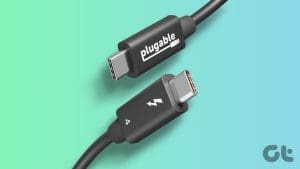 7 Best Thunderbolt 4 Cables: Cables That Roar
The new Thunderbolt 4 specification offers speeds of up to 40Gbps.
7 Best Thunderbolt 4 Cables: Cables That Roar
The new Thunderbolt 4 specification offers speeds of up to 40Gbps.
 Ray-Ban Meta Smart Glasses Review: I Don’t Wanna Take Them Off!
Let me get this out of the way -- I'm a huge fan of wearable tech.
Ray-Ban Meta Smart Glasses Review: I Don’t Wanna Take Them Off!
Let me get this out of the way -- I'm a huge fan of wearable tech.
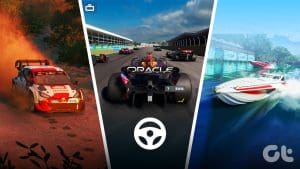 6 Best PS5 Racing Games To Play with Steering Wheel
One of the best gaming experiences on a console is with racing titles.
6 Best PS5 Racing Games To Play with Steering Wheel
One of the best gaming experiences on a console is with racing titles.
 How to Link Epic Games to Steam: Everything You Need to Know
Things to Remember Before you go ahead with linking your Steam and Epic Games accounts to one another, there are a handful of things to keep in mind.
How to Link Epic Games to Steam: Everything You Need to Know
Things to Remember Before you go ahead with linking your Steam and Epic Games accounts to one another, there are a handful of things to keep in mind.
 How to Update Epic Games Launcher and Its Games on Windows
How to Check and Update Epic Games Launcher Epic Games Launcher auto-updates along with its games.
How to Update Epic Games Launcher and Its Games on Windows
How to Check and Update Epic Games Launcher Epic Games Launcher auto-updates along with its games.
The article above may contain affiliate links which help support Guiding Tech. The content remains unbiased and authentic and will never affect our editorial integrity.